Android Auto: Switch BACK to "one big screen" option

gduprey

Well-Known Member
First Name
Gerry
Joined
Feb 17, 2021
Threads
10
Messages
53
Reaction score
41
Location
Rehoboth Beach, DE
Vehicles
Mach-E X4
Country flag
Since the recent Android Auto update (and 4.1.2 on the car), the Android Auto "screen" is split into 3 panels - one larger and two smaller. Which means I now have a much smaller "nav" screen (Waze, for me) than before and two extra panels I have no interest in.

I've been looking around for some way to "hide" the two smaller panel and go "back" to one large panel in the middle with navigation. This is what I had until recently and really appreciated.

I can see how the new "3-panel" split is sort of nice, if you have things you want to display at the same time. But often, at least for me, I want as much screen space given over to nav as possible.

I can't find much on how to"un-split" things, but there were some suggestions it might be initiated from the car (vs AndroidAuto itself).

I've tried flipping anything even remotely possible in the Android Auto settings (app and in-car) and while there are some customization, nothing seems to impact the main 3-way split. That said, when in "Settings" on the car (Android Auto Settings, not the MacheE's settings), the stuff in those two smaller panels is temporarily squeezed into a single line panel below (similar to how Android Auto used to handle it), so somewhere in it, there is the knowledge on how to layout one big screen. But I can't find it.

So wanted to check and see if anyone else experienced this and/or had found a way to have "just one big panel" for AndroidAuto

Gerry
Sponsored

 

flapjake314

Well-Known Member
Joined
Jan 8, 2022
Threads
38
Messages
679
Reaction score
743
Location
NYC
Vehicles
Mach-E Select AWD
Country flag
i'll note this is an android auto update and not a mach e one, the update was called "cool walk" so you might have better shot finding answers on android forum than here
 
OP
OP
gduprey

gduprey

Well-Known Member
First Name
Gerry
Joined
Feb 17, 2021
Threads
10
Messages
53
Reaction score
41
Location
Rehoboth Beach, DE
Vehicles
Mach-E X4
Country flag
Is there something more to it than tapping?

I've done that and nothing happens. If tap "longer", it drops a pin.
 
OP
OP
gduprey

gduprey

Well-Known Member
First Name
Gerry
Joined
Feb 17, 2021
Threads
10
Messages
53
Reaction score
41
Location
Rehoboth Beach, DE
Vehicles
Mach-E X4
Country flag
Yep - I expected it's android auto related and primarily from there. But in the course of a number of hours of running down leads, one was that the android auto gets a "hint" about splitting screens from the car itself (the head-end implementation).

I'm not saying that is the only option, frankly, it feels like the least likely option, but because there is something possibly from there (or generally hoping someone had run into this and come up with some other result), thought I'd post here too.


macchiaz-o

Well-Known Member
First Name
Jonathan
Joined
Nov 25, 2019
Threads
171
Messages
8,579
Reaction score
15,987
Location
}not/A/gr8'Place.2.store-mEyePassword{
Vehicles
MY21 J1 Premium RWD SR
Country flag
Weird... When I first got this major update, tapping in the middle of the map made it full screen.

I haven't tried that recently. Google keeps updating it so maybe that is gone? You might also try the icon in the lower left corner. Might have to tap it more than once as it cycles through views/launcher.
 

Nerwyn

Well-Known Member
First Name
Nerwyn
Joined
Nov 26, 2021
Threads
1
Messages
84
Reaction score
70
Location
North Carolina
Vehicles
2021 Ford MME Premium RWD
Occupation
Software Engineer
Country flag
Is there something more to it than tapping?

I've done that and nothing happens. If tap "longer", it drops a pin.
You should be able to tap the Google Maps / Waze circular icon on the center bottom of the screen in the taskbar. That should make maps full screen. It does so on mine and I've been in the Coolwalk AA beta since at least December.
 
OP
OP
gduprey

gduprey

Well-Known Member
First Name
Gerry
Joined
Feb 17, 2021
Threads
10
Messages
53
Reaction score
41
Location
Rehoboth Beach, DE
Vehicles
Mach-E X4
Country flag
I've tried all those options - tapped every button on the car screen and in the android auto app and nothing seems to be able to control this.

As mentioned, one exception is on the car, going into the Android Auto Settings "App" does go to full screen and pushes the info in the normal lower-two panels down into a compressed line.

So it's possible (at least "technically"), but seeming more and more likely as a mere user, I cannot do it :-(
 
OP
OP
gduprey

gduprey

Well-Known Member
First Name
Gerry
Joined
Feb 17, 2021
Threads
10
Messages
53
Reaction score
41
Location
Rehoboth Beach, DE
Vehicles
Mach-E X4
Country flag
Tapping the Waze circular icon on the bottom doesn't change the size or anything else about the waze/nav display. Taping on some other icon (like settings) does split the screen evenly into 2 parts with Waze on top and the other button on the bottom. But when in the "3-panel" layout pressing the circular Waze button seems to have no effect.
 

superlarz

Member
Joined
Jan 7, 2023
Threads
0
Messages
20
Reaction score
17
Location
San Diego
Vehicles
Ford Mustang Mach-E 2023 California Rt 1 Edition
Country flag
yep Waze issue. Before I got my Mach E i had a Mustang with a smaller screen. Google maps could break out and have the extra boxes or be full screen but Waze didnt have that functionality. It is annoying that Waze hasnt been updated yet
 

Hammered

Banned
Banned
Joined
Oct 4, 2022
Threads
26
Messages
1,303
Reaction score
1,175
Location
SE US
Vehicles
2022 PB F150, MME GTPE
Country flag
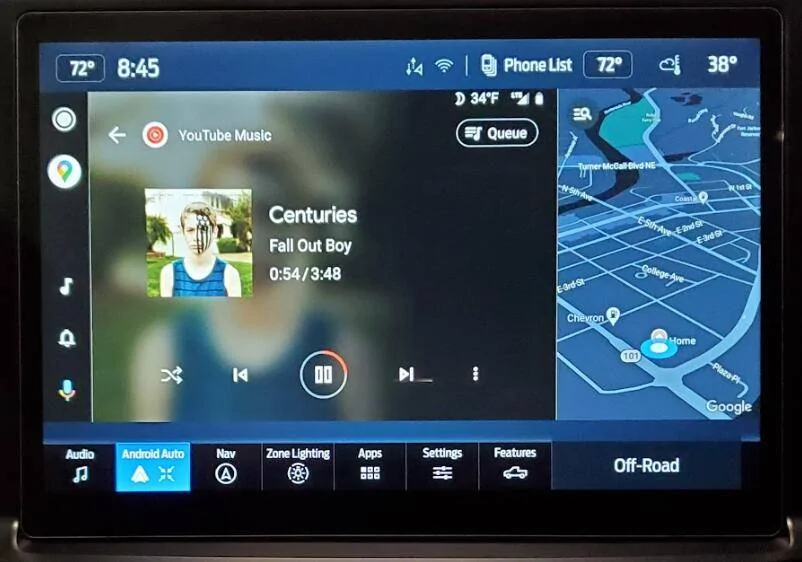
Here's what it looks like on the 12" screen sync4. The area on the right is google maps. By going back to 'normal' from 'full', that right panel is adjustable for any number of things in sync itself including different camera views, off road angles / degrees, among other things. Pressing the map brings it to the main screen while yt music moves over to the right. Pressing one of the buttons will bring up text messages or other alerts in the top portion of the larger area.

Ford Mustang Mach-E Android Auto: Switch BACK to "one big screen" option 1674596404432


If I had a lightning, I'd go for the 12" screen, check out what this box does...
because of the physical buttons, you don't have to worry about the screen only options like climate on the larger screens.

 
Last edited:

macchiaz-o

Well-Known Member
First Name
Jonathan
Joined
Nov 25, 2019
Threads
171
Messages
8,579
Reaction score
15,987
Location
}not/A/gr8'Place.2.store-mEyePassword{
Vehicles
MY21 J1 Premium RWD SR
Country flag
A follow up on my earlier recommendations...

I experimented during the drive home and found that the one tap inside the map does make it full screen -- but only when the SYNC tiles are tall. When they are shorter (e.g. if you have the most recent SYNC versions) then you'd need to tap the Maps icon on the bottom row to achieve full screen. You can also make audio or whatever else full screen by tapping their bottom row icons.

I don't use Waze so I guess that's a big part of why I'm not seeing the same issue, too.
 

DaveP

Well-Known Member
First Name
Dave
Joined
Jan 17, 2022
Threads
18
Messages
238
Reaction score
221
Location
Washington state
Vehicles
2022 Mach E Premium eAWD iced white assistance pac
Occupation
Real estate advisor
Country flag
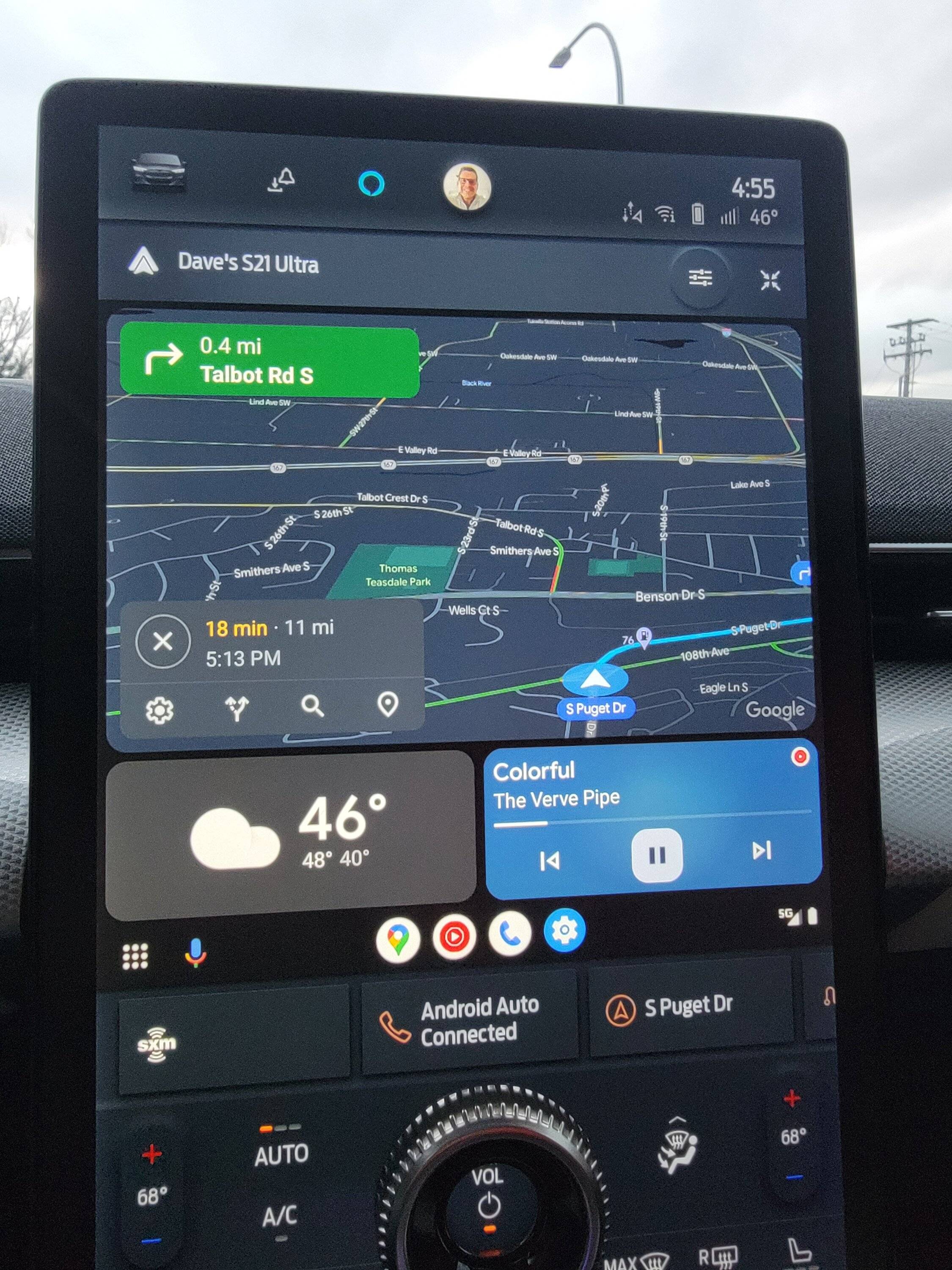
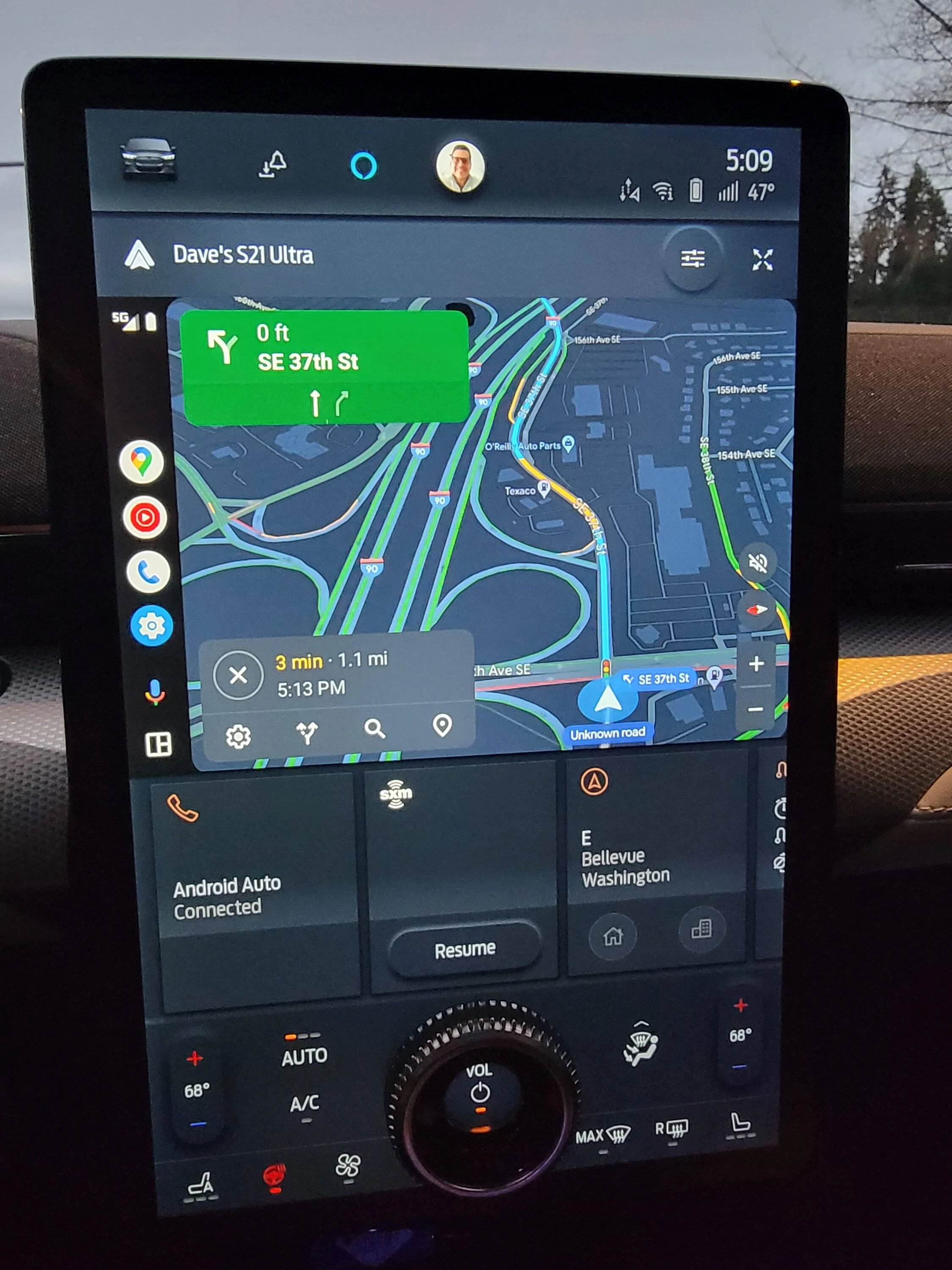
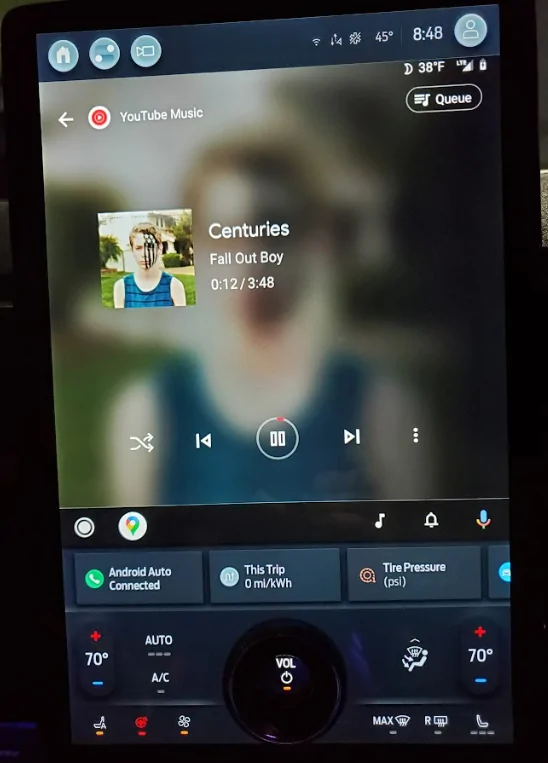
3 modes on Mach e. Gives all options including big tiles.

Ford Mustang Mach-E Android Auto: Switch BACK to "one big screen" option 20230127_165528


Ford Mustang Mach-E Android Auto: Switch BACK to "one big screen" option 20230127_170959


Ford Mustang Mach-E Android Auto: Switch BACK to "one big screen" option 20230127_171007


Top