Configuring instrument cluster display

DaMeatMan

Well-Known Member
First Name
Joe
Joined
Feb 26, 2021
Threads
46
Messages
497
Reaction score
1,191
Location
Toronto, ON, Canada
Vehicles
Mustang Mach-E Premium AWD Extended Range Battery
Country flag
Hey guy's,

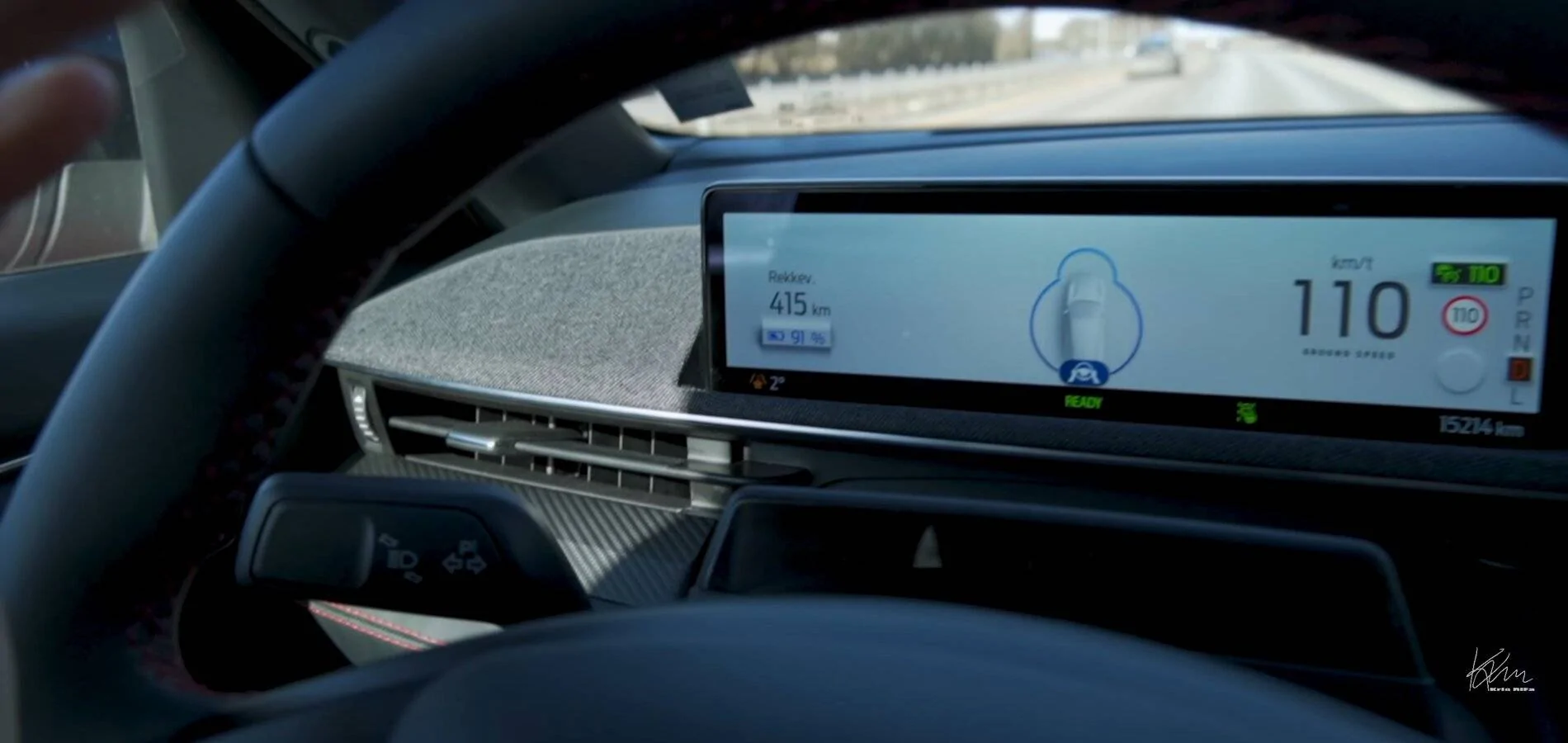
Just wondering if anyone has found a way to configure the small display behind the steering wheel?

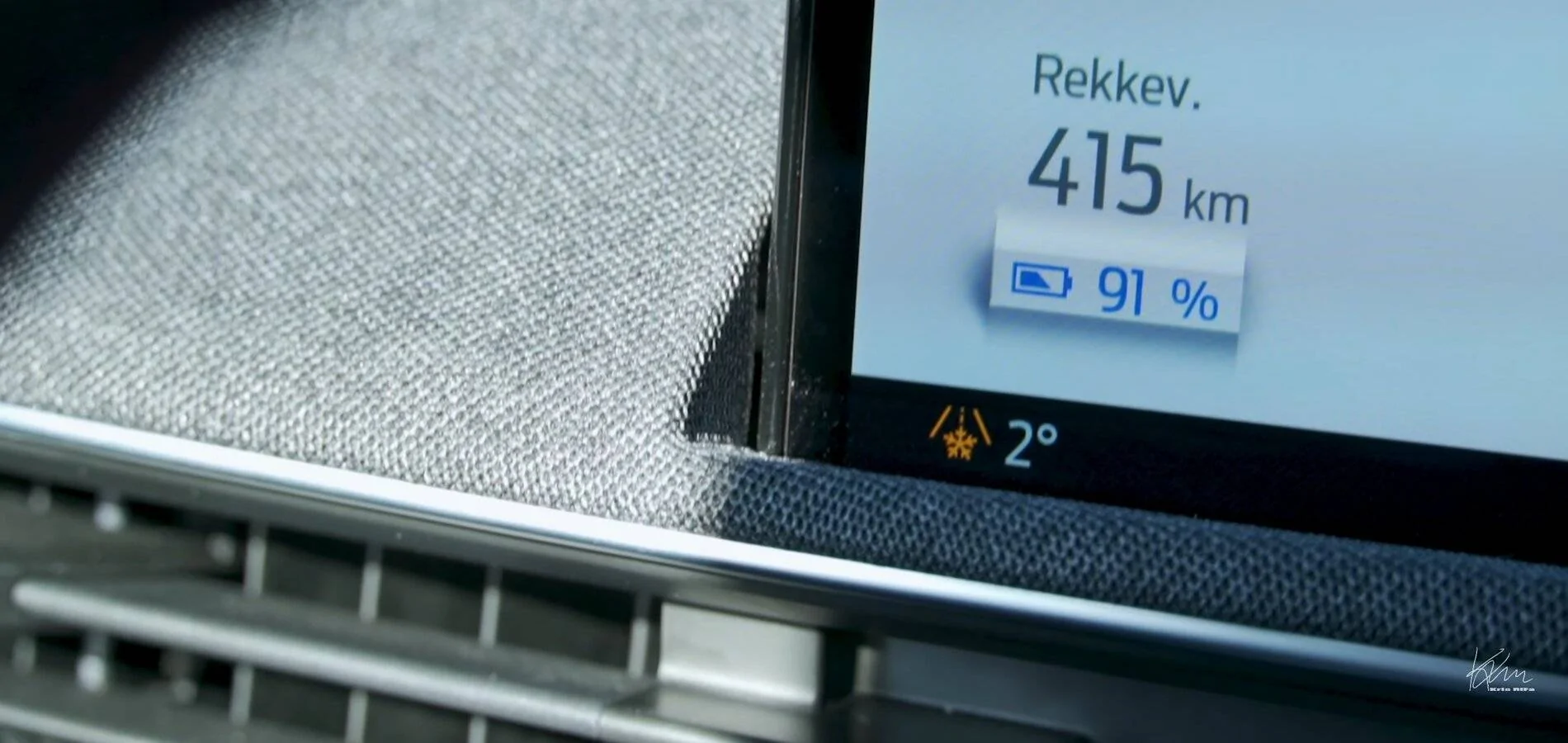
I've watched a few videos and noticed that a number of them seem to have different data points at various places on that display that I don't currently see on my Premium MME. In particular the last vid I just watched had the temperature displayed in the same spot where on my display I currently see the compass heading.

Either I'm blind, or there does not seem to be any configuration settings for this screen??

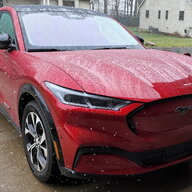
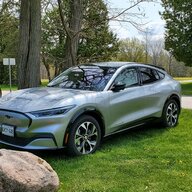
If you have a look at the attached image, the first one in "dark mode" is my vehicle, the other ones in "light mode" are screenshots I've taken from a YouTube video I just watched on Kris Rifa's channel where he does a range test on the MME.

The difference in display makes me think this is configurable somewhere, or is it possible that it's just a regional software config difference?

Besides changing the display from dark to light mode, i can't seem to find any other configuration options for this screen which just seems really weird to me.

Ford Mustang Mach-E Configuring instrument cluster display 20210310_111735


Ford Mustang Mach-E Configuring instrument cluster display Screenshot_20210310-112804_YouTu


Ford Mustang Mach-E Configuring instrument cluster display Screenshot_20210310-112651_YouTu
Sponsored


SteelMach

Well-Known Member
Joined
Feb 12, 2021
Threads
3
Messages
666
Reaction score
726
Location
Michigan
Vehicles
2021 Mustang Mach-E
Country flag
There is a disappointing lack of customization options on this screen.

I would love to be able to have lane-keep on without ruining the centered speedometer and the gorgeous Unbridled graphics.

I would love to replace the Miles with a HV Battery Temperature display.
 

fallguy

Well-Known Member
First Name
fallguy
Joined
Feb 17, 2021
Threads
11
Messages
213
Reaction score
321
Location
The south
Vehicles
2020 Defender, 1968 Mustang, 2021 Mach-E GT
Occupation
Federal
Country flag
I've read that it is not. Which is a bummer.

I do have a little flag between my range and charge percentage that says "14m" that shows like a destination distance I am assuming. But it always says 14m, and I have never used the GPS to navigate.
 
OP
OP
DaMeatMan

DaMeatMan

Well-Known Member
First Name
Joe
Joined
Feb 26, 2021
Threads
46
Messages
497
Reaction score
1,191
Location
Toronto, ON, Canada
Vehicles
Mustang Mach-E Premium AWD Extended Range Battery
Country flag
There is a disappointing lack of customization options on this screen.

I would love to be able to have lane-keep on without ruining the centered speedometer and the gorgeous Unbridled graphics.

I would love to replace the Miles with a HV Battery Temperature display.
The main option I would like to change here is moving the current speed data to the left of the screen instead of the right of the screen. I'm a right handed driver and usually drive with the one hand, and I find that my hand gets in the way of the main data I would need to look at on that screen (which is my current speed). To see it I have to kind of move my hand purposefully for a moment to get out of view, while the whole rest of the screen is clearly visible but doesn't really contain any info that i really need to look at.

Hopefully the first OTA update gives us more configuration options, because just about any vehicle under the sun has some level of instrument cluster display configuration options available.
 

SteelMach

Well-Known Member
Joined
Feb 12, 2021
Threads
3
Messages
666
Reaction score
726
Location
Michigan
Vehicles
2021 Mustang Mach-E
Country flag
The main option I would like to change here is moving the current speed data to the left of the screen instead of the right of the screen. I'm a right handed driver and usually drive with the one hand, and I find that my hand gets in the way of the main data I would need to look at on thus screen (which is my current speed). To see it I have to kind of move my hand purposefully for a moment to get out of view, while the whole rest of the screen is clear visible bit doesn't really contain any info i really need to look at.

Hopefully the first OTA update gives us more configuration options, because just about any vehicle under the sun has some level of instrument cluster display configuration options available.
Especially given that this is a "Mustang" and the gasoline Mustang is the KING of customization options.

The gas Mustang has completely customizable ambient lighting to the point you can set your own R-G-B values for the colors and save custom colors. You can even set one custom color for the gauges and an entirely different custom color for the footwells (and the lighted door scuffs which we don't have either). Why isn't that here, it's a "Mustang" right?

The gas Mustang has digital gauges for completely meaningless things that the driver can't possibly act on the knowledge of, like air/fuel ratio, inlet vacuum, etc. and we have ZERO customization other than what Ford prescribed in their 3 drive modes. We don't have data that we *can* act on, like HV battery temp, even offered whatsoever.

Even in SYNC, the gas Mustang shows the Mustang horse when it boots, this shows the Ford oval.

Seems like a huge missed opportunity for a "Mustang."

Like their gas Mustang and EV Mustang teams didn't talk.
 
Last edited:


fayt349

Well-Known Member
First Name
Ben
Joined
Feb 27, 2021
Threads
24
Messages
406
Reaction score
612
Location
San Jose
Vehicles
BMW i4 eDrive 40 M-Sport
Occupation
Network Support Engineer
Country flag
I just dont understand how we don't have an "RPM" but for energy, like using energy and regen braking. Like seriously.... how do we not have that. I already submitted feedback to Ford support about it, but it's just insane to me.
 

SteelMach

Well-Known Member
Joined
Feb 12, 2021
Threads
3
Messages
666
Reaction score
726
Location
Michigan
Vehicles
2021 Mustang Mach-E
Country flag
I just dont understand how we don't have an "RPM" but for energy, like using energy and regen braking. Like seriously.... how do we not have that. I already submitted feedback to Ford support about it, but it's just insane to me.
It is one of the very few EVs that do not provide that feedback to the driver... and it wears a "driver's car" badge. It's something I hope they add as well.
 

CaptainET

Well-Known Member
First Name
Ed
Joined
Feb 24, 2021
Threads
10
Messages
51
Reaction score
38
Location
Florida
Vehicles
Mustang Mach E
Country flag
The display configuration does change some depending on if "lane keeping" is on or off
 
OP
OP
DaMeatMan

DaMeatMan

Well-Known Member
First Name
Joe
Joined
Feb 26, 2021
Threads
46
Messages
497
Reaction score
1,191
Location
Toronto, ON, Canada
Vehicles
Mustang Mach-E Premium AWD Extended Range Battery
Country flag
The display configuration does change some depending on if "lane keeping" is on or off
This thread is not really about whether the display changes or not, it's about being able to configure it and change it ourselves to the drivers own needs.
 

DocOfClocks

Well-Known Member
Joined
Mar 7, 2021
Threads
4
Messages
68
Reaction score
123
Location
Ohio, US
Vehicles
Rapid Red Mach-E Premium AWD, CR-V Hybrid
Country flag
Hey guy's,

Just wondering if anyone has found a way to configure the small display behind the steering wheel?

I've watched a few videos and noticed that a number of them seem to have different data points at various places on that display that I don't currently see on my Premium MME. In particular the last vid I just watched had the temperature displayed in the same spot where on my display I currently see the compass heading.

Either I'm blind, or there does not seem to be any configuration settings for this screen??

If you have a look at the attached image, the first one in "dark mode" is my vehicle, the other ones in "light mode" are screenshots I've taken from a YouTube video I just watched on Kris Rifa's channel where he does a range test on the MME.

The difference in display makes me think this is configurable somewhere, or is it possible that it's just a regional software config difference?

Besides changing the display from dark to light mode, i can't seem to find any other configuration options for this screen which just seems really weird to me.
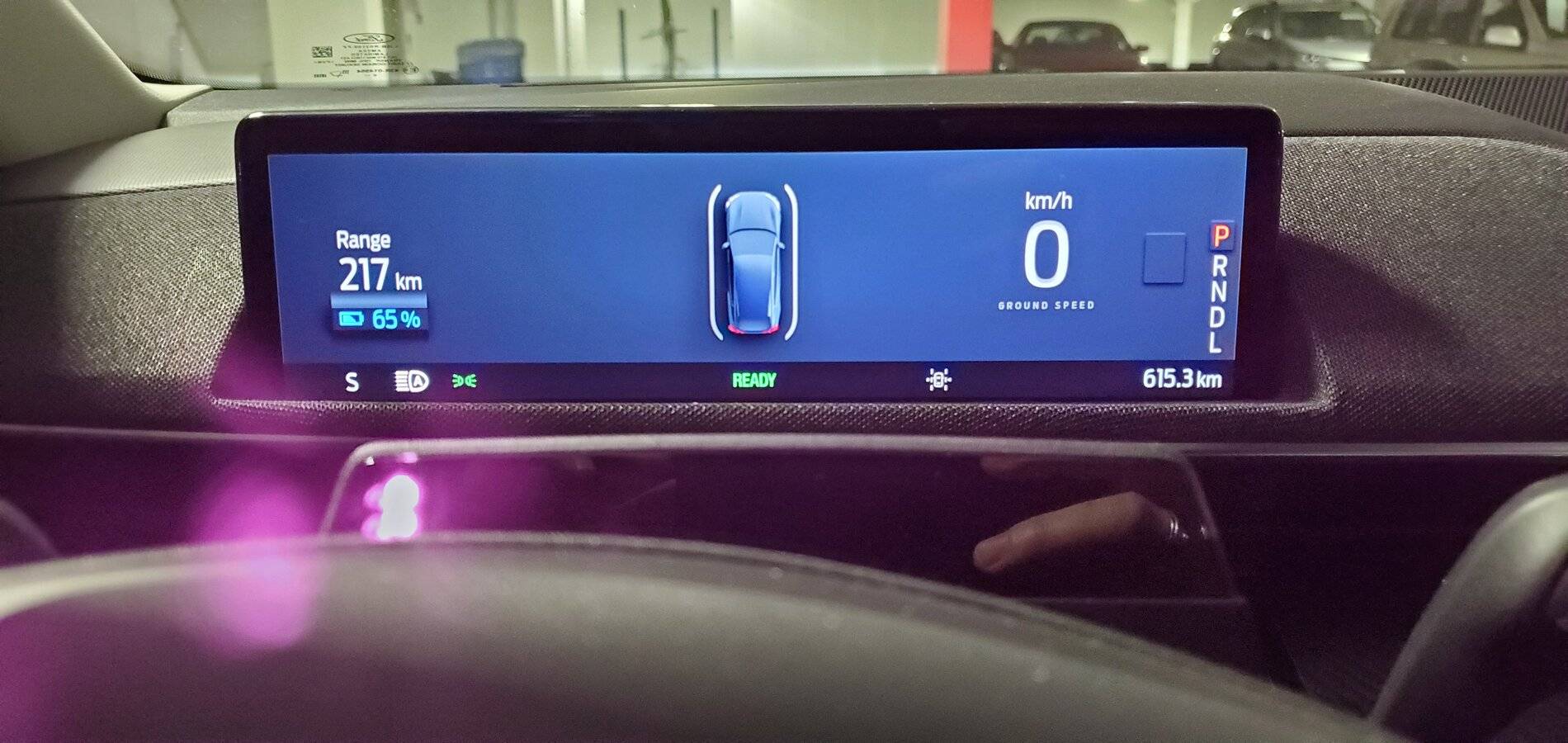
Did you figure out how to change between the compass and outside temperature?
 
OP
OP
DaMeatMan

DaMeatMan

Well-Known Member
First Name
Joe
Joined
Feb 26, 2021
Threads
46
Messages
497
Reaction score
1,191
Location
Toronto, ON, Canada
Vehicles
Mustang Mach-E Premium AWD Extended Range Battery
Country flag
Did you figure out how to change between the compass and outside temperature?
I don't believe that you can, and I suspect that the difference is regional between Europe and North America.
 

Dylancch

Well-Known Member
First Name
Dylan
Joined
Mar 26, 2021
Threads
23
Messages
119
Reaction score
145
Location
Swift current
Vehicles
Mach e
Occupation
Construction
Country flag
Man look at that range my awd ex range premium gets 350 is km
 

TheQ42

Well-Known Member
First Name
Quinton
Joined
Jan 5, 2022
Threads
4
Messages
62
Reaction score
48
Location
Cleveland, OH
Vehicles
2021 Mach-E Premium 4X
Occupation
Product Management
Country flag
Hello! New forum member here, and I just wanted to add my voice. I can't even figureo out how to get a centered MPH display. Even if I turn off lane keeping (via the steering wheel button), the little car icon stays in the middle of the screen. I'm guessing I have to fully turn it off in the options to get the centered MPH display and cool graphics.

That's stupid. Why can't I have the graphics and the lane keeping icons off to the side? Blech. Some customization here is need and wanted.

Other than that, and the fact that I can't start the car with my fob (need the app), I do absolutely love the car :)
 

macchiaz-o

Well-Known Member
First Name
Jonathan
Joined
Nov 25, 2019
Threads
171
Messages
8,579
Reaction score
15,987
Location
}not/A/gr8'Place.2.store-mEyePassword{
Vehicles
MY21 J1 Premium RWD SR
Country flag
Hello! New forum member here, and I just wanted to add my voice. I can't even figureo out how to get a centered MPH display. Even if I turn off lane keeping (via the steering wheel button), the little car icon stays in the middle of the screen. I'm guessing I have to fully turn it off in the options to get the centered MPH display and cool graphics.
To get what you're after, you need to disable both cruise control and lane keep assist on the steering wheel, and disable forward distance indication in the driver assist settings on the SYNC display. Also if you've got a destination routed, you have to cancel navigation.

I think there's one other setting that will prevent the centered MPH, but I can't recall what it is at the moment... But start with the above list and see what happens.
 

SashaLondon

Well-Known Member
First Name
Sasha
Joined
Sep 11, 2020
Threads
32
Messages
1,393
Reaction score
1,500
Location
London
Vehicles
MME AWD SR
Country flag
I've read that it is not. Which is a bummer.

I do have a little flag between my range and charge percentage that says "14m" that shows like a destination distance I am assuming. But it always says 14m, and I have never used the GPS to navigate.
That is an error, set your sat nav then cancel the destination and that 14 will disappear.
Sponsored


Top