OP
OP
ThunderClap

ThunderClap

Well-Known Member
First Name
Revanth
Joined
May 1, 2024
Threads
8
Messages
247
Reaction score
170
Location
Tennessee
Vehicles
MachE GT
Country flag
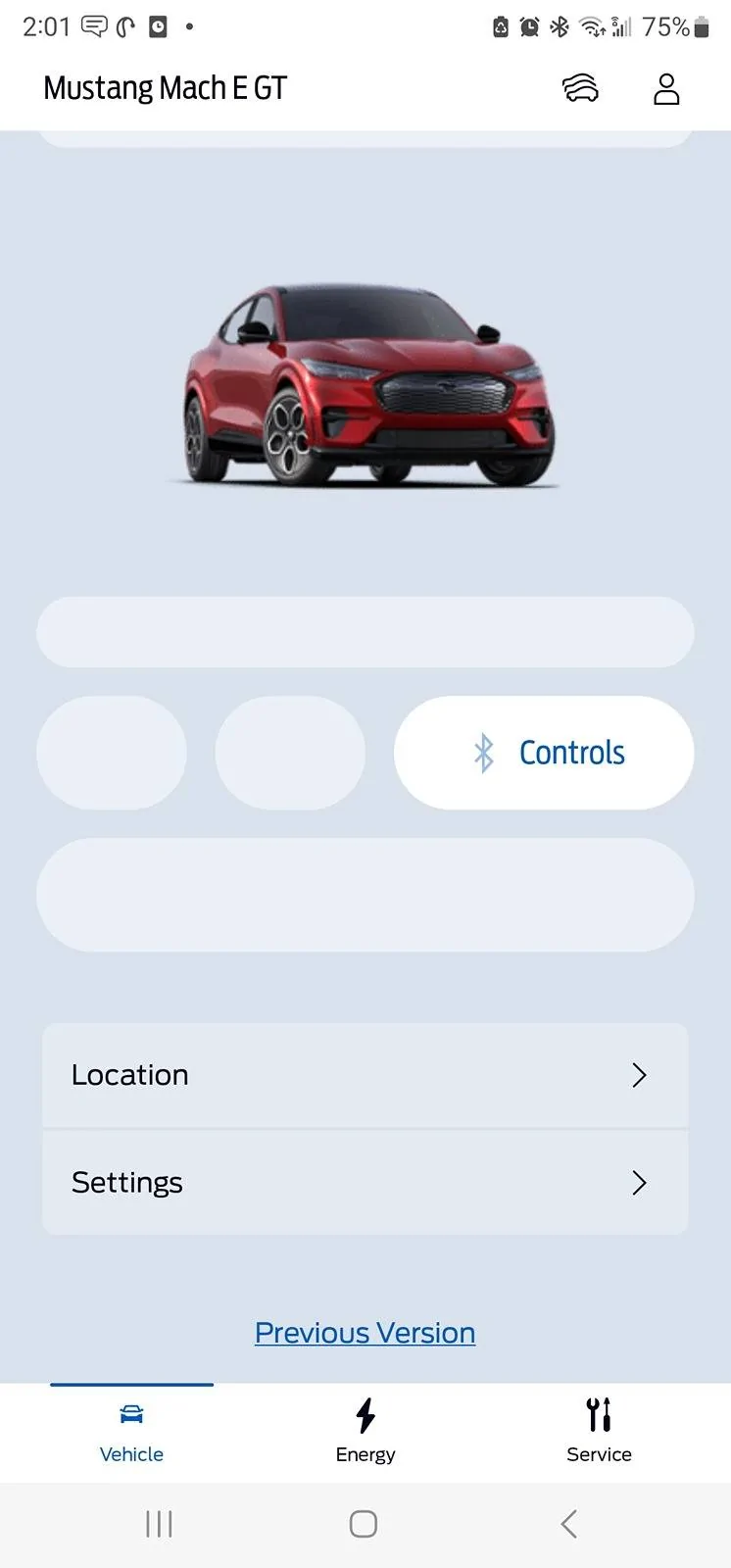
Nice cleaner look. I see a fan blade on the menu, and when I clicked it says "Starting Climate" . First time it failed. The next time said climate on till 10:53 am (on for about 13 minutes). Does anyone know how this works? Or where to find the details on how to use. For example, does the MME interior A/C turn on and run for a TbD amount of time. How do you set the time period? The A/C "target" temperature (climate)? If works this way, seems like a useful feature, shortcut here in AZ.
Maybe a doggy mode similar to TESLAs coming soon?
Not on Mach-E for now.
Sponsored


Aahhcc11

Well-Known Member
First Name
Y
Joined
Apr 21, 2024
Threads
25
Messages
190
Reaction score
73
Location
Maryland
Vehicles
Mach E Premium Nite Pony
Country flag
watchOS Notes

I'm very glad to see that the watch app got some work done! Honestly I worry each major update that it will be discontinued as it's how I primarily turn on my car.

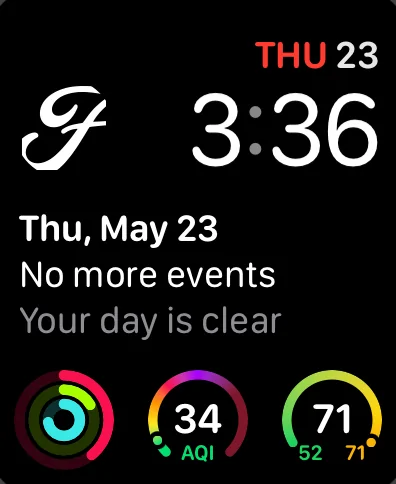
I currently have the Ford app as a complication to my Modular watch face. This allows me to have a shortcut right on my screen.

Screenshot of watchOS Modular watch face, featuring the FordPass icon as a complication.


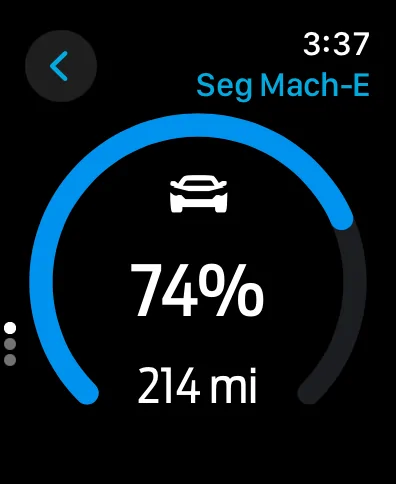
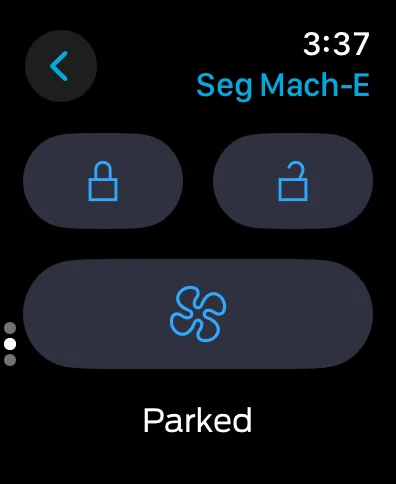
At first I was worried that it will always go to the battery level first, but I think it stays on the last screen you select. Or it may only keep view only while in-memory. Have to see how it performs the next few days. It is annoying to have to enter the app, THEN digital crown scroll, then hit the climate button.

watchOS FordPass Screenshot: Battery screen showing 75% charge and 214 miles.
Screenshot of FordPass with the car title Seg Mach-E, lock, unlock, and climate buttons, followed by the word parked.


Feature Request: Support Double Tap Gestures
When I'm on the start-the-car screen, support Double Tap. I assure you, there's not going to be accidental car starts if Double Tap was supported.

Feature Request: Battery Level Complication
Now that the battery level is communicated to the watch, I would like the option for a complication to display the power level. In my first screenshot, you'll see I have activity, AQI, and local temp on the bottom of the screen. See the complication for battery for a full circle power bar with percentage number in the middle.

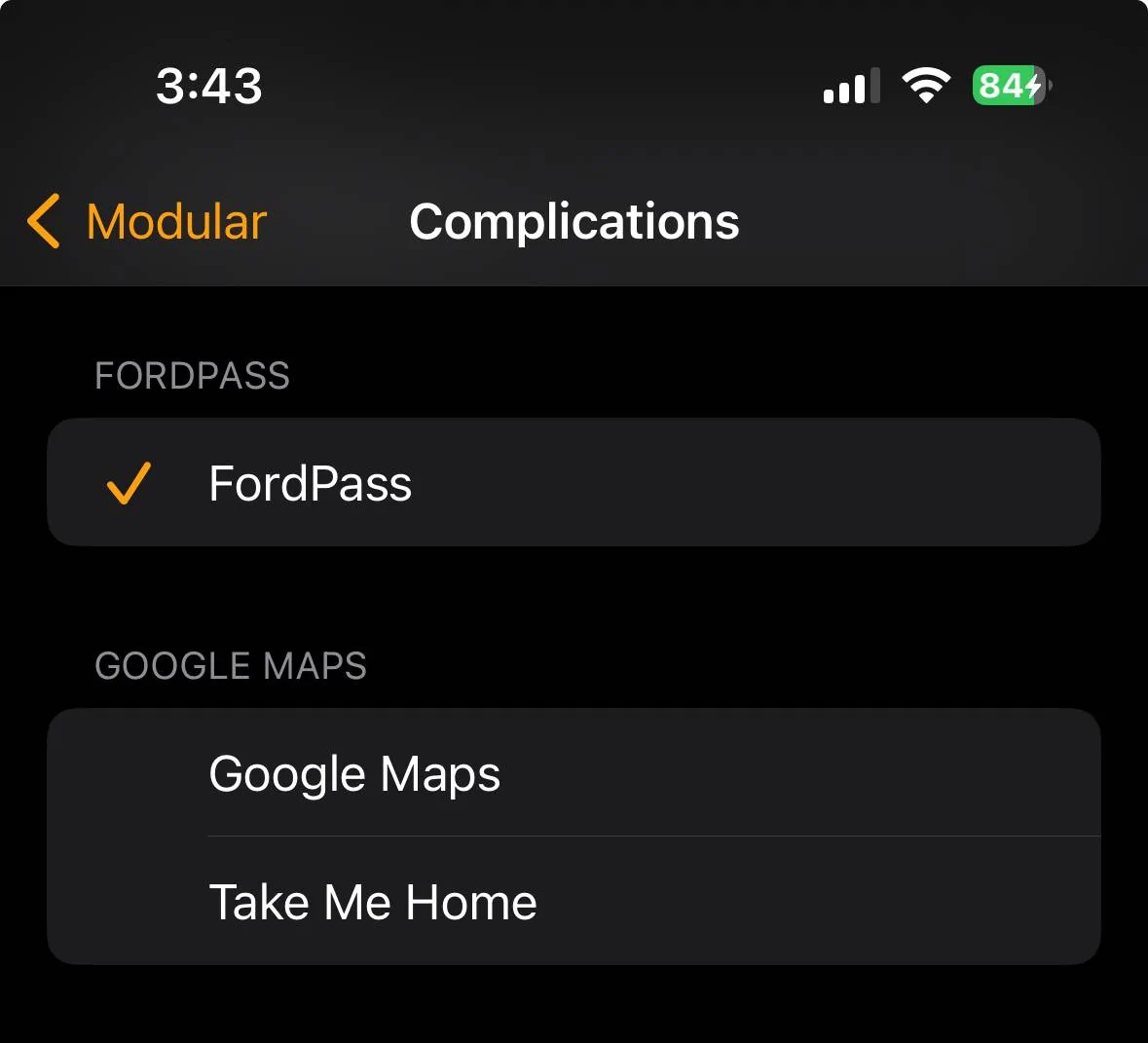
I would love the option to select between the F icon and battery level display. Just as Google Maps has two different complications below [Watch app -> Select a Face -> Complications].

ford-watchos-03.jpeg


I see the following type of options based on what's now referenced in the Watch app:
  • FordPass [default]
    • The current Ford Modern F logo.
  • Battery Percentage
    • Radial dial is battery percentage.
    • Number as battery percentage.
  • Battery Milage
    • Radial dial is battery percentage.
    • Number as estimated milage. Display "MI" or "KM" just as "AQI" is displayed in the first screenshot.
love this! And I agree on double tap, my garage app (MyQ) does this, and I never accidentally open or close my garage.

Question for you with your watch complication. if it has been more than an hour since I last opened the app, when I press the ford F logo, the app starts to load and the refresh takes 15-30 seconds before i see anything. I even checked that I have background refresh enabled. Makes me not want to use the watch as a primary means of opening, etc.
 

ThatGuyLando

Well-Known Member
Joined
Jan 21, 2022
Threads
13
Messages
640
Reaction score
716
Location
Iowa
Vehicles
22 CR1
Occupation
Software Developer
Country flag
Mine handed me off to Apple Maps. There doesn’t appear to be integration with Apple Maps, just an app switch. ?‍♂?
Must be an iOs thing. Mine integrates Google maps into the app. It only kicks me to the app if I want directions to the car.
 

TheSeg

Well-Known Member
First Name
Seg
Joined
Oct 5, 2020
Threads
9
Messages
330
Reaction score
731
Location
San Francisco Bay Area, CA
Website
seg.fyi
Vehicles
2021 Mach-E Premium EB-RWD (Built: Feb 2021)
Country flag
if it has been more than an hour since I last opened the app, when I press the ford F logo, the app starts to load and the refresh takes 15-30 seconds before i see anything. I even checked that I have background refresh enabled. Makes me not want to use the watch as a primary means of opening, etc.
Now that it's been more than an hour since I made that post…

Opening the app goes to the % battery first, which is what I feared. There's no reason I'm first checking my battery % when opening the app. But after immediately using the digital crown to get to the actions view, I'm not waiting for loading to activate the "climate" button.

For reference: I'm on an Apple Watch Series 9 WiFi paired with an iPhone 14 Pro.
 

AliRafiee

Well-Known Member
First Name
Ali
Joined
Jan 20, 2023
Threads
103
Messages
3,267
Reaction score
4,191
Location
Seattle WA
Vehicles
2022 Mach E GT - Grabber Blue
Occupation
Software Eng.
Country flag
Nice cleaner look. I see a fan blade on the menu, and when I clicked it says "Starting Climate" . First time it failed. The next time said climate on till 10:53 am (on for about 13 minutes). Does anyone know how this works? Or where to find the details on how to use. For example, does the MME interior A/C turn on and run for a TbD amount of time. How do you set the time period? The A/C "target" temperature (climate)? If works this way, seems like a useful feature, shortcut here in AZ.
Maybe a doggy mode similar to TESLAs coming soon?
It uses the last AC setting to heat or cool your cabin. On for 15 minutes.


MYOUTH

Well-Known Member
First Name
Steven
Joined
Mar 18, 2021
Threads
20
Messages
71
Reaction score
61
Location
St Louis
Vehicles
Lincoln MKX, Proud Owner of a Premium SR RWD
Occupation
Retired
Country flag
The new Ford Pass 5.0 doesn't seem to display my crick info. It's pretty but didn't work without that data. (2021 MachE GT)

Screenshot_20240523_140151_FordPass.jpg
Must have something to do with the name Steve and the car being red. I have the same problem
 

PharaohHound138

Well-Known Member
First Name
Dave
Joined
Apr 29, 2022
Threads
5
Messages
186
Reaction score
237
Location
Ohio
Vehicles
2022 Mach-E premium
Occupation
Railroad
Country flag
Must be an iOs thing. Mine integrates Google maps into the app. It only kicks me to the app if I want directions to the car.
How are you
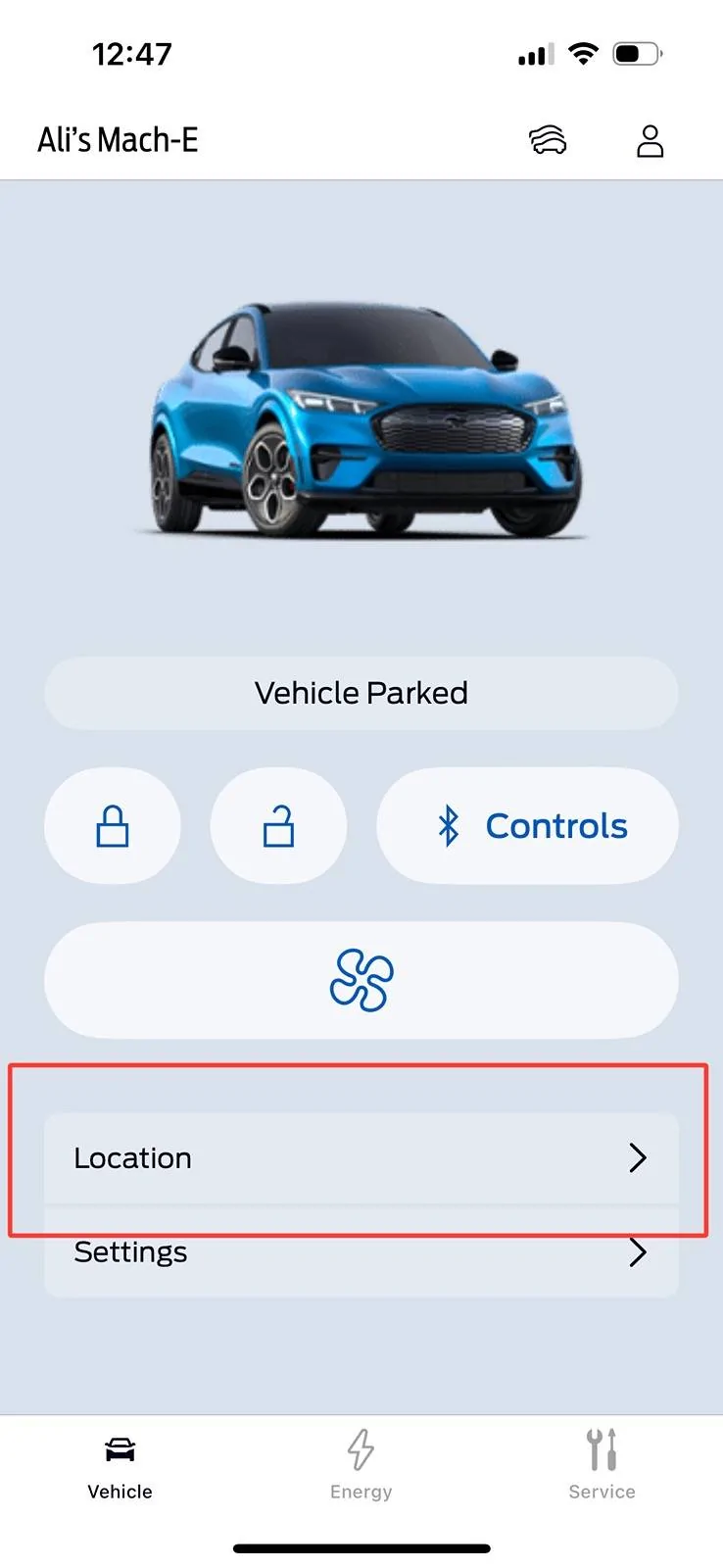
Maps for your car's location and chargers are back! I definitely missed that in the beta. It looks like trip planning is still gone, though? (Didn't use it a ton, but I did notice it was gone when I switched to the beta.)

EDIT - [removed inaccurate speculation]
Where is this? I don't see anything like that on my app.
 

PharaohHound138

Well-Known Member
First Name
Dave
Joined
Apr 29, 2022
Threads
5
Messages
186
Reaction score
237
Location
Ohio
Vehicles
2022 Mach-E premium
Occupation
Railroad
Country flag
Hope we see this update in the UK soon
I wouldn't get to excited to get it if I were you. I don't notice any real improvements, it just looks different but that's about all. And if you used the trip planner, that is gone
 

Dysan911

Well-Known Member
First Name
Brian
Joined
Mar 11, 2024
Threads
13
Messages
318
Reaction score
235
Location
USA
Vehicles
2023 Mustang Mach E GT
Occupation
Technical Software Analyst
Country flag
With so many of the Public testing this out now I am hoping they'll release a quick bug squash update soon.
 

EasyPass

Well-Known Member
First Name
Dave
Joined
Sep 12, 2021
Threads
12
Messages
378
Reaction score
436
Location
16066
Vehicles
2021 MME Premium 4X, 2017 Fusion Energi PHEV
Occupation
Retired
Country flag
Very happy to see these updates. But with the vehicle status bar, I don't understand why it cannot indicate if vehicle is locked or unlocked. We see vehicle on, vehicle parked, vehicle driving. However when I try to see if car is locked I cannot.
Perhaps you could just lock it if you want it locked, then you'll know?
Sponsored


Top