Mike G

Well-Known Member
First Name
Mike
Joined
Mar 27, 2022
Threads
25
Messages
6,451
Reaction score
5,289
Location
N. AL, USA
Vehicles
'23(J1) Mach-E GT-PE, '22 F-150 Lightning, '24 Bronco HLE 2Dr
Country flag
I'm trying to find the BOM for the Q4 harness. There was a link somewhere that had the list of stuff for ordering everything to make your own harness (digikey? Mouser?). If somebody can point me back to it I'd appreciate it.
Sponsored
 

AjzRide

Well-Known Member
First Name
Alan
Joined
May 1, 2021
Threads
8
Messages
365
Reaction score
541
Location
Houston
Vehicles
RR 2021 MME Premium RWD
Occupation
Eng
Country flag
I'm trying to find the BOM for the Q4 harness. There was a link somewhere that had the list of stuff for ordering everything to make your own harness (digikey? Mouser?). If somebody can point me back to it I'd appreciate it.
Why would you want to make your own harness? They are back in stock. The problem with making your own is the PCB connector is only sold in bulk (minimum order of 300).

https://www.mouser.com/ProductDetai...2Bccjv9Htyg==&countryCode=US&currencyCode=USD

https://www.mouser.com/ProductDetai...tikRKv%2B8w==&countryCode=US&currencyCode=USD

https://www.mouser.com/ProductDetai...3B7PmD3EBJQ==&countryCode=US&currencyCode=USD

https://www.mouser.com/ProductDetai...G%2BPYEOBVw==&countryCode=US&currencyCode=USD

https://www.te.com/usa-en/product-1438981-1.html
 

Macwestly

Member
Joined
Mar 25, 2024
Threads
0
Messages
19
Reaction score
12
Location
South Carolina
Vehicles
2023 Mach E Premium
Country flag
Over the weekend I had the opportunity to take the C3X and Mach E for about a 120 mile trip which was mostly divided highway. It all worked extremely well but I did notice some "ping-ponging" within the lane. Is there any adjustment for that or a toggle I should or should not have on in the C3X settings? It wasn't extreme but it was noticeable and kind of annoying. :LOL:
 

AjzRide

Well-Known Member
First Name
Alan
Joined
May 1, 2021
Threads
8
Messages
365
Reaction score
541
Location
Houston
Vehicles
RR 2021 MME Premium RWD
Occupation
Eng
Country flag
Over the weekend I had the opportunity to take the C3X and Mach E for about a 120 mile trip which was mostly divided highway. It all worked extremely well but I did notice some "ping-ponging" within the lane. Is there any adjustment for that or a toggle I should or should not have on in the C3X settings? It wasn't extreme but it was noticeable and kind of annoying. :LOL:
I've been working on some logic to fix it. The root cause is that Comma is only using one of the four signals Ford designed for lane centering. Without the other 3 signals it's harder to hold it perfectly straight. I'll reach out to you when it's ready for another tester.
 

Nolanbro

Well-Known Member
First Name
Nolan
Joined
Jan 17, 2024
Threads
7
Messages
174
Reaction score
129
Location
Buffalo, NY
Vehicles
2024 VW ID.4 Pro S
Occupation
Mechanical Engineering Student
Country flag
Can you post a pic of how you did the routing? I have it running along the left of the car, but I don't have enough slack to get under the mats. How are you exiting the IPMA area into the cabin?
Sorry for the late reply. I don't have my car as its getting a new HVBJB right now. I have it running out from the trim connection on the lower part of the backseat, near the bottom cushion.


AjzRide

Well-Known Member
First Name
Alan
Joined
May 1, 2021
Threads
8
Messages
365
Reaction score
541
Location
Houston
Vehicles
RR 2021 MME Premium RWD
Occupation
Eng
Country flag
Okay guys, the team is making public a lot of the enhancements we have been working on for Fords. We have developed a fork of SunnyPilot with the goal of allowing early adopters to help test and refine features before they are submitted to the SunnyPilot team for inclusion. The link below is to an F150 forum because that is where the majority of the users come from, but the software works just as well on a MachE or any other Ford.

https://www.f150gen14.com/forum/thr...t-a-ford-specific-fork-for-the-comma3x.24241/
 

AjzRide

Well-Known Member
First Name
Alan
Joined
May 1, 2021
Threads
8
Messages
365
Reaction score
541
Location
Houston
Vehicles
RR 2021 MME Premium RWD
Occupation
Eng
Country flag
I finally bit the bullet and bought a second harness so I could do some testing in the Mach E to see if it behaves differently than the F150 with the steering logic I'm working on.

  • Remove the trunk floor and emergency kit styrofoam:
  • Ford Mustang Mach-E Installing Comma.ai / OpenPilot (BlueCruise alternative) IMG_1670.JPG

  • Ford Mustang Mach-E Installing Comma.ai / OpenPilot (BlueCruise alternative) IMG_1674.JPG

  • Remove two bolts that are holding the trim panel in place, these use a 5/16 socket and are on the inside back wall, below the trunk floor level:
  • Ford Mustang Mach-E Installing Comma.ai / OpenPilot (BlueCruise alternative) IMG_1671.JPG

  • Pop up the plastic cover on the D-Ring tie downs on the sill cover and remove the screw with a T25 Torx bit
    Ford Mustang Mach-E Installing Comma.ai / OpenPilot (BlueCruise alternative) IMG_1673.JPG
  • Pop the sill trim off, it pulls straight up
  • Now pop the drivers side-cover loose. It just pulls out, and it goes from the back all the way to the rear seat. I did not pull it 100% loose, just the end near the lift gate to access the IPMA and the end near the rear door to feed the cable through
  • Ford Mustang Mach-E Installing Comma.ai / OpenPilot (BlueCruise alternative) IMG_1675.JPG

  • Ford Mustang Mach-E Installing Comma.ai / OpenPilot (BlueCruise alternative) IMG_1676.JPG

  • The IPMA is right at the lift gate. You need to intercept the middle plug. It's black and right below the grey one.
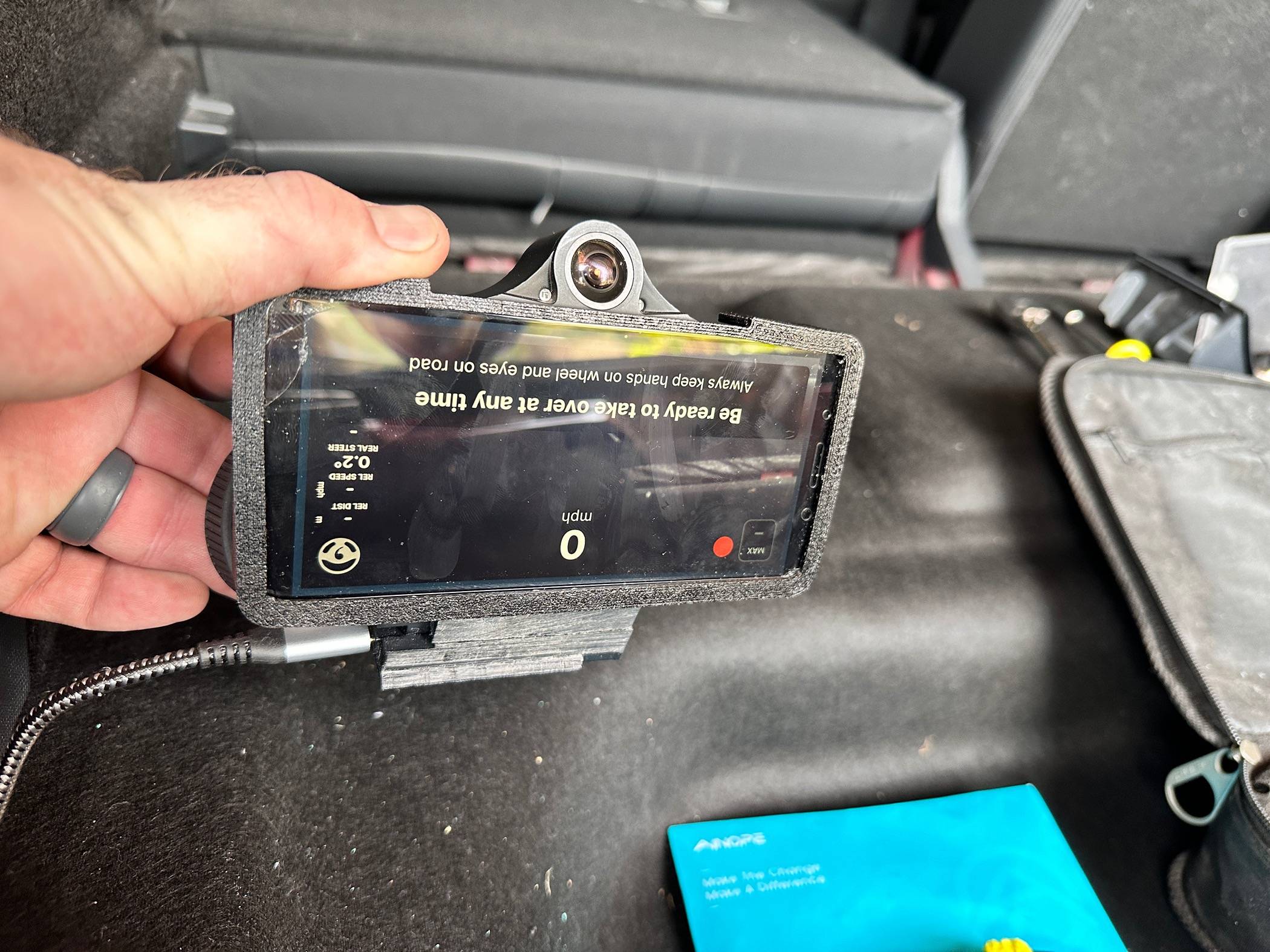
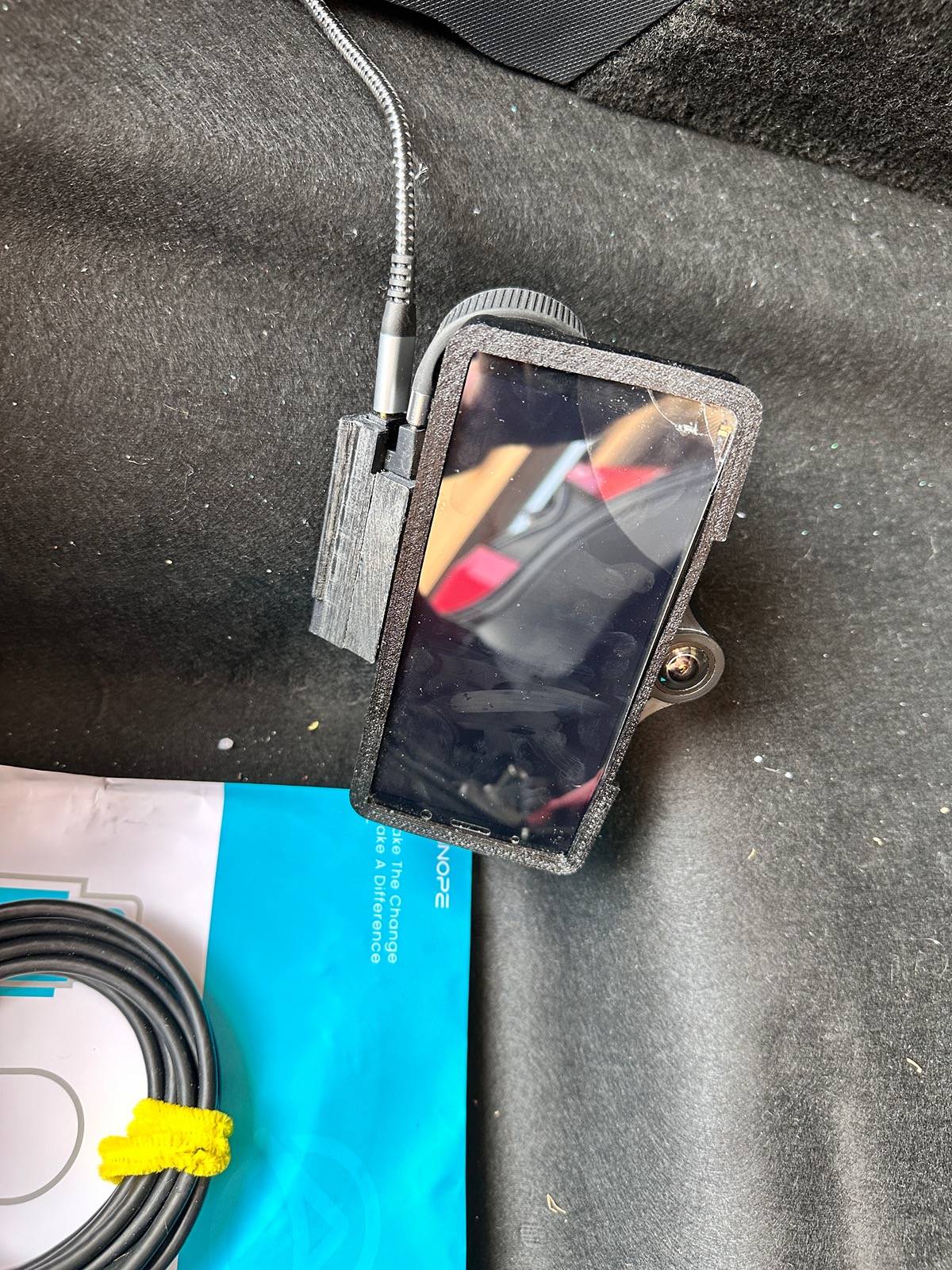
  • After I hooked in the harness, I hooked up the Comma with a short USB 3.2 Gen 2 USB-C cable and started the car to make sure there were no issues with the harness and harness box
  • Ford Mustang Mach-E Installing Comma.ai / OpenPilot (BlueCruise alternative) IMG_1679.JPG

  • Ford Mustang Mach-E Installing Comma.ai / OpenPilot (BlueCruise alternative) IMG_1679.JPG

  • Ford Mustang Mach-E Installing Comma.ai / OpenPilot (BlueCruise alternative) IMG_1680.JPG

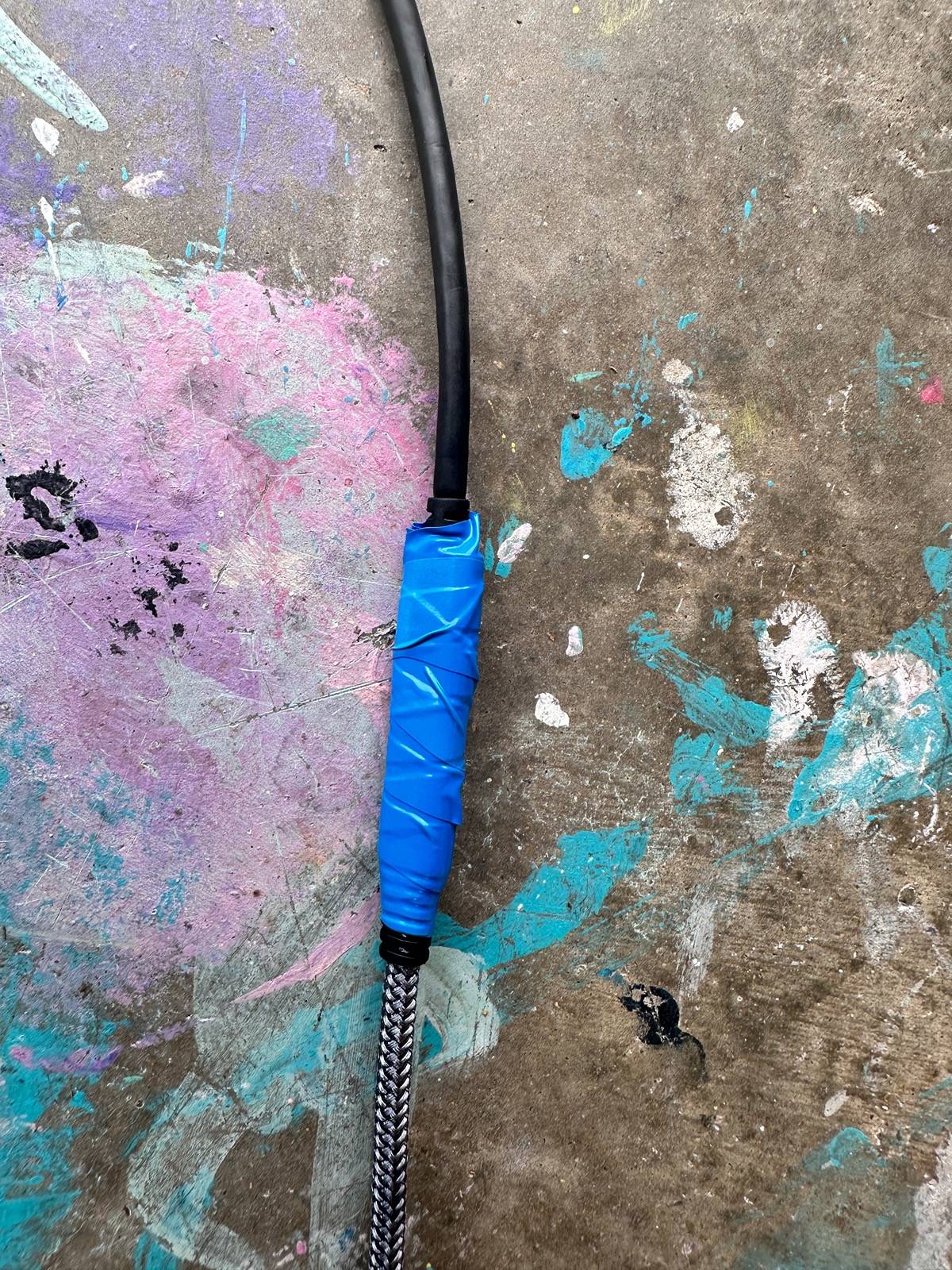
  • Next I routed my USB-C cables. I used a 10 foot and a 6 foot. Where they met I put a little electrical tape to make sure they wouldn't come loose while I was routing the cable.
  • EDIT: A 15' USB-C cable that is compatible is now available: (https://www.amazon.com/UseBean-20Gb...sprefix=15'+usb-c+3.2gen2,aps,108&sr=8-3&th=1)
  • Ford Mustang Mach-E Installing Comma.ai / OpenPilot (BlueCruise alternative) IMG_1681.JPG

  • Ford Mustang Mach-E Installing Comma.ai / OpenPilot (BlueCruise alternative) IMG_1682.JPG

  • I started routing the USB cable from the front so any slack would be in the back. Pop off the mirror cover (pulls straight down)
  • Ford Mustang Mach-E Installing Comma.ai / OpenPilot (BlueCruise alternative) IMG_1683.JPG

  • You can see I'm using my sliding dock so I don't have a cable hanging down when I take the Comma out.
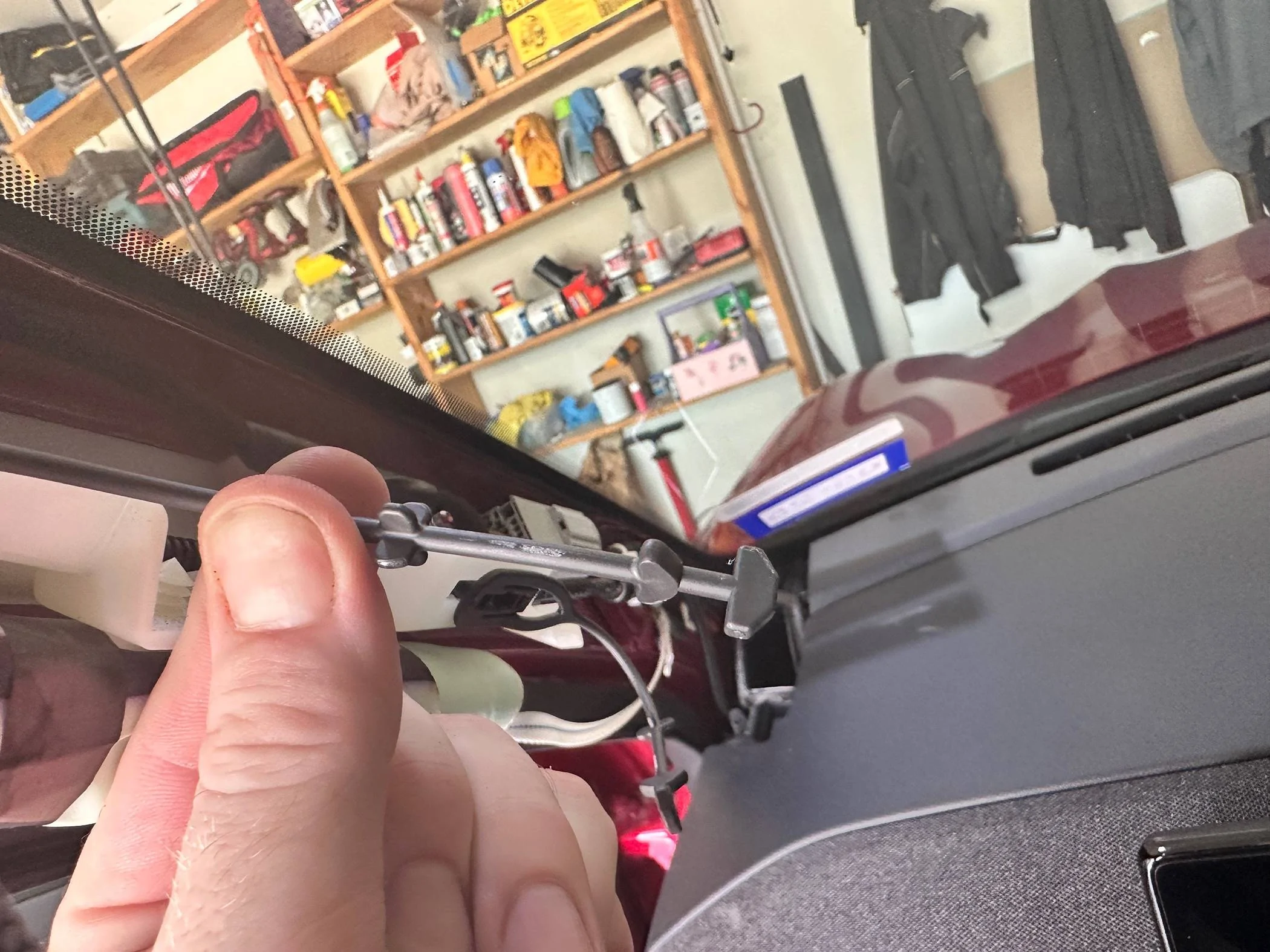
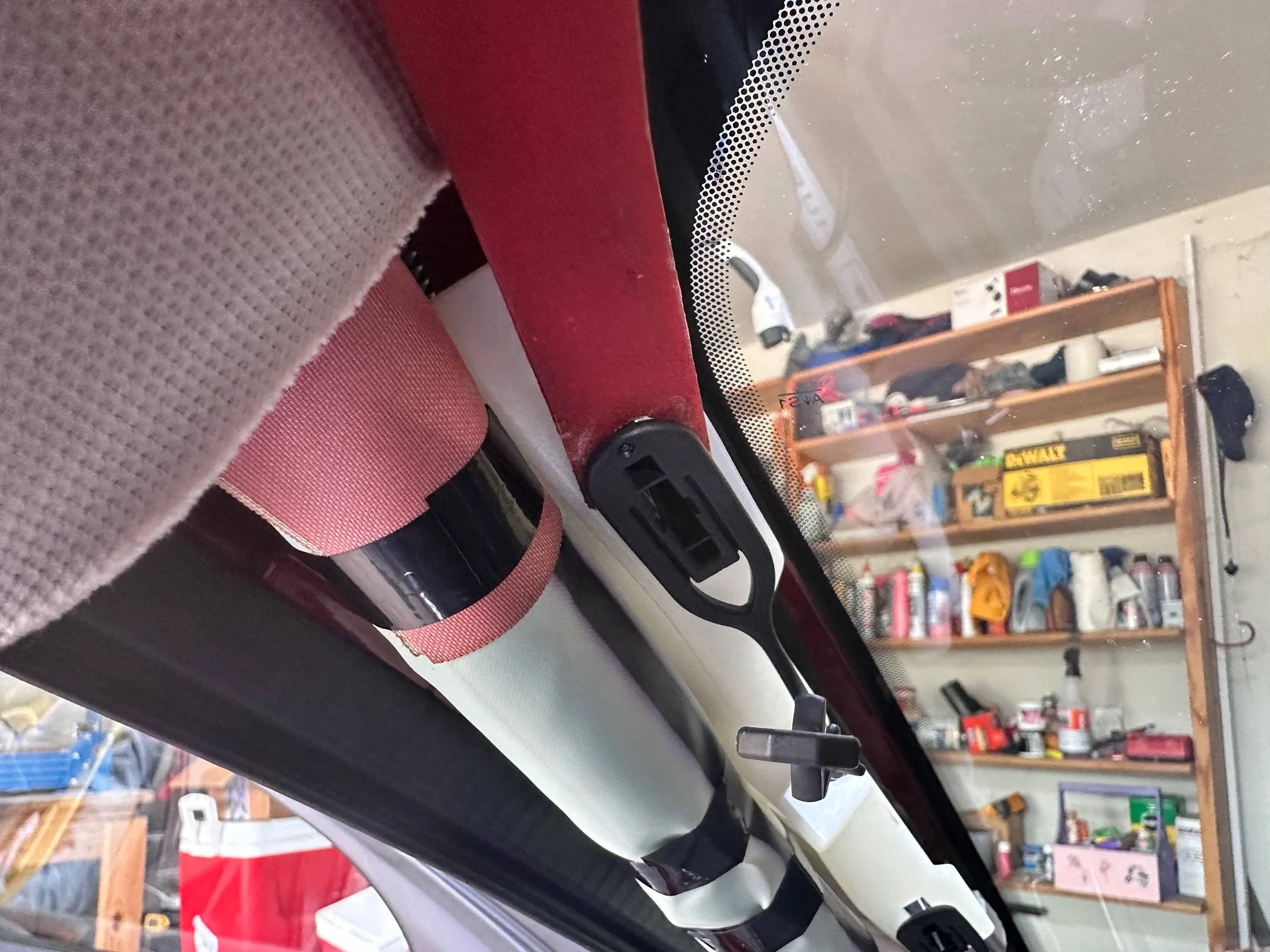
  • Next remove the drivers side windshield pillar trim. It's not as bad as it seems. Pop it off, then remove the black plastic tethers by pinching the star shaped nub on the tether and twisting. There are two notches that you have to work free from the trim:
  • Ford Mustang Mach-E Installing Comma.ai / OpenPilot (BlueCruise alternative) IMG_1684

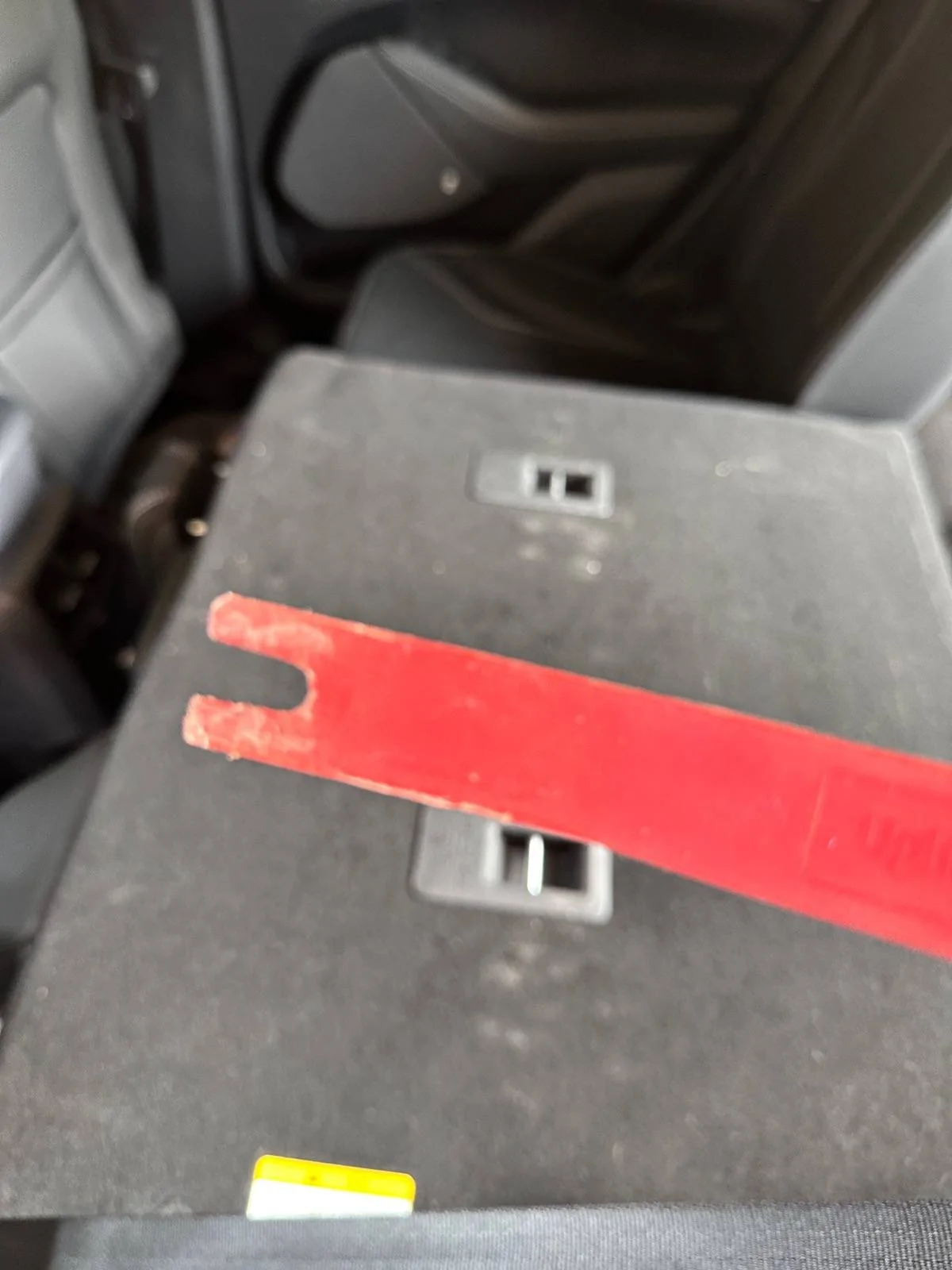
  • Now the tethers need to be removed from the car, it's much easier to reinstall the trim. Use a plastic pry too to leverage them down, then an electrical screwdriver to release the tabs on all 4 corners
  • Ford Mustang Mach-E Installing Comma.ai / OpenPilot (BlueCruise alternative) IMG_1690

  • Ford Mustang Mach-E Installing Comma.ai / OpenPilot (BlueCruise alternative) IMG_1691

  • Put the tethers back on the trim piece
  • Ford Mustang Mach-E Installing Comma.ai / OpenPilot (BlueCruise alternative) IMG_1692.JPG

  • Next we need to get the trim between the front and rear door loose so we can route the cable
  • The bottom half just pops off
  • Ford Mustang Mach-E Installing Comma.ai / OpenPilot (BlueCruise alternative) IMG_1685.JPG

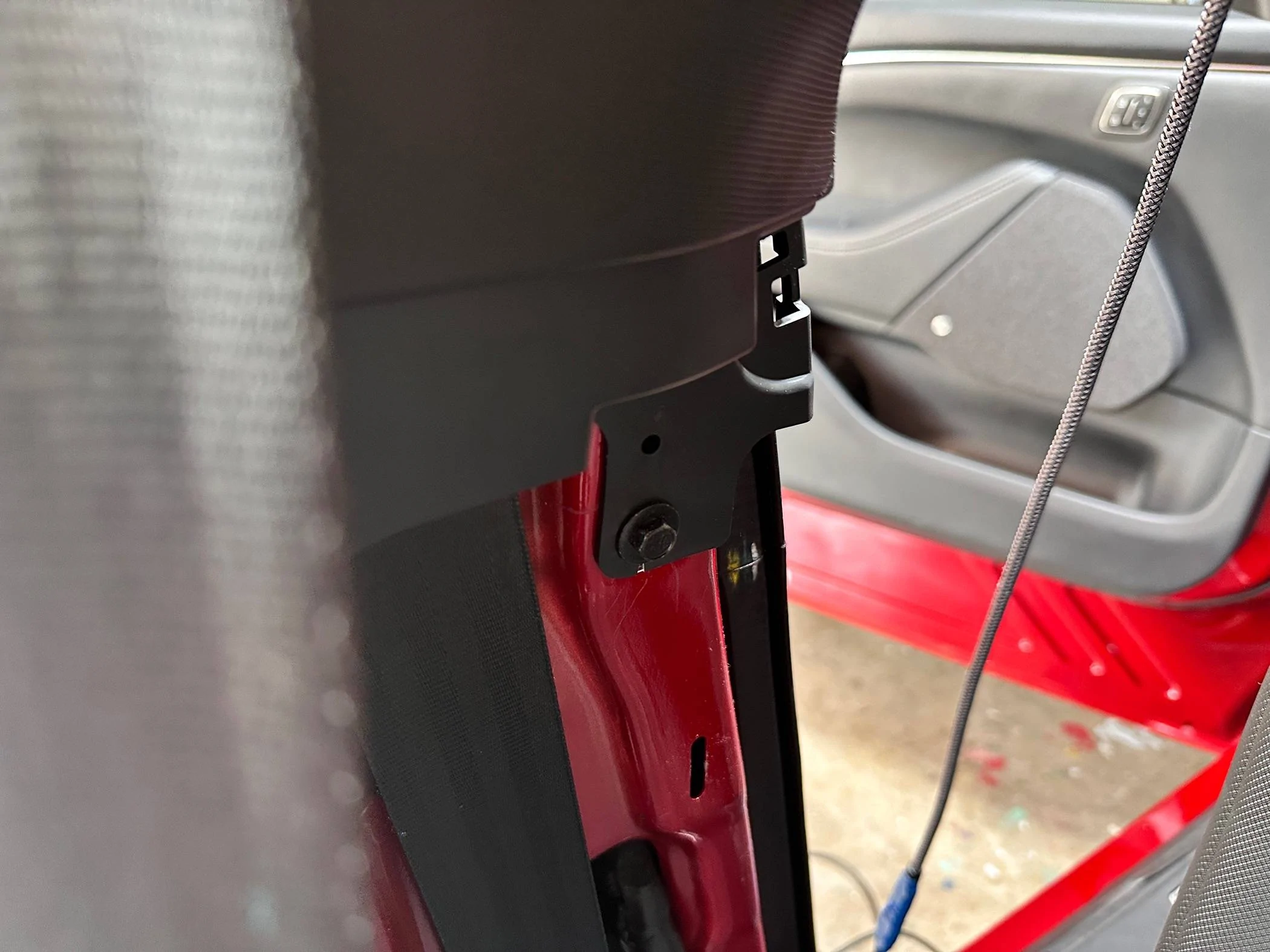
  • There is one 10mm bolt to remove
  • Ford Mustang Mach-E Installing Comma.ai / OpenPilot (BlueCruise alternative) IMG_1686

  • Then the top piece pulls down and out
  • now the USB cable can be routed. Under the headliner, across the corner of the drivers pillar, under the headliner all the way to the back seat, then down the trim and into the back where the IPMA is.
  • After that you just need to put everything back to together in reverse order.

Ford Mustang Mach-E Installing Comma.ai / OpenPilot (BlueCruise alternative) IMG_1678.JPG


Ford Mustang Mach-E Installing Comma.ai / OpenPilot (BlueCruise alternative) IMG_1683.JPG
 
Last edited:

waternut13134

Active Member
Joined
Apr 22, 2024
Threads
4
Messages
39
Reaction score
33
Location
Orlando FL
Vehicles
2023 Mach E
Country flag
I finally bit the bullet and bought a second harness so I could do some testing in the Mach E to see if it behaves differently than the F150 with the steering logic I'm working on.

  • Remove the trunk floor and emergency kit styrofoam:
  • IMG_1670.JPG

  • IMG_1674.JPG

  • Remove two bolts that are holding the trim panel in place, these use a 5/16 socket and are on the inside back wall, below the trunk floor level:
  • IMG_1671.JPG

  • Pop up the plastic cover on the D-Ring tie downs on the sill cover and remove the screw with a T25 Torx bit
    IMG_1673.JPG
  • Pop the sill trim off, it pulls straight up
  • Now pop the drivers side-cover loose. It just pulls out, and it goes from the back all the way to the rear seat. I did not pull it 100% loose, just the end near the lift gate to access the IPMA and the end near the rear door to feed the cable through
  • IMG_1675.JPG

  • IMG_1676.JPG

  • The IPMA is right at the lift gate. You need to intercept the middle plug. It's black and right below the grey one.
  • After I hooked in the harness, I hooked up the Comma with a short USB 3.2 Gen 2 USB-C cable and started the car to make sure there were no issues with the harness and harness box
  • IMG_1679.JPG

  • IMG_1679.JPG

  • IMG_1680.JPG

  • Next I routed my USB-C cables. I used a 10 foot and a 6 foot. Where they met I put a little electrical tape to make sure they wouldn't come loose while I was routing the cable.
  • IMG_1681.JPG

  • IMG_1682.JPG

  • I started routing the USB cable from the front so any slack would be in the back. Pop off the mirror cover (pulls straight down)
  • IMG_1683.JPG

  • You can see I'm using my sliding dock so I don't have a cable hanging down when I take the Comma out.
  • Next remove the drivers side windshield pillar trim. It's not as bad as it seems. Pop it off, then remove the black plastic tethers by pinching the star shaped nub on the tether and twisting. There are two notches that you have to work free from the trim:
  • IMG_1684.JPG

  • Now the tethers need to be removed from the car, it's much easier to reinstall the trim. Use a plastic pry too to leverage them down, then an electrical screwdriver to release the tabs on all 4 corners
  • IMG_1690.JPG

  • IMG_1691.JPG

  • Put the tethers back on the trim piece
  • IMG_1692.JPG

  • Next we need to get the trim between the front and rear door loose so we can route the cable
  • The bottom half just pops off
  • IMG_1685.JPG

  • There is one 10mm bolt to remove
  • IMG_1686.JPG

  • Then the top piece pulls down and out
  • now the USB cable can be routed. Under the headliner, across the corner of the drivers pillar, under the headliner all the way to the back seat, then down the trim and into the back where the IPMA is.
  • After that you just need to put everything back to together in reverse order.

IMG_1678.JPG


IMG_1683.JPG
Please keep us updated as I'm very interested in how this will work with the Mach E!
 

AjzRide

Well-Known Member
First Name
Alan
Joined
May 1, 2021
Threads
8
Messages
365
Reaction score
541
Location
Houston
Vehicles
RR 2021 MME Premium RWD
Occupation
Eng
Country flag
Please keep us updated as I'm very interested in how this will work with the Mach E!
After a 30 minute drive I can say Comma on the Mach E is far superior to the F150. Because the steering is so tight it responds cleaner and faster. I just did end 2 end navigation and it took 3 left turns my F150 can’t even attempt. It also has way less ping pong and steering wheel wiggle since the steering responds so fast.
 

Macwestly

Member
Joined
Mar 25, 2024
Threads
0
Messages
19
Reaction score
12
Location
South Carolina
Vehicles
2023 Mach E Premium
Country flag
Glad you got it installed! I have been thrilled with the 3X in the Mach E running your fork. It works really well!
 

Macwestly

Member
Joined
Mar 25, 2024
Threads
0
Messages
19
Reaction score
12
Location
South Carolina
Vehicles
2023 Mach E Premium
Country flag
Mine definitely fusses at me in a turn that tight. (Exceeds turning limit - or whatever). It does that even when it can make the turn sometimes.
 

AjzRide

Well-Known Member
First Name
Alan
Joined
May 1, 2021
Threads
8
Messages
365
Reaction score
541
Location
Houston
Vehicles
RR 2021 MME Premium RWD
Occupation
Eng
Country flag
Mine definitely fusses at me in a turn that tight. (Exceeds turning limit - or whatever). It does that even when it can make the turn sometimes.
yes. I’m not running BluePilot. I’m testing logic we hope to incorporate in the future. Just showing you guys what we are working towards.
 

SXBB

Well-Known Member
First Name
Bruce
Joined
Sep 7, 2022
Threads
5
Messages
127
Reaction score
65
Location
Reno
Vehicles
2021 Mustang Mach-E GT Performance Edition
Occupation
Cardiovascular Perfusionist
Country flag
Is anybody using this with a '21 Job2 GTPE?

I'd LOVE to get this!

Thanks
Bruce
Sponsored


Top