markboris
Well-Known Member
- First Name
- Mark
- Joined
- Nov 13, 2019
- Threads
- 44
- Messages
- 5,771
- Reaction score
- 16,494
- Location
- Sonora, CA
- Vehicles
- Currently: '20 Shelby GT500 FPB '24 Mach-E GTP GGM
- Occupation
- Retired

- Thread starter
- #1
Yesterday, I had a member (do not remember who) ask me a question about the auto-dimming of interior rear view mirror. It was in a thread that has since been deleted (I don't remember who the OP was or why it was deleted) so thought I would post an answer to his question and it may help anyone else that has this question/issue.
This member does not want the mirror to auto-dim because it gets too dark and he only sees the headlights and everything else is black. He wanted to know if there was a setting in FORScan to disable the auto-dim on the mirror. So the answer is, there is NO setting in FORScan to disable the auto-dim because there is no module that controls the mirror's dimming feature. It is all done within the mirror.
There are two photocell sensors, one in the rear of the mirror (facing the windshield) and one in the front (built into the mirror). The rear sensor monitors the light and when ambient light is bright, it turns off the front photocell sensor and will not auto-dim. When the ambient light is dark, the rear sensor activates the front sensor and when the front sensor sees headlights coming from the rear window, it will instantly dim the mirror. It is a variable dim so the brighter the headlights shining through the rear window, the darker the mirror gets. The only time the auto-dim feature does not work at night if there are lights coming through the rear window is when the car is in reverse. In this case, when the BCM gets a signal the car is in reverse, it will shut down the auto-dim feature. There is no setting in FORScan to change the BCM to keep the auto-dim feature deactivated. The only way you can permanently deactivate the auto-dimming mirror is to place a small piece of tape over the front photocell sensor.
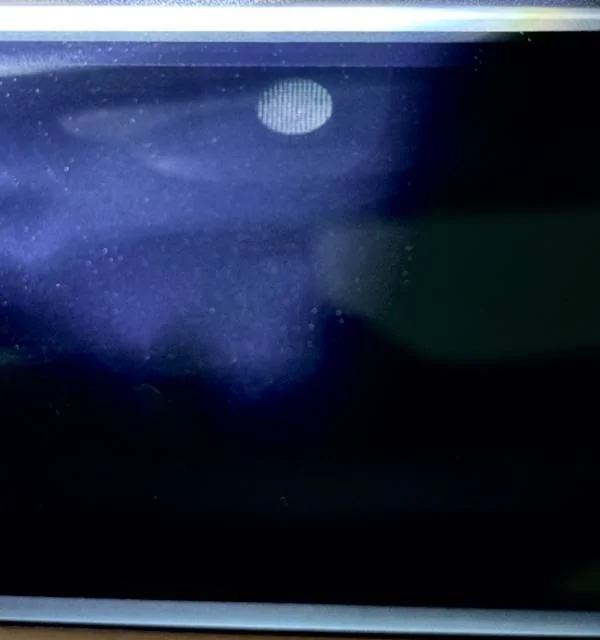
Below is what the sensor looks like and you can only see it if you shine a light on the mirror, unless the ambient light is super bright inside your car. The sensor is at the very top, middle of the mirror.

This member does not want the mirror to auto-dim because it gets too dark and he only sees the headlights and everything else is black. He wanted to know if there was a setting in FORScan to disable the auto-dim on the mirror. So the answer is, there is NO setting in FORScan to disable the auto-dim because there is no module that controls the mirror's dimming feature. It is all done within the mirror.
There are two photocell sensors, one in the rear of the mirror (facing the windshield) and one in the front (built into the mirror). The rear sensor monitors the light and when ambient light is bright, it turns off the front photocell sensor and will not auto-dim. When the ambient light is dark, the rear sensor activates the front sensor and when the front sensor sees headlights coming from the rear window, it will instantly dim the mirror. It is a variable dim so the brighter the headlights shining through the rear window, the darker the mirror gets. The only time the auto-dim feature does not work at night if there are lights coming through the rear window is when the car is in reverse. In this case, when the BCM gets a signal the car is in reverse, it will shut down the auto-dim feature. There is no setting in FORScan to change the BCM to keep the auto-dim feature deactivated. The only way you can permanently deactivate the auto-dimming mirror is to place a small piece of tape over the front photocell sensor.
Below is what the sensor looks like and you can only see it if you shine a light on the mirror, unless the ambient light is super bright inside your car. The sensor is at the very top, middle of the mirror.
Sponsored
Last edited: