iPhone 15 Pro GPS is worthless!

Kabish

Well-Known Member
First Name
Bill
Joined
Jul 24, 2021
Threads
40
Messages
927
Reaction score
977
Location
San Diego
Vehicles
2021 Mach-E Mustang
Occupation
IT
Country flag
Came across a random article about this a week or so ago, was from some mainstream car reviewer. He was complaining about the same issue, but he was saying it was an issue with the CarPlay software. The reviewer also personally owned a MACH-E but said he's driven multiple other cars with the same issue.. I'll have to see if I can find the post again.. I have noticed recently CarPlay navigation has been buggy.

As far as CarPlay using the antenna of the car... Ya, I don't think that is a thing.. If I accidentally leave my phone in my pocket my CarPlay GPS goes all over the dang place, if it even gets a lock at all. It's the tell tell sign, once I put it in my cup holder everything is fine.
Sponsored


 

Logal727

Well-Known Member
First Name
C
Joined
Aug 23, 2021
Threads
101
Messages
7,351
Reaction score
11,347
Location
Florida
Vehicles
ā€˜21 Carbonized Gray Mustang Mach-E Premium AWD Ext
Country flag
It’s GPS interference in the spot where the wireless charging pad is, if you place it behind the screen on the dash, it works perfectly. I’ve owned every iPhone and this one is def my favorite
 

dmitry

Well-Known Member
First Name
dmitry
Joined
Jan 21, 2022
Threads
20
Messages
470
Reaction score
596
Location
California
Vehicles
2022 Mustang Mach-E GT
Country flag
Just tried that after it was going all over the place. It worked!
Thank you.
Instead of keeping iPhone inside the center console you can put it on top of the slider cover as I do, in my case it’s enough for CarPlay navigation working flawlessly. Plus the phone always is accessible. I even think to stick MagSafe charger under the armrest.
 

markboris

Well-Known Member
First Name
Mark
Joined
Nov 13, 2019
Threads
43
Messages
5,732
Reaction score
16,372
Location
Sonora, CA
Vehicles
Currently: '20 Shelby GT500 FPB '24 Mach-E GTP GGM
Occupation
Retired
Country flag
I even think to stick MagSafe charger under the armrest.
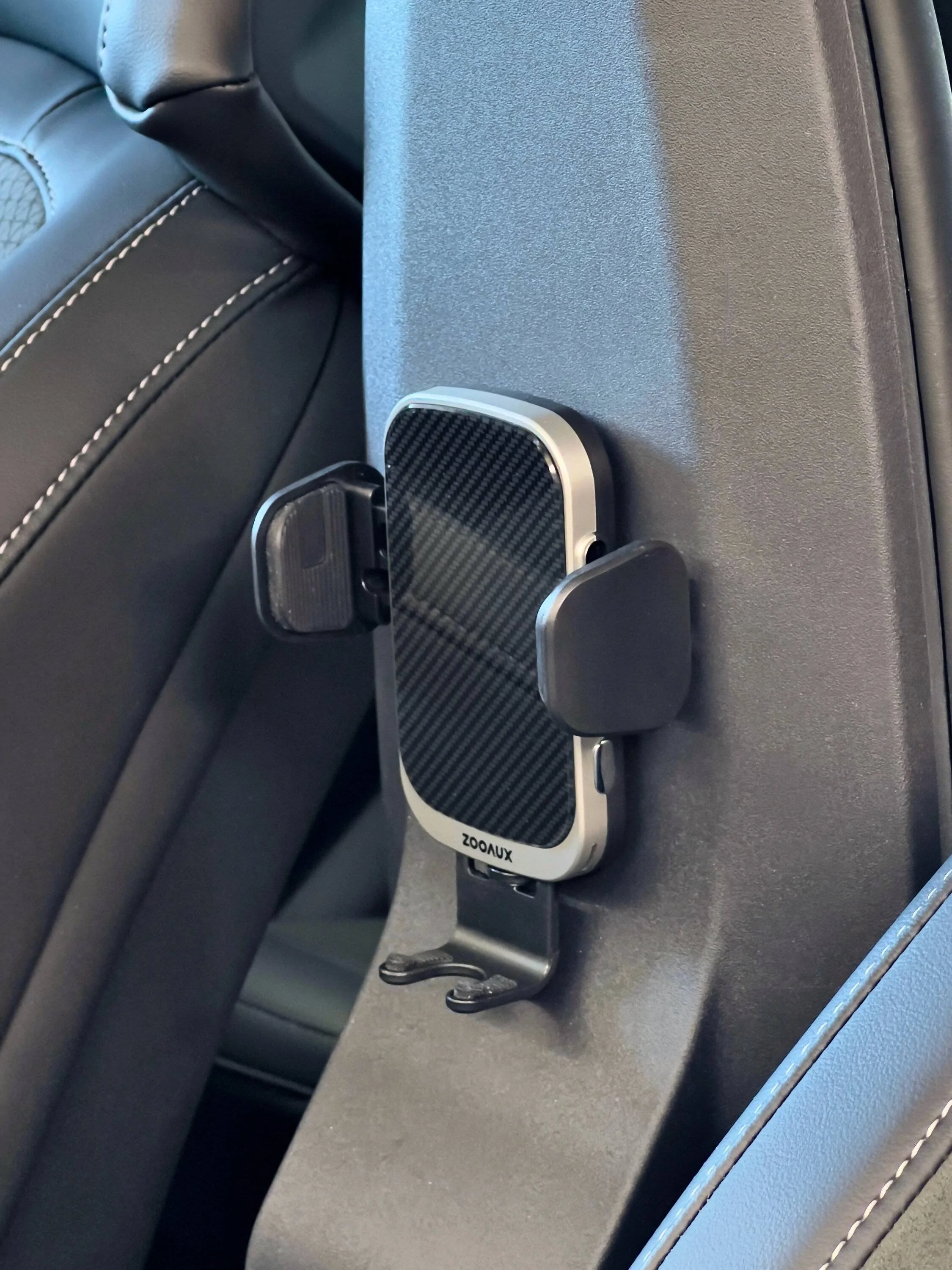
While it's not a MagSafe, this 15W wireless charger works very well.

Ford Mustang Mach-E iPhone 15 Pro GPS is worthless! IMG_2807


markboris

Well-Known Member
First Name
Mark
Joined
Nov 13, 2019
Threads
43
Messages
5,732
Reaction score
16,372
Location
Sonora, CA
Vehicles
Currently: '20 Shelby GT500 FPB '24 Mach-E GTP GGM
Occupation
Retired
Country flag
Exactly like this, but magnetic. This is the reason why you don’t have issues with CarPlay navigation, especially if you regularly keep your phone there ?
I keep my phone in both locations. Normally on the Ford charging pad if I am in and out of the car quickly. If I need to charge my phone faster or have passengers that need to charge their phones, I use the one under the armrest. I have no issues with Apple Maps GPS in either location and I use it a lot.
 

Logal727

Well-Known Member
First Name
C
Joined
Aug 23, 2021
Threads
101
Messages
7,351
Reaction score
11,347
Location
Florida
Vehicles
ā€˜21 Carbonized Gray Mustang Mach-E Premium AWD Ext
Country flag
This is not true, it uses car GPS as additional data to the devices location services. (Which is GPS, cellular triangulation, WiFi locations, iBeacons ect.)

Part of the issue that is consistent amongst users is that location services data itself needs to be purged from device to device.

Turn off location services and turn it back on again to clear it. This will generally resolve the issues you’re having.
This is the first I’ve heard of this theory, do you have any more info on this? Is this the cause of the bug and can possibly be fixed?
 

lwilliams0514

Well-Known Member
First Name
Lashawn
Joined
Sep 16, 2020
Threads
16
Messages
261
Reaction score
364
Location
Gardena, CA
Vehicles
2021 Ford Mustang Mach E Premium RWD
Occupation
Finance Manager
Country flag
Just here to whine.

Got the new iPhone 15 Pro and unless I have that thing up against the glass roof, the GPS on it is worthless!

Apple Maps/Waze constantly loses my position by half a mile. It has no idea where I am at in downtown Seattle. Sometimes I’m coming out of the parking garage at work, sometimes I’m in the middle of Elliott Bay!

Driving somewhere you’ve never been before? Yup! Good luck! The phone will have no idea where you’re at when you need to make a crucial turn!

GRRRRR!!!
Ok I feel your pain on this but hear me out….

I had the same issue with my 14 Pro Max. The issue is you have too many apps accessing the GPS in your phone. Here is what I did to fix it:

1) Go to Settings
2) scroll down to and Tap Privacy and Security
3) Scroll to and Tap Safety Check (authentication required)
3) If you want to manage who you share with edit that here. If not, click skip then continue.
4) Turn location services off for ALL APPS in the next section. Don’t worry those apps will ask for permission again.
5) Continue through the prompts and complete it.

Now the apps will ask for permission again. Allow the apps you use all the time to ā€œalways allowā€. Apps that you use sometimes, change those to ā€œOnly while usingā€.

That should clear it up! Remember, some of the apps are sneaky and will ask again later. You will get a prompt that says ā€œ[app] has requested to use your location. Do you want to change to Always Allow?ā€ Click ā€œonly while usingā€.

Hope this helps! Sorry if someone has already answered this issue.
 

Kamuelaflyer

Well-Known Member
First Name
Bill
Joined
Feb 18, 2020
Threads
11
Messages
11,307
Reaction score
22,849
Location
Hawaii
Vehicles
2021 Premium Infinite Blue. ER AWD. 2020 Raptor, 2021 Ranger.
Country flag
17.1 next week ?
Followed by a drop kick into Kilauea caldera. ;)
It’s GPS interference in the spot where the wireless charging pad is, if you place it behind the screen on the dash, it works perfectly. I’ve owned every iPhone and this one is def my favorite
My 12 ProMax never had a single gps issue when put in the charge spot in the car. Not one in nearly 30 months of ownership. It had an occasional other issue with the car, but not this one. My 15 ProMax is not consistent. Sometimes it’s fine with gps, sometimes not, regardless of where it’s at. ?ā€ā™‚
 

Deleted member 16048

Guest
This is the first I’ve heard of this theory, do you have any more info on this? Is this the cause of the bug and can possibly be fixed?
I wouldn't call it a theory, this is a know GPS issue that can develop in all IOS versions. It's just how engineering decided to implement location services with all the data. It sometimes gets to be too much and should be cleared. When I worked for Apple this was a common case that happened after almost every iPhone launch. We always directed support teams to clear location services as a first troubleshooting step as it's the least invasive. Then move deeper in their service guide as needed from there.

99% of the time it worked, other it needed a reinstall of iOS or full erase and set up as new to resolve it.

We used the analogy that after all the software updates, it was like a pizza that you kept adding new toppings too. Eventually it's going to taste bad. Update after Update can cause a buildup of bad data that just needs to be purged. The trouble is that iCloud backups bring back a lot of this bad data, so moving from iPhone to iPhone brings all the junk with it.
 

curtisfinney

Well-Known Member
First Name
Curtis
Joined
Dec 16, 2022
Threads
4
Messages
229
Reaction score
188
Location
Minneapolis, MN
Vehicles
Volvo V60, Subaru Forestor, 2023 Mustang Mach E
Occupation
Chemical Engineer
Country flag
Instead of keeping iPhone inside the center console you can put it on top of the slider cover as I do, in my case it’s enough for CarPlay navigation working flawlessly. Plus the phone always is accessible. I even think to stick MagSafe charger under the armrest.
I do the same and no longer have issues too
 
First Name
Aaron
Joined
Jan 12, 2023
Threads
4
Messages
19
Reaction score
6
Location
Kirkland, WA
Vehicles
Ford Mach E GT
Occupation
Data Engineering Manager
Country flag
Not that it helps with your issue, but I live in Kirkland (just outside of Seattle) and have an iPhone 15 Pro Max. I use GPS daily in our Mach E and have never had an issue. I use both Google maps and Apple maps and they both work without an issue for me. Sorry to hear you are having problems.
 

nuMach

Well-Known Member
Joined
May 5, 2023
Threads
17
Messages
240
Reaction score
150
Location
vancouver island
Vehicles
2025 GT
Occupation
eng tech
Country flag
iphone 15 pro max - no issue here with carplay nav.
i like the ability to use siri to ask for the address or place of business.

being rural, i get the odd dropout on XM radio on the tall treed backroads.

Highway and city, no issue.

nav doesnt seem to be affected by the backroads.

have used iphones since the 3. Only the X had things that ticked me off.

most of the time the phone is in my pants pocket. Still works fine for calls as well.
 

hprose

Well-Known Member
First Name
Harvey
Joined
May 17, 2022
Threads
0
Messages
239
Reaction score
154
Location
Pinellas Park FL
Vehicles
F250 and a Mach-e on order
Occupation
Financial Advisor
Country flag
CarPlay is designed to use the car’s GPS, not the internal phone GPS. It sounds like that isn’t happening for some reason.
[/
Does Apple CarPlay use phone GPS or car GPS?


I had the problem 1 time in 1 year. 2 days ago while 6.20 was in the process of updating. That also caused my mirrors to not auto open. From the net: Android Auto and Apple CarPlay are driving apps that essentially mirror your smartphone to a compatible display unit in your car. The GPS runs through your phone, so it's a really handy way to add navigation features to a car that doesn't have built-in GPS. Always reboot the phone after every iOS update.
Sponsored


Top