Brutakus
Well-Known Member
- First Name
- Chris
- Joined
- Jul 2, 2021
- Threads
- 5
- Messages
- 187
- Reaction score
- 265
- Location
- Vancouver WA
- Vehicles
- Star White Mach-E Select AWD Comfort/Tech Package

- Thread starter
- #1
Hey all,
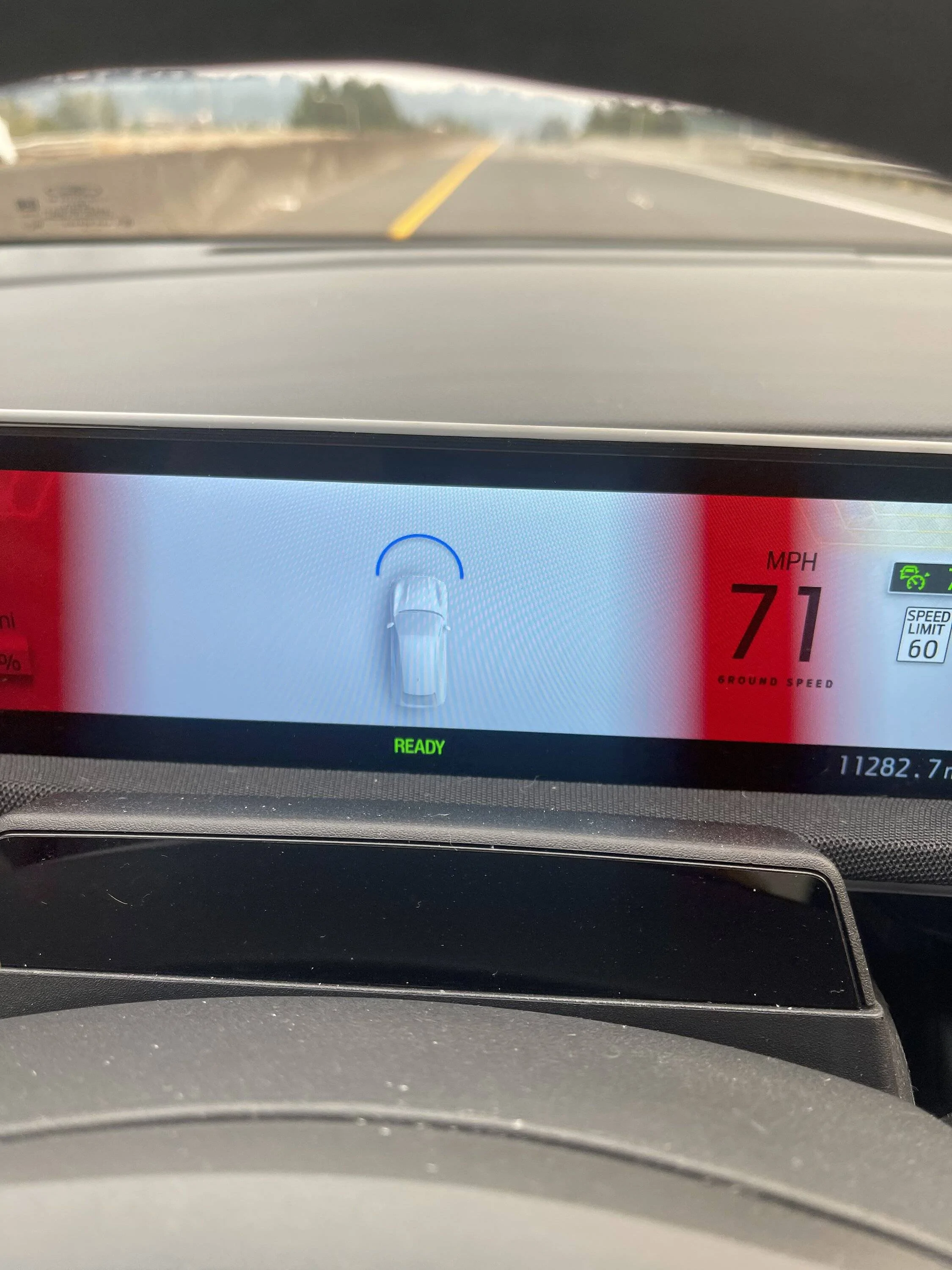
I just had a windshield replacement done a few days ago and all of my driver assists were working perfectly before. The next day I noticed when I hit 40mph the lines on the side of my car in the gauge cluster didn't appear (indicating lane keep assist is working) Only the front facing line shows up when I use cruise control. I don't get any error messages about the assists either. They just plain don't work 99.9% of the time- strangely there were 2 instances when I was on the highway and the BlueCruise is Available message popped up and it worked when I enabled it. As soon as I turned off the car and then used it later, it was back to not working even on the same stretch of highway.
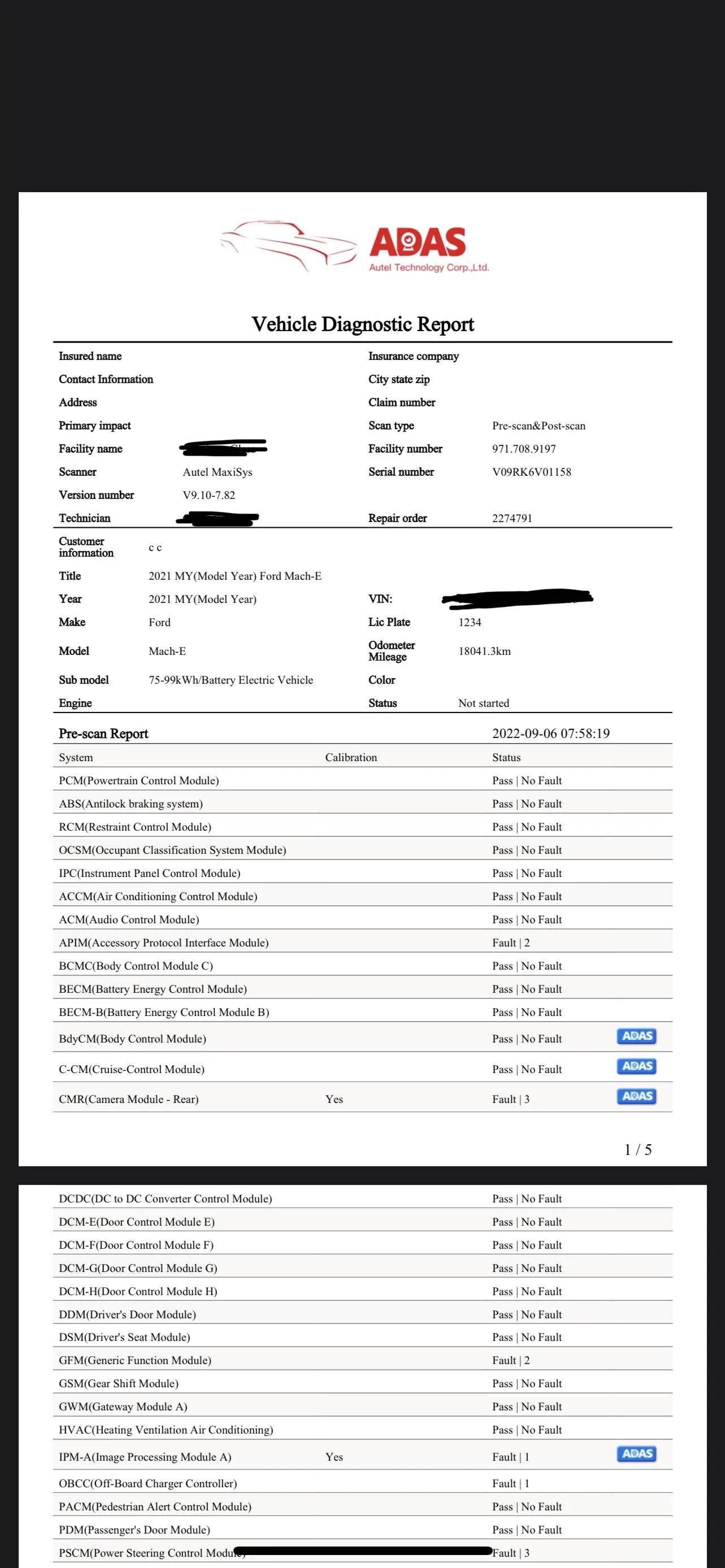
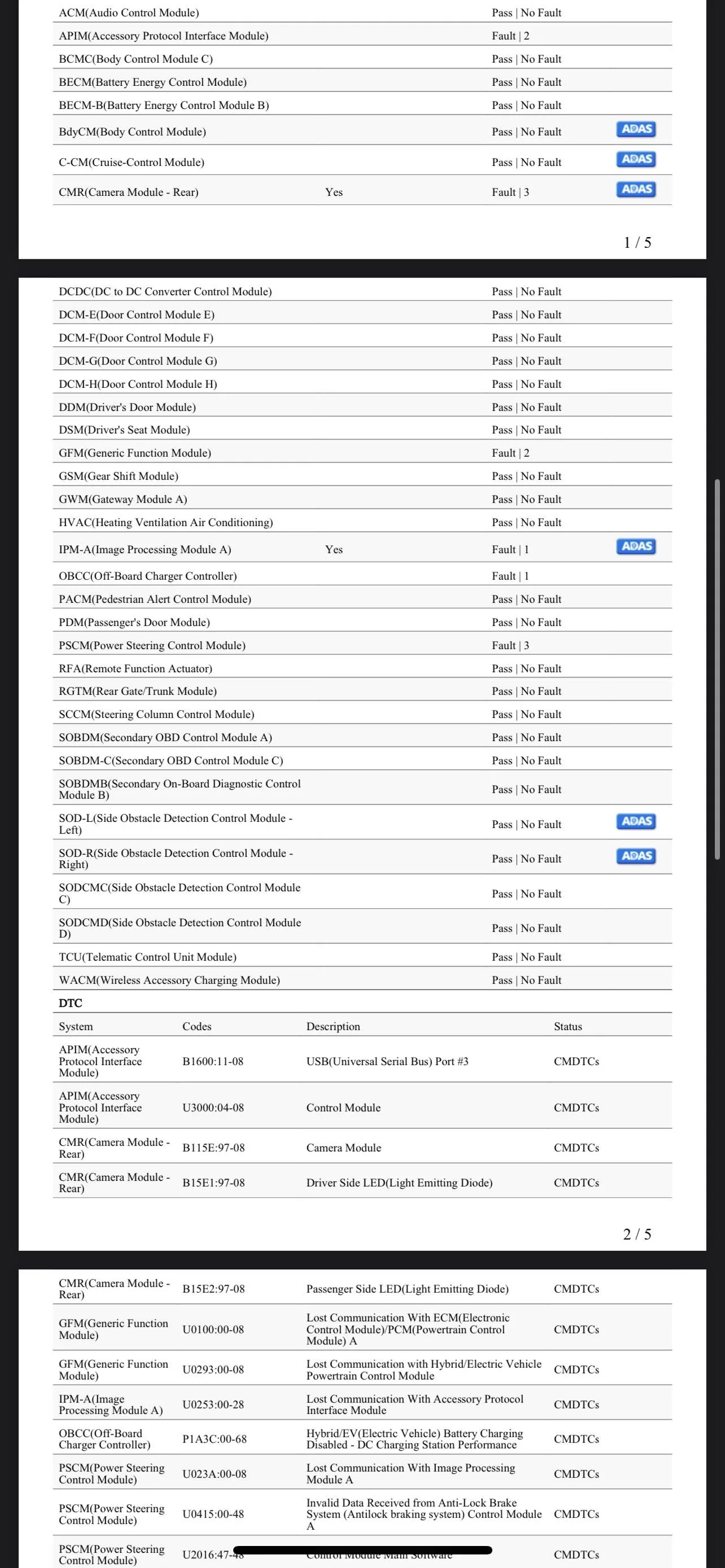
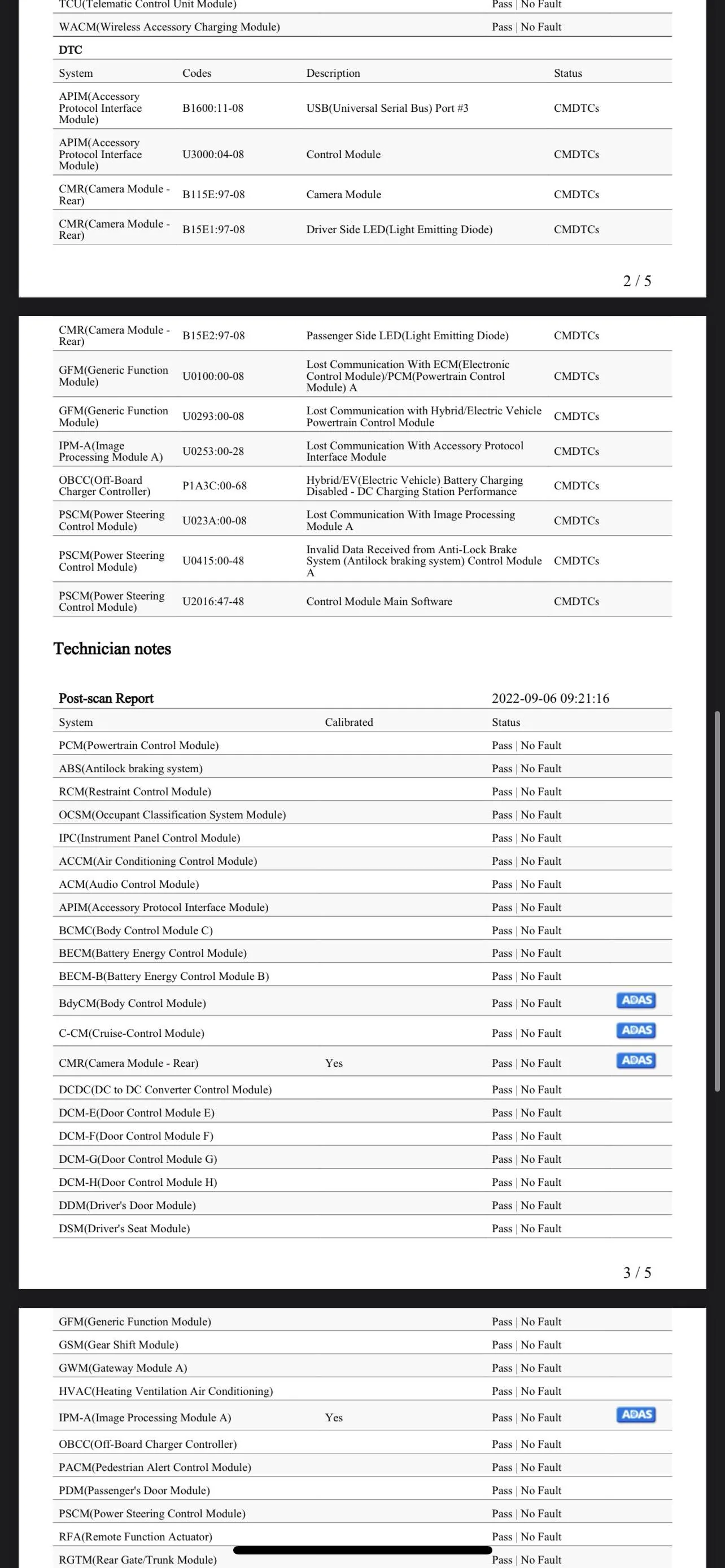
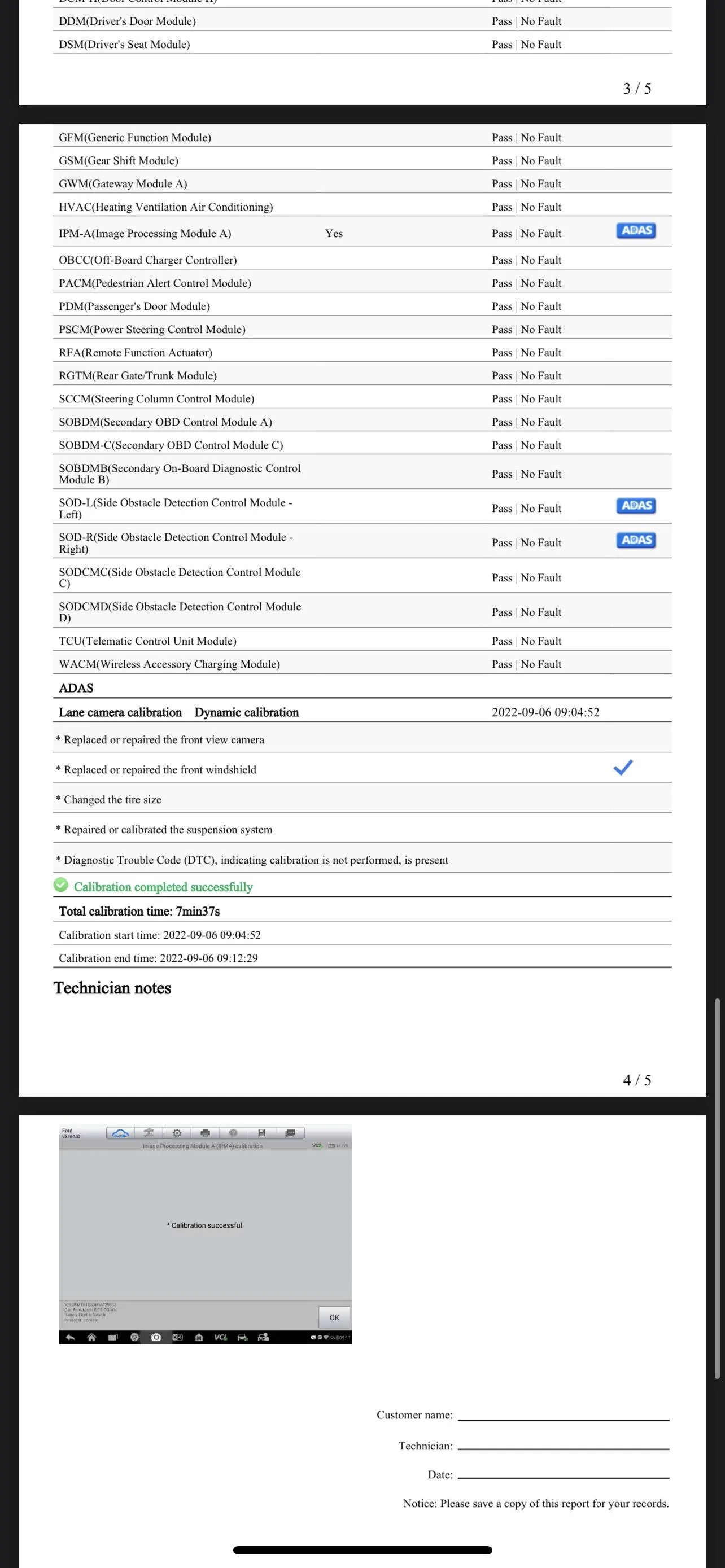
They did a calibration and I'm attaching pictures of the recalibration report which (to my non-car technician eyes) appears to be good?
I'm trying to figure out if I need to have them redo calibration or if this might be an issue I need to make a Ford dealer appointment for.


I just had a windshield replacement done a few days ago and all of my driver assists were working perfectly before. The next day I noticed when I hit 40mph the lines on the side of my car in the gauge cluster didn't appear (indicating lane keep assist is working) Only the front facing line shows up when I use cruise control. I don't get any error messages about the assists either. They just plain don't work 99.9% of the time- strangely there were 2 instances when I was on the highway and the BlueCruise is Available message popped up and it worked when I enabled it. As soon as I turned off the car and then used it later, it was back to not working even on the same stretch of highway.
They did a calibration and I'm attaching pictures of the recalibration report which (to my non-car technician eyes) appears to be good?
I'm trying to figure out if I need to have them redo calibration or if this might be an issue I need to make a Ford dealer appointment for.
Sponsored