DeusEx

Well-Known Member
Joined
Apr 17, 2024
Threads
9
Messages
608
Reaction score
745
Location
New York
Vehicles
2023.5 Mach-E Premium ER AWD
Thank you. I will feel better doing 1 download at a time.

I am compiling a list from all the posts I can find with all the tips about FDRS and the order of doing updates.
I wrote up something for me to follow on my phone back when I first did it. This might help give you a leg up on your update journey. It's based on a lot of valuable information from great members who have contributed to the community.
https://www.macheforum.com/site/thr...ating-your-mach-e-with-fdrs.10217/post-818661

Ford is also doing a better job of telling you what to do first in FDRS to unlock additional updates, but before that, we had MikeG, rugedraw, and others reminding us.

The first one you do is scary but after that it gets a lot easier. Also, if you get a purple module, don't panic. You can likely recover it by performing a PMI. Just ask for help here.

Finally, don't skimp out on the Mongoose and power supply. Those are basically non negotiable unless you enjoy self inflicted pain and suffering.
 

Jefke77

Well-Known Member
Joined
May 9, 2022
Threads
2
Messages
89
Reaction score
13
Location
Belgium
Vehicles
Mustang Mach E4X
Country flag
Thanks,
I will charge the LV batt. overnight.
And try again in the morning!
thanks again.
???
GWM update successfully.
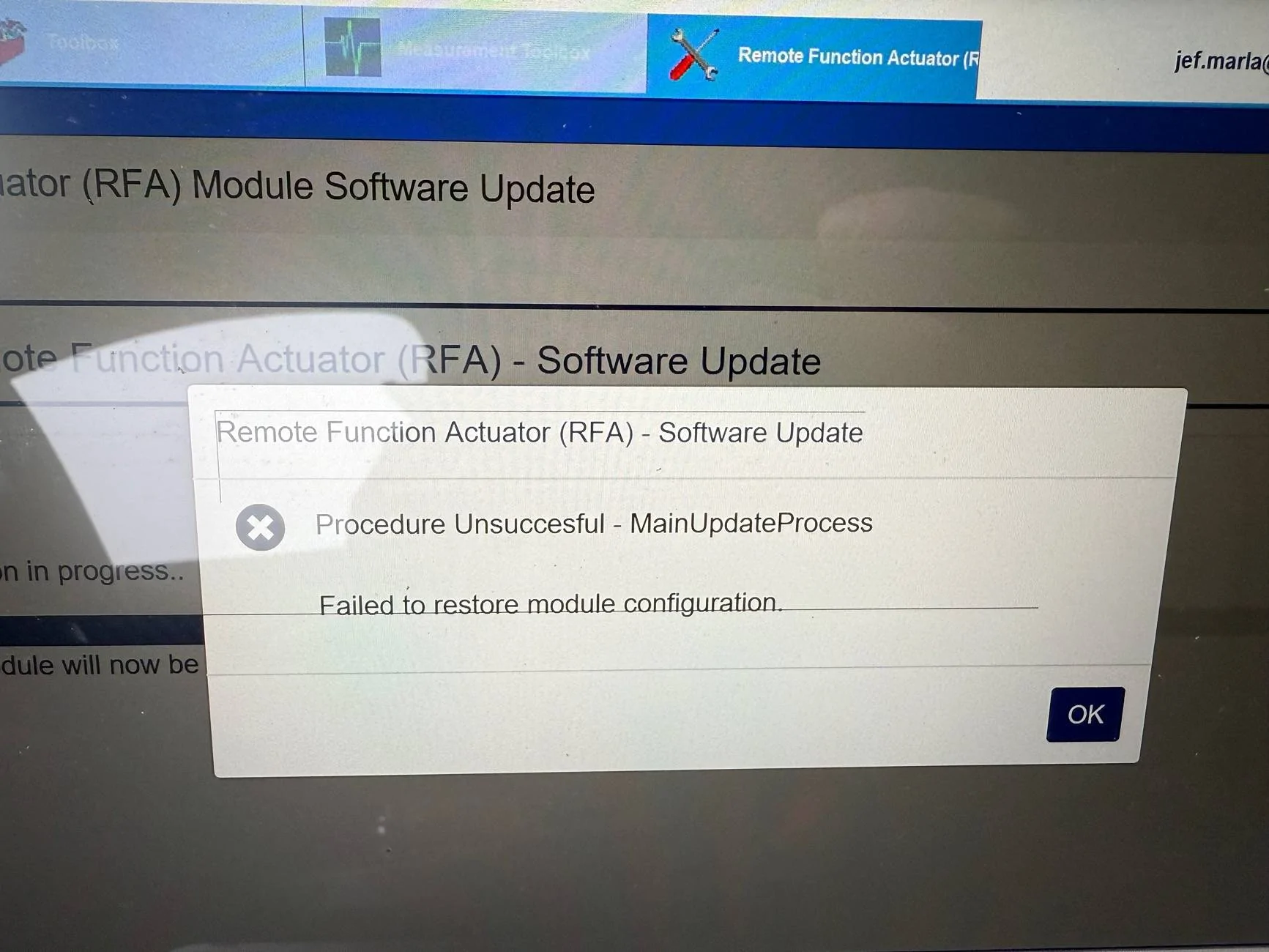
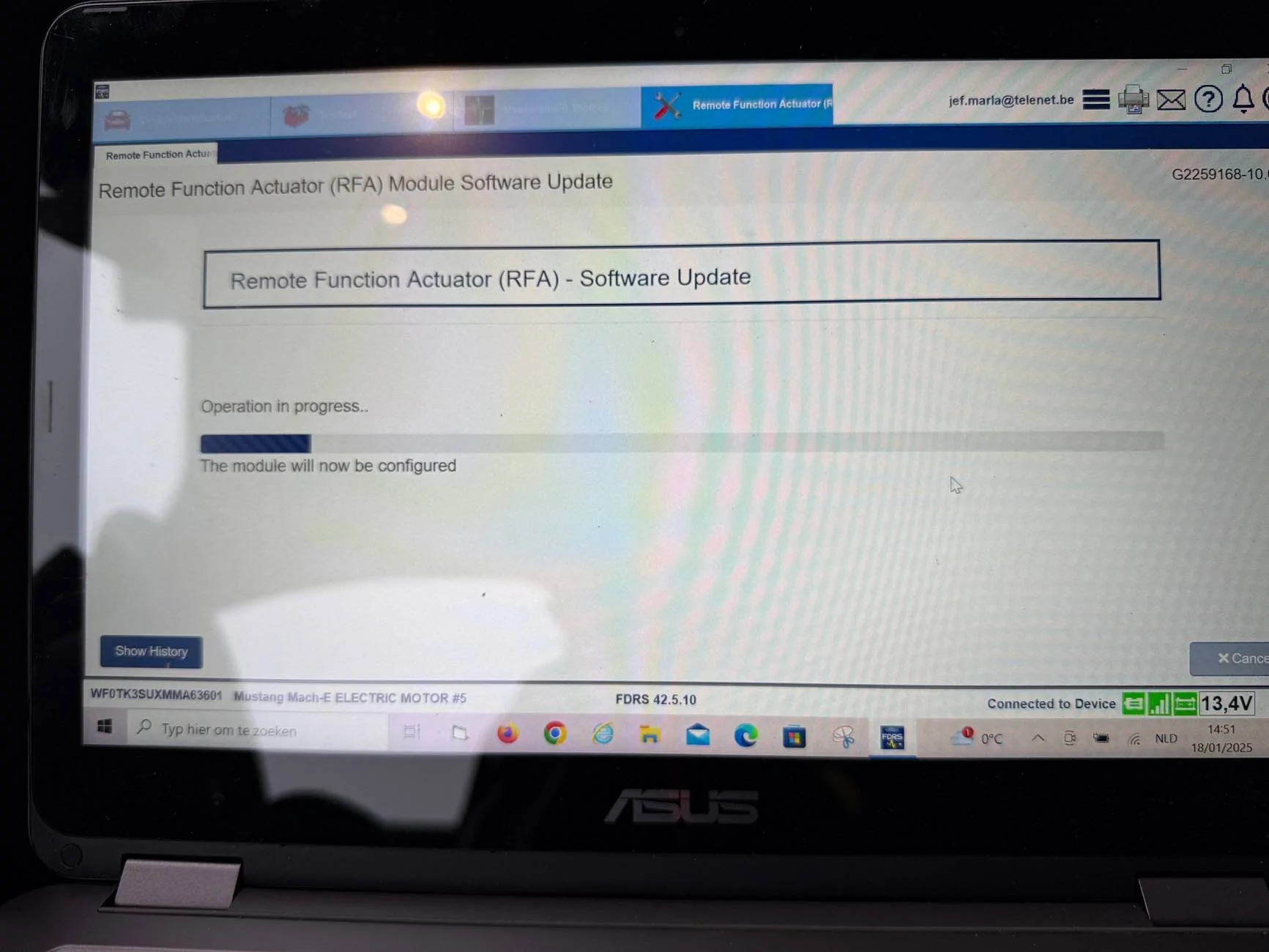
Now trying to update RFA. ?
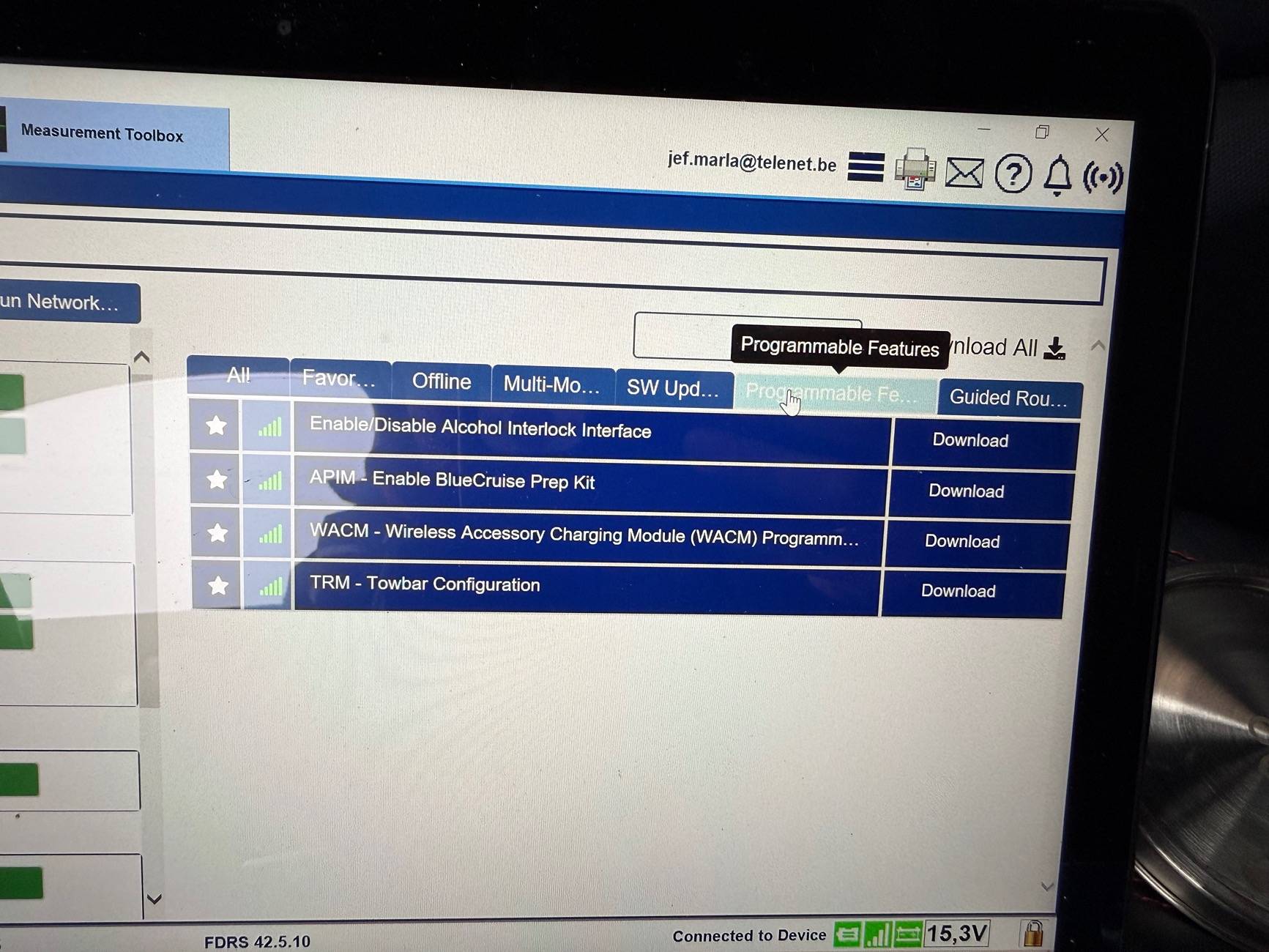
Do you guys expect all this updates will including finally bluecruise?


Jefke77

Well-Known Member
Joined
May 9, 2022
Threads
2
Messages
89
Reaction score
13
Location
Belgium
Vehicles
Mustang Mach E4X
Country flag
Do I need to install also this “enable bluicruise prep kit”?
 

Mike G

Well-Known Member
First Name
Mike
Joined
Mar 27, 2022
Threads
25
Messages
6,449
Reaction score
5,289
Location
N. AL, USA
Vehicles
'23(J1) Mach-E GT-PE, '22 F-150 Lightning, '24 Bronco HLE 2Dr
Country flag
Thank you. I will feel better doing 1 download at a time.

I am compiling a list from all the posts I can find with all the tips about FDRS and the order of doing updates.
It really doesn't download all the files when you hit that "download all" button anyway. What it actually does is download the manifest files for all those updates. When you click "Run" is when the actual software gets downloaded to perform the update.

The manifest file, when opened with notepad, will tell you the revision numbers of the software and strategy files that are going to be applied by that update.

All of the application manifests should download to the "C:\ProgramData\Ford Motor Company\FDRS\fdrs\data\application_manifest" folder and can be referenced by the 7 digit update number that starts with the letter "G".

If you hover your mouse over the update in the SW Update list you'll see that reference number as a popup so you'll know what number you're looking for. I sort that folder so that the newest download is at the top of the list so it's easier to check and find the one I want.
 

Mike G

Well-Known Member
First Name
Mike
Joined
Mar 27, 2022
Threads
25
Messages
6,449
Reaction score
5,289
Location
N. AL, USA
Vehicles
'23(J1) Mach-E GT-PE, '22 F-150 Lightning, '24 Bronco HLE 2Dr
Country flag
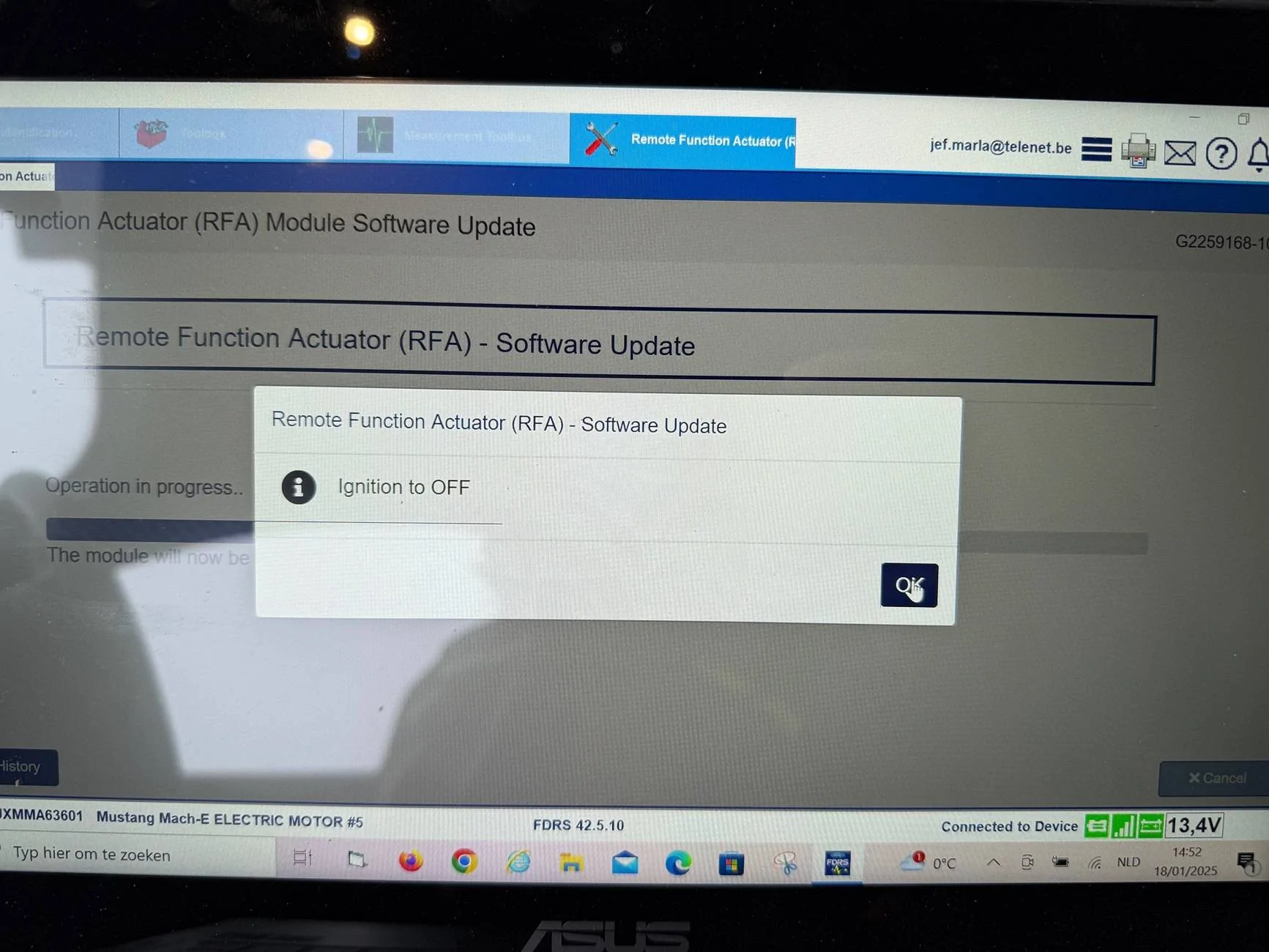
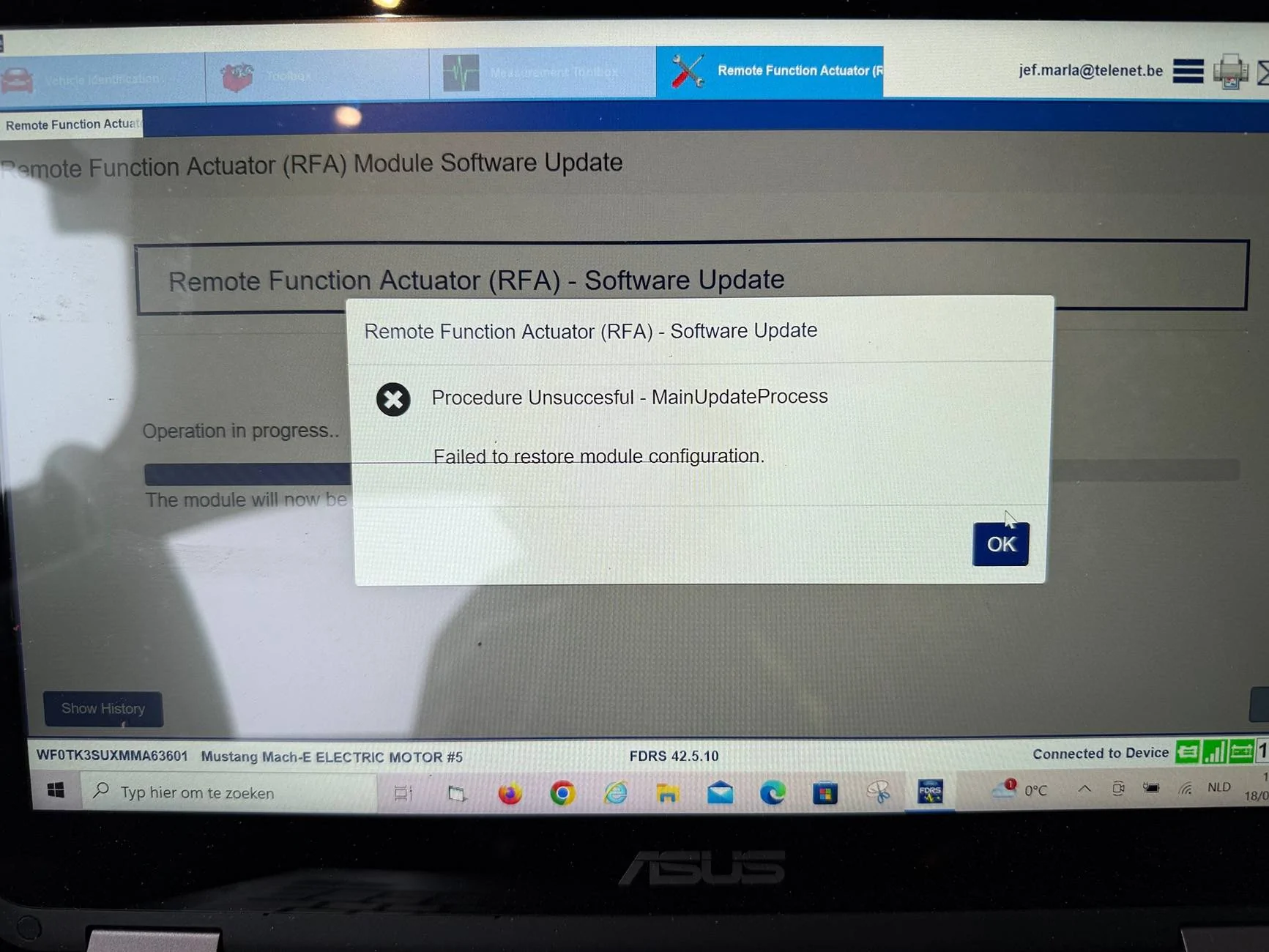
Just disconnected the 12 volt battery for 5 minutes and trying the RFA update again now.
?
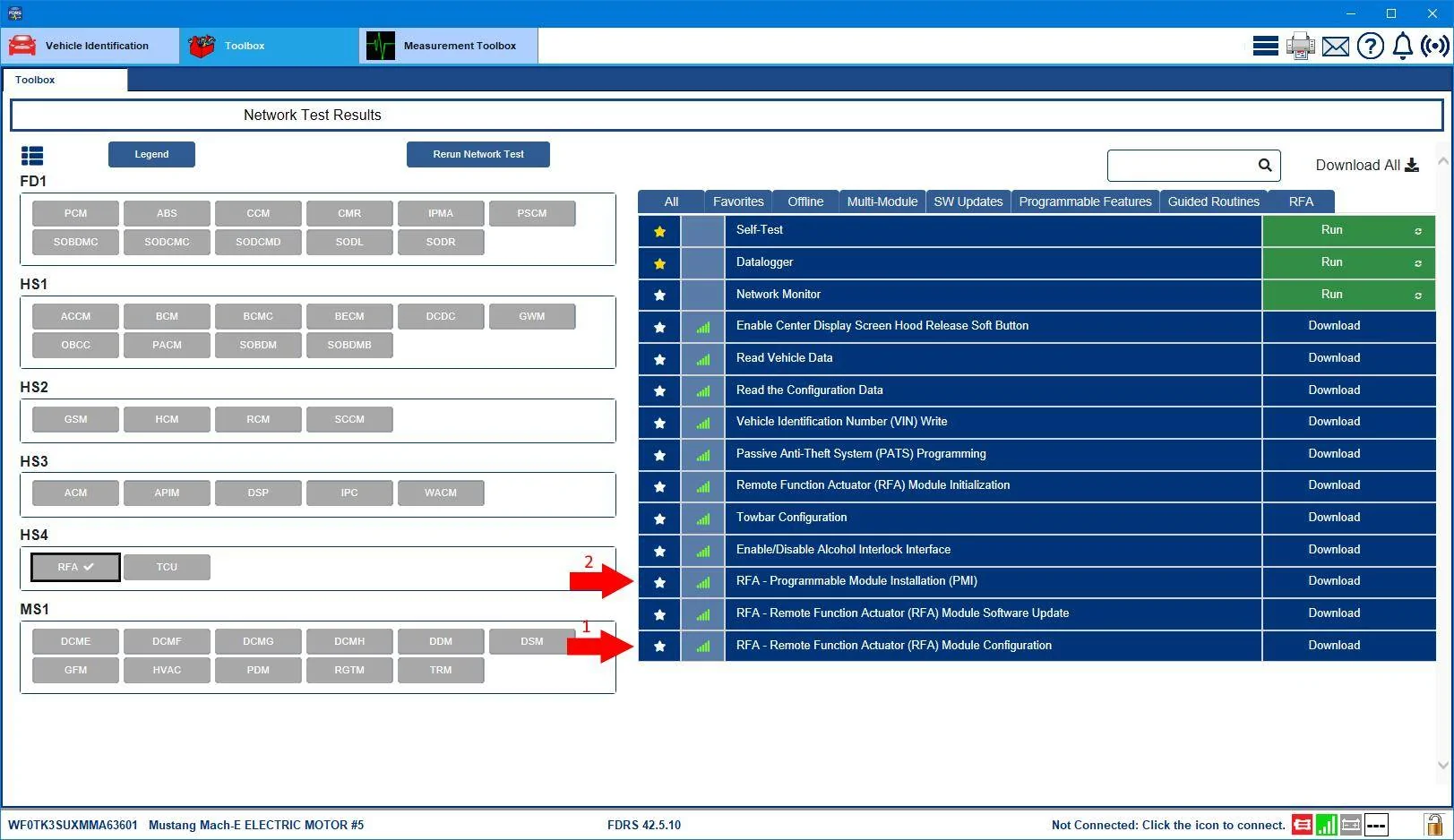
Well I'm not sure that would help....

What I would try next is running the RFA Configuration tool. (1)

If that doesn't work, then run the PMI on the RFA (2) and say "No" if you're asked if the original module is still installed.

Ford Mustang Mach-E The Complete DIY Guide to Updating Your Mach-E with FDRS WF0TK3SUXMMA63601-18-Jan-25RFA_Work
 

Jefke77

Well-Known Member
Joined
May 9, 2022
Threads
2
Messages
89
Reaction score
13
Location
Belgium
Vehicles
Mustang Mach E4X
Country flag
Well I'm not sure that would help....

What I would try next is running the RFA Configuration tool. (1)

If that doesn't work, then run the PMI on the RFA (2) and say "No" if you're asked if the original module is still installed.

WF0TK3SUXMMA63601-18-Jan-25RFA_Work.jpg
Okay, let’s try.


Top