
Trip Planner Automatic Charging Stops. What am I doing wrong?

jasn

Well-Known Member
First Name
Jim
Joined
Jan 15, 2022
Threads
8
Messages
78
Reaction score
52
Location
Outer-Cape, MA
Vehicles
2021 MME AWD Premium ER - Space White
Occupation
Retired
Country flag
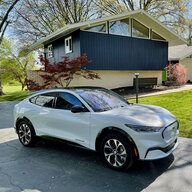
Me and my 2021 MME live on Outer Cape Cod, MA and when I set up a trip using Ford's Trip Planner to return home from Off-Cape it automatically adds a charge stop in Hyannis, about 35 miles from home, even when I know I can make it home with well over 20% charge remaining. I pass the highway exits the Planner is telling me to take and it continues to re-route me back to this silly charger, adding more and more miles to the Nav info. I even tried re-programing the Nav for home while I am a mere one mile away with over 25% charge and it wants me to drive back to the charger...making my trip over 80 miles! This is silly.

I have my home set as a charge location. I have played with remaining charge for trips (both 10 & 20 %). What else can I do? Can I delete a charge stop and keep my trip planner trip active? Haven't figured out how to do that (or if I can). Thx.
Sponsored

 

Tampamike

Well-Known Member
First Name
Mike
Joined
Feb 19, 2021
Threads
24
Messages
2,069
Reaction score
2,806
Location
Tampa, FL
Vehicles
‘24 Mach E Premium RWD
Country flag
Try cancelling the route by tapping the “X.” That brings up a menu which has an option of removing the waypoint as well as cancelling the whole route. I had to use that once when it couldn’t figure out that I had actually stopped at the charger location. It kept trying to route me back when I was leaving. Not knowing the area (mall parking lot) I did a circle before realizing it. Then it took me several tries before I realized I could just cancel that waypoint by tapping the x. Reading comprehension is important.
 

SpacePony

Well-Known Member
Joined
Mar 29, 2021
Threads
5
Messages
206
Reaction score
364
Location
Kansas City Metro
Vehicles
2021 Mach-e Preimum AWD Ext. Battery
Country flag
The navigation tries to put you at your destination with a certain amount of remaining charge PLUS enough extra to get to the nearest charger. So if the charger nearest to your home is pretty far away from a charger, and it thinks you'd arrive there without enough to get back to that charger , it's going to add it to your route on the way there.

Unfortunately, even if you have your house designated as a charge location in the settings, the navigation doesn't seem to know about it.
 
OP
OP

jasn

Well-Known Member
First Name
Jim
Joined
Jan 15, 2022
Threads
8
Messages
78
Reaction score
52
Location
Outer-Cape, MA
Vehicles
2021 MME AWD Premium ER - Space White
Occupation
Retired
Country flag
Try cancelling the route by tapping the “X.” That brings up a menu which has an option of removing the waypoint as well as cancelling the whole route. I had to use that once when it couldn’t figure out that I had actually stopped at the charger location. It kept trying to route me back when I was leaving. Not knowing the area (mall parking lot) I did a circle before realizing it. Then it took me several tries before I realized I could just cancel that waypoint by tapping the x. Reading comprehension is important.
I'll try again, this time going a little slower, but when I hit the "X" it just cancels the entire trip. No options offered. Thx.


Unfortunately, even if you have your house designated as a charge location in the settings, the navigation doesn't seem to know about it.
That's the silly part I was hoping to get around. Thx.
Sponsored


Top