Ford Motor Company

Well-Known Member
Official Ford Account
First Name
Brian
Joined
May 10, 2021
Threads
68
Messages
3,459
Reaction score
6,535
Location
Michigan
Vehicles
Mustang Mach-E
Occupation
Real Human & Community Manager
Country flag
Never miss a software update!
  1. Set a recurring schedule: For more complex software updates, your vehicle cannot be driven during the installation (typically up to 1 hour). We recommend setting a recurring schedule for a time when your vehicle is not needed (like overnight).
  2. Confirm you have Automatic Updates ON: Most software updates happen in the background while you are driving as long as you have automatic updates toggled ON. This setting is ON by default but we ask that you check your settings screen to confirm.
Both actions can be completed from the settings screen in your vehicle. Click here for step by step instructions.


MORE INFO ADDED BY @flip at Bronco6G.com

Depending on the update the vehicle requires, there are two installation processes:

Driveable Updates
  • Some updates can complete seamlessly in the background. They replace a part of software without impacting the rest of the system
  • SYNC 4 Technology is fully functional while the update is downloading
  • If the Automatic Updates are On, a message will appear in the in-vehicle touchscreen informing the driver of the update and if Wi-Fi is required
  • If Automatic Updates are Off, a message will appear on the in-vehicle touchscreen asking the driver to confirm the update and if Wi‑Fi is required
  • The update will automatically complete in the background. If consent or a Wi‑Fi connection is required, an icon will appear in the touchscreen's upper status bar
  • When the vehicle is restarted, an "Update Successful" icon will appear on the in-vehicle touchscreen. The customer can tap the notification icon to read details about the update or view details on the FordPass App or owner.ford.com
  • If the update fails or if Ford decides to revert to a previous software version, the system will go back to its previous version. Customers will be notified if the update fails, expires or is canceled in-vehicle
Non-driveable Updates
  • The majority of Ford Power-Up software updates will be considered non-driveable updates (parked with the ignition off). This means that the update will erase the system or module and replace it with the latest version of the software
  • The vehicle will not be driveable during this time and the update may take up to 45 minutes to complete. Any updates that may require the vehicle to be parked can be scheduled to take place when customers find it most convenient
  • When a recurring schedule is set, customers will receive an in-vehicle reminder notification at first key cycle within 24 hours of the update. The vehicle will display another notification two minutes before the update begins
  • Scheduling is required to ensure that the updates occur at a convenient time when the customer chooses and when the vehicle is not in use
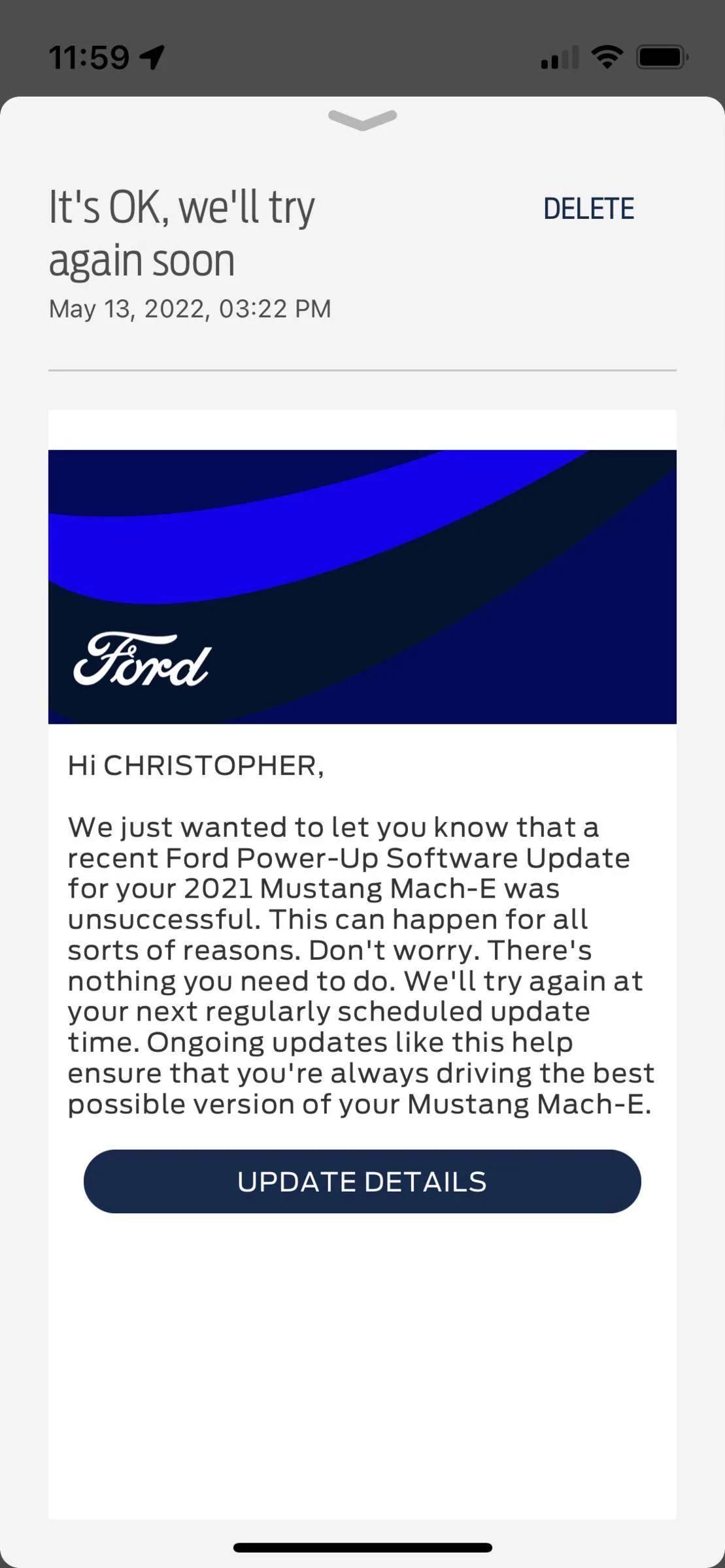
    • If the vehicle is in use, the system will not update and will automatically postpone to the next scheduled time. Customers will receive a notification that the update was unsuccessful
    • If the vehicle is not in use, a “Preparing Updates” message will appear in the in-vehicle touchscreen and a two-minute countdown will begin. Customers will be prompted to exit the vehicle and lock it, as it will be disarmed during the updates
    • Preconditions may be required for certain updates. If the preconditions are not met, the customer will be notified and the update will not complete
  • When the vehicle is restarted, an "Update Successful" icon will appear in the in-vehicle touchscreen. The customer can tap the notification icon to read details about the updates
  • Customers can also check the status of an update in their FordPass App or on owner.ford.com

Manual Update System Details
Non-driveable Updates
NOTE:
If Automatic Updates are Off, updates are not installed automatically and require the customer to review and approve each update. The vehicle may require important Ford Power-Up software updates, therefore, this method is not recommended.
  • When a new update is available, the customer will see an icon on the in-vehicle touchscreen status bar. To review the update, tap the icon for details to proceed
  • Once the update is reviewed, a notification will appear on the in-vehicle touchscreen with information about how long the installation will take. After that, an "Update Ready Install" icon is accessible on the status bar
  • The driver can tap "Update" on the in-vehicle touchscreen to begin installation
  • If the vehicle is not in use, a “Preparing Updates” message will appear in the in-vehicle touchscreen and a two-minute countdown will begin. Customers will be prompted to exit the vehicle and lock it, as it will be disarmed during non-driveable updates
  • Preconditions may be required for certain updates. If the preconditions are not met, the customer will be notified and the update will not complete
  • If the updates were completed successfully, an "Update Successful" icon will appear on the in-vehicle touchscreen when the vehicle is restarted. The customer can click the notification icon to read details about the update
Sponsored

 
Last edited by a moderator:

TruWrecks

Well-Known Member
Joined
Jun 3, 2021
Threads
25
Messages
948
Reaction score
1,030
Location
Oregon
Vehicles
Mach-E Star White Premium AWD Ext (Ghost Stallion)
Occupation
Retired
Country flag
We should be able to retry updates that fail at least 1 time manually. Since it attempted it should remain available until it completes successfully unless the update gets pulled for review because of the errors.
 

ZuleMME

Well-Known Member
First Name
Zule
Joined
Apr 23, 2021
Threads
10
Messages
1,018
Reaction score
1,487
Location
Denver, CO
Vehicles
21' Job1 P4X MME, 22' MYP
Occupation
Implementation Engineer
Country flag
Keeping automatic updates *OFF* actually seems to allow a higher chance of successful updates provided the user is knowledgable enough to be in the loop. When it's auto on, if you are out driving in a low signal area it seems to often fail and as the others above point out, you can't try again until Ford re-queues the update. If you set auto OFF, you then get the prompt to tell it when to start. Park in a good signal area and then start it.

Granted for users who don't have the time for this, auto on might be better to ensure as Ford suggests, "Never miss an update".


benk016

Well-Known Member
First Name
Ben
Joined
Nov 12, 2020
Threads
38
Messages
3,265
Reaction score
5,093
Location
Tulsa, Oklahoma
Vehicles
2021 Mustang Mach-E GT
Country flag
Never miss a software update!
  1. Set a recurring schedule: For more complex software updates, your vehicle cannot be driven during the installation (typically up to 1 hour). We recommend setting a recurring schedule for a time when your vehicle is not needed (like overnight).
  2. Confirm you have Automatic Updates ON: Most software updates happen in the background while you are driving as long as you have automatic updates toggled ON. This setting is ON by default but we ask that you check your settings screen to confirm.

Both actions can be completed from the settings screen in your vehicle. Click here for step by step instructions.
What about those of us with a Job2 car that don't have these options to set for automatic updates yet? When is that update coming??
 

GoGoGadgetMachE

Well-Known Member
First Name
Michael
Joined
Jan 23, 2020
Threads
153
Messages
5,612
Reaction score
12,669
Location
Ohio
Vehicles
2021 Mach-E 1st Ed., 2022 Lightning Platinum
Occupation
Professional forum cheerleader and fanboy
Country flag
Keeping automatic updates *OFF* actually seems to allow a higher chance of successful updates provided the user is knowledgable enough to be in the loop. When it's auto on, if you are out driving in a low signal area it seems to often fail and as the others above point out, you can't try again until Ford re-queues the update. If you set auto OFF, you then get the prompt to tell it when to start. Park in a good signal area and then start it.

Granted for users who don't have to time for this, auto on might be better to ensure as Ford suggests, "Never miss an update".
I agree that a forced "retry now" option would be very useful.

I also agree that for most people, automatic updates is the right choice. Most people don't want to have to think about or mess with any of this, especially in a car.
 

Mustang-fyren

Well-Known Member
First Name
Roar
Joined
Mar 26, 2021
Threads
1
Messages
118
Reaction score
83
Location
Norway
Vehicles
Ford Mustang Mach-e, long range AWD, rapid red
Country flag
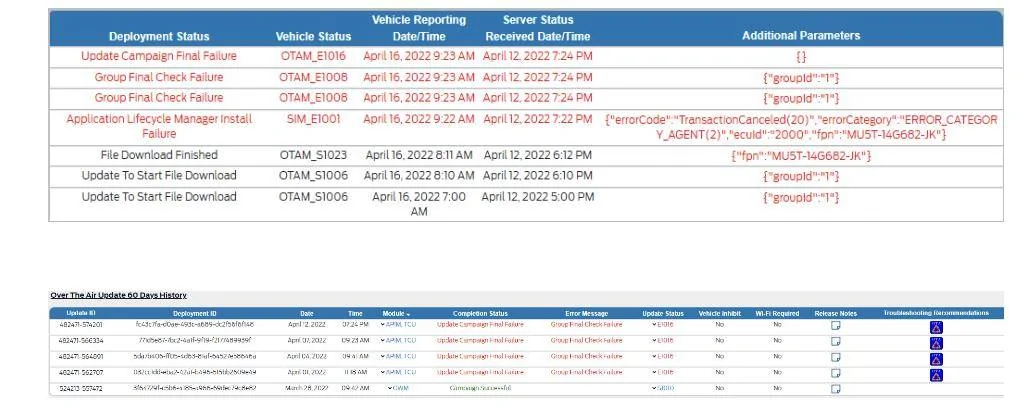
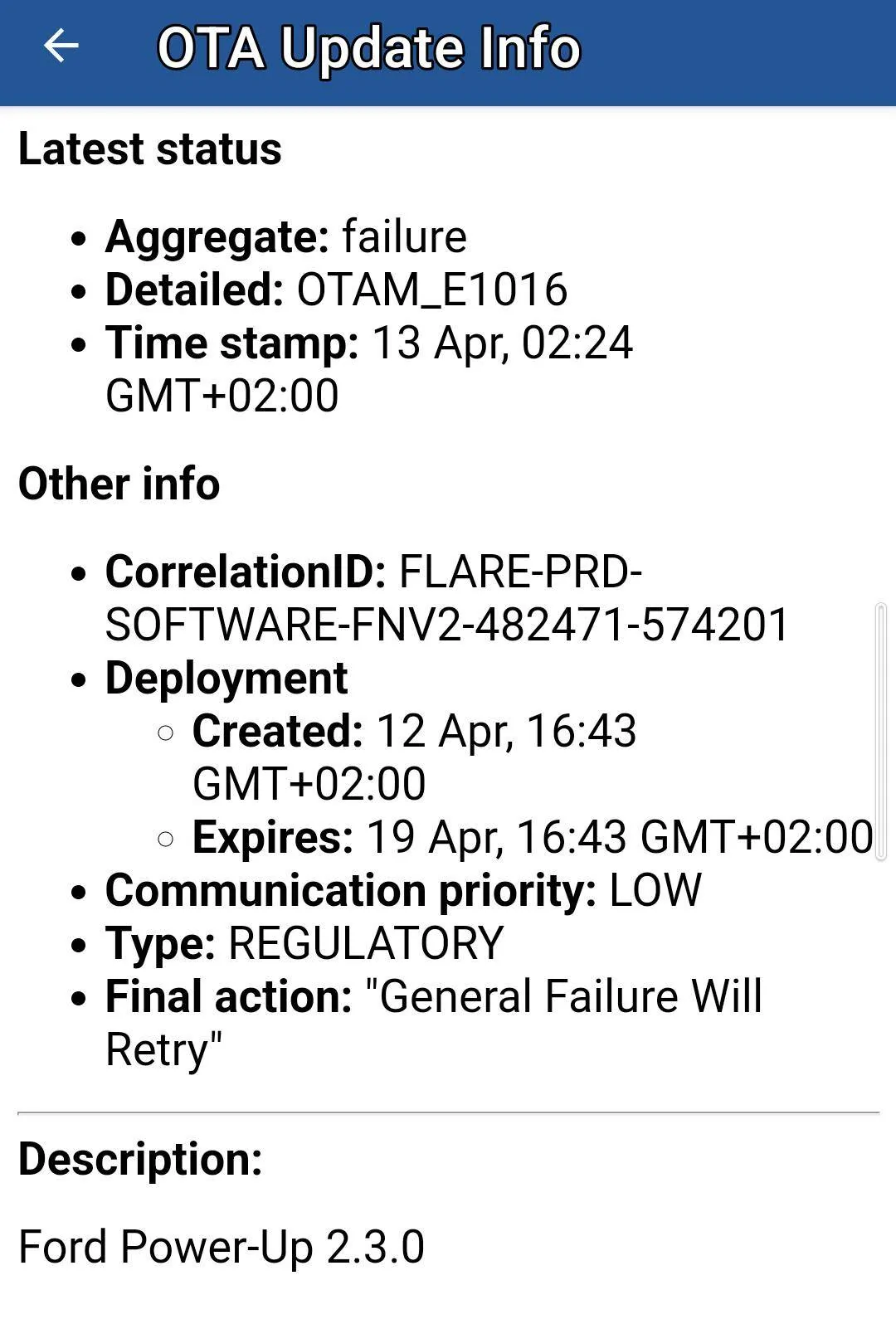
@Ford Motor Company. I had several failed OTA downloads on Ford Power-Up 2.3.0 two months ago, in early April. Looks like there's a problem with one of the files it tried to download. After such a long time Ford, why are you company not trying to fix the problem and provide with a new OTA download for my car ??

My VIN numbers are: WF0TK3SU5MMA27265.

@Ford Motor Company. Looking forward that you follow up and fixing the problem fast and service-minded after such a long wait for me.

Ford Mustang Mach-E How to never miss a OTA software update! Screenshot_20220603-182146


Ford Mustang Mach-E How to never miss a OTA software update! Screenshot_20220603-184409
 
Last edited:

machdady

Well-Known Member
First Name
Keith
Joined
Jan 31, 2022
Threads
11
Messages
185
Reaction score
144
Location
Long Island, NY
Vehicles
MME GTPE Ice Blue
Country flag
Dumb question. I can’t find my current versions (other than sync). Do I need an FDRS account to find current version?
 

talisxero

Member
Joined
Feb 6, 2022
Threads
1
Messages
14
Reaction score
38
Location
Jackson, MI, USA
Vehicles
2021 Mustang Mach-E, 2019 Ford Ranger
Occupation
Shipping and Receiving Supervisor
Country flag
Dumb question. I can’t find my current versions (other than sync). Do I need an FDRS account to find current version?
You're stuck with a firmware that isn't showing you it's version number in settings. I had mine lock up like that for months, too. One day I went back through my settings and toggled all of the settings FMC suggested above, then I got an update to the next version same night. I've had 2 other updates since then.

So, if you have all of these settings already set, it may be worth going into your settings and turning the auto update off and getting those settings to save. Then re-enable them.

I'm now just 1 away from 2.8.
 

2FlyMache

Well-Known Member
First Name
Patrick
Joined
Aug 9, 2021
Threads
10
Messages
685
Reaction score
791
Location
Martinez GA
Vehicles
2021 Rapid Red Ex4 MachE
Country flag
You're stuck with a firmware that isn't showing you it's version number in settings. I had mine lock up like that for months, too. One day I went back through my settings and toggled all of the settings FMC suggested above, then I got an update to the next version same night. I've had 2 other updates since then.

So, if you have all of these settings already set, it may be worth going into your settings and turning the auto update off and getting those settings to save. Then re-enable them.

I'm now just 1 away from 2.8.
Me too!


Top