jlauro

Well-Known Member
First Name
John
Joined
Dec 29, 2019
Threads
7
Messages
1,069
Reaction score
842
Location
Owosso, MI
Vehicles
2021 Infinite Blue AWD ER Mach-E
Country flag
Keeping automatic updates *OFF* actually seems to allow a higher chance of successful updates provided the user is knowledgable enough to be in the loop. When it's auto on, if you are out driving in a low signal area it seems to often fail and as the others above point out, you can't try again until Ford re-queues the update.
I disagree about turning auto OFF. I have had the best luck with auto ON but a set schedule when I know it's normally home at night, and my Mach E knows my wifi so it has a good internet connection.

Maybe turning it off is good if you don't have a regular time to schedule when the car is normally off along with a good wifi connection at the location.
Sponsored

 

tesla2mme

Well-Known Member
First Name
Tony
Joined
Jan 2, 2022
Threads
15
Messages
323
Reaction score
384
Location
California (Bay)
Vehicles
MME GT in the best color ever made (cyber orange!)
Occupation
Engineer
Country flag
How about having this like the App Store and just "fetch" the updates regularly ? And let us go grab the ones we need?

Too consumer friendly? Ah, got it. Ok.
 

ZuleMME

Well-Known Member
First Name
Zule
Joined
Apr 23, 2021
Threads
10
Messages
1,018
Reaction score
1,487
Location
Denver, CO
Vehicles
21' Job1 P4X MME, 22' MYP
Occupation
Implementation Engineer
Country flag
I disagree about turning auto OFF. I have had the best luck with auto ON but a set schedule when I know it's normally home at night, and my Mach E knows my wifi so it has a good internet connection.

Maybe turning it off is good if you don't have a regular time to schedule when the car is normally off along with a good wifi connection at the location.
Problem with that is the basic updates automatically update while you are out driving before the window. The scheduled window seems to just be for installation of inhibited driving updates.
 

jlauro

Well-Known Member
First Name
John
Joined
Dec 29, 2019
Threads
7
Messages
1,069
Reaction score
842
Location
Owosso, MI
Vehicles
2021 Infinite Blue AWD ER Mach-E
Country flag
Problem with that is the basic updates automatically update while you are out driving before the window. The scheduled window seems to just be for installation of inhibited driving updates.
?‍♂ AFAIK I'm not missing any basic updates, so not seeing how it's a problem.



First Name
Justin
Joined
Jun 3, 2022
Threads
0
Messages
7
Reaction score
7
Location
Washington, DC
Vehicles
2022 Mach E Premium AWD
Country flag
Are all of the recent updates for 2021s only? I purchased my ‘22 two weeks ago and want to be sure I’m not missing something as I haven’t received any notifications. Thanks in advance!
 

newmme

Banned
Banned
Joined
Jan 31, 2022
Threads
6
Messages
277
Reaction score
260
Location
USA
Vehicles
Volt
Country flag
Are all of the recent updates for 2021s only? I purchased my ‘22 two weeks ago and want to be sure I’m not missing something as I haven’t received any notifications. Thanks in advance!
There are some folks here that can run your VIN to see what updates are available.
 

ZuleMME

Well-Known Member
First Name
Zule
Joined
Apr 23, 2021
Threads
10
Messages
1,018
Reaction score
1,487
Location
Denver, CO
Vehicles
21' Job1 P4X MME, 22' MYP
Occupation
Implementation Engineer
Country flag
?‍♂ AFAIK I'm not missing any basic updates, so not seeing how it's a problem.

If you didn’t get the concept from my original posts you are one of those that’s better off with auto on…
 

MustThee?

Well-Known Member
First Name
Sam
Joined
Aug 31, 2021
Threads
6
Messages
192
Reaction score
109
Location
North Carolina
Vehicles
2021 Mach Premium E
Never miss a software update!
  1. Set a recurring schedule: For more complex software updates, your vehicle cannot be driven during the installation (typically up to 1 hour). We recommend setting a recurring schedule for a time when your vehicle is not needed (like overnight).
  2. Confirm you have Automatic Updates ON: Most software updates happen in the background while you are driving as long as you have automatic updates toggled ON. This setting is ON by default but we ask that you check your settings screen to confirm.
Both actions can be completed from the settings screen in your vehicle. Click here for step by step instructions.


MORE INFO ADDED BY @flip at Bronco6G.com

Depending on the update the vehicle requires, there are two installation processes:

Driveable Updates
  • Some updates can complete seamlessly in the background. They replace a part of software without impacting the rest of the system
  • SYNC 4 Technology is fully functional while the update is downloading
  • If the Automatic Updates are On, a message will appear in the in-vehicle touchscreen informing the driver of the update and if Wi-Fi is required
  • If Automatic Updates are Off, a message will appear on the in-vehicle touchscreen asking the driver to confirm the update and if Wi‑Fi is required
  • The update will automatically complete in the background. If consent or a Wi‑Fi connection is required, an icon will appear in the touchscreen's upper status bar
  • When the vehicle is restarted, an "Update Successful" icon will appear on the in-vehicle touchscreen. The customer can tap the notification icon to read details about the update or view details on the FordPass App or owner.ford.com
  • If the update fails or if Ford decides to revert to a previous software version, the system will go back to its previous version. Customers will be notified if the update fails, expires or is canceled in-vehicle
Non-driveable Updates
  • The majority of Ford Power-Up software updates will be considered non-driveable updates (parked with the ignition off). This means that the update will erase the system or module and replace it with the latest version of the software
  • The vehicle will not be driveable during this time and the update may take up to 45 minutes to complete. Any updates that may require the vehicle to be parked can be scheduled to take place when customers find it most convenient
  • When a recurring schedule is set, customers will receive an in-vehicle reminder notification at first key cycle within 24 hours of the update. The vehicle will display another notification two minutes before the update begins
  • Scheduling is required to ensure that the updates occur at a convenient time when the customer chooses and when the vehicle is not in use
    • If the vehicle is in use, the system will not update and will automatically postpone to the next scheduled time. Customers will receive a notification that the update was unsuccessful
    • If the vehicle is not in use, a “Preparing Updates” message will appear in the in-vehicle touchscreen and a two-minute countdown will begin. Customers will be prompted to exit the vehicle and lock it, as it will be disarmed during the updates
    • Preconditions may be required for certain updates. If the preconditions are not met, the customer will be notified and the update will not complete
  • When the vehicle is restarted, an "Update Successful" icon will appear in the in-vehicle touchscreen. The customer can tap the notification icon to read details about the updates
  • Customers can also check the status of an update in their FordPass App or on owner.ford.com

Manual Update System Details
Non-driveable Updates
NOTE:
If Automatic Updates are Off, updates are not installed automatically and require the customer to review and approve each update. The vehicle may require important Ford Power-Up software updates, therefore, this method is not recommended.
  • When a new update is available, the customer will see an icon on the in-vehicle touchscreen status bar. To review the update, tap the icon for details to proceed
  • Once the update is reviewed, a notification will appear on the in-vehicle touchscreen with information about how long the installation will take. After that, an "Update Ready Install" icon is accessible on the status bar
  • The driver can tap "Update" on the in-vehicle touchscreen to begin installation
  • If the vehicle is not in use, a “Preparing Updates” message will appear in the in-vehicle touchscreen and a two-minute countdown will begin. Customers will be prompted to exit the vehicle and lock it, as it will be disarmed during non-driveable updates
  • Preconditions may be required for certain updates. If the preconditions are not met, the customer will be notified and the update will not complete
  • If the updates were completed successfully, an "Update Successful" icon will appear on the in-vehicle touchscreen when the vehicle is restarted. The customer can click the notification icon to read details about the update
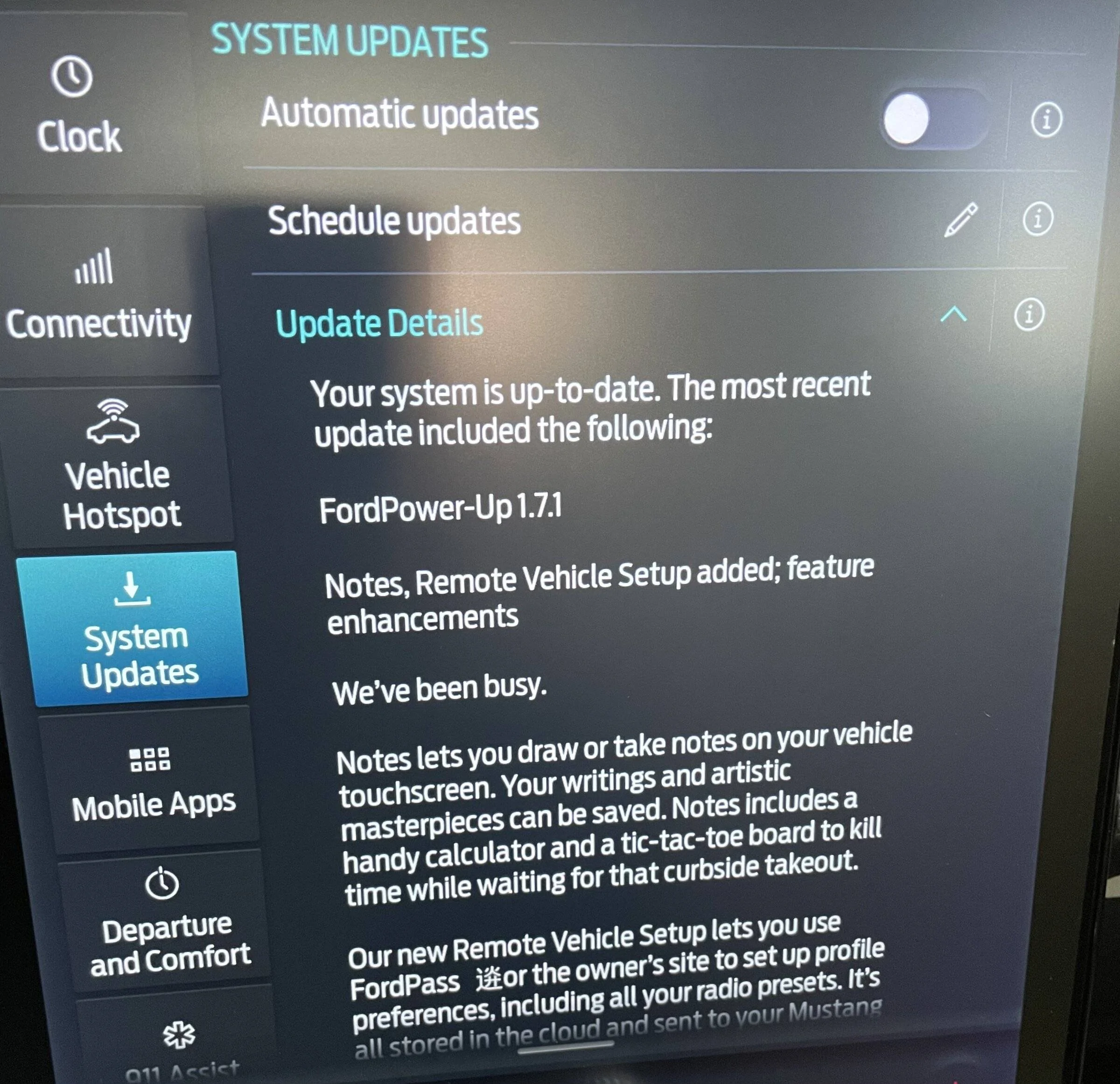
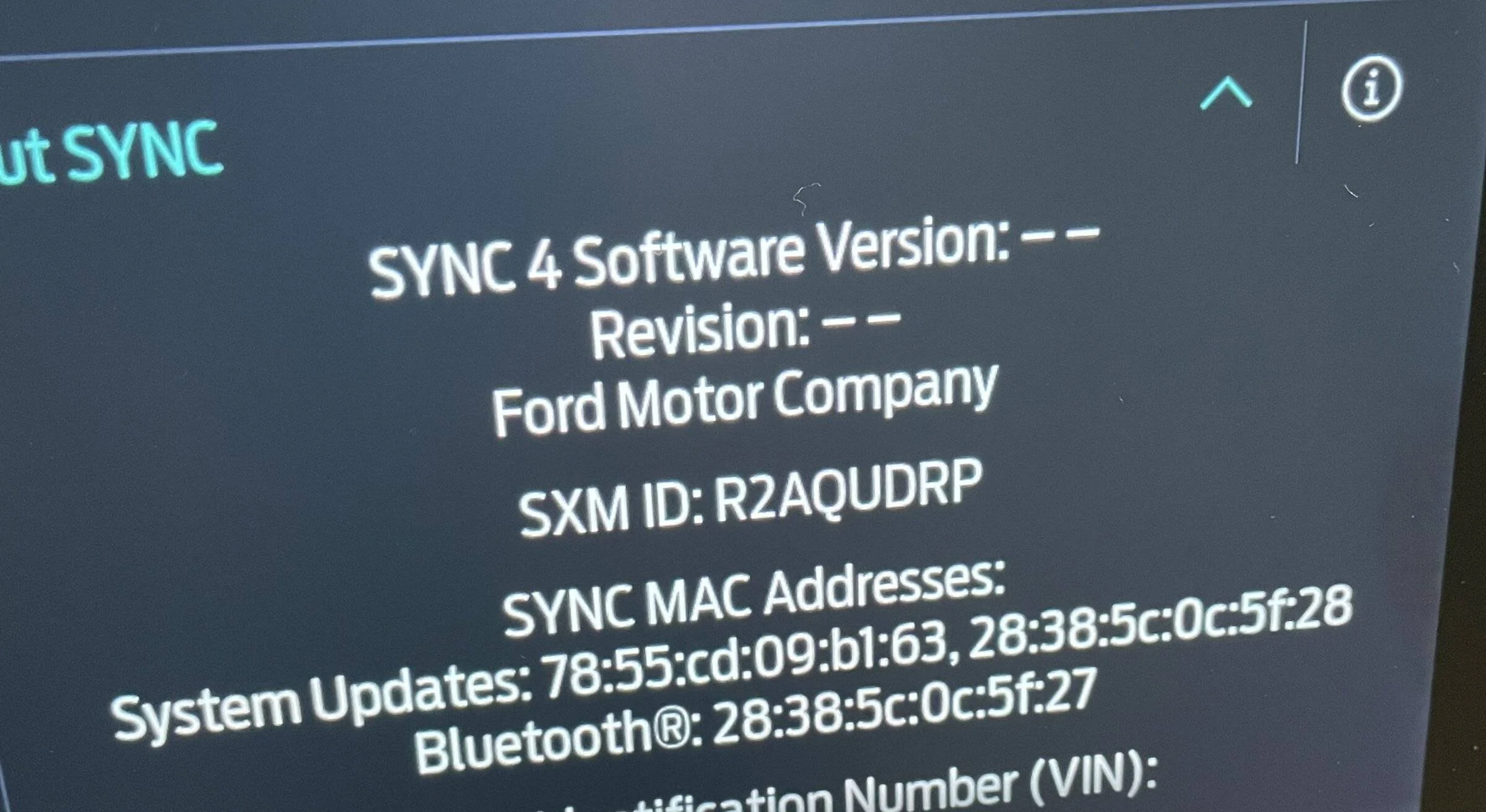
Never miss an update?? I think I am missing a lot and none of your dealers seem to know anything about this. The car tells me I got an update but none of those updates are available. And I can’t set a schedule for auto updates. What are the instructions for me?
Ford Mustang Mach-E How to never miss a OTA software update! 91480093-0F3D-4B44-97E0-9AC50F7E1004
Ford Mustang Mach-E How to never miss a OTA software update! E47F3B9A-373E-4EFF-B7B1-87BACE16AFEE
 

jlauro

Well-Known Member
First Name
John
Joined
Dec 29, 2019
Threads
7
Messages
1,069
Reaction score
842
Location
Owosso, MI
Vehicles
2021 Infinite Blue AWD ER Mach-E
Country flag
Never miss an update?? I think I am missing a lot and none of your dealers seem to know anything about this. The car tells me I got an update but none of those updates are available. And I can’t set a schedule for auto updates. What are the instructions for me?
91480093-0F3D-4B44-97E0-9AC50F7E1004.webp
Why can't you set a schedule? Looks like you have the pencil icon to set one.

Did you connect your car to wifi?
 

Electric Goat

Well-Known Member
Joined
May 31, 2021
Threads
14
Messages
925
Reaction score
1,898
Location
Twin Cities, MN
Vehicles
'21 Mach-E GT & '24 BRZ
Country flag
Don’t forget the very useful >80% charging improvement. Unless you had the infamous HVBJB/BECM failure you probably don’t have that either.
Unfortunately, I had the HVJB & BECM stop safely now failure so I'm already using the new charging curve... and it's very very nice!
 

ZuleMME

Well-Known Member
First Name
Zule
Joined
Apr 23, 2021
Threads
10
Messages
1,018
Reaction score
1,487
Location
Denver, CO
Vehicles
21' Job1 P4X MME, 22' MYP
Occupation
Implementation Engineer
Country flag
Never miss an update?? I think I am missing a lot and none of your dealers seem to know anything about this. The car tells me I got an update but none of those updates are available. And I can’t set a schedule for auto updates. What are the instructions for me?
91480093-0F3D-4B44-97E0-9AC50F7E1004.jpeg
E47F3B9A-373E-4EFF-B7B1-87BACE16AFEE.jpeg
You likely have the 1.7.1 stuck issue and need to have your dealer perform the 22-2150 TSB.
 

Electric Goat

Well-Known Member
Joined
May 31, 2021
Threads
14
Messages
925
Reaction score
1,898
Location
Twin Cities, MN
Vehicles
'21 Mach-E GT & '24 BRZ
Country flag
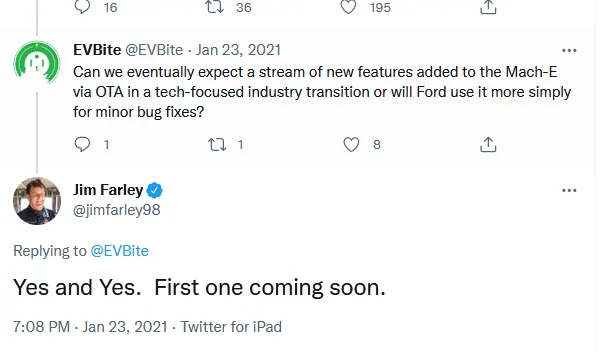
I just found this from Jim, sounds like a big one is coming soon!

1654297690962.webp
That's dated January 2021, not January 2022. Either it already happened or he's on the same timeline as Elon Musk. Soon meaning sometime in-between when the cybertruck is released and when SpaceX lands on mars.


Top