
The Complete DIY Guide to Updating Your Mach-E with FDRS

Neil4Real
Well-Known Member
- Joined
- Jul 8, 2021
- Threads
- 17
- Messages
- 3,385
- Reaction score
- 3,073
- Location
- Southern California
- Vehicles
- Mach-E GT Performance Edition - Shadow Black

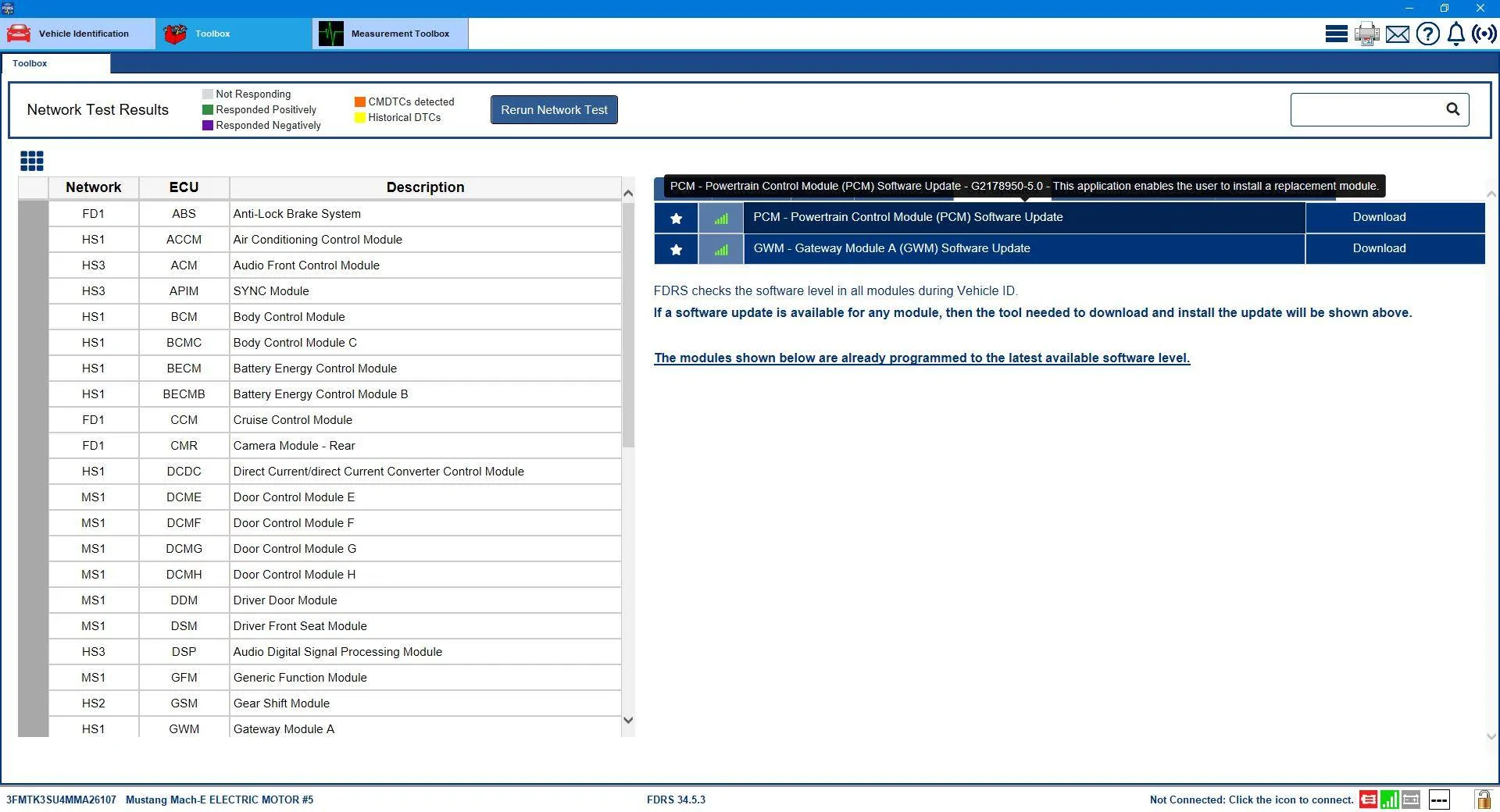
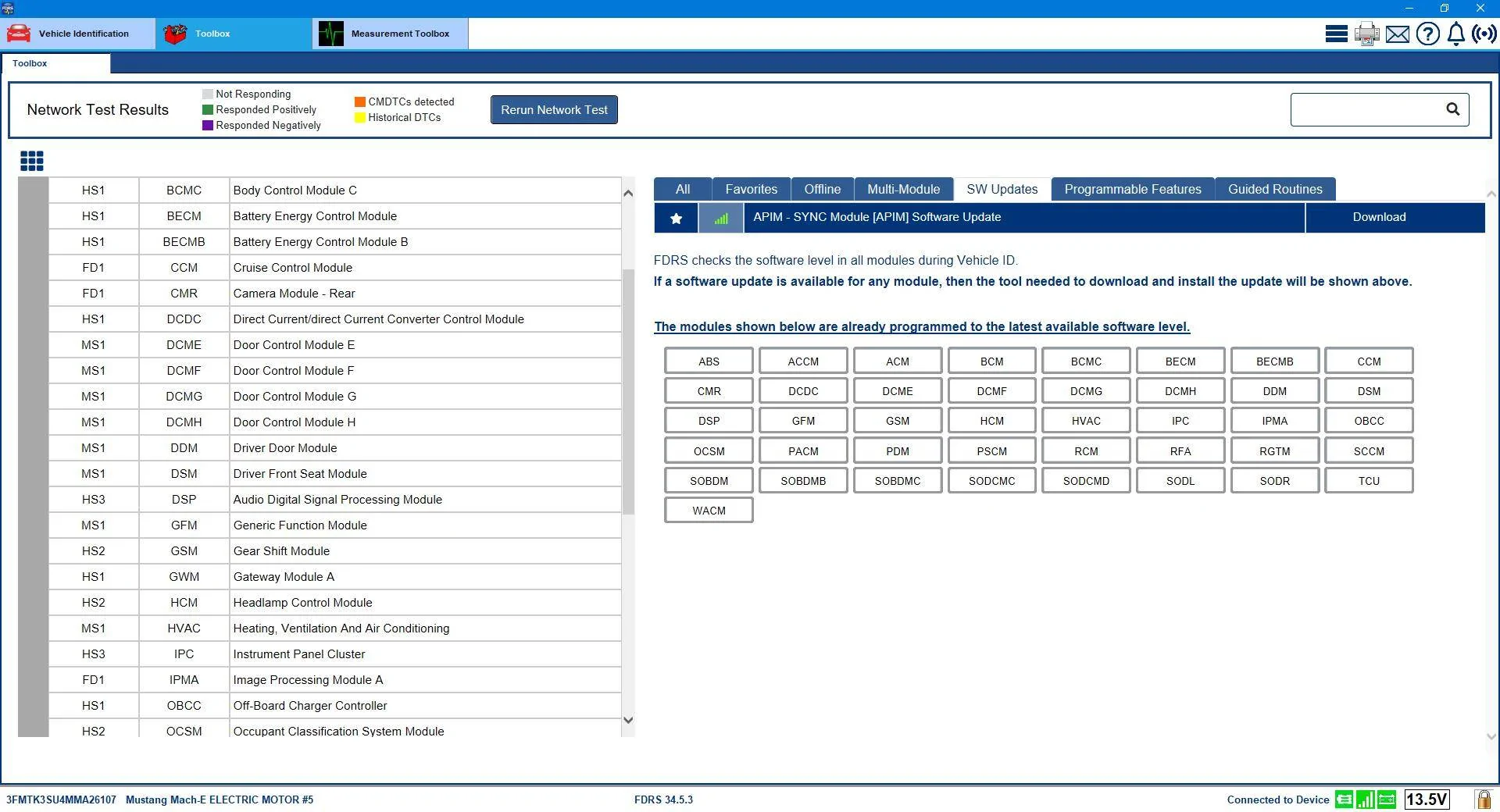
Interesting, I wonder if anyone else had to do this? I just had the GWM and OBCC update I never did. I never saw my old PCM update pop back up. I did the GWM and APIM and got the 2nd GWM after that. All went well with no issues.So now that we're all getting the ball rolling....It was a naughty PCM update that was keeping the GWM from showing up. I'm told that in addition to whatever dependency issue was created by doing the PCM update (at the time I did it there was no GWM in my list) the PCM was not completely 'reporting' as well, which could have compounded the problem.
I asked somebody on another forum to check something out for me and the result was a 'reset' of my PCM reported version to a previous iteration.
Which made the GWM....and the PCM (again) show up as updates in my list.

I was advised to do an offline download of the GWM software (no network scan), and then only plug it in afterward...and to do a PMI (and answer "No" to the question about if the original module is installed).
That worked like a charm and after the completion of the GWM update (GWM "-LAD" revision) and the network scan I was bestowed with the precious Sync 640 APIM update, and the naughty PCM update had disappeared from the list (because it was actually already installed).
Afterward, another GWM showed up and all the packages in that update still showed as "-LAD" except the F188 which flipped over to "-LAE".
All good...another Sync crisis put to rest.

scoopman
Well-Known Member
- Joined
- Jan 30, 2021
- Threads
- 60
- Messages
- 2,771
- Reaction score
- 5,816
- Location
- Bay Area
- Vehicles
- 2023 KIA EV6 GT, 20214 Hyundai Ioniq 5 Ltd AWD
- Occupation
- former electric pony jockey, flatbed towing expert
Thanks for all of the responses, it's probably me here, not the software.
I've done USB updates before no problem -- I am trying a different USB drive that I know has worked for me in the past, I'm going to leave my door open this time, and I will be doing an incantation while burning incense bowing to my car for 20 minutes this time.
I've done USB updates before no problem -- I am trying a different USB drive that I know has worked for me in the past, I'm going to leave my door open this time, and I will be doing an incantation while burning incense bowing to my car for 20 minutes this time.

Mike G
Well-Known Member
- First Name
- Mike
- Joined
- Mar 27, 2022
- Threads
- 25
- Messages
- 6,458
- Reaction score
- 5,298
- Location
- N. AL, USA
- Vehicles
- '23(J1) Mach-E GT-PE, '22 F-150 Lightning, '24 Bronco HLE 2Dr
Well I did all of this earlier this morning and apparently after I had done my usual daily VIN check and found nothing, I reached out to the module whisperer on the F-150 forum. That's how I ended up going down this road to get there. I get the first gateway done, come back in to check the forum and find out that the US floodGWM have opened and updates are flowing like mud in CA.Interesting, I wonder if anyone else had to do this? I just had the GWM and OBCC update I never did. I never saw my old PCM update pop back up. I did the GWM and APIM and got the 2nd GWM after that. All went well with no issues.

bshaw
Well-Known Member
- Joined
- May 18, 2020
- Threads
- 14
- Messages
- 1,562
- Reaction score
- 2,181
- Location
- Boston, MA
- Vehicles
- 2021 Mustang Mach E 4X (Job 1)
Consider doing a sync reboot before starting the FDRS process. I had trouble with the car recognizing my USB during an update earlier this year. Forced reboot sync before starting and then USB was good to go.Thanks for all of the responses, it's probably me here, not the software.
I've done USB updates before no problem -- I am trying a different USB drive that I know has worked for me in the past, I'm going to leave my door open this time, and I will be doing an incantation while burning incense bowing to my car for 20 minutes this time.

cbcasas
Well-Known Member
- First Name
- Christopher
- Joined
- Jun 8, 2022
- Threads
- 10
- Messages
- 321
- Reaction score
- 157
- Location
- Southern California
- Vehicles
- 2024 Premium
This method has worked 100% of the time for meWow, I just opened my door to turn the car fully off. Waited my usual minute, watching when the headlight switch turns to off, and then turned the car fully back on, "engine" too. About 3 minutes later, pop up that update has completed.
cbcasas
Well-Known Member
- First Name
- Christopher
- Joined
- Jun 8, 2022
- Threads
- 10
- Messages
- 321
- Reaction score
- 157
- Location
- Southern California
- Vehicles
- 2024 Premium

Gimme_my_MME
Well-Known Member
- Joined
- Oct 12, 2020
- Threads
- 12
- Messages
- 1,951
- Reaction score
- 6,490
- Location
- Dearborn
- Vehicles
- Grabber Blue First Edition Mustang Mach-E
- Occupation
- Engineer
It's a result of FORScan changes you madeIs this a new setting in the new UI? What does it mean?
cbcasas
Well-Known Member
- First Name
- Christopher
- Joined
- Jun 8, 2022
- Threads
- 10
- Messages
- 321
- Reaction score
- 157
- Location
- Southern California
- Vehicles
- 2024 Premium
Haven’t touched ForscanIt's a result of FORScan changes you made

scoopman
Well-Known Member
- Joined
- Jan 30, 2021
- Threads
- 60
- Messages
- 2,771
- Reaction score
- 5,816
- Location
- Bay Area
- Vehicles
- 2023 KIA EV6 GT, 20214 Hyundai Ioniq 5 Ltd AWD
- Occupation
- former electric pony jockey, flatbed towing expert
20 minutes off with the door open did the trick, gotta love these rando instructions on what to do -- APIM module now available YAY!

Wonky_Donkey
Well-Known Member
- First Name
- Tony R
- Joined
- Feb 13, 2020
- Threads
- 29
- Messages
- 1,835
- Reaction score
- 3,048
- Location
- Norwich UK
- Vehicles
- 2022 Mach-E RWD ER

My GWM update has just shown up as well - obviously there’s a bit of a satellite delay across the pond this evening ?
Arjan
Well-Known Member
- First Name
- Arjan
- Joined
- Feb 14, 2020
- Threads
- 6
- Messages
- 360
- Reaction score
- 241
- Location
- NL
- Vehicles
- Ford Mustang Mach-E GT Performance

So there is hope.....my license expires in 90 minutes, but ill keep a close watch on fdrsMy GWM update has just shown up as well - obviously there’s a bit of a satellite delay across the pond this evening ?
PeeKay
Well-Known Member
- First Name
- Pravin
- Joined
- Apr 2, 2021
- Threads
- 12
- Messages
- 172
- Reaction score
- 133
- Location
- Sunnyvale, CA
- Vehicles
- 2021 Job 1 MachE
- Occupation
- Retired
Can someone please post a directory listing of the files in the APIM update?
(with file sizes at the byte level)
I'm getting a USB error from the car. Thinking some file is out of whack. Id like to avoid doing a full download again. Deleting the bad file from cache should be quicker.
(with file sizes at the byte level)
I'm getting a USB error from the car. Thinking some file is out of whack. Id like to avoid doing a full download again. Deleting the bad file from cache should be quicker.
Neil4Real
Well-Known Member
- Joined
- Jul 8, 2021
- Threads
- 17
- Messages
- 3,385
- Reaction score
- 3,073
- Location
- Southern California
- Vehicles
- Mach-E GT Performance Edition - Shadow Black
Did you do a fresh network scan after the GWM to try and get it to trigger the APIM?GWM module updated to LJ8T-14H021-LAD
But no more modules offered after that, so i guess ill wait a few days
Sponsored
Similar threads
- Replies
- 46
- Views
- 17,461


- Replies
- 29
- Views
- 16,066
