Jerrytball
Well-Known Member
- First Name
- Jerry
- Joined
- Feb 21, 2024
- Threads
- 30
- Messages
- 2,152
- Reaction score
- 1,136
- Location
- Gulfport MS
- Vehicles
- 2026 bmw i4 M50
- Occupation
- Retired

?
Sponsored
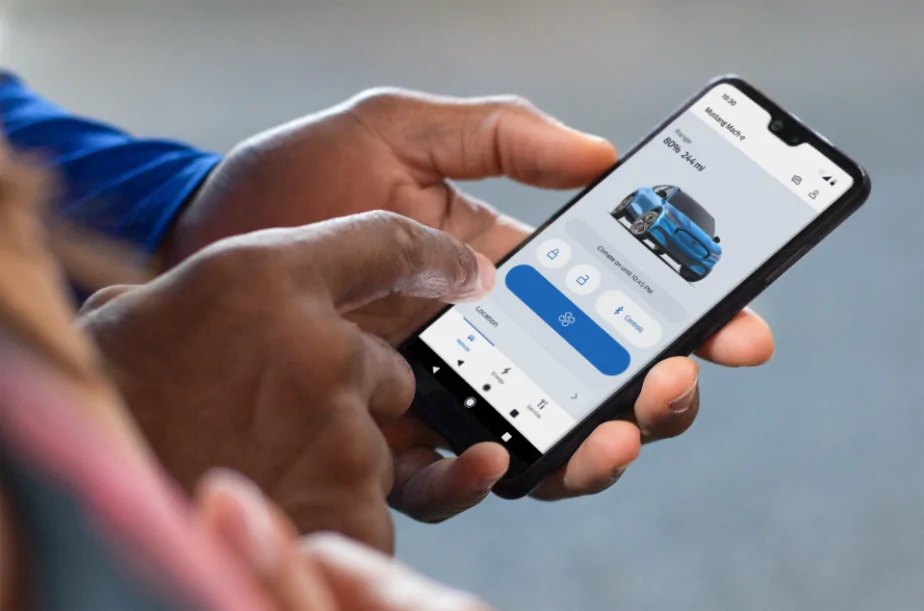
It’s a shitty version. Period.Not a great “update” in my opinion. The previous version was very user friendly and intuitive. When using that version I never once had to stop and think about how to do something. This new version - pretty much a total opposite.
My Target Charge section is completely blank in the new app. As is the Preferred Charge Times section. Yet these are both set and working in the car, and in the previous app version.


Wow that's lucky I've found my mme unlocked a lot ... Walk away lock doesn't always work for me.Maybe they didn't think it was necessary to show lock/unlock because the car defaults to locked. I've never found my mme unlocked. It always locks itself from walking away or after a time. Is there a way to keep it unlocked?

Thanks for the tip! It would make more sense (to me) for the odometer reading to be listed under Vehicle Details rather than Service, FWIW.Go to Service Then Vehicle health
Where's the wearOS app? It was supposed to be in development now for like two years?Hi Mustang Mach-E owners! If you recently updated your FordPass® app, you may have noticed it looks a little different. We are pleased to share that we have rolled out a newly designed app that is easy to use and efficient, to help you better manage your vehicle remotely. Here is what is new:
We are also continuing to improve the in-app experience with this latest version. If you notice a feature you previously used before is no longer there, don’t worry. The feature can still be accessed via your in-vehicle touchscreen.
- Simplified Experience: We have reduced the number of steps it takes to access functions and made it easier to find them. As an EV owner, you can enjoy a simplified slider for target charge. Also, instead of having to press and hold to turn the vehicle ‘on’, it is now a simple tap.
- Apple Watch Integration: If you have an Apple Watch, in addition to lock/unlock and remote start/stop, you will also be able to use the following features from your wrist:
- View battery level and range
- View charging status, including: Charging speed, next departure time based on when desired charge is reached, current preferred charging window
- View vehicle location
- Activate horn and lights remotely
We love to hear from our owners so let us know what you think and if you have any questions about FordPass!
Please note: FordPass® App, compatible with select smartphone platforms, is available via a download. Message and data rates may apply.


how about roll back the hvac update that makes the heater eat battery power like the ex wife eats potato chips!!!!!!!Hi Mustang Mach-E owners! If you recently updated your FordPass® app, you may have noticed it looks a little different. We are pleased to share that we have rolled out a newly designed app that is easy to use and efficient, to help you better manage your vehicle remotely. Here is what is new:
We are also continuing to improve the in-app experience with this latest version. If you notice a feature you previously used before is no longer there, don’t worry. The feature can still be accessed via your in-vehicle touchscreen.
- Simplified Experience: We have reduced the number of steps it takes to access functions and made it easier to find them. As an EV owner, you can enjoy a simplified slider for target charge. Also, instead of having to press and hold to turn the vehicle ‘on’, it is now a simple tap.
- Apple Watch Integration: If you have an Apple Watch, in addition to lock/unlock and remote start/stop, you will also be able to use the following features from your wrist:
- View battery level and range
- View charging status, including: Charging speed, next departure time based on when desired charge is reached, current preferred charging window
- View vehicle location
- Activate horn and lights remotely
We love to hear from our owners so let us know what you think and if you have any questions about FordPass!
Please note: FordPass® App, compatible with select smartphone platforms, is available via a download. Message and data rates may apply.

I know where it is. Charge to 100% used to be labeled "Charge to 100%". Changing it to anything else is a step backwards.Charge to 100% is on the first screen and is called "START" in the upper right corner. when it's not actively charging but is plugged in you can select "start" and it will start charging.
on the energy screen when your car is plugged in. if you have location based charge limits set, you can use the slider to set any new charge target while it's charging or done charging and plugged in. this sets the location's charge target that you are currently sitting at though. so it's an on the fly adjustment to current setting (I love the way it's designed and how it functions....others may not).


I never trust walk-away.... I always lock manually.Wow that's lucky I've found my mme unlocked a lot ... Walk away lock doesn't always work for me.