Mach-Lee
Well-Known Member
- First Name
- Lee
- Joined
- Jul 16, 2021
- Threads
- 262
- Messages
- 11,365
- Reaction score
- 25,025
- Location
- Wisconsin
- Vehicles
- 2022 Mach-E Premium AWD
- Occupation
- Sci/Eng

- Thread starter
- #1
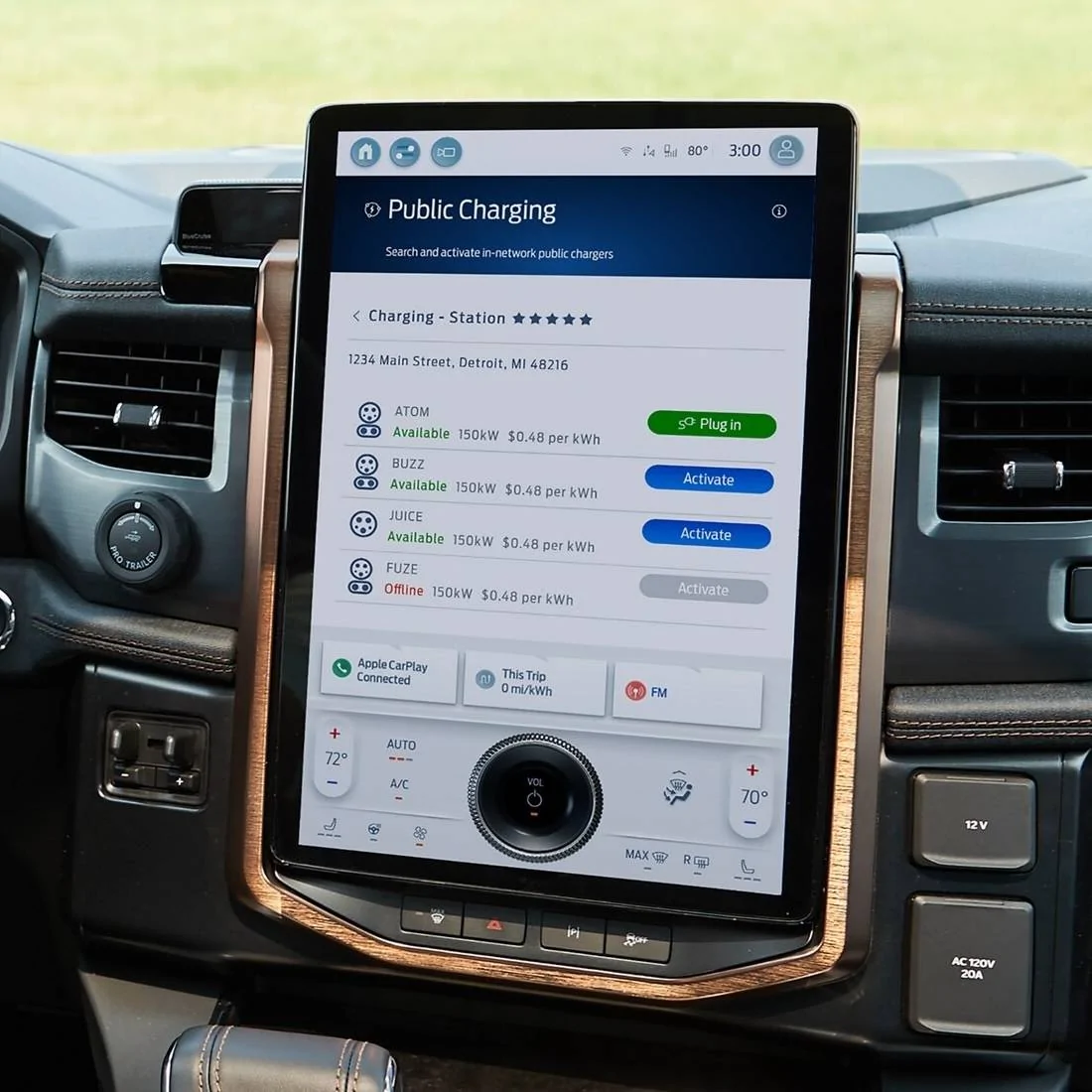
I’m not sure when this changed (EDIT: requires 10.1.0 OTA), but the Public Charging app (formerly known as Charge Assist) now works while driving! ?  This makes the app finally useful! For those who don’t know, the Public Charging app is the easiest way to find nearby chargers and check real-time availability right from the screen. You can see how many stalls are occupied while on the road. It’s also currently the only way to locate NACS-compatible Tesla Superchargers and navigate to them directly from the touchscreen (aside from using ABRP via CarPlay). Plus, you can activate an in-network charger, so you don’t have to pull out your phone—very handy for networks like ChargePoint and Blink that don’t support Plug & Charge.
With this change, everything in the app works while driving, except for the keyboard and the 'I'm Here Now' button for activating chargers. For me, the most important feature is being able to easily check the availability of nearby chargers while on the road, so I can reroute early if needed. I like to monitor how full a charger is as I approach. Additionally, this feature makes it easy to switch between Public Charging and your CarPlay or navigation app to check the status without interrupting your navigation.
Great job to Ford for successfully getting this through legal and enabling the app to work while driving with almost full functionality. We've been advocating for this change since the beginning. The previous motion lock significantly limited the app's usefulness for EV routing, that's gone now.
One important point is that en-route battery preconditioning still doesn't activate if you input the charger through the Public Charging app (since the POI type isn't recognized as a charger). To make it work, you need to search for the charger using Ford's navigation system. Unfortunately, NACS Superchargers aren't included in Ford's navigation yet, so it's still impossible to precondition for a NACS Supercharger; only Magic Dock locations are currently available.

This makes the app finally useful! For those who don’t know, the Public Charging app is the easiest way to find nearby chargers and check real-time availability right from the screen. You can see how many stalls are occupied while on the road. It’s also currently the only way to locate NACS-compatible Tesla Superchargers and navigate to them directly from the touchscreen (aside from using ABRP via CarPlay). Plus, you can activate an in-network charger, so you don’t have to pull out your phone—very handy for networks like ChargePoint and Blink that don’t support Plug & Charge.With this change, everything in the app works while driving, except for the keyboard and the 'I'm Here Now' button for activating chargers. For me, the most important feature is being able to easily check the availability of nearby chargers while on the road, so I can reroute early if needed. I like to monitor how full a charger is as I approach. Additionally, this feature makes it easy to switch between Public Charging and your CarPlay or navigation app to check the status without interrupting your navigation.
Great job to Ford for successfully getting this through legal and enabling the app to work while driving with almost full functionality. We've been advocating for this change since the beginning. The previous motion lock significantly limited the app's usefulness for EV routing, that's gone now.
One important point is that en-route battery preconditioning still doesn't activate if you input the charger through the Public Charging app (since the POI type isn't recognized as a charger). To make it work, you need to search for the charger using Ford's navigation system. Unfortunately, NACS Superchargers aren't included in Ford's navigation yet, so it's still impossible to precondition for a NACS Supercharger; only Magic Dock locations are currently available.
Sponsored
Last edited: