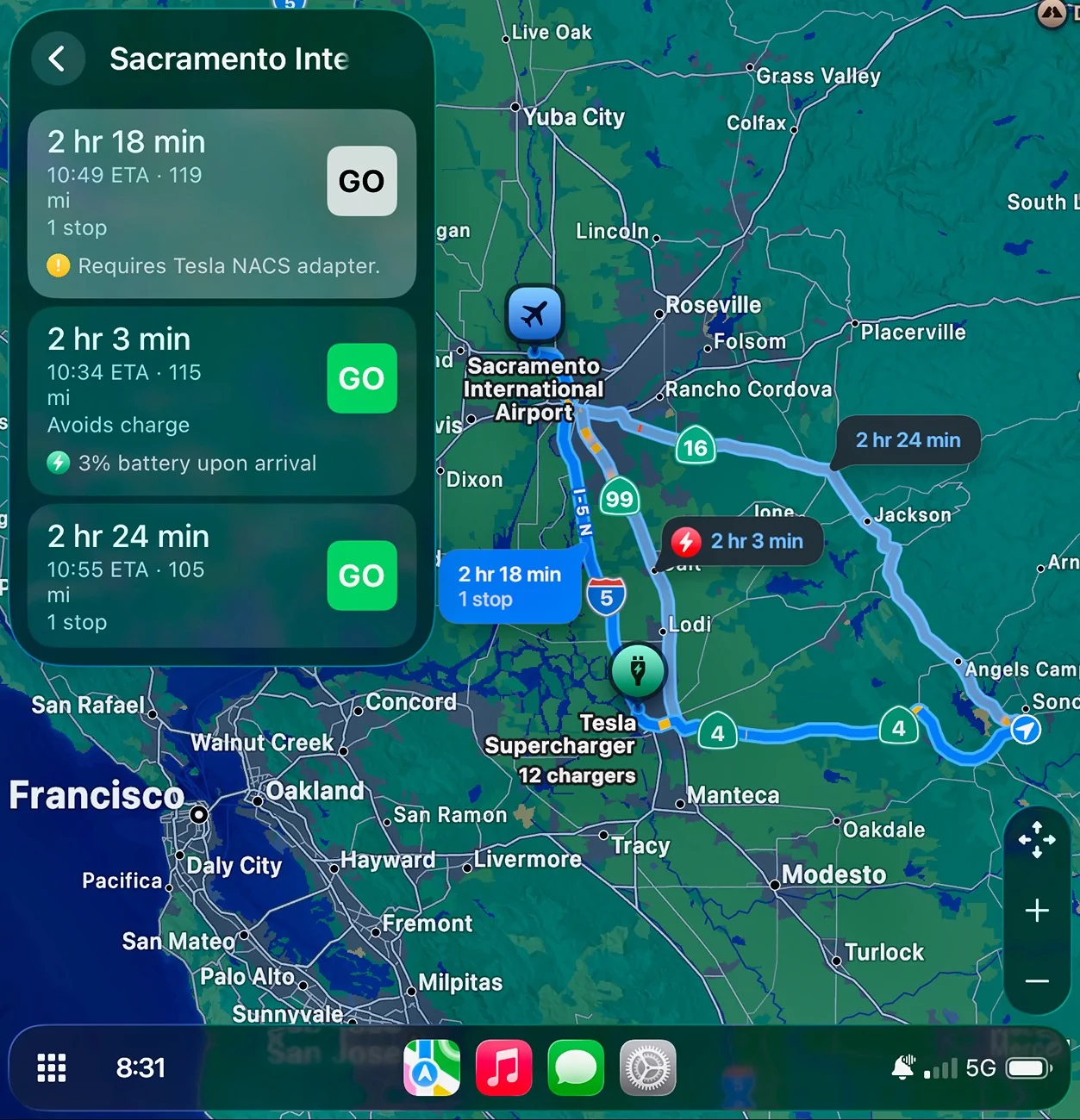
I don't find Apple Maps to be conservative at all. I've posted this several times over the last year. Every time I enter my destination, I usually get three choices. One is stopping to charge with Tesla chargers, one with EA chargers and one not stopping at all if the car has more than 1% charge left when I get to my destination. I'm leaving for Sacramento airport this morning and here are my choices. I always take the route that does not include charging and leave my car at the airport on one of the free chargers while I'm away. By the way, my car has a 52% SOC right now.
I don't find Apple Maps to be conservative either. I also get choices to charge or not to charge with very little range left when arriving to my destination. I always choose the route with no charging stops because I know I will make it.
I don't find Apple Maps to be conservative either. I also get choices to charge or not to charge with very little range left when arriving to my destination. I always choose the route with no charging stops because I know I will make it.
Except choosing the route with no charging stops will take 10-20 mins longer to get to your destination because it avoids higher speed interstate driving. Instead you could choose ABRP or Google Maps and get there faster and with no charge.
Except choosing the route with no charging stops will take 10-20 mins longer to get to your destination because it avoids higher speed interstate driving. Instead you could choose ABRP or Google Maps and get there faster and with no charge.
That is not true in the example that I posted a little earlier and below. The route without charging is the fastest route and all on two high speed freeways HWY 4 and 99 (both have 65 mph speed limits).
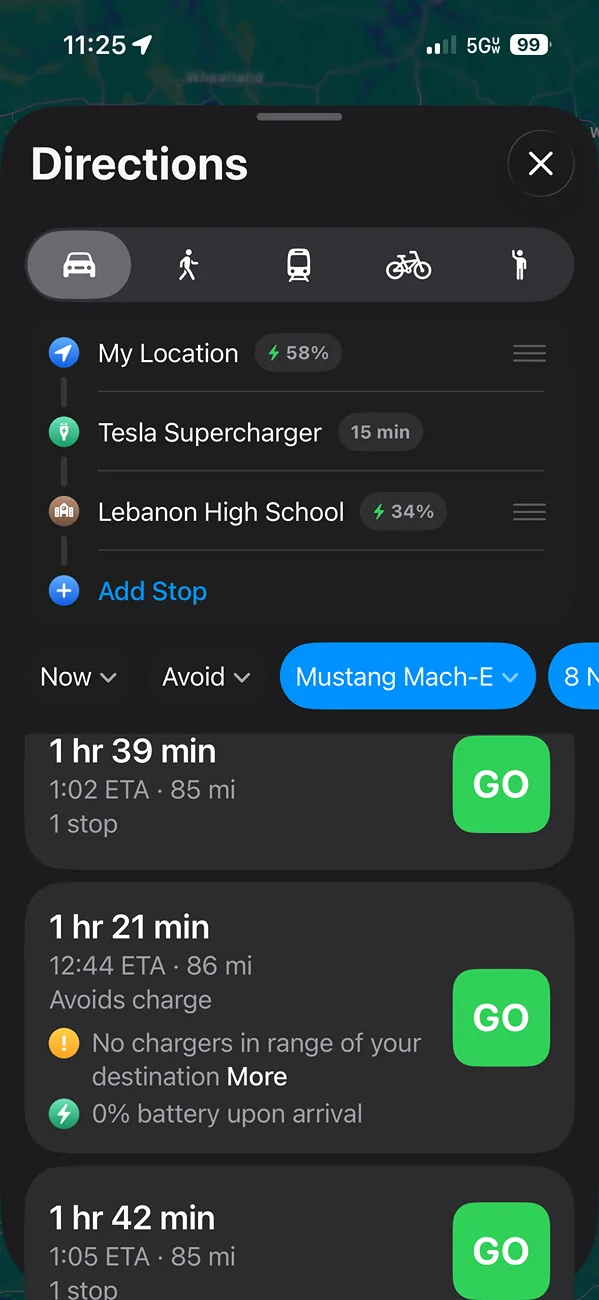
So here's a destination that I just entered that I went to last week. Car is at 58% charge and GOM is saying 120 miles of range.
I enter the destination in Apple Maps and this is what it gives me.
Man, even though my car says I have approximately 120 miles of range I don't want to arrive with 0% battery so I better not risk it (even though it is only 86 miles to the destination). So I guess I'll have to choose one of the other 2 routes and stop and charge. But man I don't want to get there 20 minutes later. Lets check for a 2nd opinion.
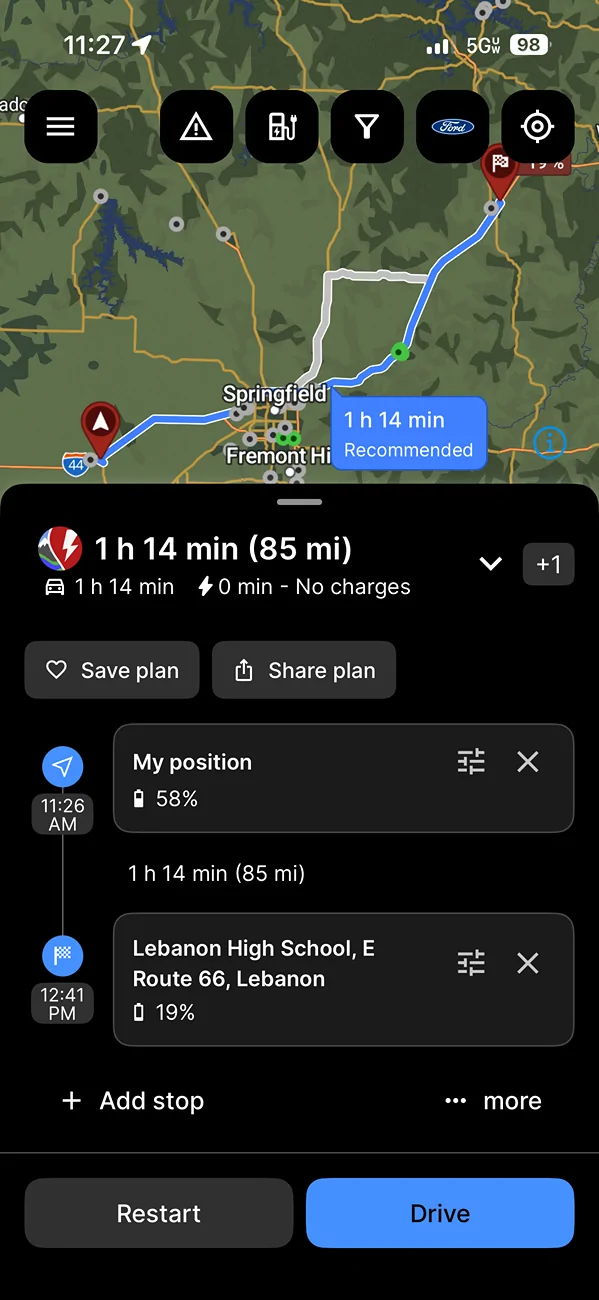
I enter the destination in ABRP and this is what it gives me.
Oh wow I can actually easily make it and will arrive with 19% battery if I drive the speed limit. ABRP is linked to my car and ODB2 reader. It's factoring in 9% battery degradation (I've had the car for almost 4 years and 80,000 miles) and my actual average consumption on many highway trips.
If I wouldn't have used ABRP I would have been made to believe that I needed to stop and charge and been at my destination 20+ minutes later.
So yes, Apple Maps is pretty conservative. In this case an almost 20% battery difference. And that's only over 86 miles. They really don't want to say that you'll get to your destination without a charge only for you to run out of battery. Like others have said, it will update as you go along on your trip, but others do this as well. The most important thing it needs to be doing is to give you an accurate estimate of your arrival state of charge when you first enter it. And I have found that it consistently fails at this.
adamtstipp, I can see that Apple Maps is conservative with your examples which I guess means it is not always the same depending on the destination? Thankfully for me, whether I go to Sacramento, SF Bay Area or Fresno, all 2+ hour and 110-120 mile drives, I get very accurate end of destination SOC where it is not conservative and I don't have to charge at all unless of course I start out with less than 50% SOC. ABRP is probably more consistent and I've read where it is a really good route planner.
adamtstipp, I can see that Apple Maps is conservative with your examples which I guess means it is not always the same depending on the destination? Thankfully for me, whether I go to Sacramento, SF Bay Area or Fresno, all 2+ hour and 110-120 mile drives, I get very accurate end of destination SOC where it is not conservative and I don't have to charge at all unless of course I start out with less than 50% SOC. ABRP is probably more consistent and I've read where it is a really good route planner.
I wonder what could be causing the differences and what data Apple receives from the car? Maybe since my car is older it is factoring in more battery degradation than the car actually has? Does it also use data on how fast you have driven to destinations in Apple Maps? So maybe it thinks I am going to drive 80, so it is calculating that into the battery being much lower when I arrive?
I wonder what could be causing the differences and what data Apple receives from the car? Maybe since my car is older it is factoring in more battery degradation than the car actually has? Does it also use data on how fast you have driven to destinations in Apple Maps? So maybe it thinks I am going to drive 80, so it is calculating that into the battery being much lower when I arrive?
As far as I know, Apple Maps takes into consideration the Max speed limit of the roads driven, traffic and weather (temperature) to calculate time to destination and arrival SOC. For example, I do generally drive right around the speed limit or maybe 5mph faster and the miles driven are always the same taking the same route. If I plan that same route that I posted earlier today going to Sac airport at this afternoon instead of this morning, the weather would have been warmer, more traffic because of rush hour therefore the time of arrival and SOC would have definitely been different. I make this drive 2-3 per month for the last 10 years. Even though the miles driven will be basically the same each time, Time to destination and SOC will always show something different because all the other variables. As far as speed goes. If I decide to drive faster than normal, about 20 minutes before my destination, Maps will start recalculating and drop time of arrival by a few minutes. I really don't know how it does everything but for me it's really accurate.