They broke my PAAK

PaaK_Android

Well-Known Member
First Name
Gage
Joined
Nov 29, 2021
Threads
0
Messages
50
Reaction score
102
Location
North America
Vehicles
Mach-e, Lincoln Aviator
Occupation
Lead PaaK Android Developer
Country flag
Why do you insist on that? As I noted, you don't require a password to use the regular car key. Why the extra layer of security for the phone key?

I appreciate your reply, but I don't understand the need for an added layer of security on a technology that already has enough problems. What exactly do you gain by imposing even more restrictions?
I personally do not insist on it. I develope the software per my instructions from legal, functional safety, and a myriad of other sources. I don't know the specific reason for this process, I'm sorry.
Sponsored


Gimme_my_MME

Well-Known Member
Joined
Oct 12, 2020
Threads
12
Messages
1,948
Reaction score
6,483
Location
Dearborn
Vehicles
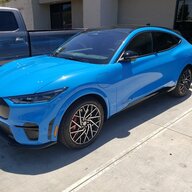
Grabber Blue First Edition Mustang Mach-E
Occupation
Engineer
Country flag
No, it's not. They're gonna make me leave a password or some biometric security on my phone permanently, or the PAAK key will not work on my Mustang.

If it were just for setup, and not required for daily use, I would be ok with that.
I literally just deleted PaaK and redid it just to verify. It is only for setup and after that I can use PaaK the same way, no biometrics required
 

PaaK_Android

Well-Known Member
First Name
Gage
Joined
Nov 29, 2021
Threads
0
Messages
50
Reaction score
102
Location
North America
Vehicles
Mach-e, Lincoln Aviator
Occupation
Lead PaaK Android Developer
Country flag
No, it's not. They're gonna make me leave a password or some biometric security on my phone permanently, or the PAAK key will not work on my Mustang.

If it were just for setup, and not required for daily use, I would be ok with that.
The security is required to setup PaaK. Not to use PaaK.
 
OP
OP
phil

phil

Well-Known Member
Joined
Jun 6, 2021
Threads
13
Messages
3,160
Reaction score
4,211
Location
USA
Vehicles
LS400
Country flag
I personally do not insist on it. I develope the software per my instructions from legal, functional safety, and a myriad of other sources. I don't know the specific reason for this process, I'm sorry.
Of course I meant "you" Ford, not "you", forum member #8558.

I might have known Legal was responsible - they ruin everything! I appreciate the reply, and if you are able to let Legal know that their instructions are causing customer dissatisfaction, I'd appreciate that too. Thanks,
 
OP
OP
phil

phil

Well-Known Member
Joined
Jun 6, 2021
Threads
13
Messages
3,160
Reaction score
4,211
Location
USA
Vehicles
LS400
Country flag
The security is required to setup PaaK. Not to use PaaK.
So I can add password security to my phone, setup PAAK, and then remove the password and use paak normally? In that case, I owe gimme_my_mme an apology, and I should be ok with the new approach.

But I have to point out that the legal and security value of this new additional requirement is zero. There is no real-world scenario where this requirement makes my car even a little bit safer.


Neil4Real

Well-Known Member
Joined
Jul 8, 2021
Threads
17
Messages
3,385
Reaction score
3,073
Location
Southern California
Vehicles
Mach-E GT Performance Edition - Shadow Black
Country flag
Of course I meant "you" Ford, not "you", forum member #8558.

I might have known Legal was responsible - they ruin everything! I appreciate the reply, and if you are able to let Legal know that their instructions are causing customer dissatisfaction, I'd appreciate that too. Thanks,
Not sure why you're going so hard on this. Just setup a pass code on your phone, set up PaaK and then remove the passcode from your phone. In today's day, it is definitely not the smartest thing to leave your phone vulnerable, especially when your phone number is tied to bank accounts, etc. where people can find what banks you use from the apps on your phone or browser history and then get into them with the emails and phone number from your phone.
 
OP
OP
phil

phil

Well-Known Member
Joined
Jun 6, 2021
Threads
13
Messages
3,160
Reaction score
4,211
Location
USA
Vehicles
LS400
Country flag
I literally just deleted PaaK and redid it just to verify. It is only for setup and after that I can use PaaK the same way, no biometrics required
Thank you, gimme_my_mme. I will give it a try!
 
OP
OP
phil

phil

Well-Known Member
Joined
Jun 6, 2021
Threads
13
Messages
3,160
Reaction score
4,211
Location
USA
Vehicles
LS400
Country flag
For those of you who have been waiting breathlessly to find out how all this turned out:

1. You just have to refresh the FordPass activation screen to see that the car is activated. FordPass tries to trick you into just clicking the "Activation Pending" button, which does nothing but tell you again that you should keep waiting for activation. I dutifully clicked it for an entire day before someone from Ford called me and said just refresh the screen, and it showed "Activated". I would feel like a fool, except I watched my highly-trained dealer technician click the same button for over an hour in mounting frustration, wondering why it wouldn't activate. I also note that the Ford.com support page has a very helpful-sounding article entitled "Why is my activation pending?" at this link: https://www.ford.com/support/how-to...tivation-pending-message-in-the-fordpass-app/ and while it provides six entirely useless steps to try, it fails to mention the only thing that actually works - refreshing the screen. So thanks everyone for all of the good suggestions above, but what I ended up needing to do was refresh the screen.

2. Paak_Android and Gimme_my_MME were both right - the new security on PAAK setup can be removed for everyday use of PAAK. Thank you both!

3. Sadly, after all of this resetting and Master resetting and then setting up all my settings again........................I am right back where I started. The dealer tech's instructions do not reliably produce a prompt screen for the backup start passcode when needed. So, my conclusion is that PAAK is unreliable, Ford and my dealer are unable to make it work reliably, and I must carry a car key with me at all times - like an animal.

Thanks also to Ford and to my dealer - I know they tried. But they failed. As many others here have concluded before me, PAAK is simply not reliable. It works most of the time, but not all of the time - even with the backup codes.
 

Polar

Well-Known Member
First Name
SBJ
Joined
Jun 5, 2021
Threads
25
Messages
652
Reaction score
1,142
Location
PNW
Vehicles
2021 Select RWD SR
Country flag
I don't know. There are two BT connections listed currently - one containing the name of the vehicle, one containing the last five digits of the VIN. Which one is the PAAK connection? Is it safe to delete both of them?
Yes….

-edit
and I see I’m late to the party. Carry on!
 

Neil4Real

Well-Known Member
Joined
Jul 8, 2021
Threads
17
Messages
3,385
Reaction score
3,073
Location
Southern California
Vehicles
Mach-E GT Performance Edition - Shadow Black
Country flag
For those of you who have been waiting breathlessly to find out how all this turned out:

1. You just have to refresh the FordPass activation screen to see that the car is activated. FordPass tries to trick you into just clicking the "Activation Pending" button, which does nothing but tell you again that you should keep waiting for activation. I dutifully clicked it for an entire day before someone from Ford called me and said just refresh the screen, and it showed "Activated". I would feel like a fool, except I watched my highly-trained dealer technician click the same button for over an hour in mounting frustration, wondering why it wouldn't activate. I also note that the Ford.com support page has a very helpful-sounding article entitled "Why is my activation pending?" at this link: https://www.ford.com/support/how-to...tivation-pending-message-in-the-fordpass-app/ and while it provides six entirely useless steps to try, it fails to mention the only thing that actually works - refreshing the screen. So thanks everyone for all of the good suggestions above, but what I ended up needing to do was refresh the screen.

2. Paak_Android and Gimme_my_MME were both right - the new security on PAAK setup can be removed for everyday use of PAAK. Thank you both!

3. Sadly, after all of this resetting and Master resetting and then setting up all my settings again........................I am right back where I started. The dealer tech's instructions do not reliably produce a prompt screen for the backup start passcode when needed. So, my conclusion is that PAAK is unreliable, Ford and my dealer are unable to make it work reliably, and I must carry a car key with me at all times - like an animal.

Thanks also to Ford and to my dealer - I know they tried. But they failed. As many others here have concluded before me, PAAK is simply not reliable. It works most of the time, but not all of the time - even with the backup codes.
What methods were tried to make the backup start passcode appear? I thought that if you just don’t have your phone or key and use the keypad to enter the car, it’s pretty accurate at prompting for the start code when you try and fully start the car.
 
OP
OP
phil

phil

Well-Known Member
Joined
Jun 6, 2021
Threads
13
Messages
3,160
Reaction score
4,211
Location
USA
Vehicles
LS400
Country flag
What methods were tried to make the backup start passcode appear? I thought that if you just don’t have your phone or key and use the keypad to enter the car, it’s pretty accurate at prompting for the start code when you try and fully start the car.
The owner's manual says depress the brake and push the 'start' button; and if that does not bring up the code entry prompt, repeat the procedure. My dealer said if it still does not work, repeat for a third time, and no more - just wait for a second or two and the prompt will always come up.

It is indeed "pretty accurate" at prompting for the code. In my experience, I get the prompt 8 or 9 times out of 10 tries. But one or two out of 10 tries, nothing I do will bring it up, and the car will eventually sound and flash the intruder alarm. So I'll be carrying the key whenever I drive.
 

Ford Motor Company

Well-Known Member
Official Ford Account
First Name
Brian
Joined
May 10, 2021
Threads
68
Messages
3,461
Reaction score
6,545
Location
Michigan
Vehicles
Mustang Mach-E
Occupation
Real Human & Community Manager
Country flag
Dealer tried to fix a problem for me - backup start passcode was not working reliably. Don't know if they fixed anything, but they sure broke stuff! I got notifications that:

1. FordPass Connect was "reset to the factory settings", and then
2. A "master reset" of my car also took place, a couple minutes later.

Now, neither of my two phones, an Apple and an Android, will successfully "activate" the vehicle and set up PAAK. The dealer tech tried for over an hour and I have tried without success. The Apple phone says "Activation Pending" in FordPass, and never activates - the activation screen never appears in the car no matter how many times I restart. The Android phone appears to have remained activated through all of this, but PAAK got killed, and it is unable to set up PAAK again - some new user authentication requirement that did not appear to exist previously.

I'm guessing others have had similar problems. What would you recommend?

1. More master resets?
2. Other ways to wipe out data and start from scratch?
3. Trade in my Mustang and start over with a new car?
Hi there! Would you send us a private message with your VIN and dealership name and location? I’d like to look into this concern on my end.
 

wkf94025

Active Member
First Name
Kelly
Joined
Apr 23, 2022
Threads
0
Messages
43
Reaction score
35
Location
NorCal
Vehicles
F350s, F450, 911 Turbo, 911 GT3, M2 Halftrack
Occupation
real estate
Country flag
I personally do not insist on it. I develope the software per my instructions from legal, functional safety, and a myriad of other sources. I don't know the specific reason for this process, I'm sorry.
I am trying to set up my Samsung Galaxy S9 phone as my key, and in the Ford Pass app, I see the PAAK start link, but when I click that, I get the authentication screen (fingerprint, face scan or PIN). I cannot get past that authentication screen. I assume the PIN it wants is my phone unlock PIN. Keying in that 6 digit code doesn't work. I'm stuck repeatedly at the "Get Started" authentication screen. I have face/iris scan authentication setup on my phone, but when I chose that option, it says "Verified. Tap confirm to continue." When I tap Continue button, it takes me back to the "Get Started" screen. What could be causing this authentication fail?
Sponsored

 
Last edited:


Top