Kamuelaflyer
Well-Known Member
- First Name
- Bill
- Joined
- Feb 18, 2020
- Threads
- 11
- Messages
- 11,400
- Reaction score
- 23,079
- Location
- Hawaii
- Vehicles
- 2021 Premium Infinite Blue. ER AWD. 2020 Raptor, 2021 Ranger.

Really good post. Thanks.Congrats - having a Mongoose and an (occasional?) FDRS account is a very good way to learn and understand this really complex, wonderful car.
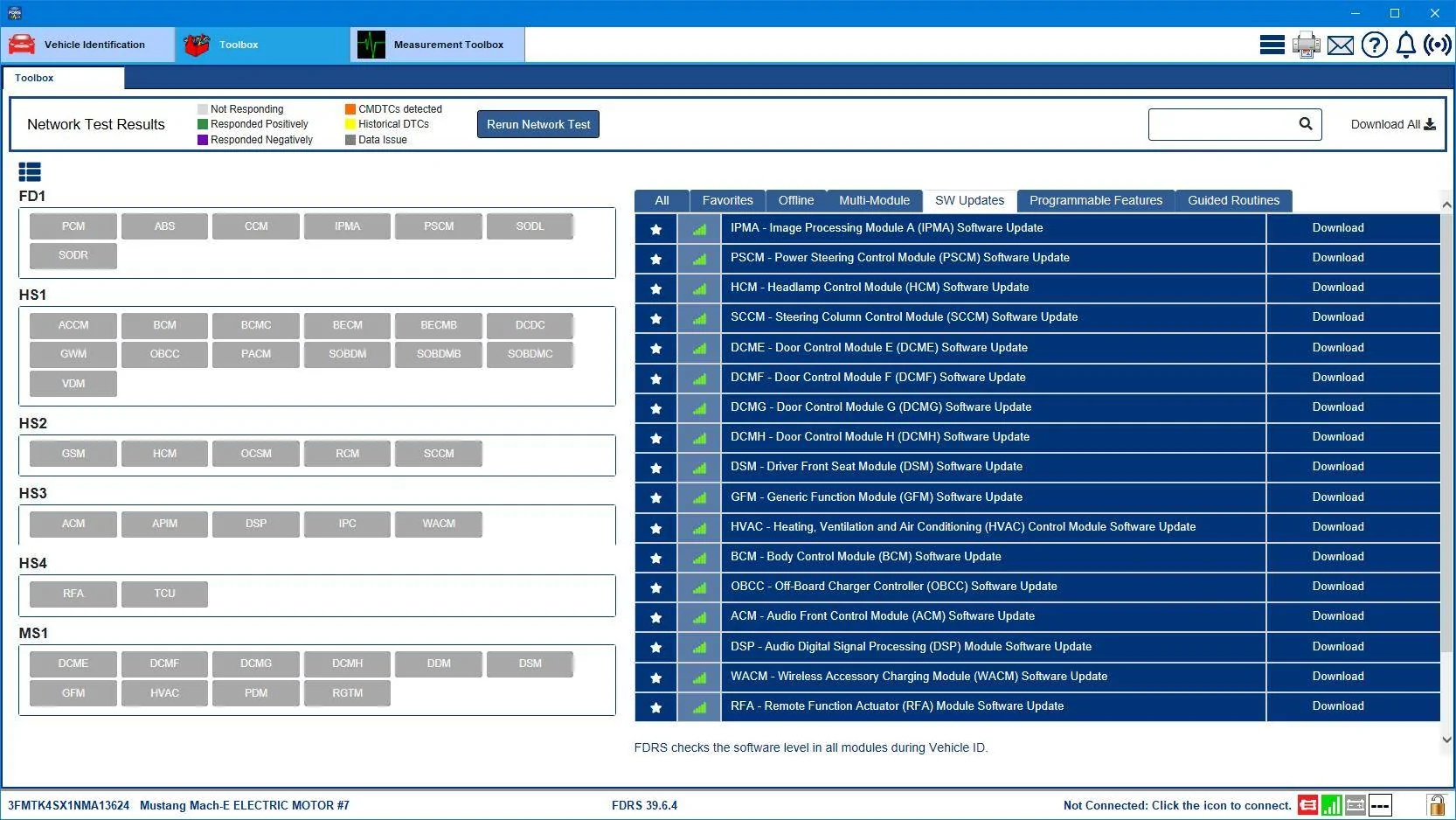
Many smart people have suggested the following update start order:
1. GWM (Gateway Module)
2. APIM
3. Telematics Control Module (TCU).
...then all other modules.
Be aware - you might find "many many" modules to update. Do these listed three 1st, in the order I listed. Often, doing one will immediately pull in other modules to automatically do - that is canned "module dependency" and you should just follow the prompts as these mods appear one after the other. Also, in a car which has not had recent OTA updates, doing any / all three listed modules i.e. GWM, APIM and TCU will often cause more recent versions of any of these three to appear the next morning... this is a good thing. If a new one appears, start again with the new GWM / APIM / TCU / all others update order.
Speed of downloads for updating modules: it is highly worth it to connect your home router with a hard ethernet wire to your laptop with FDRS if your home layout allows it. Especially if you have FIOS or similar optical Internet connections at home.
Most updates will download and then execute thru the Mongoose. But some lengthy (!!) updates will ask for a 32 MB USB. FIND AND USE THE NEWEST FORMAT, FASTEST USB, currently I think USB 3.2. This will save you lots of time. ...or...
Even faster: get any decent matchbox-size Solid State Drive (SSD) with a USB connection port. The laptop will think the SSD is a USB and this will greatly increase your download and car-loading speed over any USB. Very, very worth it as likely you will use this SSD over and over while you have this car.
Especially for updates which use the USB / SSD: carefully follow the laptop FDRS and Synch screen prompts to make sure this USB update method completes accurately. Sometimes there will be a few minutes of just sitting, or alternately instructions to shut off and leave the car but leave the driver door open and the USB / SSD inserted. This seems silly but is a necessary step.
Good Luck and enjoy!
Sponsored