kamorela
Well-Known Member
- First Name
- Kelly
- Joined
- Nov 24, 2024
- Threads
- 28
- Messages
- 342
- Reaction score
- 458
- Location
- Beaverton, Oregon
- Vehicles
- 2024 Ford Mustang Mach-e Premium AWD ER
- Occupation
- Sr. Aerospace Quality Engineer, Retired
- Thread starter
- #1
Based on the many posts I’ve read involving the use of FORScan in diagnosing vehicle operational characteristics, I did some research and purchased an OBDLinkEX adapter. I thought it would be prudent to have the means to see and understand any issues my lovely monster was undergoing. So I’ve downloaded the Windows version of FORScan (v2.3.64) to my laptop and just now plugged into my 2024 Job 1 AWD EX and played around a bit. I learned 3 things:
Is there such a thing as a REALLY BASIC tutorial, I mean starting from scratch, on how to use the functions in FORScan and what they mean?
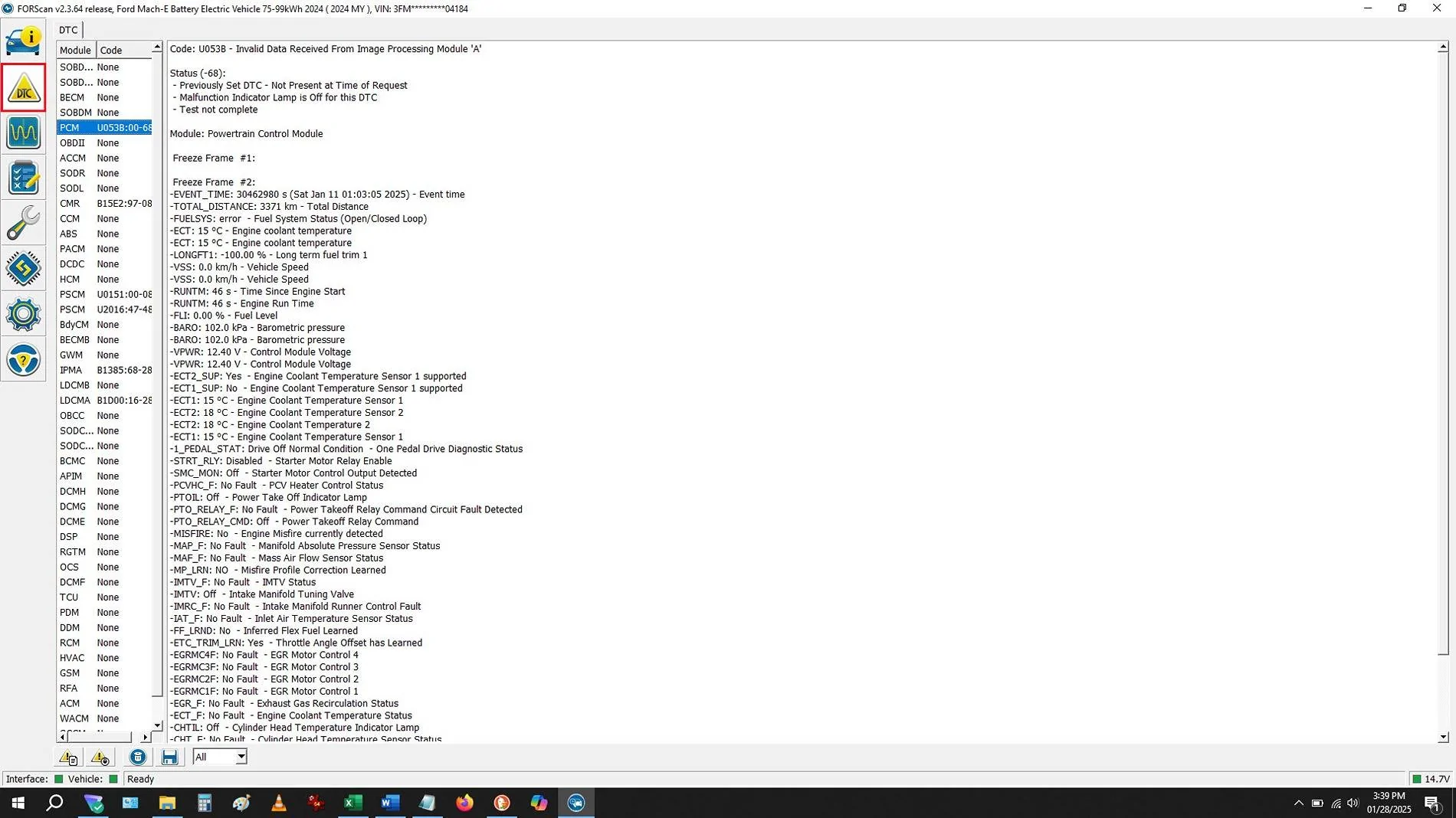
For fun, I’ve attached one screenshot that looks important (in my mind) as an example of what I have no idea of what it’s telling me. HELP?

- There were several codes (I think)
- I have absolutely no idea what I’m seeing or doing (I was hoping it would be more intuitive), and
- There are scant few tutorials to teach idiots like me (i.e. complete beginners) how to use the software, and most of those assume the user already has basic knowledge of the product
Is there such a thing as a REALLY BASIC tutorial, I mean starting from scratch, on how to use the functions in FORScan and what they mean?
For fun, I’ve attached one screenshot that looks important (in my mind) as an example of what I have no idea of what it’s telling me. HELP?
Sponsored