I'm an FNG - I got questions...

john killick

Member
Joined
Jan 4, 2025
Threads
3
Messages
11
Reaction score
4
Location
Virginia
Vehicles
2024 Mach E GT - eAWD
So as an F***ing New Guy (2024 MME GT eAWD with performance upgrade, purchased late December) , I have a couple questions that I haven't found answers for in here...

  • Is there a light in the rear storage area? Looks like there is one on the right side panel. If so, how do you activate it?
  • I'm still confused about preconditioning and how I do it. I typically charge at Tesla Superchargers (signed up for the $13/mo reduced rate charging). I have an iPhone which I think precludes the map planning for preconditioning. Am I hurting my battery by not preconditioning or will this mean slower charging because the HVB is cold in winter months?
  • Another charging question - If I stop charging through Tesla app or on the DC charger, do I need to press the unlock button on the charge port?
I think that is all for now. I'm sure I'll think of another as soon as I click post thread. Thanks in advance!

John
Sponsored


Charge_Rob

Well-Known Member
Joined
Nov 25, 2024
Threads
1
Messages
232
Reaction score
426
Location
Dearborn, MI
Vehicles
2024 Ford F-150 Lightning (2025 Mustang Mach-E Rally on the way!)
Occupation
Charging Nerd
Another charging question - If I stop charging through Tesla app or on the DC charger, do I need to press the unlock button on the charge port?
The easiest way to stop charging is to press the unlock button, regardless of what DC Fast Charger you're using. With the new charge port locking software, it may even be required if your vehicle has the software, so it's just easies to use that button as stop and unlock together.

Am I hurting my battery by not preconditioning or will this mean slower charging because the HVB is cold in winter months?
Not preconditioning won't hurt the battery - it won't charge faster than it can for the conditions. But yes, it may charge slower than it otherwise would had it been preconditioned.
 

DugthePug Dad

Well-Known Member
First Name
Pat
Joined
Aug 7, 2023
Threads
38
Messages
850
Reaction score
1,660
Location
California
Vehicles
2023 Mach E premium
Occupation
Retired
Country flag
There is lighting in the rear storage area.

I think it’s in the settings somewhere or the buttons near the rear view mirror. I don’t remember exactly because I set it and forgot it.

I’m sure someone will come along and clarify the how to activate for you.
 

essjay

Active Member
First Name
Sarah
Joined
Jan 23, 2025
Threads
9
Messages
28
Reaction score
11
Location
Richmond, Virginia
Vehicles
2024 Premium Extended Range
So as an F***ing New Guy (2024 MME GT eAWD with performance upgrade, purchased late December) , I have a couple questions that I haven't found answers for in here...

  • Is there a light in the rear storage area? Looks like there is one on the right side panel. If so, how do you activate it?

John
Also have this question. Haven't found the manual to be easy to navigate when I have a specific question - the search function is hard without the exact right word.
 

zvez

Banned
Banned
First Name
chris
Joined
Dec 31, 2020
Threads
13
Messages
2,441
Reaction score
2,344
Location
ga
Vehicles
2023 GT PE Carbonized Grey with Nite Pony package
Occupation
retired
Country flag
Also have this question. Haven't found the manual to be easy to navigate when I have a specific question - the search function is hard without the exact right word.
I'll be honest, it's easier to just download the manual in pdf, put it on your phone and you can search by looking at the index or even just "find" a particular word. I never bother with the online.

You can go to the ford.com site login, scroll to bottom of the page and find "support" then "warranty and owner manuals"


markboris

Well-Known Member
First Name
Mark
Joined
Nov 13, 2019
Threads
43
Messages
5,731
Reaction score
16,371
Location
Sonora, CA
Vehicles
Currently: '20 Shelby GT500 FPB '24 Mach-E GTP GGM
Occupation
Retired
Country flag
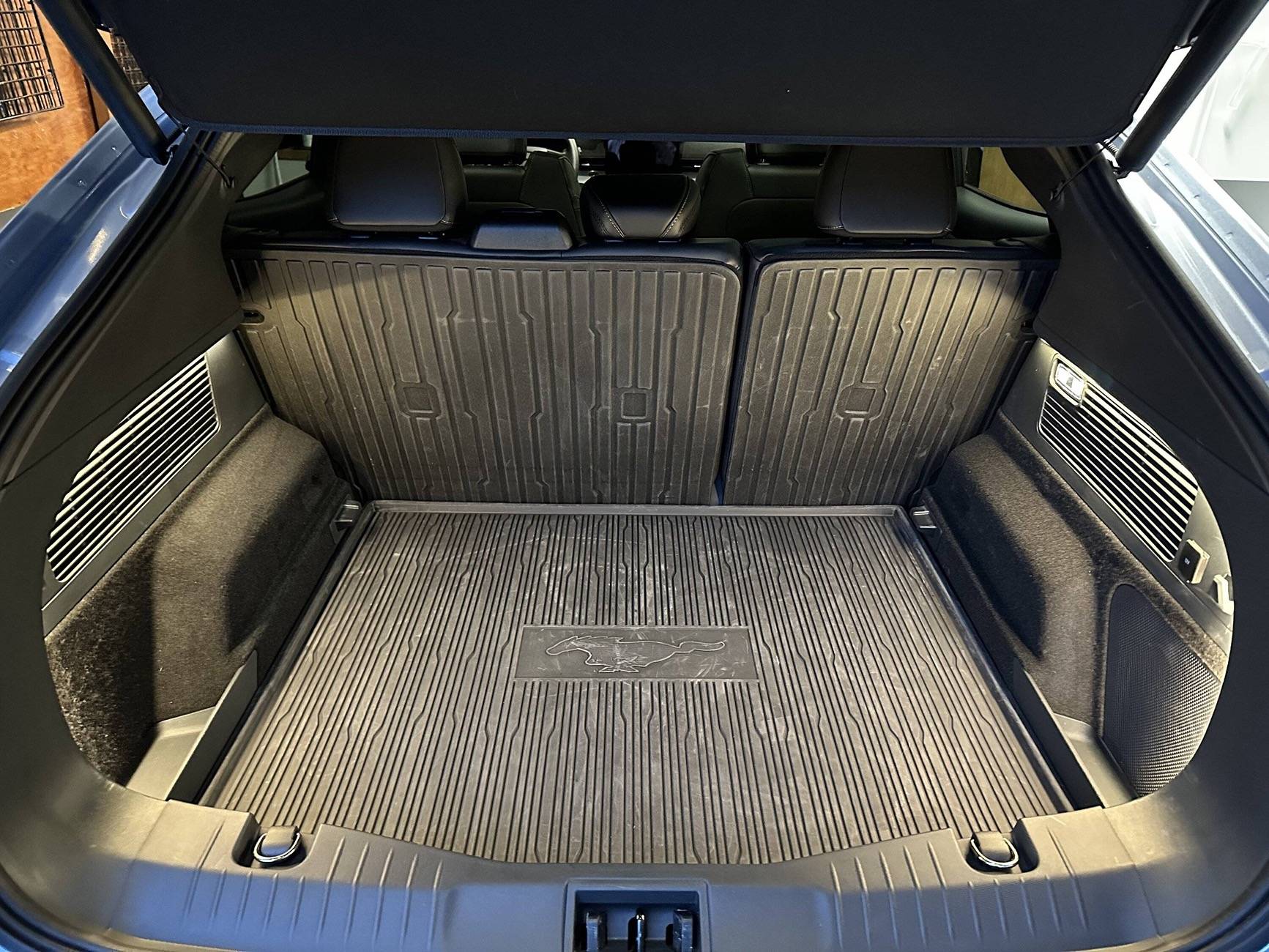
Is there a light in the rear storage area? Looks like there is one on the right side panel. If so, how do you activate it?
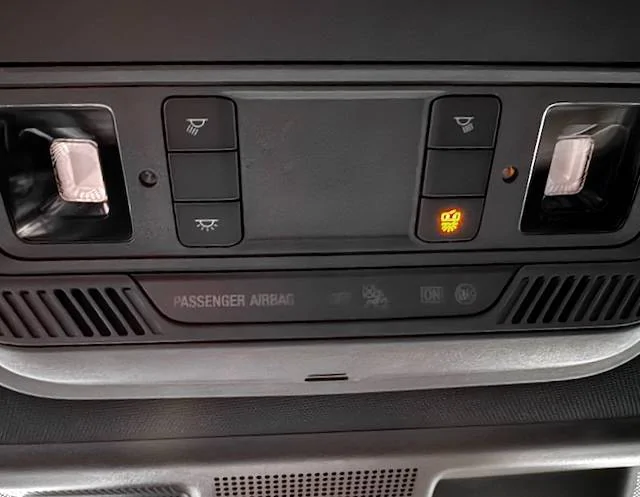
There are two lights in the cargo area. One on the right side of the cargo trim panel and one on the inside panel of the liftgate. They come on with the front map and rear interior lights when any door is open including the liftgate. You can switch them all on or off by pressing the Interior Light function switch in the overhead console. If that switch is illuminated yellow, the switch is OFF and all interior lights will be off.

Ford Mustang Mach-E I'm an FNG - I got questions... IMG_4294 (1)
 

GreaseMonkey

Well-Known Member
First Name
Steve
Joined
Oct 3, 2021
Threads
21
Messages
3,233
Reaction score
5,173
Location
Chicago, IL
Vehicles
24 Mach-E GT
Country flag
To search, go to google and type in the search field: site:macheforum.com + whatever term you want. This site is for collecting, not searching for information.
 

dalola

Well-Known Member
First Name
Dave
Joined
Nov 18, 2024
Threads
10
Messages
583
Reaction score
732
Location
SE Ohio
Website
sunsetridgecabinhockinghills.com
Vehicles
24 Mach-E P4X, 24 Bronco Big Bend Sas, 22 Maverick Lariat FX4 4K, & Hot Rods
Occupation
Retired 🇺🇸
There are two lights in the cargo area. One on the right side of the cargo trim panel and one on the inside panel of the liftgate. They come on with the front map and rear interior lights when any door is open including the liftgate. You can switch them all on or off by pressing the Interior Light function switch in the overhead console. If that switch is illuminated yellow, the switch is OFF and all interior lights will be off.

IMG_4294 (1).jpeg
lol...what is that little picture even supposed to be?? Looks like ear muffs & a snow flake ?
 

RickMachE

Well-Known Member
Joined
Jul 1, 2021
Threads
267
Messages
17,897
Reaction score
27,849
Location
SE MI
Vehicles
2022 Mach-E Premium 4X, 2022 Lightning Lariat ER
Country flag
So as an F***ing New Guy (2024 MME GT eAWD with performance upgrade, purchased late December) , I have a couple questions that I haven't found answers for in here...

  • Is there a light in the rear storage area? Looks like there is one on the right side panel. If so, how do you activate it?
  • I'm still confused about preconditioning and how I do it. I typically charge at Tesla Superchargers (signed up for the $13/mo reduced rate charging). I have an iPhone which I think precludes the map planning for preconditioning. Am I hurting my battery by not preconditioning or will this mean slower charging because the HVB is cold in winter months?
  • Another charging question - If I stop charging through Tesla app or on the DC charger, do I need to press the unlock button on the charge port?
I think that is all for now. I'm sure I'll think of another as soon as I click post thread. Thanks in advance!

John
Yes, see other replies.

You cannot at this time with an iPhone. Takes the first 10 minutes of a charge to warm the battery. Watch the charging speed in the Tesla app and you will see it climbing.

Use the button on the center screen (where the frunk and trunk buttons are) to stop the charge, or the button next to the charging port. Don't use the charger's button (like EA) as it will sometimes cause errors.
 

JohnFoxeSheets

Well-Known Member
First Name
John
Joined
Jan 29, 2022
Threads
28
Messages
3,403
Reaction score
5,500
Location
San Francisco
Website
johnfoxesheets.com
Vehicles
2022 Iced Blue Silver Mach E GT
Occupation
Retired Engineer
Country flag
If you want more rear cargo area lighting, you could try this (though it involves "surgery")
Ford Mustang Mach-E I'm an FNG - I got questions... img_3085-jpe

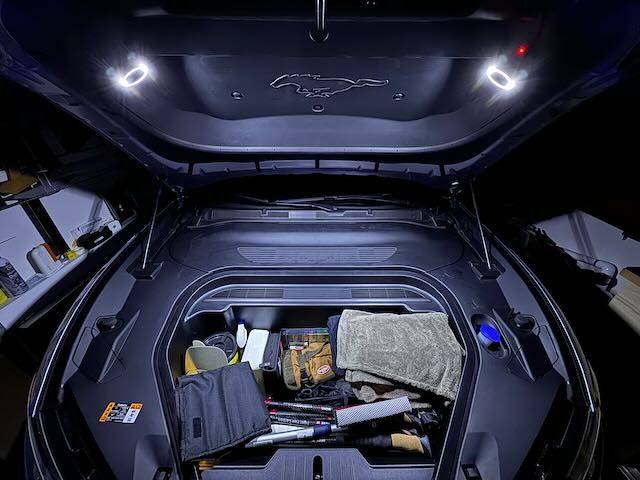
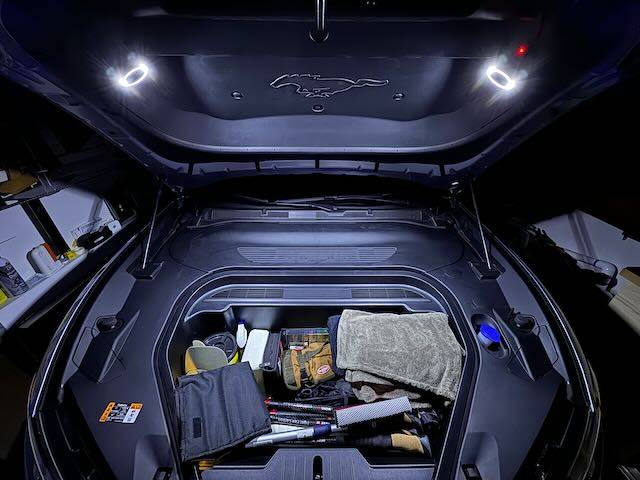
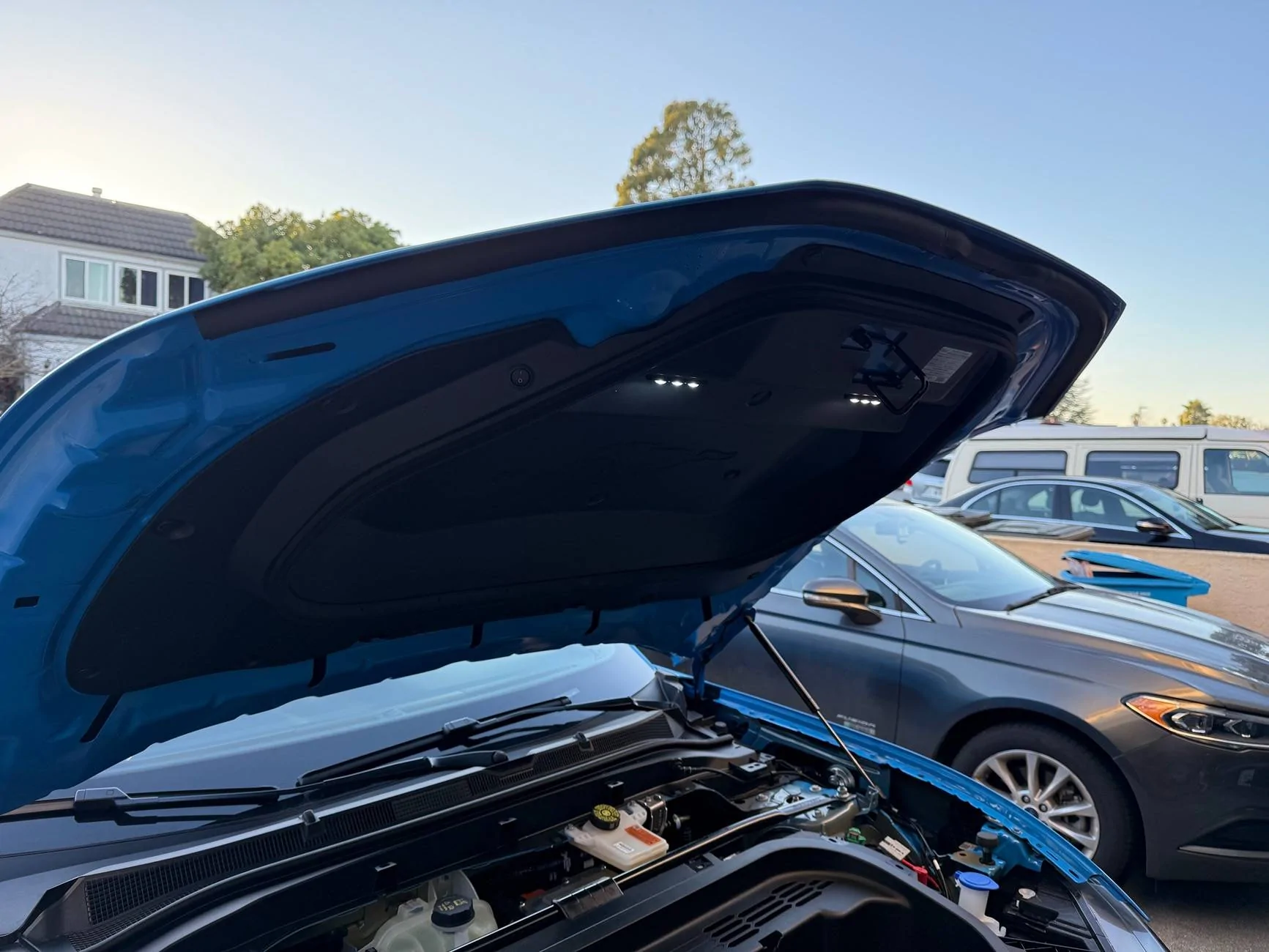
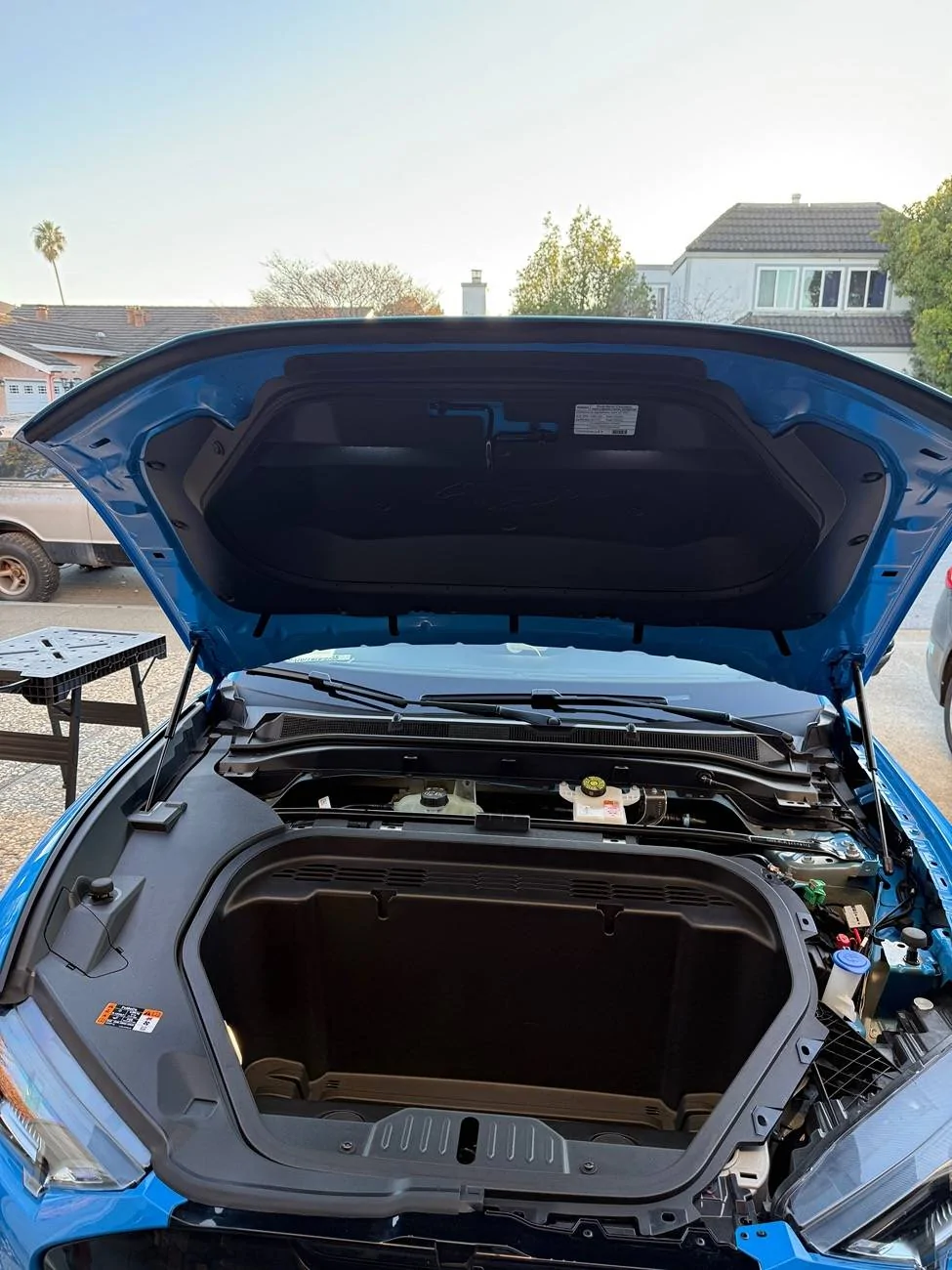
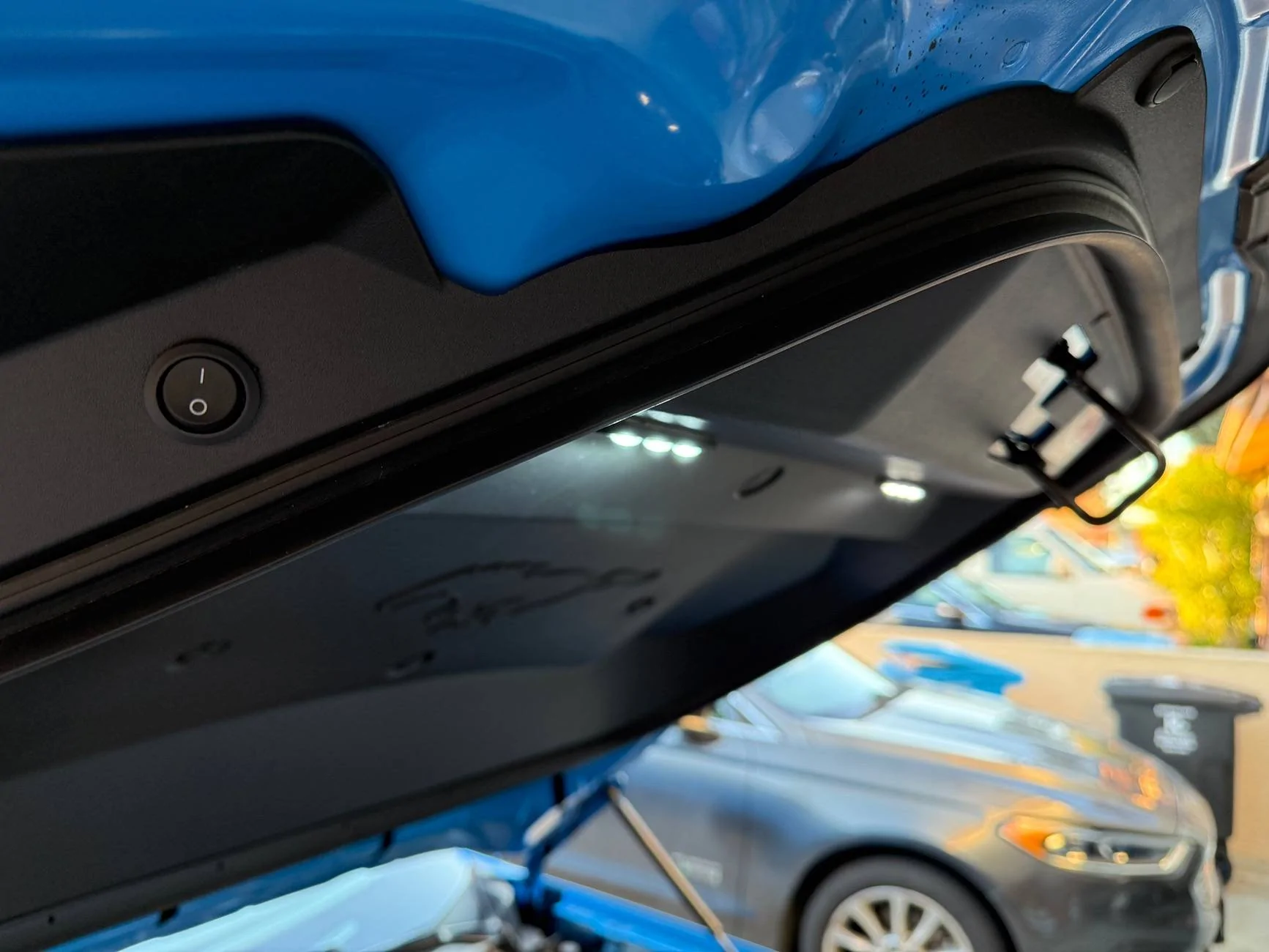
If you want more frunk lighting, you could try this (though it also involves "surgery")
Ford Mustang Mach-E I'm an FNG - I got questions... IMG_3373


Ford Mustang Mach-E I'm an FNG - I got questions... IMG_3373
 

HuntingPudel

Well-Known Member
First Name
Steve
Joined
Mar 23, 2021
Threads
88
Messages
12,927
Reaction score
17,370
Location
Bay Area, CA
Vehicles
2024 MME GT with Performance Upgrade, 1979 Fire-Am, 1972 K/5 Blazer
Occupation
Engineering
Country flag
Though John’s frunk lights probably provide more light I also did some lighting that requires a little less surgery. ??

Ford Mustang Mach-E I'm an FNG - I got questions... IMG_5077
Ford Mustang Mach-E I'm an FNG - I got questions... IMG_5078
Ford Mustang Mach-E I'm an FNG - I got questions... IMG_5079
 

music_cities

Well-Known Member
Joined
Nov 7, 2023
Threads
53
Messages
671
Reaction score
679
Location
Calgary, Canada
Vehicles
Mach E 2022 GT
Country flag
So as an F***ing New Guy (2024 MME GT eAWD with performance upgrade, purchased late December) , I have a couple questions that I haven't found answers for in here...

  • Is there a light in the rear storage area? Looks like there is one on the right side panel. If so, how do you activate it?
  • I'm still confused about preconditioning and how I do it. I typically charge at Tesla Superchargers (signed up for the $13/mo reduced rate charging). I have an iPhone which I think precludes the map planning for preconditioning. Am I hurting my battery by not preconditioning or will this mean slower charging because the HVB is cold in winter months?
  • Another charging question - If I stop charging through Tesla app or on the DC charger, do I need to press the unlock button on the charge port?
I think that is all for now. I'm sure I'll think of another as soon as I click post thread. Thanks in advance!

John
To precondition for a supercharger if you don't have Google Maps on Android:

1) Find another DCFC adjacent to the supercharger, ideally within a km or two.
2) In Connected Navigation, set the other DCFC as your first destination, and the Tesla Supercharger as your second destination (and your next charger stop or some final destination further away after that, so that connected navigation knows you need to charge).
3) Check to make sure your trip plan in Connected Navigation has you charging at the other DCFC.
4) when you get very close to the DCFCs, you'll be preconditioned, so don't bother stopping at the one you don't want to use, just remove it from your trip plan and drive over to the adjacent Tesla Supercharger, with your nice warm battery.

I know it sounds complex, but it's really not that complex. I setup the DCFCs (both the non-Tesla one and the Tesla Supercharger) as Favourites (aka Saved Places), so that it's easy to add them to any trip plan in Connected Navigation.

Although I like using CarPlay trip planning for short trips around town, as soon as I'm executing a long trip that might need charging I actually want to use CarPlay for everything *but* navigation. So I add all my stops and DCFCs as Saved Places and switch over to Connected Navigation, which conveniently preconditions.
 

67 Stang Convertible

Well-Known Member
First Name
Rich
Joined
Jan 27, 2021
Threads
50
Messages
1,686
Reaction score
2,439
Location
Georgia, USA
Vehicles
1967 Mustang, 2013 Kia Optima, 2018 Kia Sportage
Occupation
Physician
Country flag
So as an F***ing New Guy (2024 MME GT eAWD with performance upgrade, purchased late December) , I have a couple questions that I haven't found answers for in here...


  • I'm still confused about preconditioning and how I do it.
To my knowledge the only way to pre-condition the battery is to put the charging destination in the native Ford Navigation and the battery will start pre-conditioning about 20 min. out. We do NOT have a simple "pre-conditioning" button, that some of the cars are now featuring (Kia/Hyundai).

I'm no expert, and there are a lot more knowledgable people on this forum (Mach-Lee) that if I am incorrect, can correct me!!
Sponsored


Top