
The Complete DIY Guide to Updating Your Mach-E with FDRS
Babbit
Well-Known Member
- Joined
- Mar 10, 2024
- Threads
- 6
- Messages
- 159
- Reaction score
- 125
- Location
- West Michigan
- Vehicles
- 2023 Prem 4X

No, updates that require a USB drive to be plugged in require the vehicle to be Key on, Car On. Just make sure you that you read the instructions presented in FDRS. It will tell you which mode to be in.Just wanted to verify before I start messing with this for the first time tomorrow. Are all updates run in accessory mode? (Key on, car off)
UN1075
Active Member
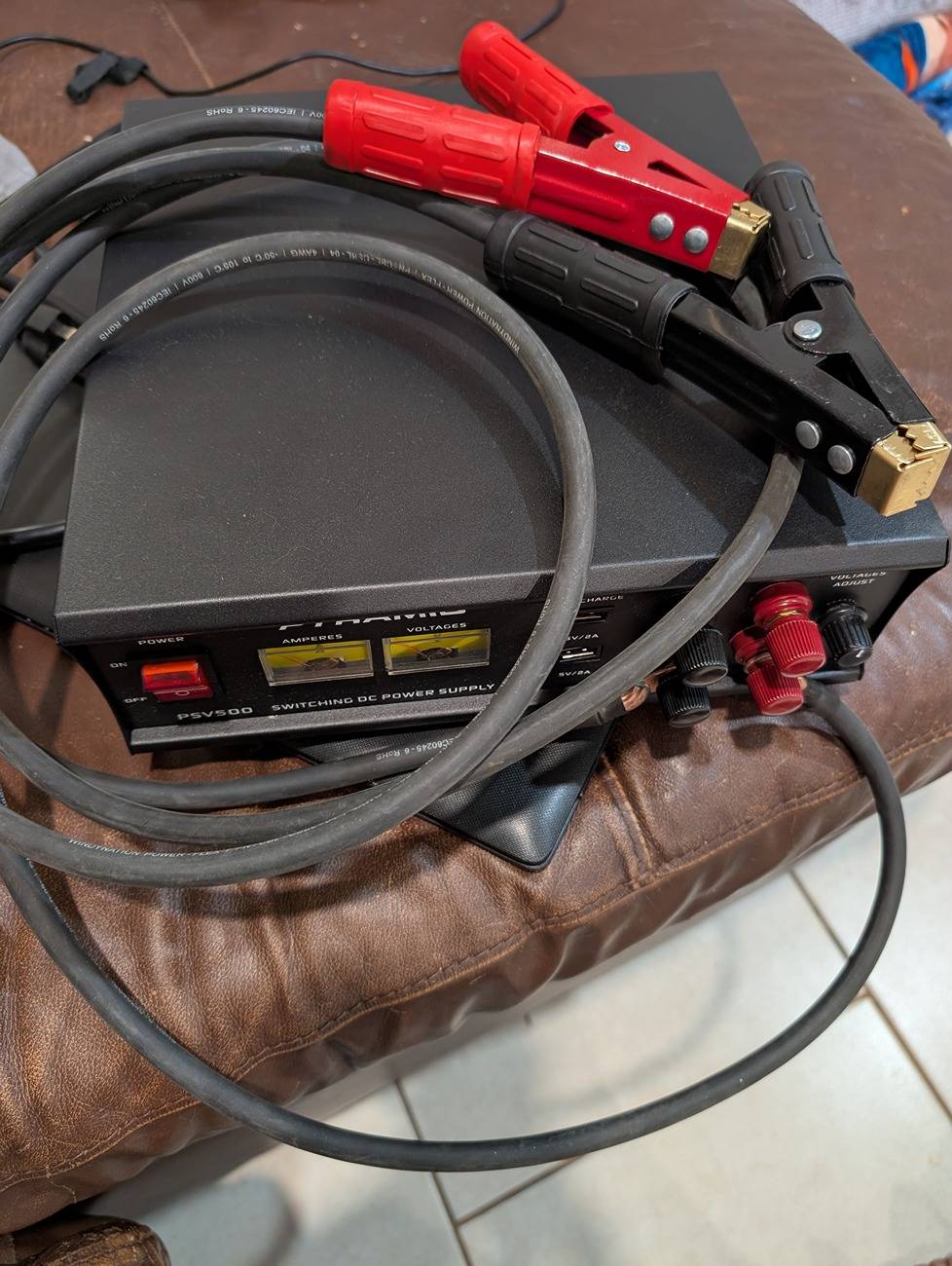
At the risk of sounding stupid, I had a few questions about hooking up the Pyramid power supply during the updates.
Just got it in the mail. I'm assuming both sets of posts are the same on the unit?
Also, what size wire did you guys use for your clamps? I have some leftover #8 thhn from my charger install I was going to use. Should suffice?
Set to 13V I assume?
Just got it in the mail. I'm assuming both sets of posts are the same on the unit?
Also, what size wire did you guys use for your clamps? I have some leftover #8 thhn from my charger install I was going to use. Should suffice?
Set to 13V I assume?
Last edited:
Babbit
Well-Known Member
- Joined
- Mar 10, 2024
- Threads
- 6
- Messages
- 159
- Reaction score
- 125
- Location
- West Michigan
- Vehicles
- 2023 Prem 4X
This what I use. Might be to short for some but work great for me:At the risk of sounding stupid, I had a few questions about hooking up the Pyramid power supply during the updates.
Just got it in the mail. I'm assuming both sets of posts are the same on the unit?
Also, what size wire did you guys use for your clamps? I have some leftover #8 thhn from my charger install I was going to use. Should suffice?
Set to 13V I assume?
Amazon.com: ELECTOP Upgraded 10AWG Battery Alligator Clips Booster Jumper Cable, Battery Charger Clamps to O Ring Terminal Harness Wire, Quick Disconnect/Connect Cable for Inverter Car Battery Charging : Automotive
You want to set the power supply to 13.8v.
UN1075
Active Member
I ended up building these just now. I had some random 4 AWG and copper lugs laying around from a project a few years ago.This what I use. Might be to short for some but work great for me:
Amazon.com: ELECTOP Upgraded 10AWG Battery Alligator Clips Booster Jumper Cable, Battery Charger Clamps to O Ring Terminal Harness Wire, Quick Disconnect/Connect Cable for Inverter Car Battery Charging : Automotive
You want to set the power supply to 13.8v.
...and my wife said I'd never use that stuff ?
shelnian
Well-Known Member
- First Name
- Ian
- Joined
- Apr 25, 2022
- Threads
- 1
- Messages
- 407
- Reaction score
- 295
- Location
- Seattle
- Vehicles
- 2022 MME Premium AWD, 2023 Lightning XLT SR 312A
- Occupation
- Retired
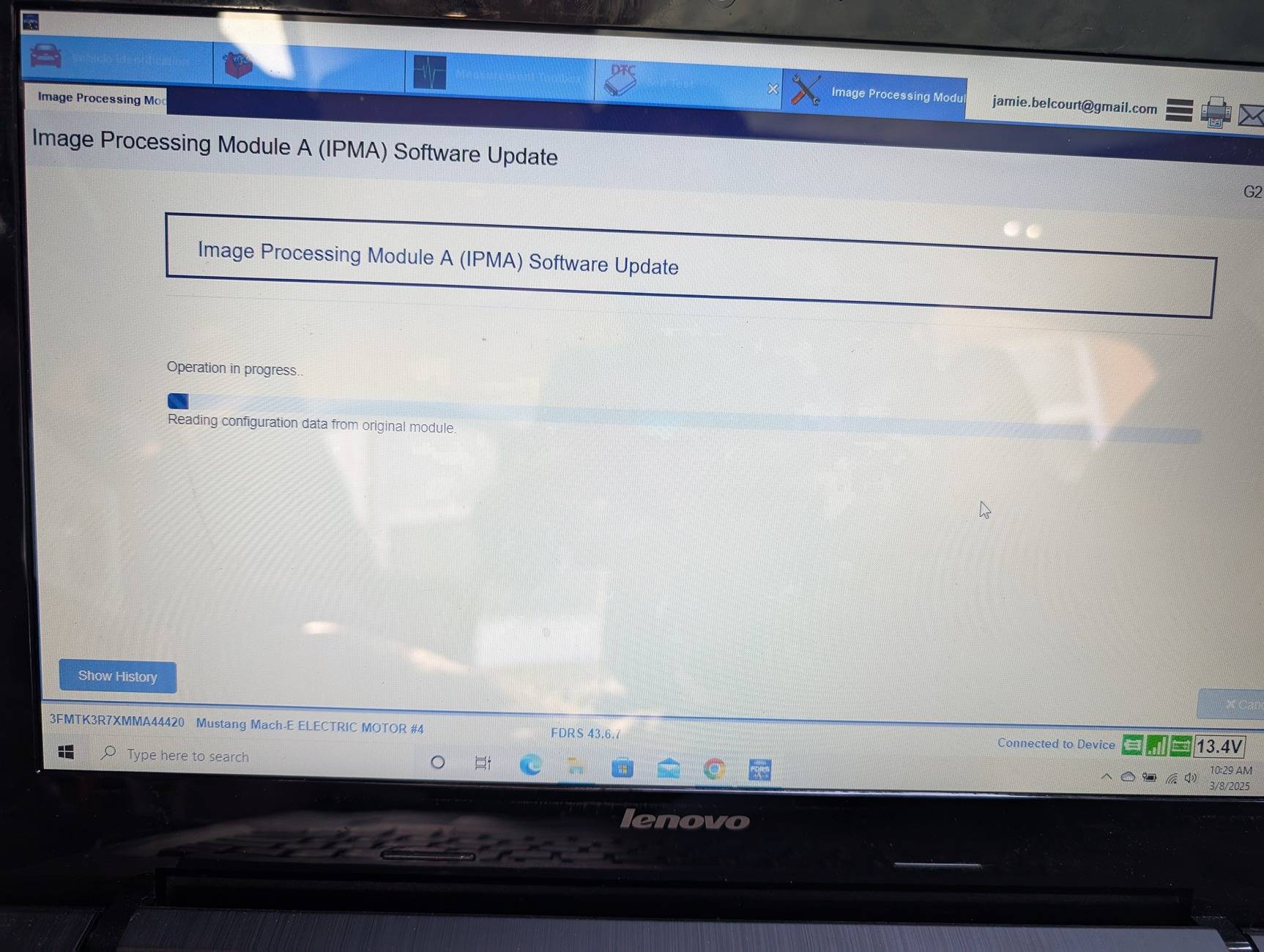
Be careful with this one, FDRS recommends a VCM3 or better. I monitored the laptop and power supply the whole time because I was using a VCM2 and worried about bricking the IPMA.The IPMA will take 3 hours
UN1075
Active Member
Mongoose cable?Be careful with this one, FDRS recommends a VCM3 or better. I monitored the laptop and power supply the whole time because I was using a VCM2 and worried about bricking the IPMA.
rugedraw
Well-Known Member
- First Name
- Javier
- Joined
- Nov 13, 2023
- Threads
- 0
- Messages
- 2,633
- Reaction score
- 2,390
- Location
- Miami, FL
- Vehicles
- 2021 Ford F150 Platinum FX4 EB/2023 Bronco Sport Badlands/1991 Mustang 5.0 coupe
- Occupation
- Auto Sales
VCM3 is recommended because it writes faster, but a VCM2 or equivalent like a mongoose is fine with a proper power supply.Be careful with this one, FDRS recommends a VCM3 or better. I monitored the laptop and power supply the whole time because I was using a VCM2 and worried about bricking the IPMA.
Babbit
Well-Known Member
- Joined
- Mar 10, 2024
- Threads
- 6
- Messages
- 159
- Reaction score
- 125
- Location
- West Michigan
- Vehicles
- 2023 Prem 4X
Mongoose cable will work perfectly with that power supply.Mongoose cable?
Just curious how old your 12v?
UN1075
Active Member
That's the first thing I checked when I bought the car. I'm almost positive it was replaced recently because the plastic covers over the terminals were broken.Mongoose cable will work perfectly with that power supply.
Just curious how old your 12v?

Mike G
Well-Known Member
- First Name
- Mike
- Joined
- Mar 27, 2022
- Threads
- 25
- Messages
- 6,449
- Reaction score
- 5,289
- Location
- N. AL, USA
- Vehicles
- '23(J1) Mach-E GT-PE, '22 F-150 Lightning, '24 Bronco HLE 2Dr
Before buying your software license at the Motorcraft site...I recommend creating a new Ford login, (adding an email alias for an existing email account is one way to do it) that is not the same as your Ford owner/FordPass account. I learned that lesson the hard way when my Ford account got blocked because I was also using the same login credentials to use FDRS. This apparently resulted in 'suspicious activity', so my account was blocked. No Fordpass, No PAAK, couldn't login to the owner account. Not ideal. Took several phone calls over a week to get it unblocked.
After going through all the account verification steps and successfully logging in to the Motorcraft site with your new credentials....then do your license purchase for FDRS and use the new account login you created, to keep everything separate from your main Ford owner account.
After going through all the account verification steps and successfully logging in to the Motorcraft site with your new credentials....then do your license purchase for FDRS and use the new account login you created, to keep everything separate from your main Ford owner account.
rugedraw
Well-Known Member
- First Name
- Javier
- Joined
- Nov 13, 2023
- Threads
- 0
- Messages
- 2,633
- Reaction score
- 2,390
- Location
- Miami, FL
- Vehicles
- 2021 Ford F150 Platinum FX4 EB/2023 Bronco Sport Badlands/1991 Mustang 5.0 coupe
- Occupation
- Auto Sales
Turn off your screensaver and make sure laptop power settings are set for the laptop to not go to sleep or shut down. You'll be fine. If something goes wrong, we can help you fix it.Wish me luck. I'm sweating bullets right now lol
Jeff-NoVA
Well-Known Member
- First Name
- Jeff
- Joined
- Oct 21, 2023
- Threads
- 19
- Messages
- 693
- Reaction score
- 1,115
- Location
- Northern VA
- Vehicles
- 2022 Mustang Mach-E Premium
One note on this, Gmail ignores dots in email addresses. So if you have a Ford account of [email protected], you can create alternate Motorcraft accounts with [email protected], [email protected], etc. and you will still receive the emails without having to create a new Google account.Before buying your software license at the Motorcraft site...I recommend creating a new Ford login, (adding an email alias for an existing email account is one way to do it) that is not the same as your Ford owner/FordPass account. I learned that lesson the hard way when my Ford account got blocked because I was also using the same login credentials to use FDRS. This apparently resulted in 'suspicious activity', so my account was blocked. No Fordpass, No PAAK, couldn't login to the owner account. Not ideal. Took several phone calls over a week to get it unblocked.
After going through all the account verification steps and successfully logging in to the Motorcraft site with your new credentials....then do your license purchase for FDRS and use the new account login you created, to keep everything separate from your main Ford owner account.

benk016
Well-Known Member
- First Name
- Ben
- Joined
- Nov 12, 2020
- Threads
- 38
- Messages
- 3,265
- Reaction score
- 5,093
- Location
- Tulsa, Oklahoma
- Vehicles
- 2021 Mustang Mach-E GT
This is exactly what I do for my motorcraft/fdrs login.One note on this, Gmail ignores dots in email addresses. So if you have a Ford account of [email protected], you can create alternate Motorcraft accounts with [email protected], [email protected], etc. and you will still receive the emails without having to create a new Google account.
Sponsored
Similar threads
- Replies
- 46
- Views
- 17,103


- Replies
- 29
- Views
- 15,775
