Android app added widgets and shortcuts

jeevez

Well-Known Member
First Name
Chris
Joined
Jul 22, 2022
Threads
5
Messages
45
Reaction score
57
Location
Alberta, Canada
Vehicles
2022 Mustang Mach E CR1 ER-AWD
Country flag
Android Fordpass updated today with the following notes:
5.21.0
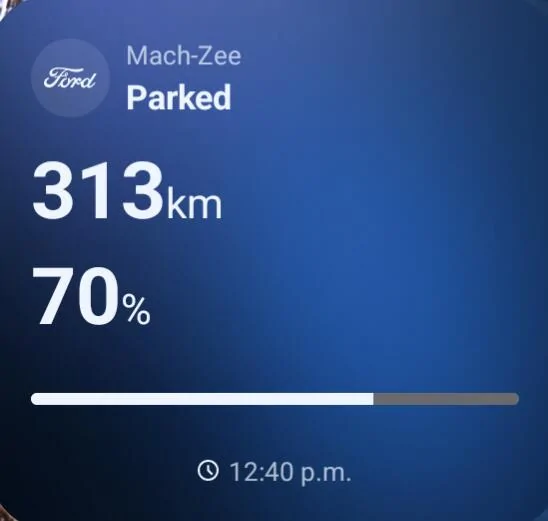
• Access key vehicle data instantly via widgets on your home screen.
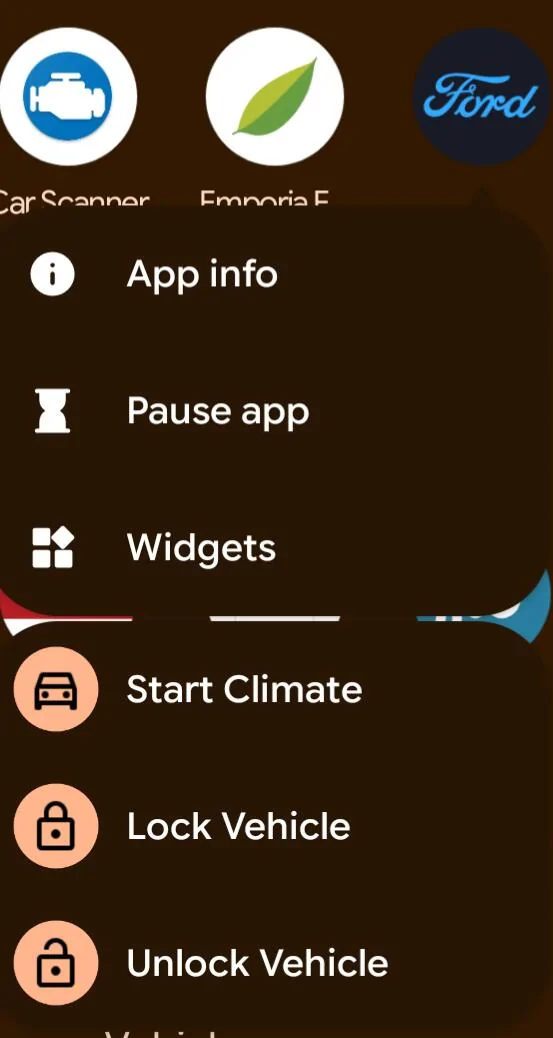
• Get one tap commands on your home screen with App Shortcuts
• Charging away from home is easier with a map that auto-displays stations as you search, has better dark mode visibility, and clearer steps to stall selection before activating a charge in-app.

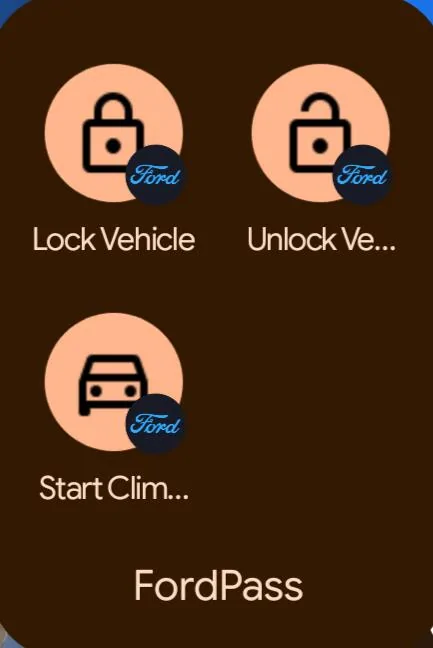
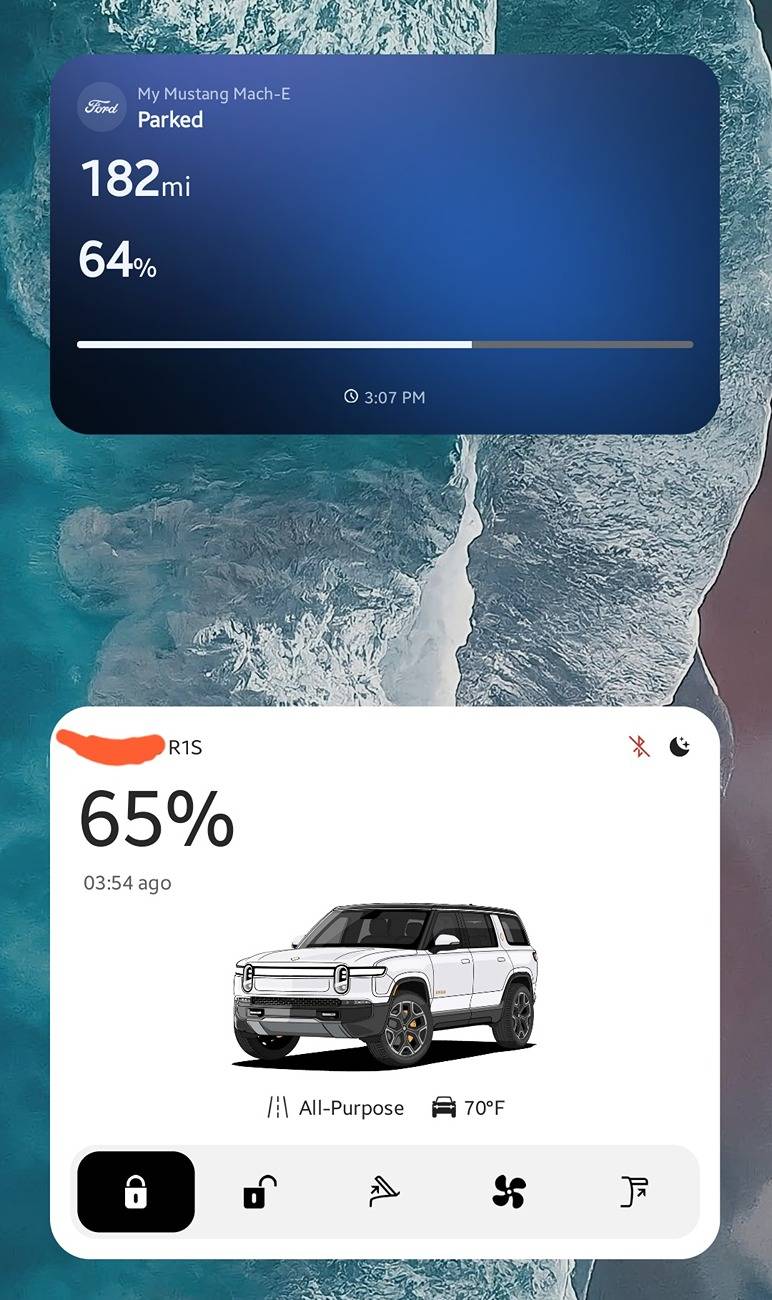
Widgets and shortcuts look nice. Can make one click access to shortcuts by dragging and dropping as a standalone icon.

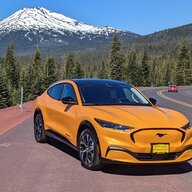
Ford Mustang Mach-E Android app added widgets and shortcuts Screenshot_20250617-124038


Ford Mustang Mach-E Android app added widgets and shortcuts Screenshot_20250617-124109


Ford Mustang Mach-E Android app added widgets and shortcuts Screenshot_20250617-124053
Sponsored


kens

Well-Known Member
First Name
Ken
Joined
Jan 27, 2025
Threads
8
Messages
420
Reaction score
433
Location
IL, USA
Vehicles
2022 GT
I'm only seeing the first widget, with the car status, but not the lock/unlock/start stuff.
 
OP
OP
jeevez

jeevez

Well-Known Member
First Name
Chris
Joined
Jul 22, 2022
Threads
5
Messages
45
Reaction score
57
Location
Alberta, Canada
Vehicles
2022 Mustang Mach E CR1 ER-AWD
Country flag
I'm only seeing the first widget, with the car status, but not the lock/unlock/start stuff.
Those are shortcuts from the main app icon. If you long press on the Fordpass icon, you'll see the shortcuts like my second screenshot. Then you can long press and drag those sub shortcuts direct to your home screen or any folder.
 

EasyPass

Well-Known Member
First Name
Dave
Joined
Sep 12, 2021
Threads
12
Messages
378
Reaction score
436
Location
16066
Vehicles
2021 MME Premium 4X, 2017 Fusion Energi PHEV
Occupation
Retired
Country flag
Those are shortcuts from the main app icon. If you long press on the Fordpass icon, you'll see the shortcuts like my second screenshot. Then you can long press and drag those sub shortcuts direct to your home screen or any folder.
They appear to be nothing more than another shortcut to the Fordpass app, generally. They provide no other specific functionality beyond the normal Fordpass invocation to whatever page the app was last sitting open on. No direct function action is enabled.

Otherwise, adding widget capability is a step in the right direction. However, I'll be mostly unimpressed without some truly useful other info like 12v SOC or realtime charge rate and %.
 

MetalCord

Well-Known Member
Joined
Dec 27, 2024
Threads
2
Messages
144
Reaction score
177
Location
USA
Vehicles
2024 Mach-E GT AWD
Occupation
IT Manager
I'm not seeing the extra shortcuts either but I'm also on version 5.20 of the app. Not seeing an available update yet.


MetalCord

Well-Known Member
Joined
Dec 27, 2024
Threads
2
Messages
144
Reaction score
177
Location
USA
Vehicles
2024 Mach-E GT AWD
Occupation
IT Manager
Updated the app and the buttons appeared. It would have been more useful if I could have a widget for each vehicle. I also agree that it would be more useful if it didn't simply open the app anyway. The time it takes to hold the icon and select "start climate" isnt any faster (if it is at all) then opening the app and just tapping the giant climate button.
 

kodiakng

Well-Known Member
First Name
David
Joined
Oct 1, 2022
Threads
19
Messages
903
Reaction score
1,407
Location
Oregon
Vehicles
2023 Cyber Orange 4X Mach-E
Country flag
*pulls out sad trombone* still no "Open Frunk" button. ?

also, such a big widget for such little information or added functionality.
 

macchiaz-o

Well-Known Member
First Name
Jonathan
Joined
Nov 25, 2019
Threads
171
Messages
8,576
Reaction score
15,986
Location
}not/A/gr8'Place.2.store-mEyePassword{
Vehicles
MY21 J1 Premium RWD SR
Country flag
They appear to be nothing more than another shortcut to the Fordpass app, generally. They provide no other specific functionality beyond the normal Fordpass invocation to whatever page the app was last sitting open on. No direct function action is enabled.

Otherwise, adding widget capability is a step in the right direction. However, I'll be mostly unimpressed without some truly useful other info like 12v SOC or realtime charge rate and %.
Updated the app and the buttons appeared. It would have been more useful if I could have a widget for each vehicle. I also agree that it would be more useful if it didn't simply open the app anyway. The time it takes to hold the icon and select "start climate" isnt any faster (if it is at all) then opening the app and just tapping the giant climate button.
The shortcuts truly are shortcuts. One tap from your launcher/home screen and the vehicle will be locked, unlocked, or started.

@MetalCord, you may be missing a setup step... After you hold on the FordPass icon you see the list of shortcuts. Yes, you can then launch them from there. But you could ALSO choose to slide a shortcut out of that menu and onto your home page. This makes it a one-tap shortcut for future use.

I'm very disappointed with the new widget, though. Yeah it looks neat, aesthetically... But it takes up a lot of screen space and worst of all, it's not dynamically updating! It only refreshes when I open the FordPass app. So it's not useful info at a glance, since it's out of date.
 

MetalCord

Well-Known Member
Joined
Dec 27, 2024
Threads
2
Messages
144
Reaction score
177
Location
USA
Vehicles
2024 Mach-E GT AWD
Occupation
IT Manager
The shortcuts truly are shortcuts. One tap from your launcher/home screen and the vehicle will be locked, unlocked, or started.

@MetalCord, you may be missing a setup step... After you hold on the FordPass icon you see the list of shortcuts. Yes, you can then launch them from there. But you could ALSO choose to slide a shortcut out of that menu and onto your home page. This makes it a one-tap shortcut for future use.

I'm very disappointed with the new widget, though. Yeah it looks neat, aesthetically... But it takes up a lot of screen space and worst of all, it's not dynamically updating! It only refreshes when I open the FordPass app. So it's not useful info at a glance, since it's out of date.
I was indeed missing that step! Thank you for that clarification. I concur with your assessment. Without the widget updating on it's own and without the ability to have that info for multiple vehicles, it really misses the mark on being useful. Hopefully they'll keep developing it. They break so much so frequently with simple updates, it makes sense to me that they would roll out new features slowly... too slowly though.
 

Naren

Well-Known Member
First Name
Naren
Joined
Dec 23, 2023
Threads
5
Messages
135
Reaction score
117
Location
Albany NY
Vehicles
Mach E Premium EX AWD, RIVIAN R1S
Occupation
IT
Country flag
How long ford will take show whether its locked ? or not , controls on widget and cabin temperature etc.

Ford Mustang Mach-E Android app added widgets and shortcuts Screenshot_20250618_150907_One UI Home
 

PedroDaGr8

Well-Known Member
Joined
Jul 10, 2023
Threads
5
Messages
168
Reaction score
194
Location
WA, USA
Vehicles
2021 Mach E Premium (First Edition)
Country flag
Ford Mustang Mach-E Android app added widgets and shortcuts 1000003076

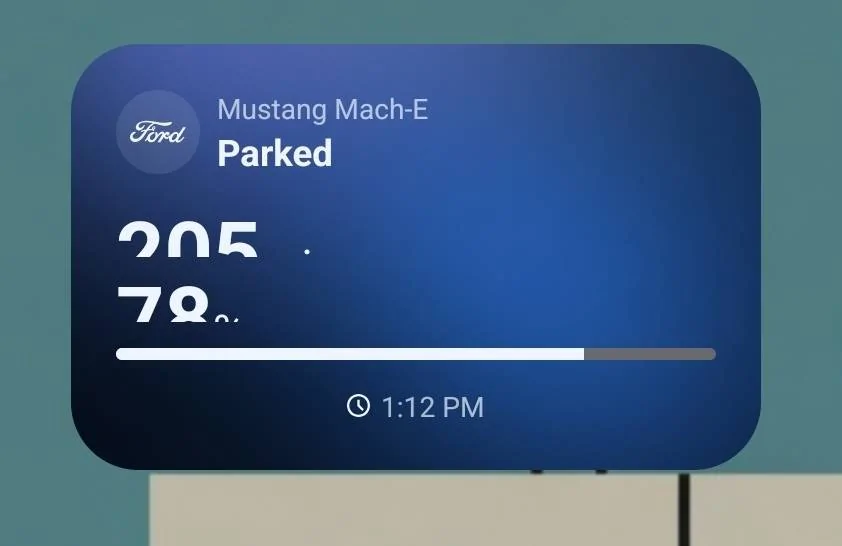
My widget definitely has issues. Also dislike that it's a single fixed size.
 

MacherAWD

Well-Known Member
First Name
Erik
Joined
Mar 29, 2022
Threads
14
Messages
1,822
Reaction score
2,704
Location
North Shore MA
Vehicles
2021 AWD Select C&T, 2020 Bolt Premier
Occupation
Healthcare Software
Country flag
Interesting, in Android, 5.21 can't be resized. 5.23 hasn't been pushed to me yet (just checked play store)
I am in their beta, but yeah, it defaults to 3x2, but I just made it 2x2 and it gets rid of dead space, and fit the spot on my home screen. I should check if the app did anything else.
 

MetalCord

Well-Known Member
Joined
Dec 27, 2024
Threads
2
Messages
144
Reaction score
177
Location
USA
Vehicles
2024 Mach-E GT AWD
Occupation
IT Manager
1000003076.jpg

My widget definitely has issues. Also dislike that it's a single fixed size.
Is the text being squished because of font settings you have on the phone? I shrunk my widget down really small and the text never cut off like that. Could it be the resolution of your screen? What phone do you have?
Sponsored


Top