CarScanner data graphs

RickMachE

Well-Known Member
Joined
Jul 1, 2021
Threads
267
Messages
17,928
Reaction score
27,923
Location
SE MI
Vehicles
2022 Mach-E Premium 4X, 2022 Lightning Lariat ER
Country flag
Over my long trip, I collected CarScanner data for each charging session. I'm interested in looking at (and posting) graphs of these sessions, with the battery temp and charging rate, illustrating the slower charging at colder temps.

In the app, I can display say 3 charging sessions over the day, all in one graph. But, I see no way to limit time, so that I can look at each charging session separately.

I found the script, FormatCSV.py, which removes other columns, but I get a syntax error when I run it (I have never used Python before). I type in Formatcsv.py -1 <rawdata> -o <output>

I have tried adding .csv to each file, and I still get a syntax error.

Thanks for any help.

Rick
Sponsored
 

silverelan

Well-Known Member
Joined
Nov 25, 2019
Threads
131
Messages
3,688
Reaction score
5,392
Location
Seattle
Vehicles
2021 Mustang Mach-E GT, 2019 Bolt EV
Country flag
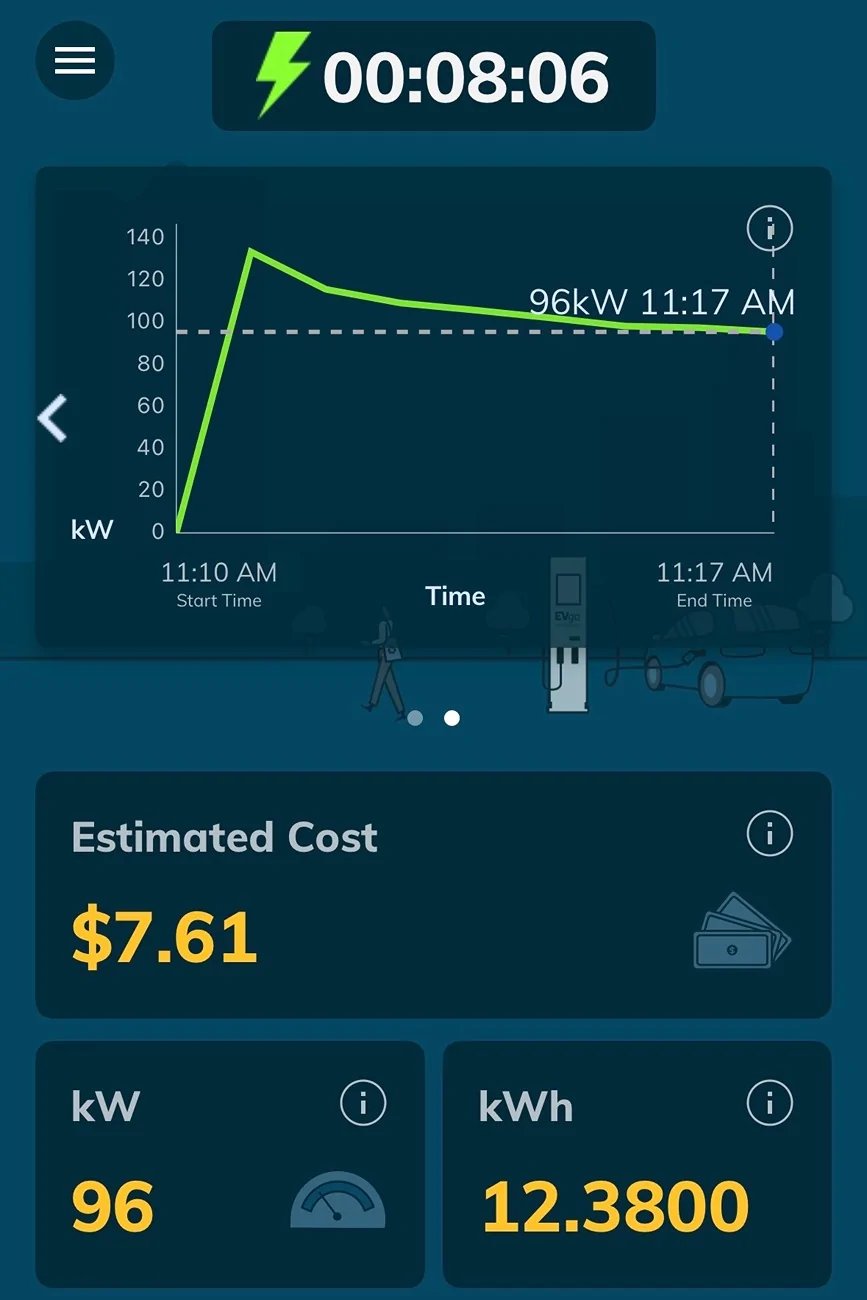
I’d be curious to see your graphs once you get the data sorted out. The charging graph data from CPOs like EVgo (see below) and ones that use Alpitronic units is really interesting.

Ford Mustang Mach-E CarScanner data graphs IMG_6014
 
OP
OP
RickMachE

RickMachE

Well-Known Member
Joined
Jul 1, 2021
Threads
267
Messages
17,928
Reaction score
27,923
Location
SE MI
Vehicles
2022 Mach-E Premium 4X, 2022 Lightning Lariat ER
Country flag
Paste the code in copilot or ChatGPT and ask it what’s wrong with it.
I don't use AI. And if I did, how would it know the script issue with someone's code that it can't see?

Posting the error you get might help as well.
I am using the CarScanner CSV script. https://github.com/babgvant/CarScannerCSV/blob/main/README.md


This script converts/cleans up Car Scanner CSV files. It is based on the work of Sam (phidauex) from the Mach-E Forums who was nice enough to share his parsing script with me.

Usage:

FormatCSV.py -i -o [-a -s ]

-a will return all columns in input CSV (the default is to remove columns that aren't relevant to looking at the charge curve) -s specify the sample rate that the data will be compressed to, the default is 30s


So I first start Python, and get the prompt, then, while in the subdirectory where the data file is (rawdata.csv), what do I do?


YeOldeTraveller

Well-Known Member
First Name
Clark
Joined
Jul 12, 2024
Threads
6
Messages
330
Reaction score
379
Location
Ann Arbor, MI, USA
Vehicles
2024 MME Rally
Country flag
I am using the CarScanner CSV script. https://github.com/babgvant/CarScannerCSV/blob/main/README.md


This script converts/cleans up Car Scanner CSV files. It is based on the work of Sam (phidauex) from the Mach-E Forums who was nice enough to share his parsing script with me.

Usage:

FormatCSV.py -i -o [-a -s ]

-a will return all columns in input CSV (the default is to remove columns that aren't relevant to looking at the charge curve) -s specify the sample rate that the data will be compressed to, the default is 30s


So I first start Python, and get the prompt, then, while in the subdirectory where the data file is (rawdata.csv), what do I do?
The missing piece is the file names and option values. That should be

FormatCSV.py -i <inputfile> -o <outputfile> [-a -s <samplerate>]
 
OP
OP
RickMachE

RickMachE

Well-Known Member
Joined
Jul 1, 2021
Threads
267
Messages
17,928
Reaction score
27,923
Location
SE MI
Vehicles
2022 Mach-E Premium 4X, 2022 Lightning Lariat ER
Country flag
With or without the brackets?
Full file name as in rawdata.csv or just rawdata?
 

YeOldeTraveller

Well-Known Member
First Name
Clark
Joined
Jul 12, 2024
Threads
6
Messages
330
Reaction score
379
Location
Ann Arbor, MI, USA
Vehicles
2024 MME Rally
Country flag
With or without the brackets?
Full file name as in rawdata.csv or just rawdata?
The square brackets show what is optional, but at not included when used.

FormatCSV.py -i rawdata.csv -o output.csv
FormatCSV.py -i rawdata.csv -o output.csv -a -s 30

It is possible that the 30 needs to be 30s, but I would try just the number first.
 
OP
OP
RickMachE

RickMachE

Well-Known Member
Joined
Jul 1, 2021
Threads
267
Messages
17,928
Reaction score
27,923
Location
SE MI
Vehicles
2022 Mach-E Premium 4X, 2022 Lightning Lariat ER
Country flag
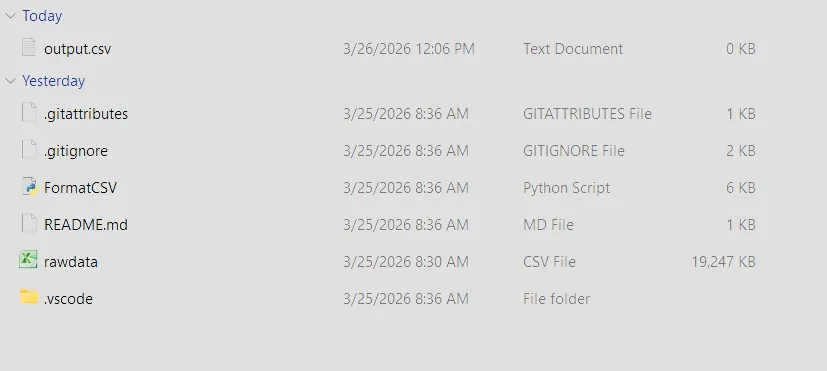
Ford Mustang Mach-E CarScanner data graphs python error
Ford Mustang Mach-E CarScanner data graphs files for python
 

YeOldeTraveller

Well-Known Member
First Name
Clark
Joined
Jul 12, 2024
Threads
6
Messages
330
Reaction score
379
Location
Ann Arbor, MI, USA
Vehicles
2024 MME Rally
Country flag
Exit Python

I assume you are in the same directory with the script and data.

Try

python FormatCSV.py -i rawdata.csv -o output.csv
 
OP
OP
RickMachE

RickMachE

Well-Known Member
Joined
Jul 1, 2021
Threads
267
Messages
17,928
Reaction score
27,923
Location
SE MI
Vehicles
2022 Mach-E Premium 4X, 2022 Lightning Lariat ER
Country flag
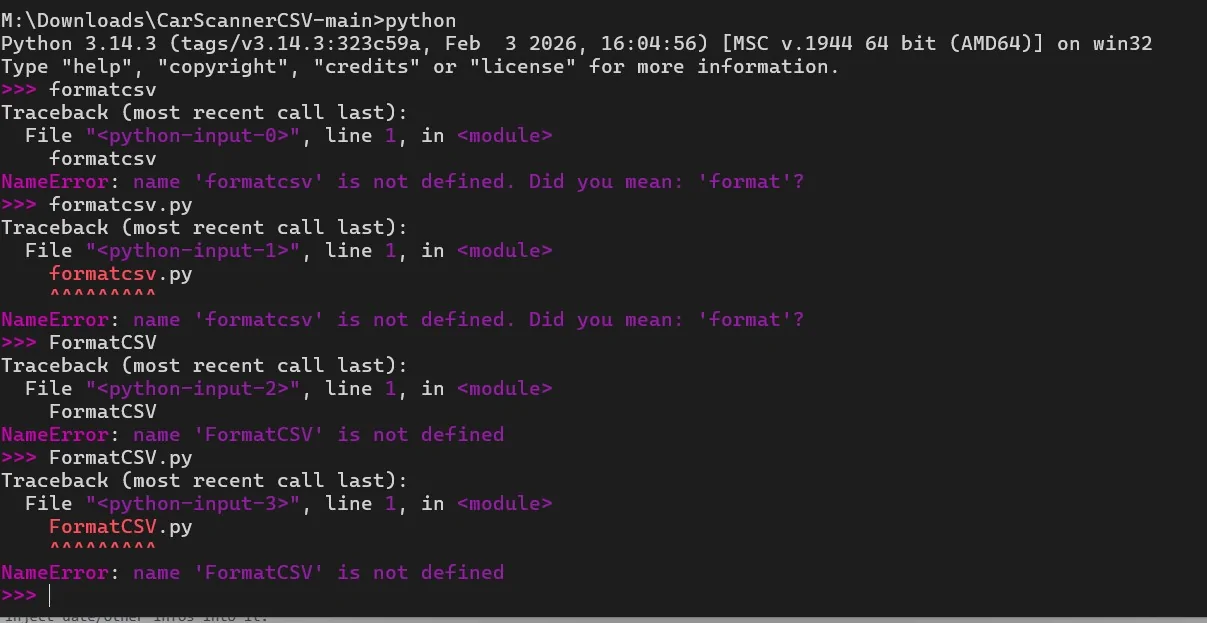
Ford Mustang Mach-E CarScanner data graphs python error2
 

YeOldeTraveller

Well-Known Member
First Name
Clark
Joined
Jul 12, 2024
Threads
6
Messages
330
Reaction score
379
Location
Ann Arbor, MI, USA
Vehicles
2024 MME Rally
Country flag
Not sure why that is not working.

The expansions look correct.

I have not tried to use Python on Windows in a long time.

Try python .\FormatCSV.py

That should generate a usage line.

Another option, but this might require other steps (that might have been done when Python was installed):

FormatCSV (no .py)

If either of these works, try adding the arguments.

From there, research running Python from VS Code or from Windows Terminal.
 
OP
OP
RickMachE

RickMachE

Well-Known Member
Joined
Jul 1, 2021
Threads
267
Messages
17,928
Reaction score
27,923
Location
SE MI
Vehicles
2022 Mach-E Premium 4X, 2022 Lightning Lariat ER
Country flag
Ford Mustang Mach-E CarScanner data graphs python error3
 

YeOldeTraveller

Well-Known Member
First Name
Clark
Joined
Jul 12, 2024
Threads
6
Messages
330
Reaction score
379
Location
Ann Arbor, MI, USA
Vehicles
2024 MME Rally
Country flag
There is a way to pull the file into Python from the Python prompt (>>>), but I do not know a reliable way to specify the arguments using that process.

The Python command is working, so the PATH is good.

From the window prompt (...-main>), try just FormatCSV.py

Next would be be (from the Windows prompt), python FormatCSV.py

If that reference works, you will get a usage message.
 
OP
OP
RickMachE

RickMachE

Well-Known Member
Joined
Jul 1, 2021
Threads
267
Messages
17,928
Reaction score
27,923
Location
SE MI
Vehicles
2022 Mach-E Premium 4X, 2022 Lightning Lariat ER
Country flag
Ford Mustang Mach-E CarScanner data graphs python error4
Sponsored


Top