AndyS_OSU

Well-Known Member
Joined
Nov 26, 2019
Threads
12
Messages
562
Reaction score
829
Location
Texas
Vehicles
2017 Chevrolet BoltEV
Occupation
Educator
Country flag

methorian

Well-Known Member
Joined
Nov 18, 2019
Threads
18
Messages
1,558
Reaction score
2,437
Location
Roanoke, VA
Vehicles
2021 Mach-E First Edition, 2025 Kia EV6 GT-Line
Occupation
IT Admin
Country flag
That site is a bit behind I think. My dealer gave me a VIN and a build date but that site just says the order has been processed and I’ll be contacted when it is scheduled.
Yea - same for that website. Funny that it mentioned getting a VIN once scheduled, but you need a VIN to get to that page (which would mean it's obviously already scheduled).

I still can't get FordPass to give me the pre-setup option either in the app.
 
OP
OP
ChasingCoral

ChasingCoral

Well-Known Member
First Name
Mark
Joined
Feb 3, 2020
Threads
502
Messages
14,306
Reaction score
28,655
Location
Maryland
Vehicles
2021 GB E4X FE, 2022 F-150 Lightning Lariat ER
Occupation
Retired oceanographer
Country flag
That site is a bit behind I think. My dealer gave me a VIN and a build date but that site just says the order has been processed and I’ll be contacted when it is scheduled.
Mine too.
 

machdaddy

Well-Known Member
Joined
Feb 8, 2020
Threads
2
Messages
69
Reaction score
172
Location
SoCal
Vehicles
2021 Ford Mustang Mach E Premium
Country flag
My build date is 12/1. I have my VIN, entered it in the Ford Pass app, it says it found the car and offers me a way to name it, but nothing shows up in the app, there's no option for remote vehicle setup, no options for pretty much anything. I've reinstalled the app, deleted the vehicle and readded with the same result.
 

macchiaz-o

Well-Known Member
First Name
Jonathan
Joined
Nov 25, 2019
Threads
171
Messages
8,579
Reaction score
15,987
Location
}not/A/gr8'Place.2.store-mEyePassword{
Vehicles
MY21 J1 Premium RWD SR
Country flag
My build date is 12/1. I have my VIN, entered it in the Ford Pass app, it says it found the car and offers me a way to name it, but nothing shows up in the app, there's no option for remote vehicle setup, no options for pretty much anything. I've reinstalled the app, deleted the vehicle and readded with the same result.
I couldn't successfully add the vin in the app. So I used the web site to do that. Then I immediately got the app notification inviting me to RVS.

Also, the app sometimes shows the cards along the bottom, and sometimes only shows maybe one card. To get the rest back I force quit the app and relaunch. Maybe that will work for yours, too?

I've tried applying for access to Ford's Connected Vehicle developer APIs but so far no success there, either. I hope to write us a better app. (Ok, that probably won't happen of we're being honest. But I can hope!)


SONEWBE

Well-Known Member
First Name
Dennis
Joined
Jun 30, 2020
Threads
17
Messages
169
Reaction score
125
Location
Oregon
Vehicles
2021 Job 1 MachE 4X, 2014 BMW X3
Occupation
Retired
Thanks!! That worked for me.
 

machdaddy

Well-Known Member
Joined
Feb 8, 2020
Threads
2
Messages
69
Reaction score
172
Location
SoCal
Vehicles
2021 Ford Mustang Mach E Premium
Country flag
I couldn't successfully add the vin in the app. So I used the web site to do that. Then I immediately got the app notification inviting me to RVS.

Also, the app sometimes shows the cards along the bottom, and sometimes only shows maybe one card. To get the rest back I force quit the app and relaunch. Maybe that will work for yours, too?

I've tried applying for access to Ford's Connected Vehicle developer APIs but so far no success there, either. I hope to write us a better app. (Ok, that probably won't happen of we're being honest. But I can hope!)
Nice, adding the VIN to the website fixed the issue with no remote vehicle setup option. Thanks!
 

JellyBelly

Well-Known Member
First Name
Kris
Joined
Jun 27, 2020
Threads
14
Messages
2,489
Reaction score
1,944
Location
San Diego
Vehicles
MME RR FE
Country flag
My build date is 12/1. I have my VIN, entered it in the Ford Pass app, it says it found the car and offers me a way to name it, but nothing shows up in the app, there's no option for remote vehicle setup, no options for pretty much anything. I've reinstalled the app, deleted the vehicle and readded with the same result.
I have the same issue... I entered the VIN in my garage via my browser snd my Ford app shows that car but that’s it... no way to remote setup snd only one tile shows up for find a dealer. iOS phone .
 

SnBGC

Well-Known Member
First Name
Greg
Joined
Apr 20, 2020
Threads
46
Messages
5,962
Reaction score
9,778
Location
Phoenix
Vehicles
2021 Mach-E FE, 2021 Wrangler 4xe High Altitude
Occupation
Manager
Country flag
Mobile App is still DOA for me. Shows the vehicle but nothing else works yet.
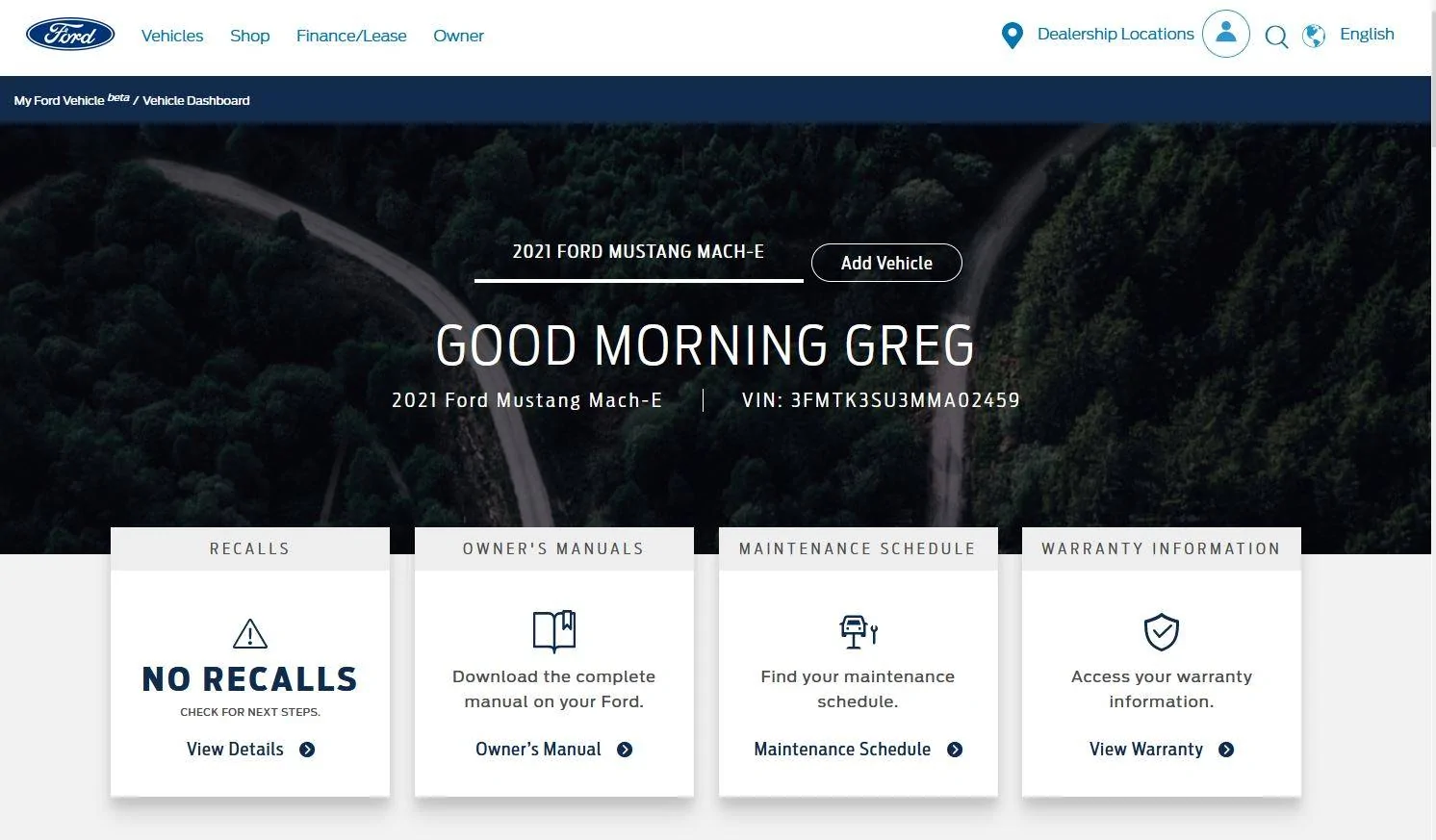
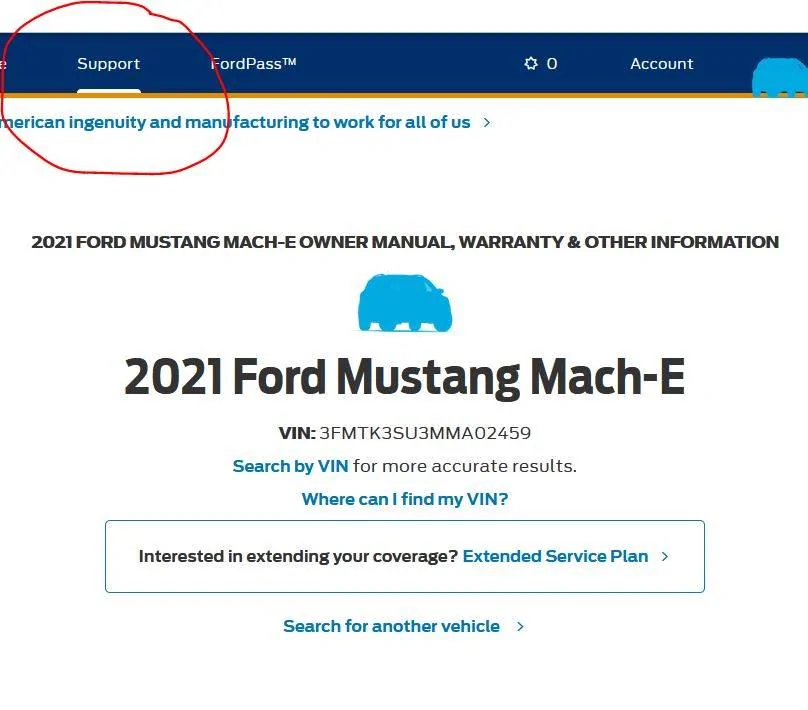
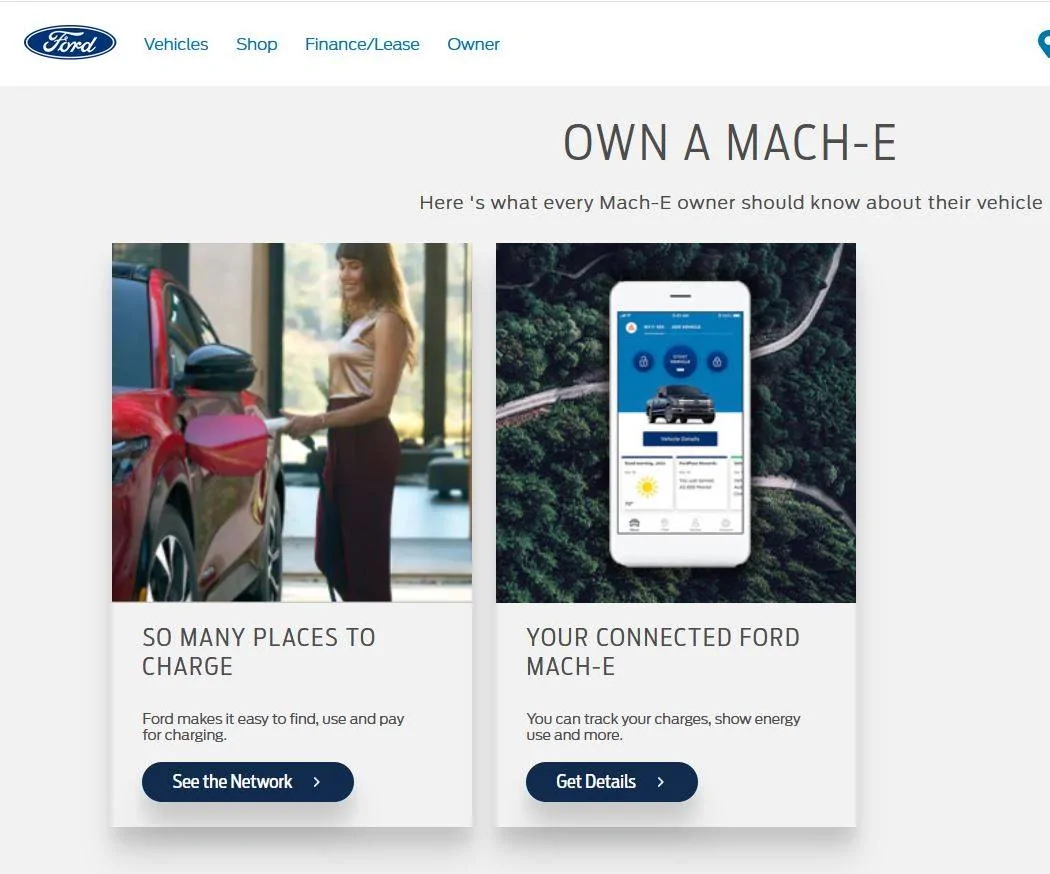
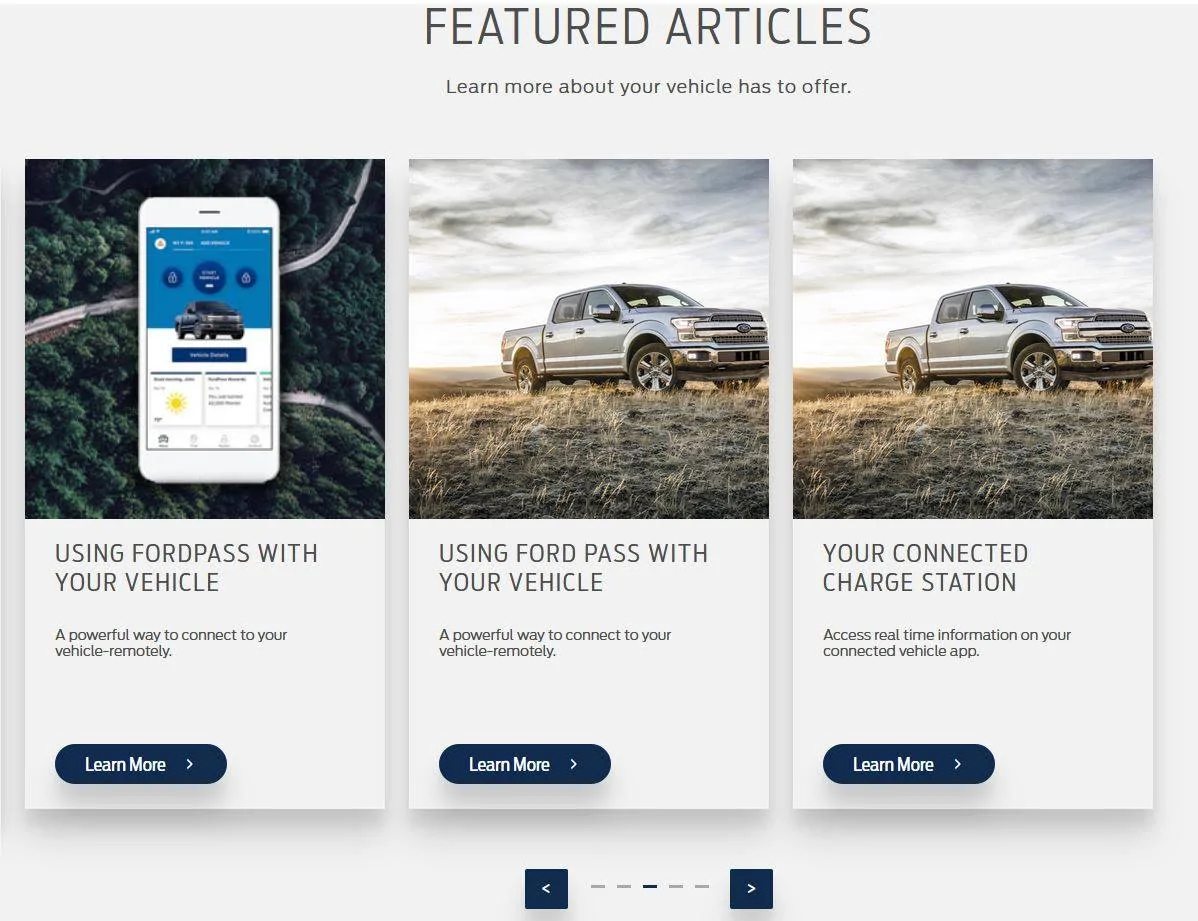
Maybe this is old news to everyone here but I do see that MyFordVehicle beta is online. Some interesting info there that I am glad to see. There are some cards with links that don't apply, such as getting discounts on oil changes but there are some that are BEV specific. I do see that we are going to be able to download the owner's manual.....at least there is a card with a link for that.

Scroll down a bit more and there is a view of what the FordPass will look like when it's working better.....I presume the F-150 will be replaced with the MME but maybe not....

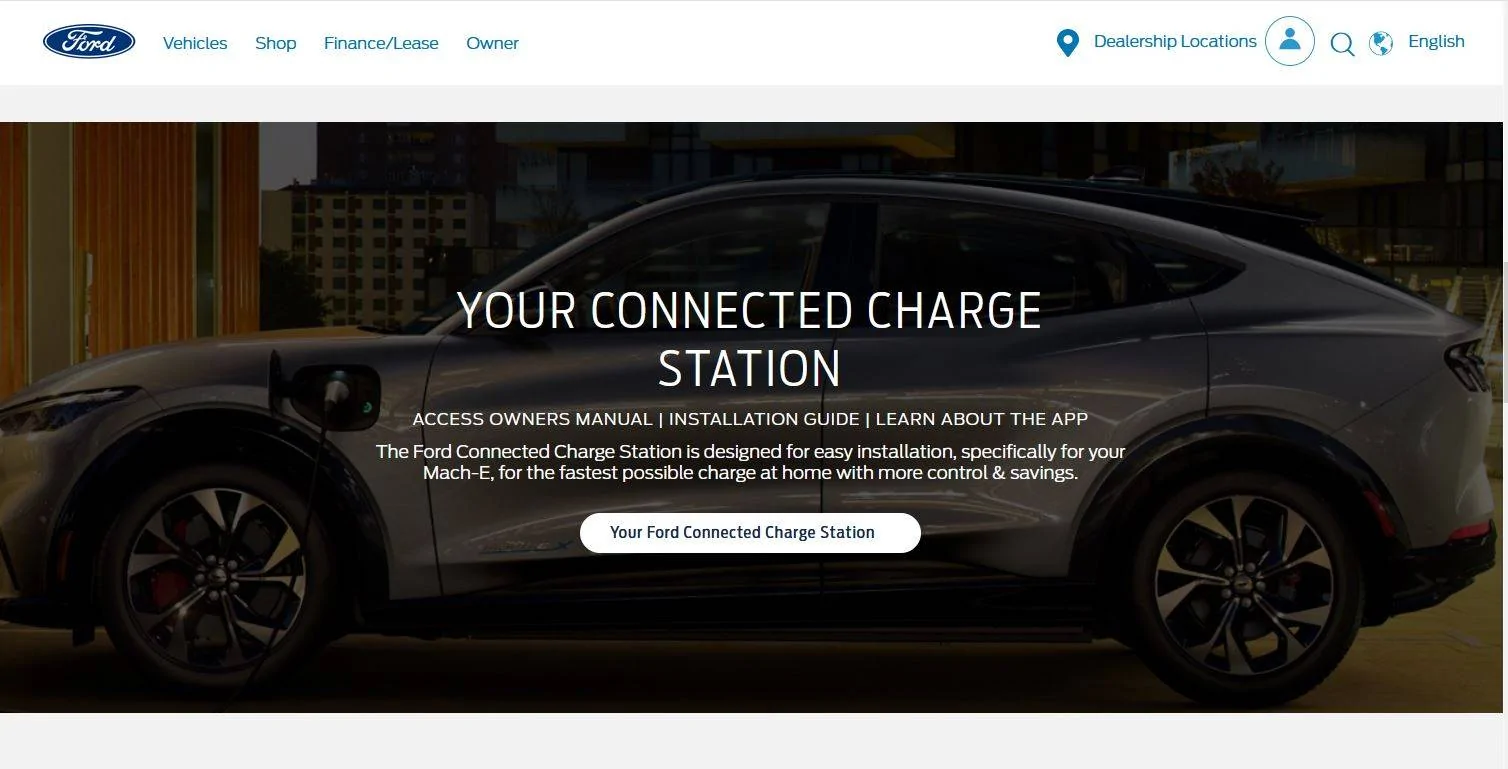
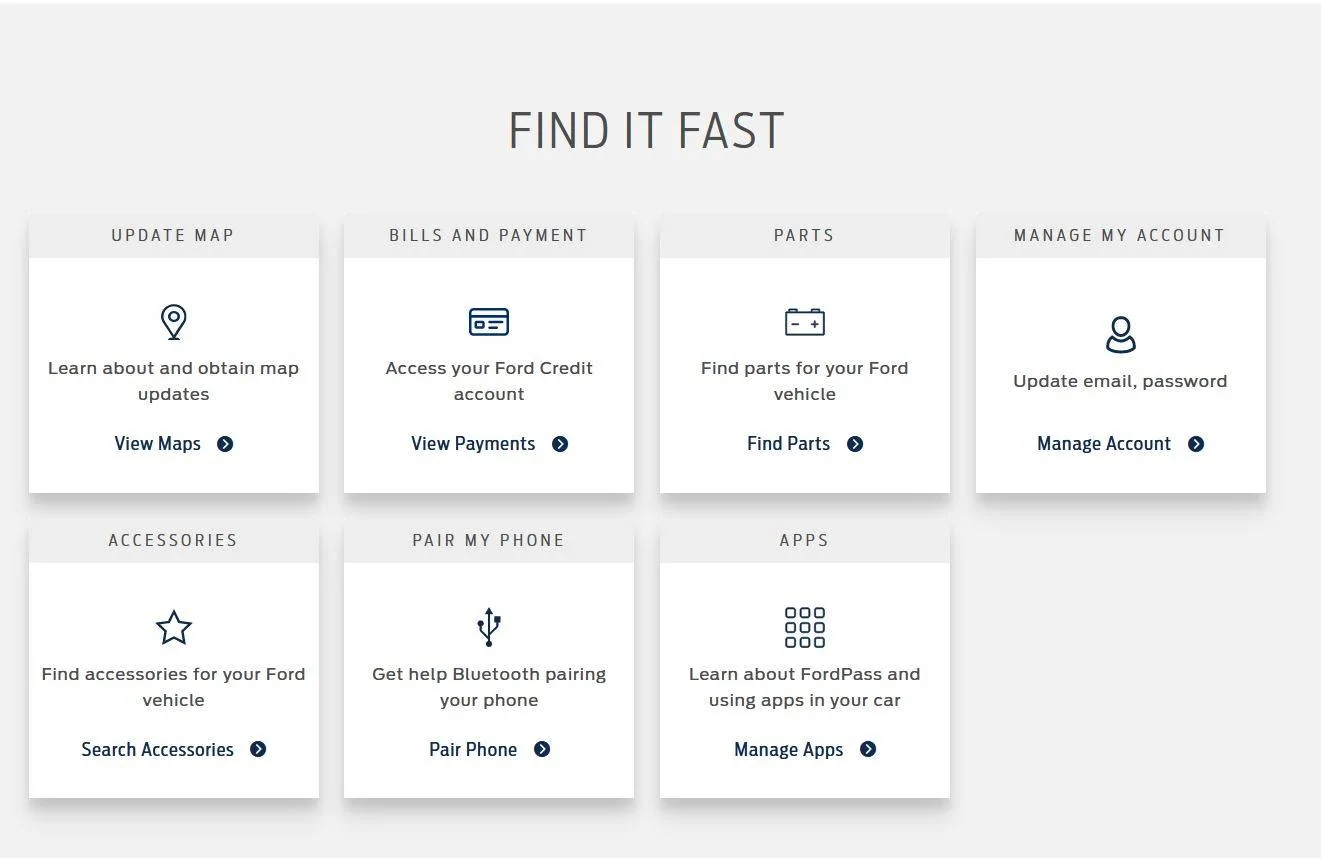
A little further down still is a whole section devoted to the Ford Connected wall charger with installation manuals etc. Links and docs not working yet of course....

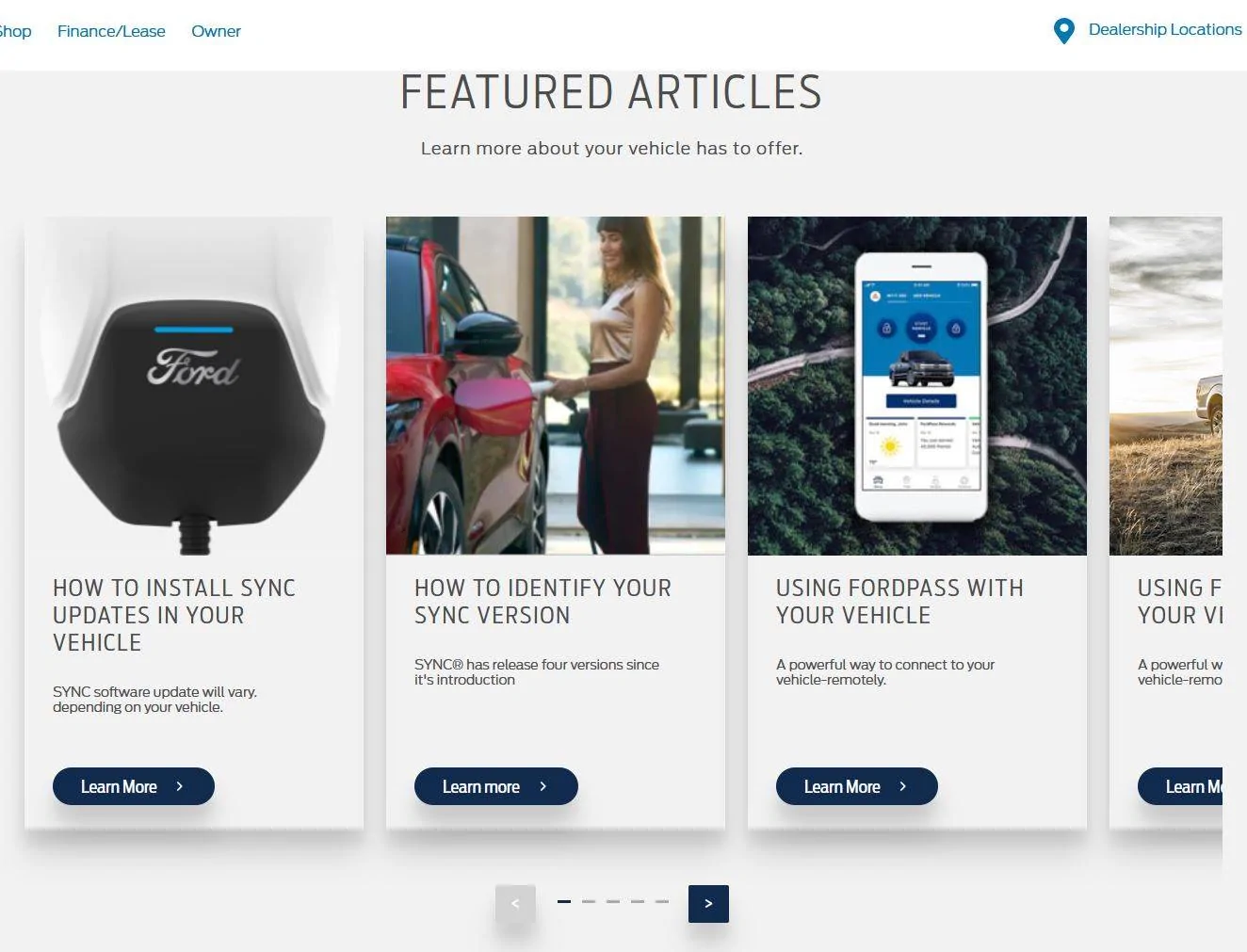
Featured articles section needs to be updated of course. No reason to learn how to update SYNC for instance. The card for the connected charge station probably should show the MME vs the F150....at least for another year or so.

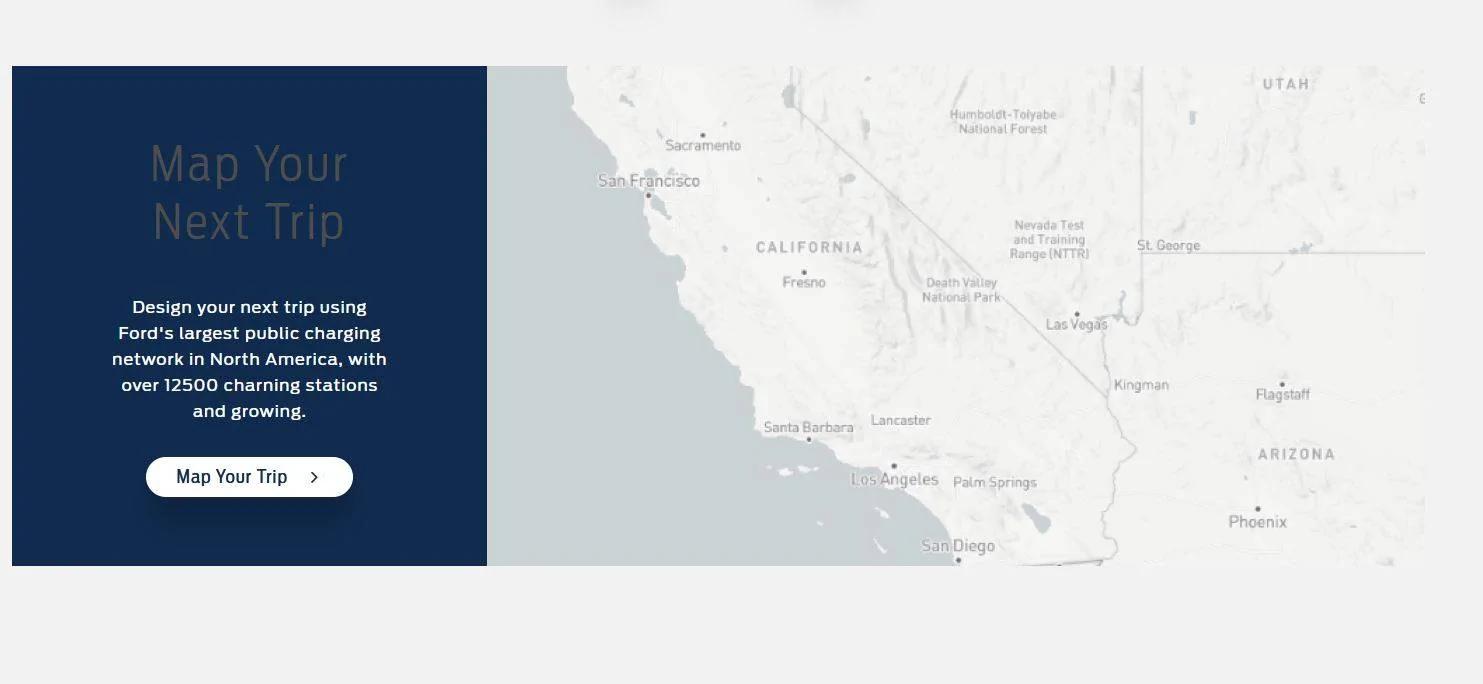
Glad to see the map a trip feature on here. I like doing this from my laptop vs my phone. Hopefully I can map a trip and push it to the car so it will be programmed in the navigation screen when I start up the car.

I don't see a trip log....I use that feature all the time in MyFordMobile so hopefully that will remain for this vehicle. :(

Here are some screen shots.
Yes, I know my VIN is shown here.....it doesn't bother me if that information is public.

Ford Mustang Mach-E Mach-E Remote Vehicle Setup Experience & Screenshots 1 main to


Ford Mustang Mach-E Mach-E Remote Vehicle Setup Experience & Screenshots 1 owner manual link


Ford Mustang Mach-E Mach-E Remote Vehicle Setup Experience & Screenshots 2 main lower


Ford Mustang Mach-E Mach-E Remote Vehicle Setup Experience & Screenshots 3 main Ford Connected unit
 

JamieGeek

Well-Known Member
Joined
Dec 29, 2019
Threads
82
Messages
3,589
Reaction score
6,823
Location
Southeastern Michigan
Website
spareelectrons.wordpress.com
Vehicles
Escape PHEV, old: Mach-E, Bolt, C-Max Energi, Focus Electric
Country flag
Good to know there are no recalls.


(and I see still no owner's manual.)
 

ajmartineau

Well-Known Member
Joined
Jun 23, 2020
Threads
33
Messages
1,392
Reaction score
1,979
Location
Washington
Vehicles
2021 Mach-E
Country flag
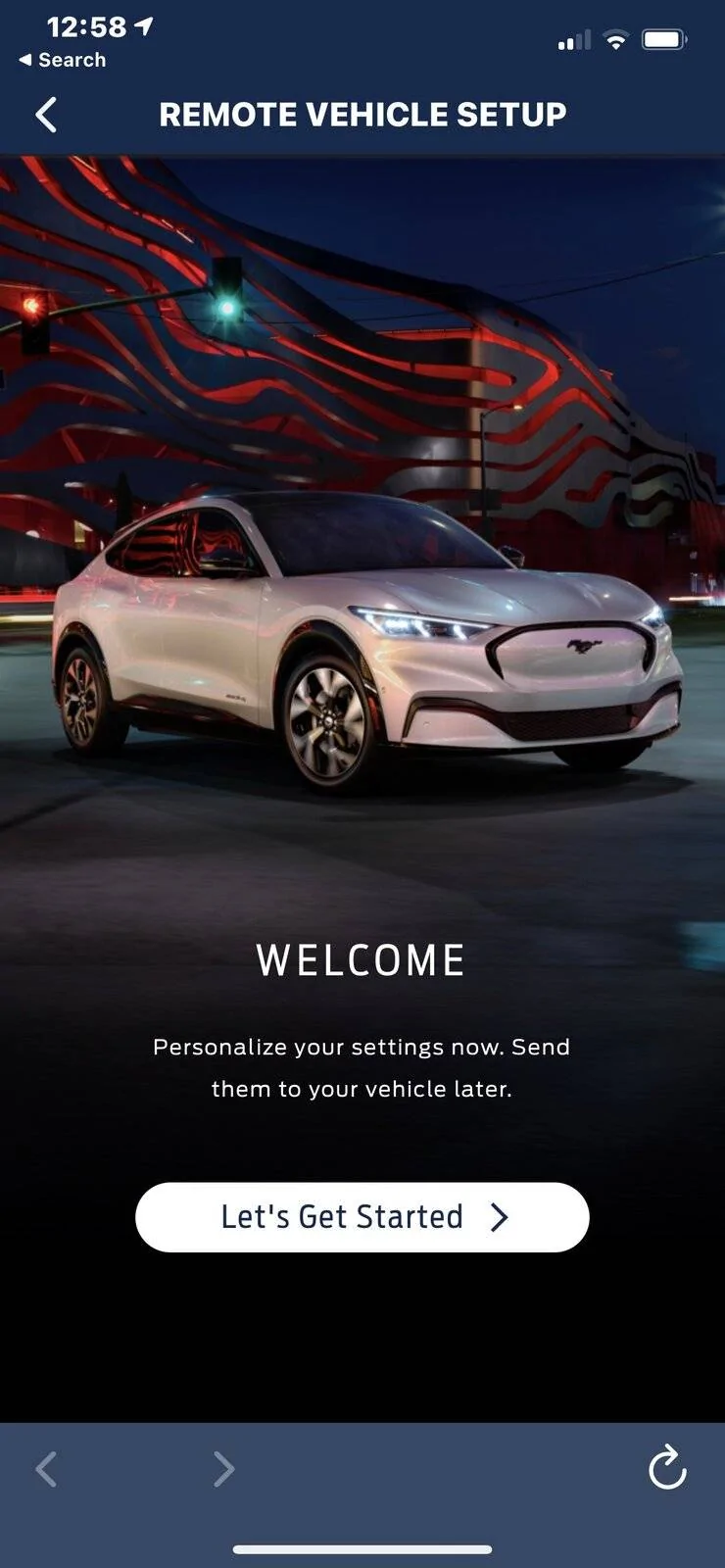
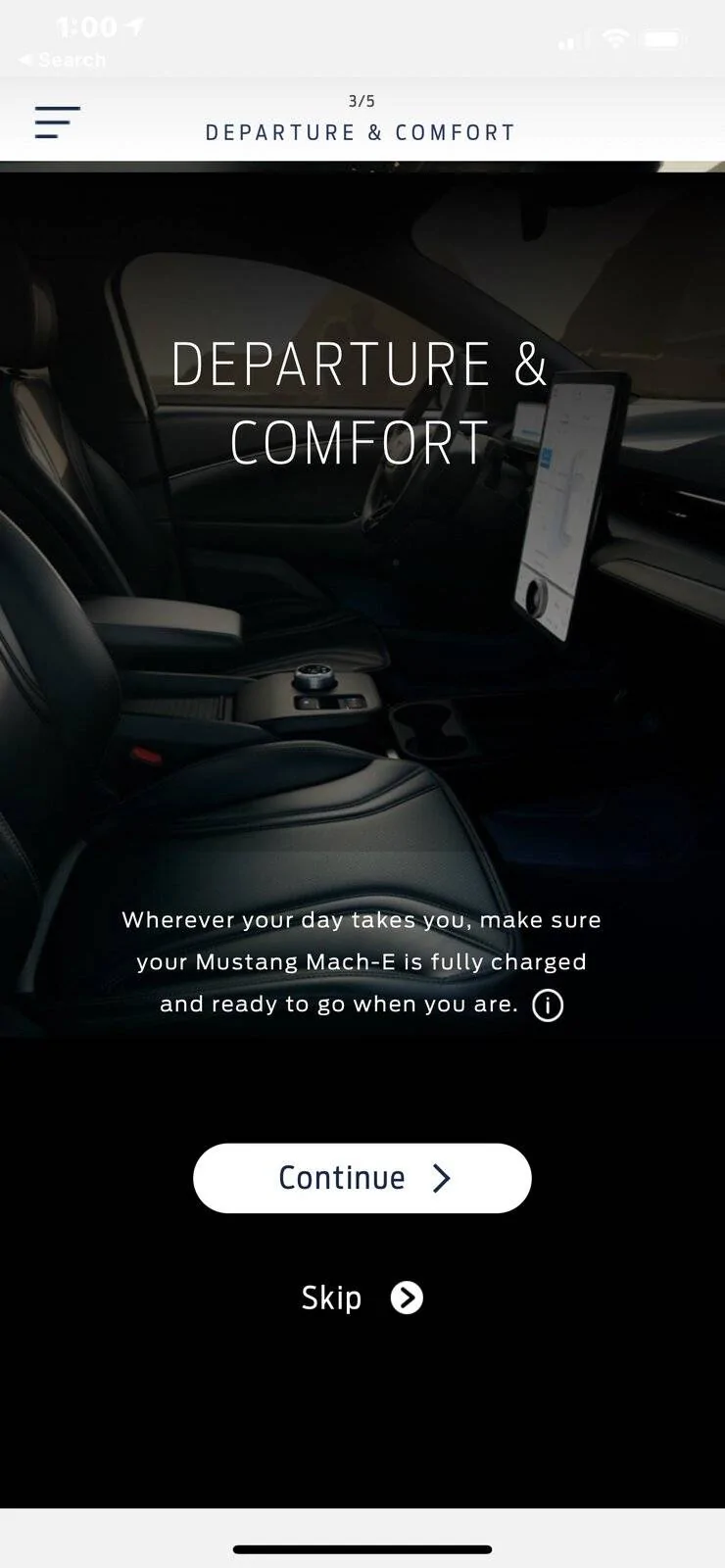
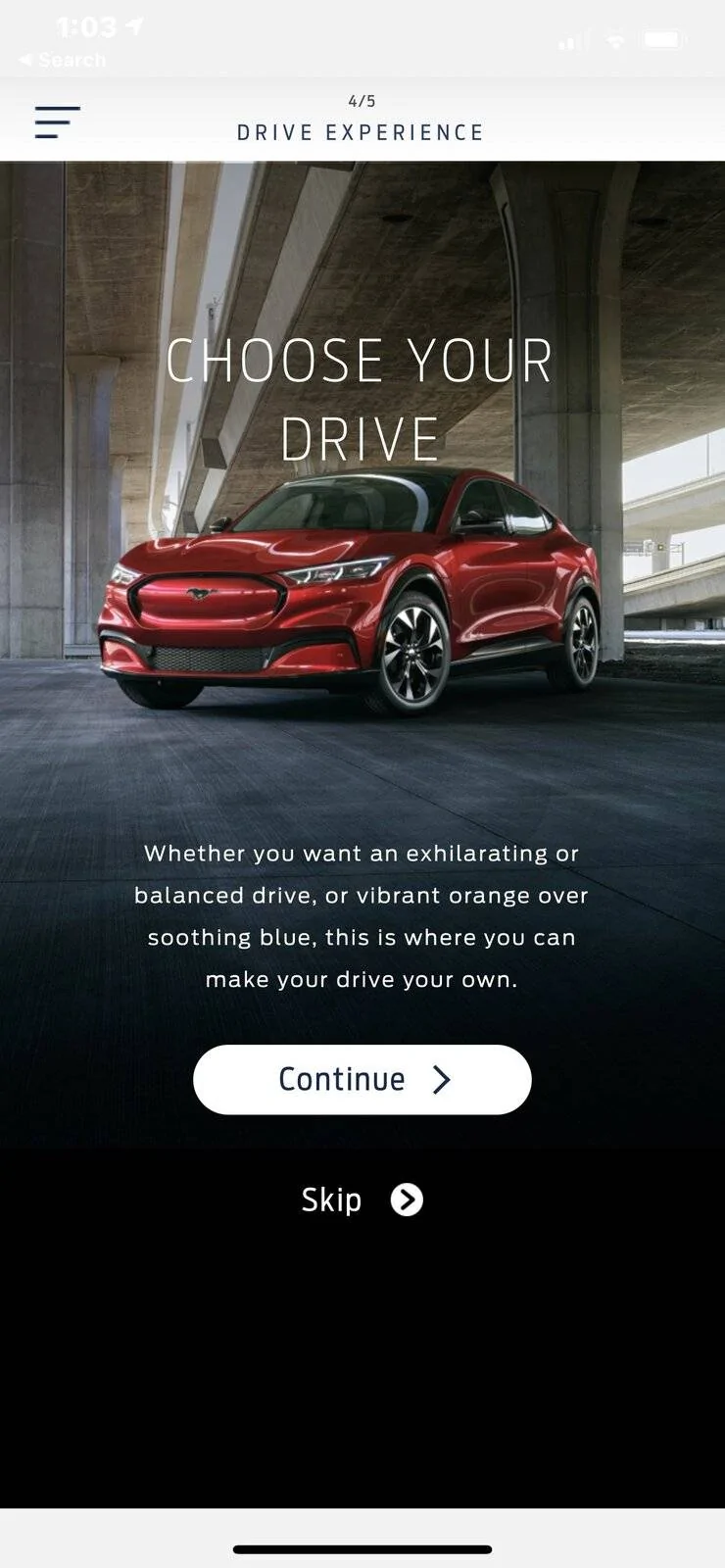
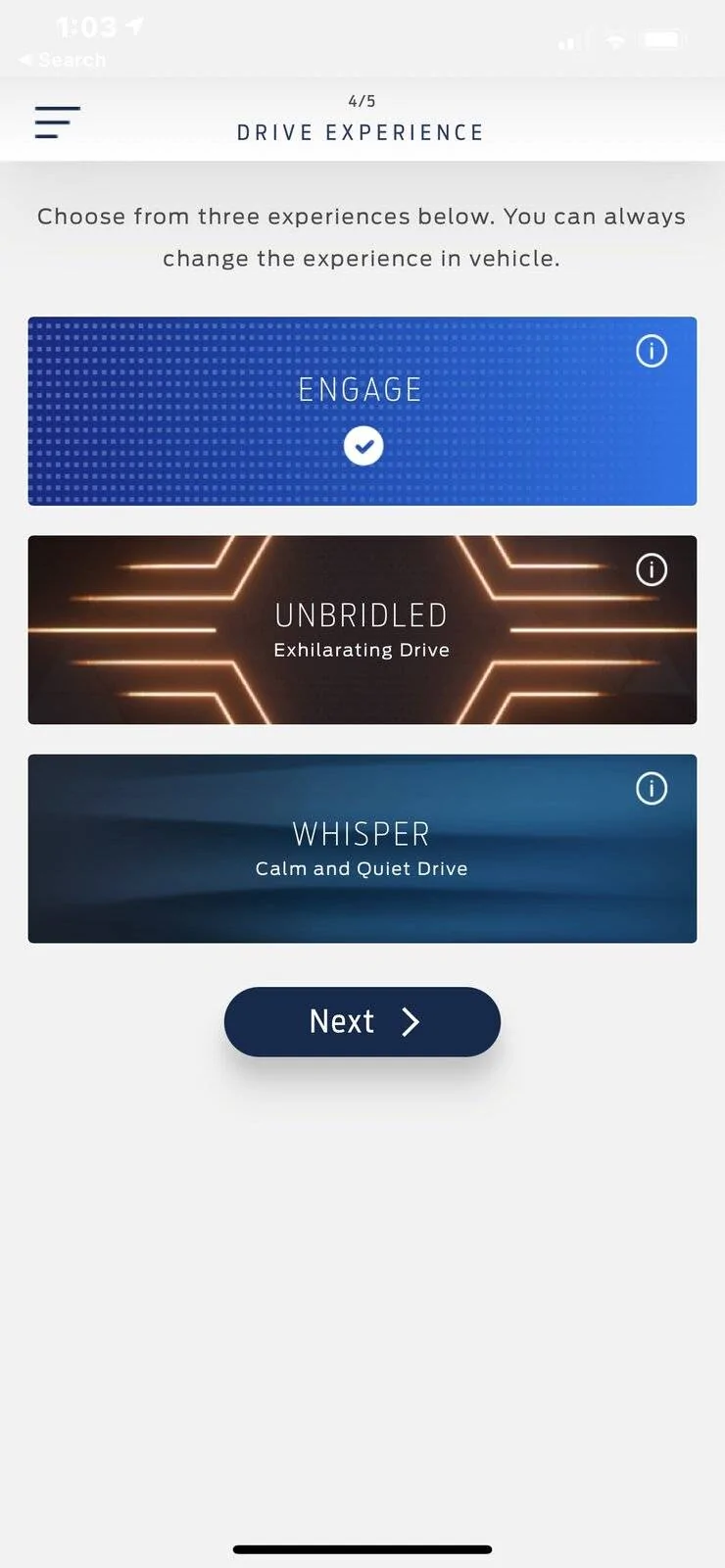
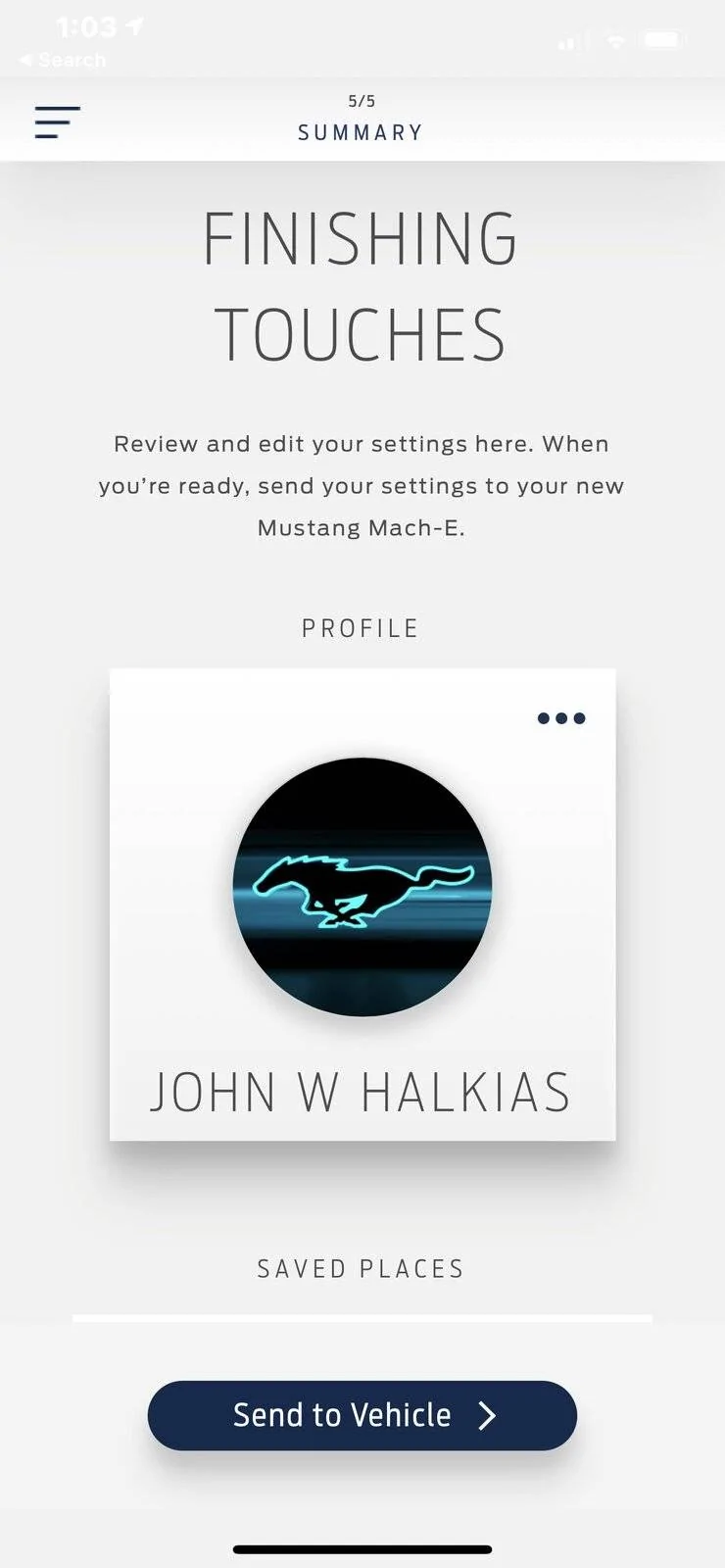
Don’t get all excited like I was. There are only 4 steps:

Profile - your name and picture/avatar

Saved places - this one has the most choices as you can save a a bunch of places (don’t know if there’sa limit) and find 1 nearest charging station for each.

Departure schedule - lots of choices here if you want to do different schedules for each day. You can set your comfort level to warm, medium or cool. No SOC details, or even if you want steering wheel or seat heater on.

Drive experience - Do you want Engage, Unbridled, or Whisper. Just one “always” choice. No Whisper in the morning and Unbridled in the afternoon. No “better keep down to Engage on Friday afternoon “. Just your always default.

That’s it. Very underwhelming.

Screenshots by @jhalkias from https://www.macheforum.com/site/threads/allocation-spot-and-scheduled-for-production.1696/post-49822

7f69eb08-b26d-4323-bbfe-d3fad7fa7f74-jpeg.jpg


15bdd0af-e6d8-40df-99c5-49a02256fcd0-jpeg.jpg


0d5b4b1b-bffb-4042-a4e1-2fb3798b1d59-jpeg.jpg


a355d8c9-a2fe-45f2-9fcc-4debb5afe5c2-jpeg.jpg


b274c6f0-d6f7-48c7-8f60-702db68cc238-jpeg.jpg
These screens just popped up on my phone. Maybe my Mach-Drop is done???


Top