Mike G
Well-Known Member
- First Name
- Mike
- Joined
- Mar 27, 2022
- Threads
- 25
- Messages
- 6,458
- Reaction score
- 5,298
- Location
- N. AL, USA
- Vehicles
- '23(J1) Mach-E GT-PE, '22 F-150 Lightning, '24 Bronco HLE 2Dr

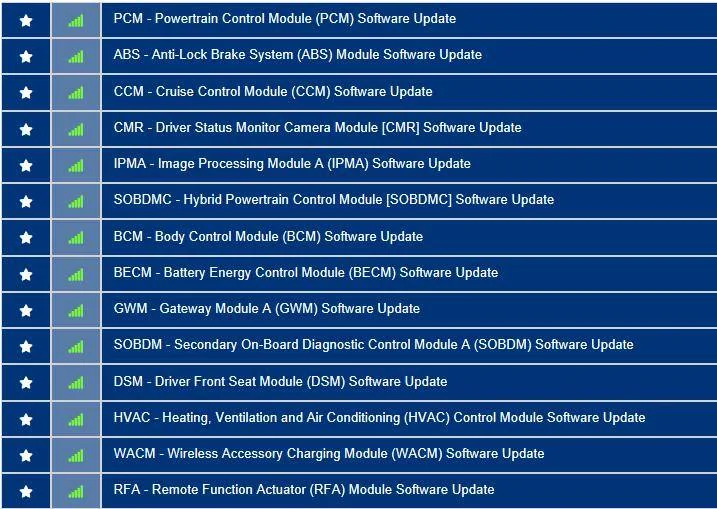
Here's your list as of this morning:When FDRS shows files to download are those specific for my vehicle?
So as a general plan of attack when you're starting out with FDRS:
Assumptions:
You have decently fast internet.
Your laptop has all the "Power Saving" features for the screen, hard drive, sleep, USB, network adapter, etc. either set to disabled or 'Never' (in the case of when to go to sleep) and is set for maximum performance while plugged in.
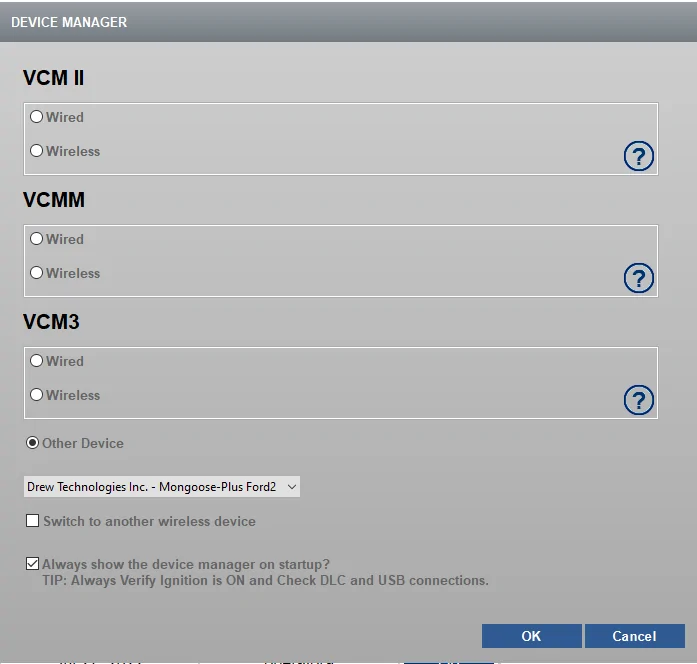
Your Mongoose cable is recognized by FDRS when you start the program up (Drew Technologies adapter selected) and is connected to your OBDII port.
You have connected your powersupply and charged your LVB back up above 80% SOC before switching it to powersupply mode and have set your voltage to 14.0 (if setting that is an option on your device).
You don't have any other unnecessary programs running in the background that may interfere (MS anti-virus running is totally okay and will not affect FDRS, I can't speak to other AV programs but I know MS is fine).
You have your 32GB USB 3.0 thumb drive handy, formatted to exFat, and blank, with either a short volume name or no name at all (i.e something like "FDRS" is good).
You've turned off the HVAC in your car completely so as not to draw power away from your system while programming.
So after reading your VIN and selecting the "Go" button you check the toolbox and then select the SW_Updates tab and get a list like the above. Where to start?
A best practice is to always start with a GWM or TCU update if they are shown in the list.
--At this point after you've pressed the "OK" button to start programming it's best to mention that everytime you do this the headlights switch will reset itself to Auto so you'll have to reach down and shut that back off to minimize power drain, everytime.--
If a PCM is shown then doing that one would be a good next step since it will chain in other related power or battery management and diagnostic modules at the same time (like the BECM, SOBD, SOBDMB, etc).
Other updates are standalone and can be done individually if you want to start with those to get your feet wet. Like the HVAC, DSM, WACM, RFA, GSM, BCM.
There are some updates that can take hours to do (things like an IPC if it's done using the CAN bus update method instead of the USB method). So you really need to keep an eye on the lower right corner of the FDRS window to monitor your voltage to make sure it doesn't drop too far while programming (never let it go below 10.1 volts or you may find yourself having to reprogram that module again). If you have a decent powersupply (>40A) this should not be an issue.
After programming a module FDRS usually does a network scan to refresh the list. There are times when you program a module and it gets reported to the Ford server, it triggers the availability of another module and then that one appears in your list. And there are times when you just updated a module and it supposedly went to plan and that module still appears in your list (like the OBCC recently). Don't worry, it will likely drop off the list in a few minutes (or after a FDRS restart).
Once you have the hang of it this should all go smoothly and you'll find out how easy it really is.
Mike
Sponsored






 Thanks!