Mike G
Well-Known Member
- First Name
- Mike
- Joined
- Mar 27, 2022
- Threads
- 25
- Messages
- 6,458
- Reaction score
- 5,298
- Location
- N. AL, USA
- Vehicles
- '23(J1) Mach-E GT-PE, '22 F-150 Lightning, '24 Bronco HLE 2Dr

There is a lot to unpack here......Hi!
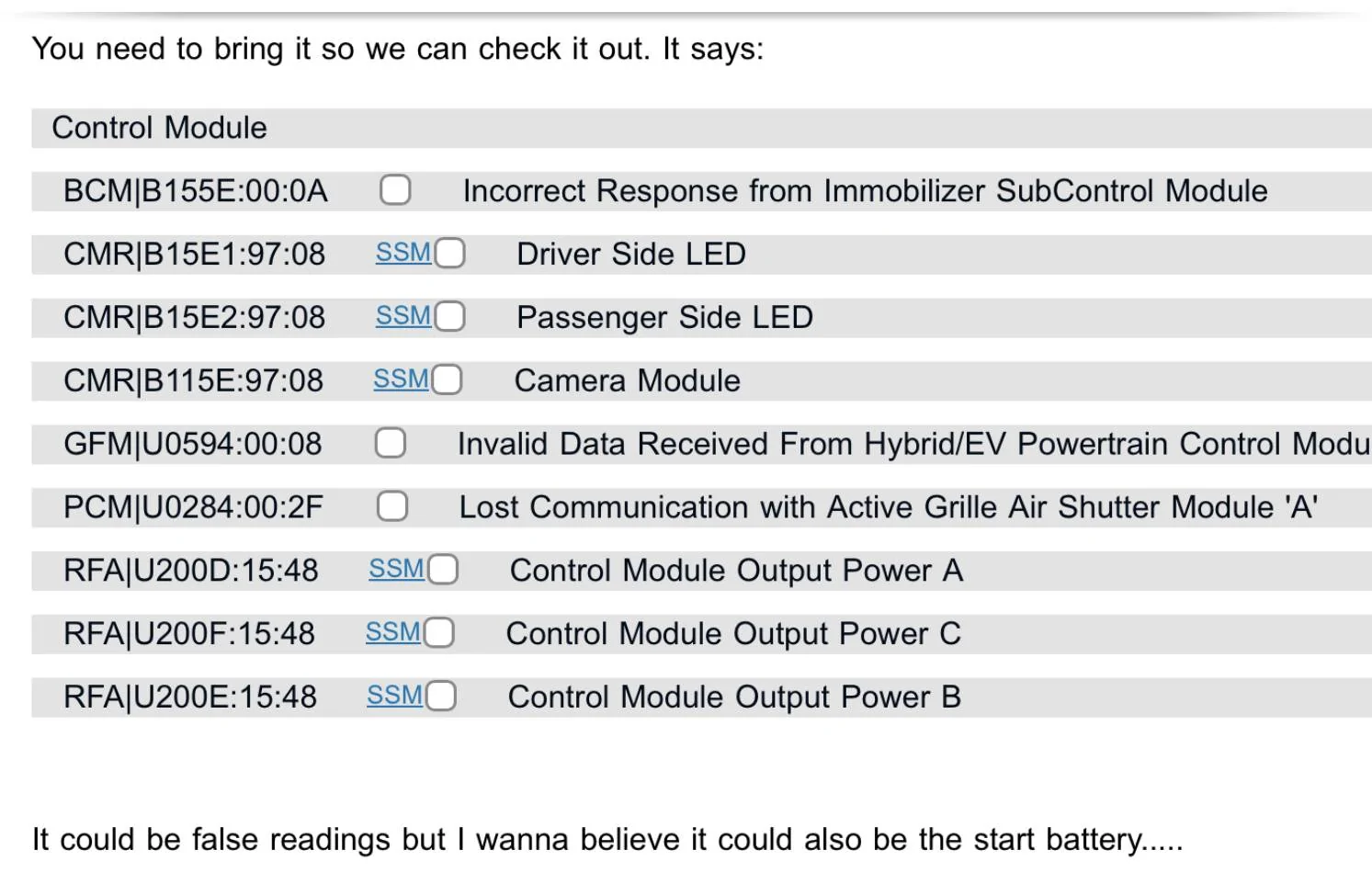
I have an early 21 and seem to get no updates. I have a ‘frunk’ warning light every time I start and the auto update slider is greyed out. The dealer doesn’t know what to do. Can you check what is open and give me some info to wave at the techs at the dealer? Would be awesome!
vin:WF0TK1E73MMA11494
Your service tech has been struggling with your APIM (Sync) module for a loooong time. He/she has tried the "Module Update Repair" procedure over and over without any success. They have tried to update your APIM on many occasions without success and run "Config' routines and everything they can think of.
It's time for them to 1) request Ford Engineering support, and/or 2) order a new APIM and when it gets in do all the updates to bring you current.
This will also likely result in their having to update your GWM (gateway) several times as well.
You currently have the same condition that many 21J1 cars had were they were "stuck" after OTA 1.7.1. Exactly the same issue.
As for your "Frunk Maintence Service Required" error there is a TSB that covers that (attached), but the real problem is that your BCM was updated (correctly) but the GFM (frunk module) software that was supposed to match with that BCM update was never updated. And it's possible it was never offered to your car at all (Ford server problem?).
What that means is just like this poster's car, your car has a mismatch between the BCM software and the GFM software.
You have the correct BCM software revision for your car ("-ACR") but you have an out of date software revision for the GFM ("-AE") that is supposed to be "-BE" to match your BCM's software version.
Your tech can follow the TSB...but if it says to update the software and the software is not showing up as available for your VIN then they only thing to try is a "PMI" procedure that erases the current software and re-downloads the (hopefully) correct version and updates the module with that.
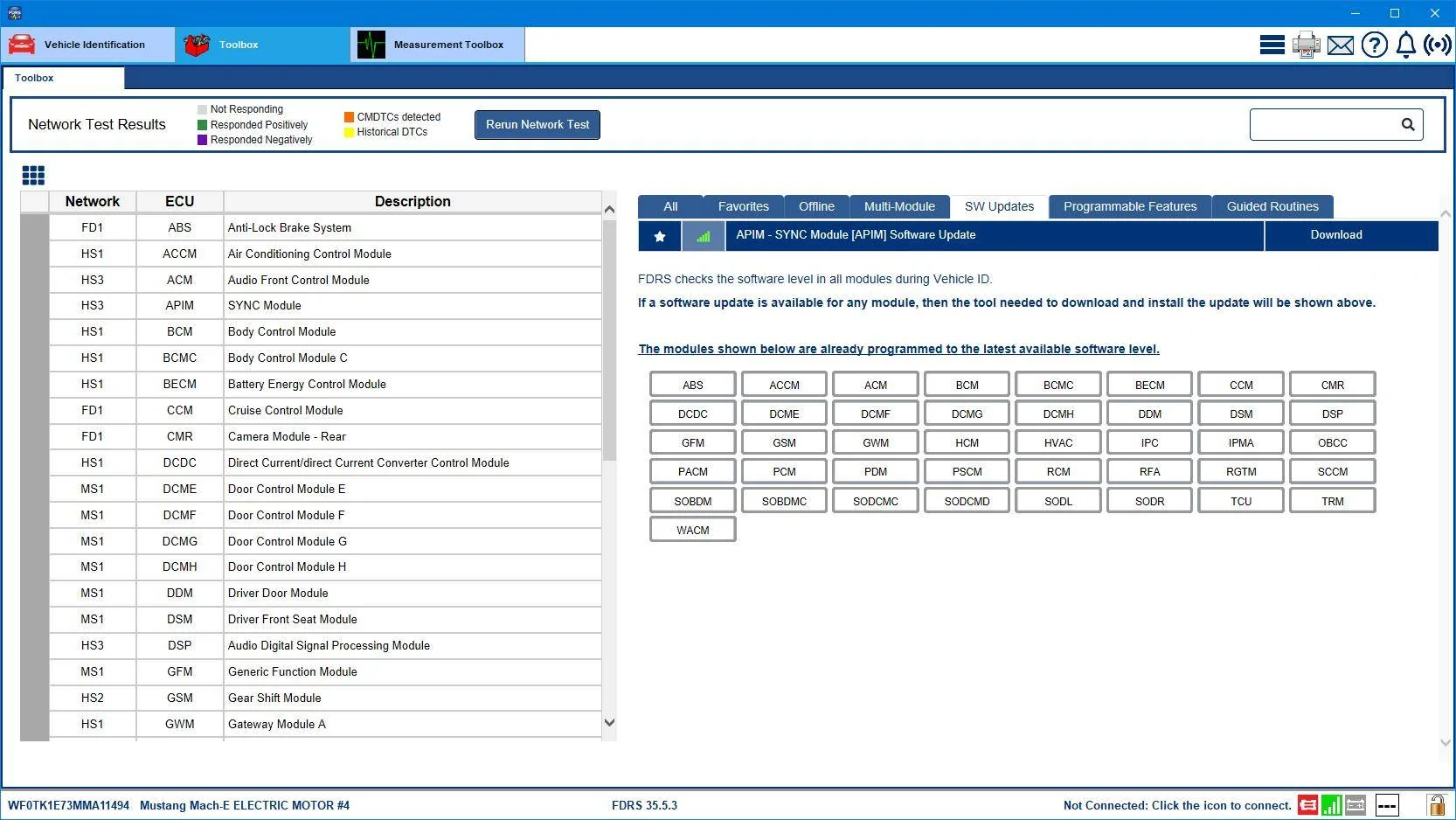
Here's the one and only software update you have showing today, but your tech(s) haven't been successful in applying it so far. They need to ask for help from engineering or order you a new APIM. Or both.
Sponsored
Attachments
-
219.4 KB Views: 142