Ezzelin
Well-Known Member
- Thread starter
- #1
It's kind of a hidden setting to tell Google Maps in Android Auto that you have a NACS adapter so that it will route to NACS chargers, so here is a guide for how to do that. Note that this is separate from the Your Vehicles setting in Google Maps on a smartphone. Even if you've set the Your Plugs setting to show that you have NACS, that will not apply to Android Auto routing. Here is how to enable it for Android Auto:
1. In Google Maps in Android Auto, start navigating to a destination far enough away to automatically add a charger.
2. Tap the pin icon to bring up the Route Details screen.
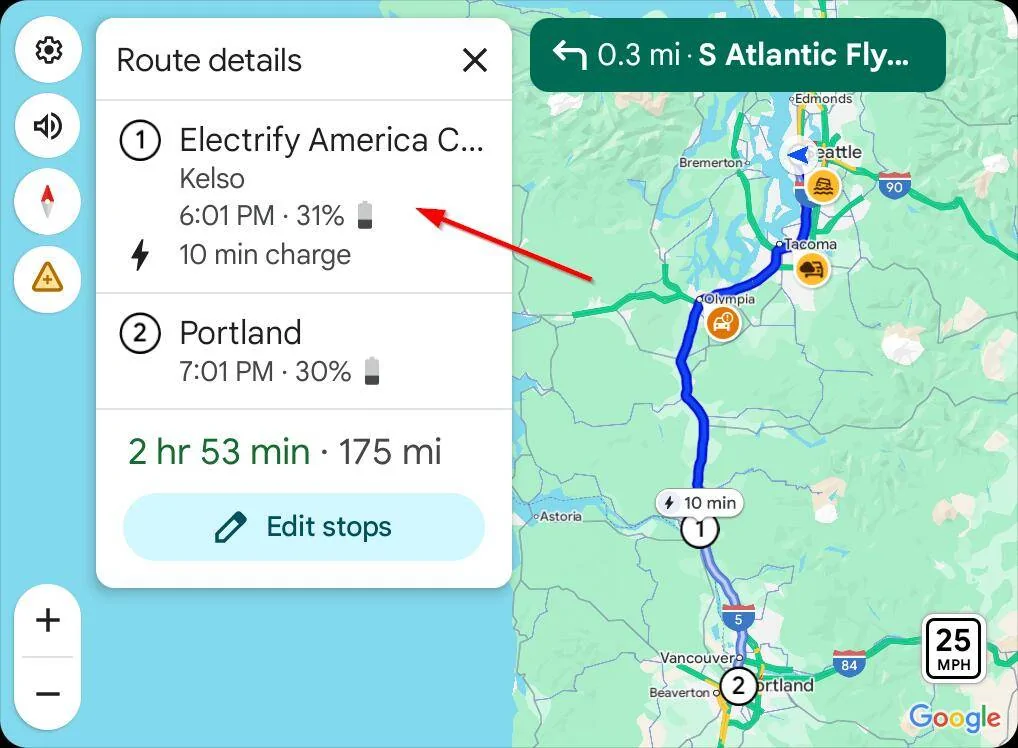
3. In the Route Details screen, tap the charger destination.

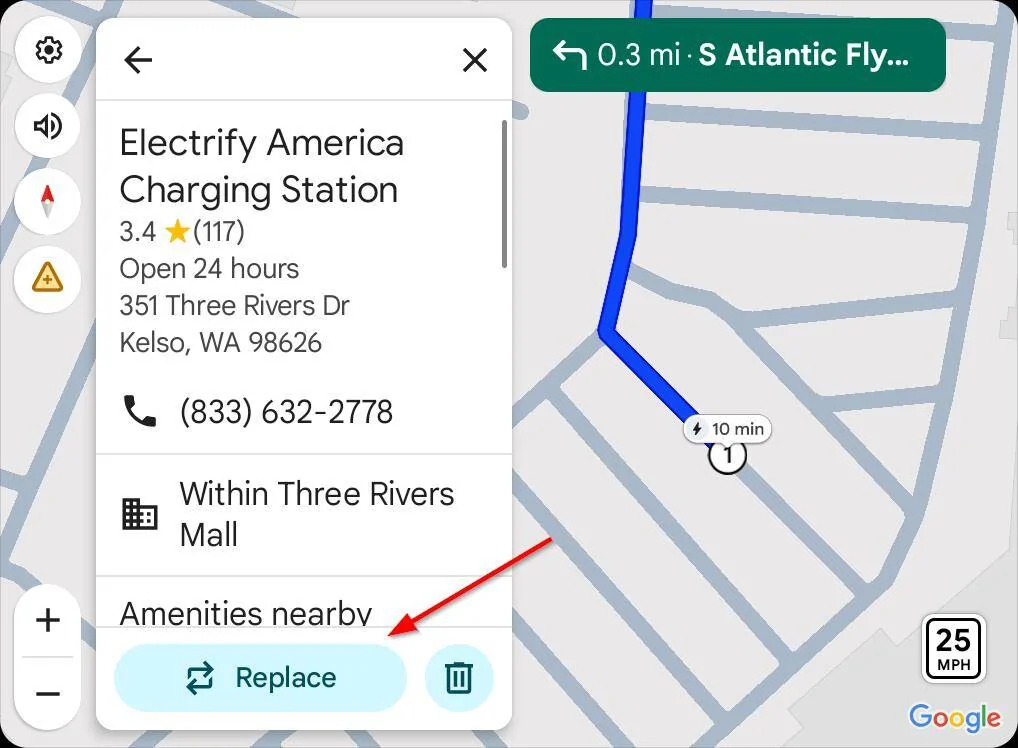
4. In the destination screen, tap the Replace button.
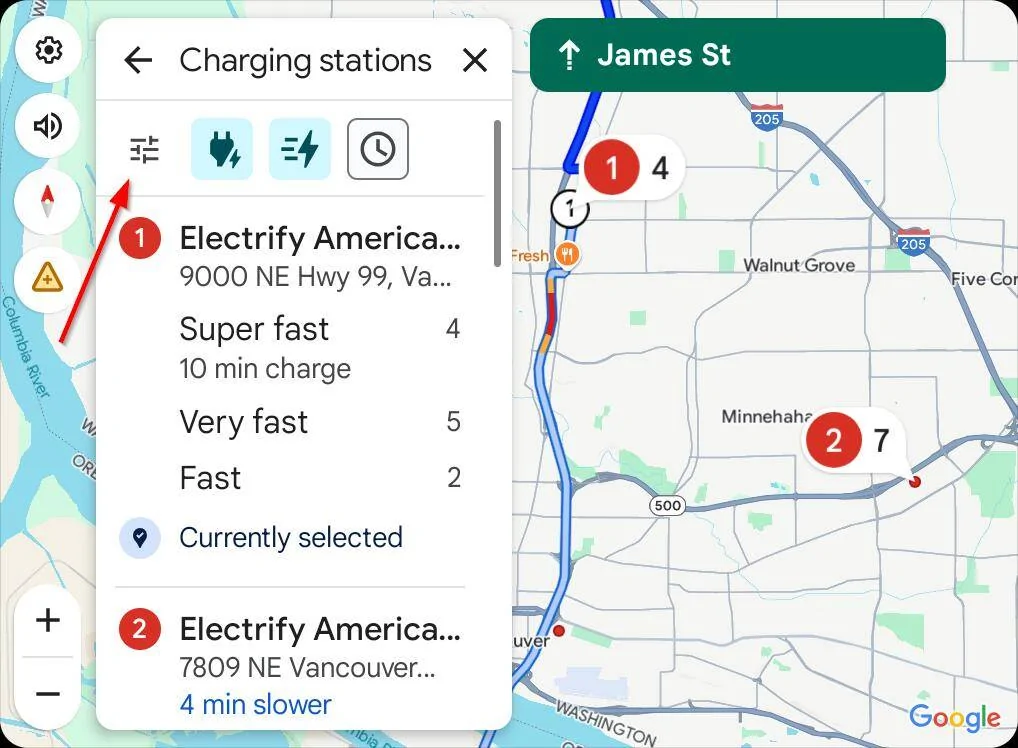
5. A list of chargers will appear. Tap the Filters icon.
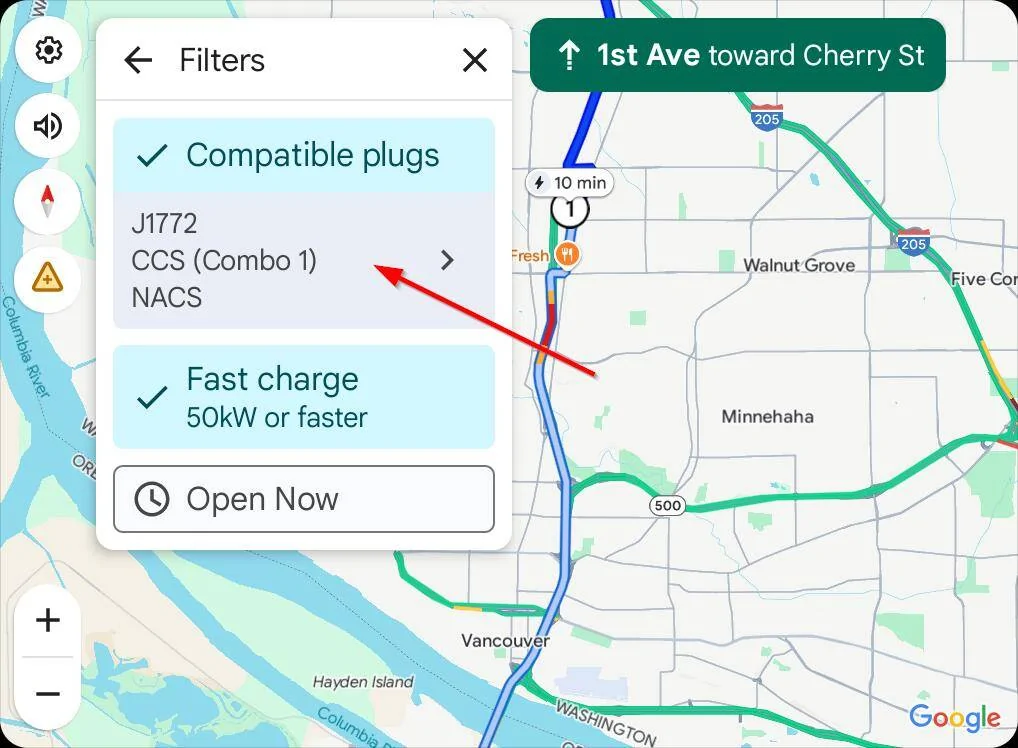
6. Tap the Compatible Plugs list in the Filters screen.
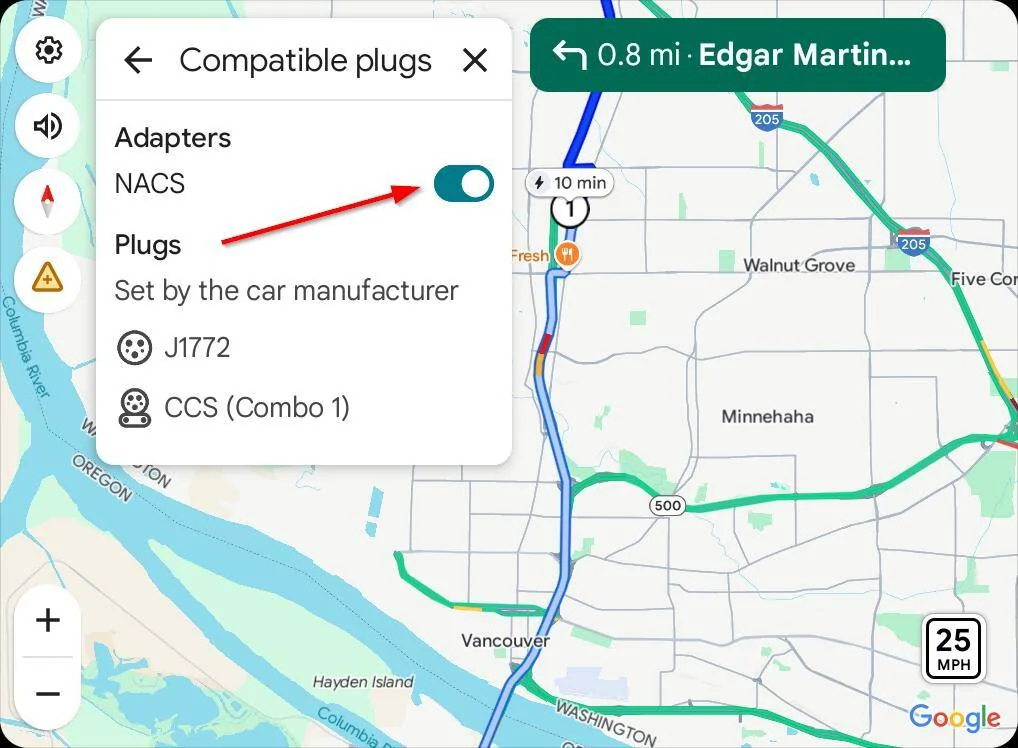
7. The Compatible Plugs screen shows the two plugs type the car always supports, and has a toggle for whether you have a NACS adapter. Tap this toggle.
After you follow these steps, your car will now include NACS chargers in routing suggestions. And remember, when routing to DCFC stations in Android Auto, including NACS ones, the car will precondition now since version 10.1.0. Hope this helps!
1. In Google Maps in Android Auto, start navigating to a destination far enough away to automatically add a charger.
2. Tap the pin icon to bring up the Route Details screen.
3. In the Route Details screen, tap the charger destination.
4. In the destination screen, tap the Replace button.
5. A list of chargers will appear. Tap the Filters icon.
6. Tap the Compatible Plugs list in the Filters screen.
7. The Compatible Plugs screen shows the two plugs type the car always supports, and has a toggle for whether you have a NACS adapter. Tap this toggle.
After you follow these steps, your car will now include NACS chargers in routing suggestions. And remember, when routing to DCFC stations in Android Auto, including NACS ones, the car will precondition now since version 10.1.0. Hope this helps!
Sponsored
Last edited: