Charging at home, ack!!!!

Jmdekle

Member
First Name
Julie
Joined
May 22, 2022
Threads
4
Messages
18
Reaction score
3
Location
Tampa
Vehicles
2022 Mach E premium
Country flag
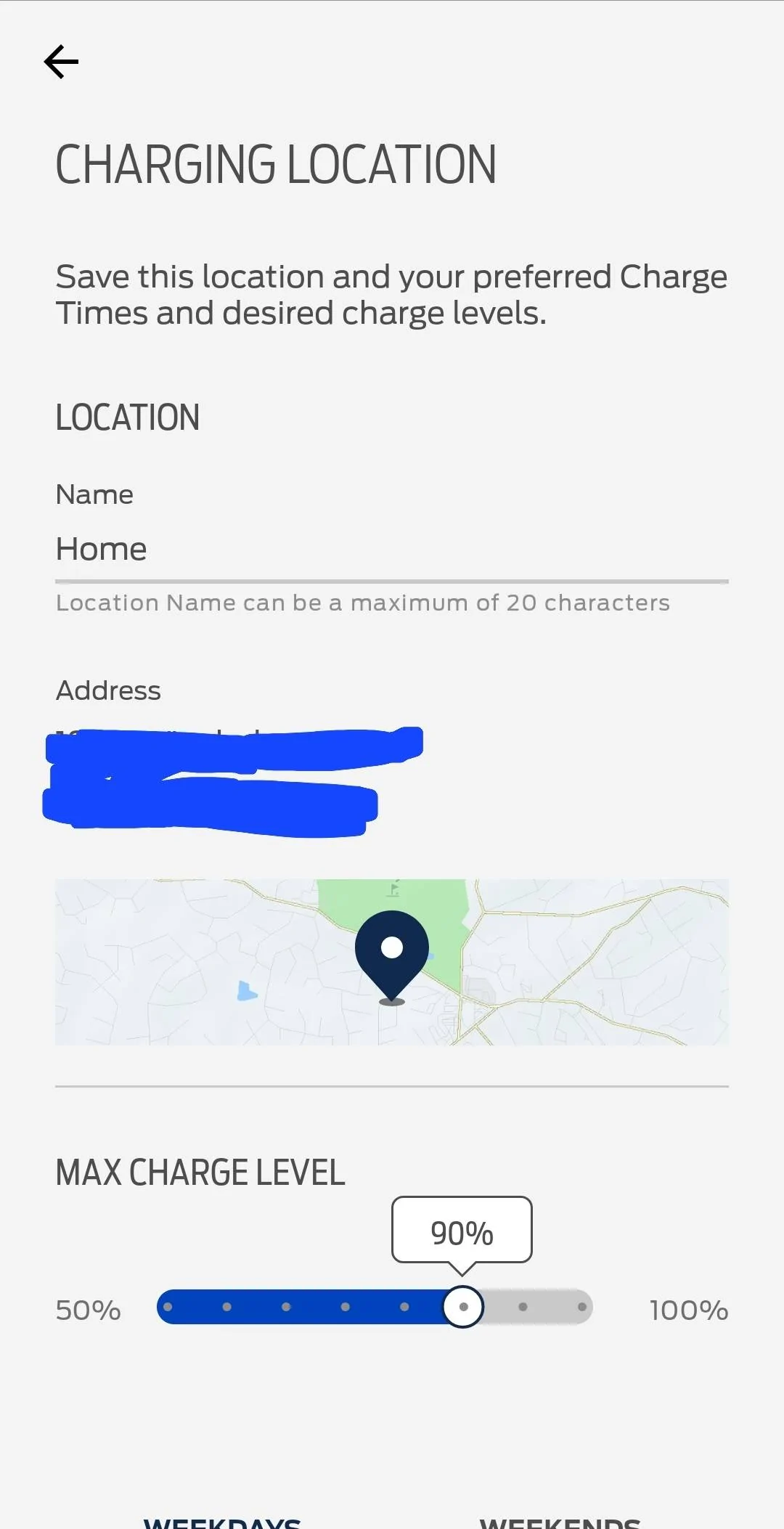
I saw a previous post about this, but no resolution. Looking for suggestions. My car keeps charging to 100% at home. The only way to stop this is to manually set to 90%from the car and turn off the Ford app. The ford app keeps defaulting to 100% and I can’t reset it. Is anyone having this problem? TIA
Sponsored

 

rcechinel

Well-Known Member
First Name
Rod
Joined
Dec 30, 2021
Threads
9
Messages
855
Reaction score
870
Location
Atlanta
Vehicles
2022 Mach-E Premium ER AWD
Occupation
Tech
Country flag
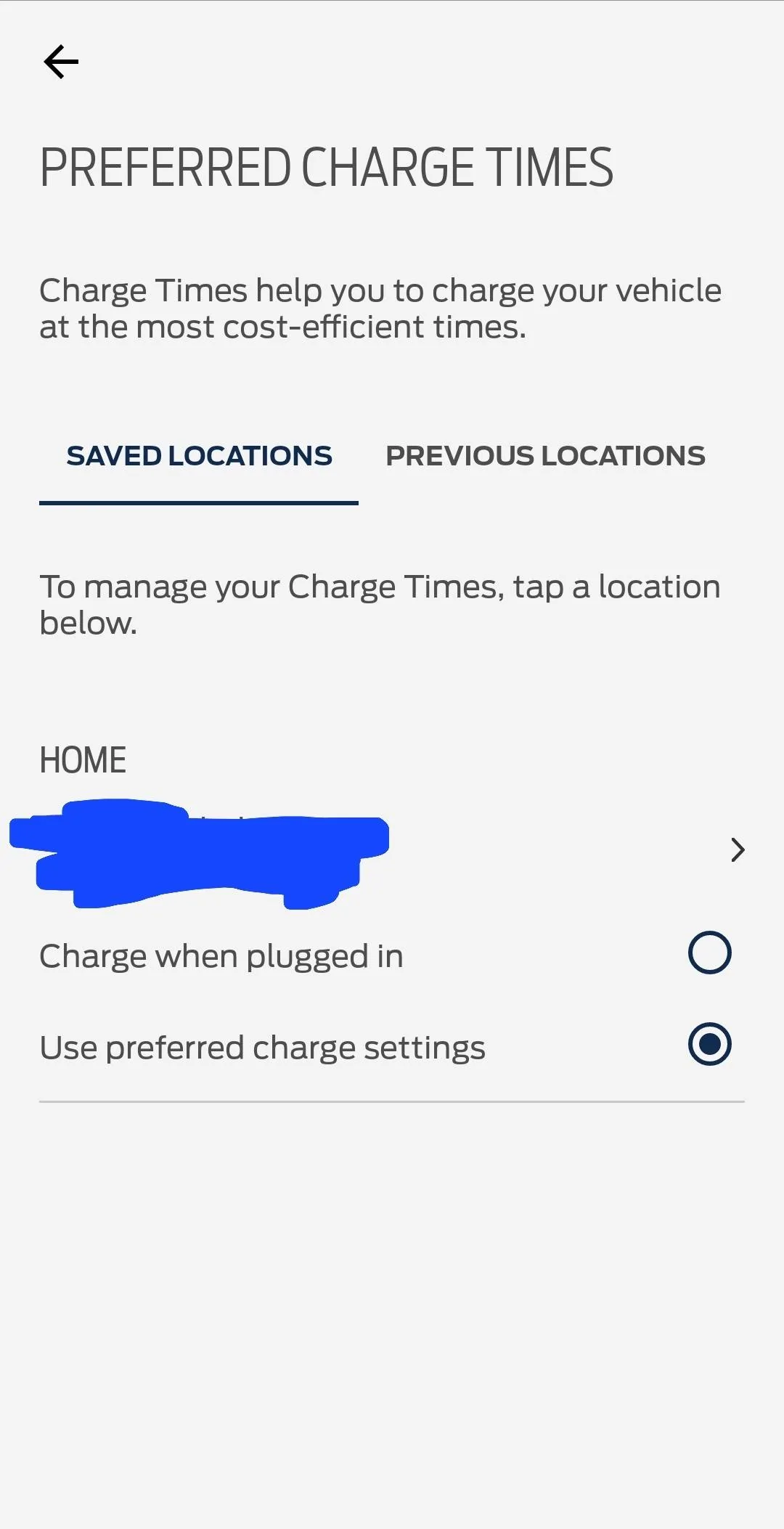
Did you save your home location?
Ford Mustang Mach-E Charging at home, ack!!!! Screenshot_20221008_121418
Ford Mustang Mach-E Charging at home, ack!!!! Screenshot_20221008_121329
 

Murse-In-Airy

Well-Known Member
First Name
Rod
Joined
Mar 5, 2021
Threads
82
Messages
3,678
Reaction score
8,297
Location
Chaumont, NY
Vehicles
Mach-E ER AWD
Occupation
Nurse
Country flag
1. go to the car.
2. From the car’s big screen: Delete the charge location
3. Plug the car in and let it start charging for a few minutes.
4. Unplug the car.
5. From the car’s big screen: Save that new location as home and set your max charge to 90%, selecting your prefered charging hours. Save these settings directly from the big screen in the car.
6. Most importantly : Ignore the FordPass app for all charging settings, charging logs, driving logs, or anything that involves a number
 
Last edited:

ChuckA

Well-Known Member
First Name
Chuck
Joined
Jul 3, 2021
Threads
30
Messages
1,615
Reaction score
1,146
Location
North Branford, CT
Vehicles
‘21 MME Premium AWD ER in Infinite Blue
Occupation
Accountant-Retired
Country flag
Is there a 3rd party authorized to your FordPass for ongoing utility rebates? In CT it is smartcar. If an app is set to smart charging, they will change your “home” charging setups to 100%.


OP
OP
Jmdekle

Jmdekle

Member
First Name
Julie
Joined
May 22, 2022
Threads
4
Messages
18
Reaction score
3
Location
Tampa
Vehicles
2022 Mach E premium
Country flag
1. go to the car.
2. From the car’s big screen: Delete the charge location
3. Plug the car in and let it start charging for a few minutes.
4. Unplug the car.
5. From the car’s big screen: Save that new location as home and set your max charge to 90%, selecting your prefered charging hours. Save these settings directly from the big screen in the car.
6. Most importantly : Ignore the FordPass app for all charging settings, charging logs, driving logs, or anything that involves a number
Yes, done over and over. Like you said, the only way it works is if I disconnect the Ford app
 

Murse-In-Airy

Well-Known Member
First Name
Rod
Joined
Mar 5, 2021
Threads
82
Messages
3,678
Reaction score
8,297
Location
Chaumont, NY
Vehicles
Mach-E ER AWD
Occupation
Nurse
Country flag
When you say “disconnect the Ford app,” do you mean force close the app? Or delete the app from your phone? Or erase your car from the app? I’m not sure what disconnecting it means in this case.
 

SnBGC

Well-Known Member
First Name
Greg
Joined
Apr 20, 2020
Threads
46
Messages
5,962
Reaction score
9,778
Location
Phoenix
Vehicles
2021 Mach-E FE, 2021 Wrangler 4xe High Altitude
Occupation
Manager
Country flag
When you say “disconnect the Ford app,” do you mean force close the app? Or delete the app from your phone? Or erase your car from the app? I’m not sure what disconnecting it means in this case.
I was wondering the same thing myself. I used to have to force close the app to keep my phone battery alive but that problem was solved a long time ago with one of the updates.

I don't know how to "disconnect" though.... ? maybe there is a button somewhere in FP for that purpose?
 

RickMachE

Well-Known Member
Joined
Jul 1, 2021
Threads
267
Messages
17,931
Reaction score
27,930
Location
SE MI
Vehicles
2022 Mach-E Premium 4X, 2022 Lightning Lariat ER
Country flag
Yes, done over and over. Like you said, the only way it works is if I disconnect the Ford app
I think you need to elaborate on this.

The FordPass app doesn't control charging, the car does. The FordPass app can update the settings in the car.

You should sit in the car and review the settings you have. If you don't have "Use Preferred Charge Settings" checked, it's always going to charge to 100%.
 

HuntingPudel

Well-Known Member
First Name
Steve
Joined
Mar 23, 2021
Threads
88
Messages
12,940
Reaction score
17,387
Location
Bay Area, CA
Vehicles
2024 MME GT with Performance Upgrade, 1979 Fire-Am, 1972 K/5 Blazer
Occupation
Engineering
Country flag
I was wondering the same thing myself. I used to have to force close the app to keep my phone battery alive but that problem was solved a long time ago with one of the updates.

I don't know how to "disconnect" though.... ? maybe there is a button somewhere in FP for that purpose?
Maybe he means the "Log Out" button? ??

If that's the case, I would try deleting the app and all of its associated data, reinstalling it, and logging back in. If that doesn't work, it's probably a server-side issue. At that point you might have to go as far as deleting your car from your account and re-adding it to your FP account. ?‍♂?
 

joebruin77

Well-Known Member
First Name
Joe
Joined
Sep 9, 2021
Threads
33
Messages
383
Reaction score
486
Location
California
Vehicles
'22 Mach E GTPE, '23 BMW iX xDrive50
Country flag
I experienced something very similar a few weeks ago. I solved the problem by, as others have suggested, going to the car itself (do not use the app), deleting the charge location, charging the car, and adding the location again. I then adjusted the charge level using the newly saved charged location. All of this was done inside the car using the car's screen, not the app.

Once I did this, I stopped using the app for any adjustments to my charging settings. I only use the app to monitor the charging status.

Since I did this, I have not had any problems with the charge going to 100%.
Sponsored


Top