louibluey

Well-Known Member
First Name
Joe
Joined
Dec 21, 2020
Threads
60
Messages
888
Reaction score
1,127
Location
NY
Vehicles
FE "Louibluey" GB
Occupation
retired
Country flag
Pondering whether to go ahead and go all-in to do some of my own updates on FDRS. Is there someone with a current license who can check my VIN so I know what I'm in for? (Will also help me decide whether its worth it for now). Let me know, will DM you if you're available. Thanks!
DM me your VIN
Sponsored


GrumblesTheDog

Well-Known Member
Joined
Aug 21, 2020
Threads
9
Messages
421
Reaction score
644
Location
Ohio
Vehicles
2021 Mustang Mach-E GB FE
Country flag
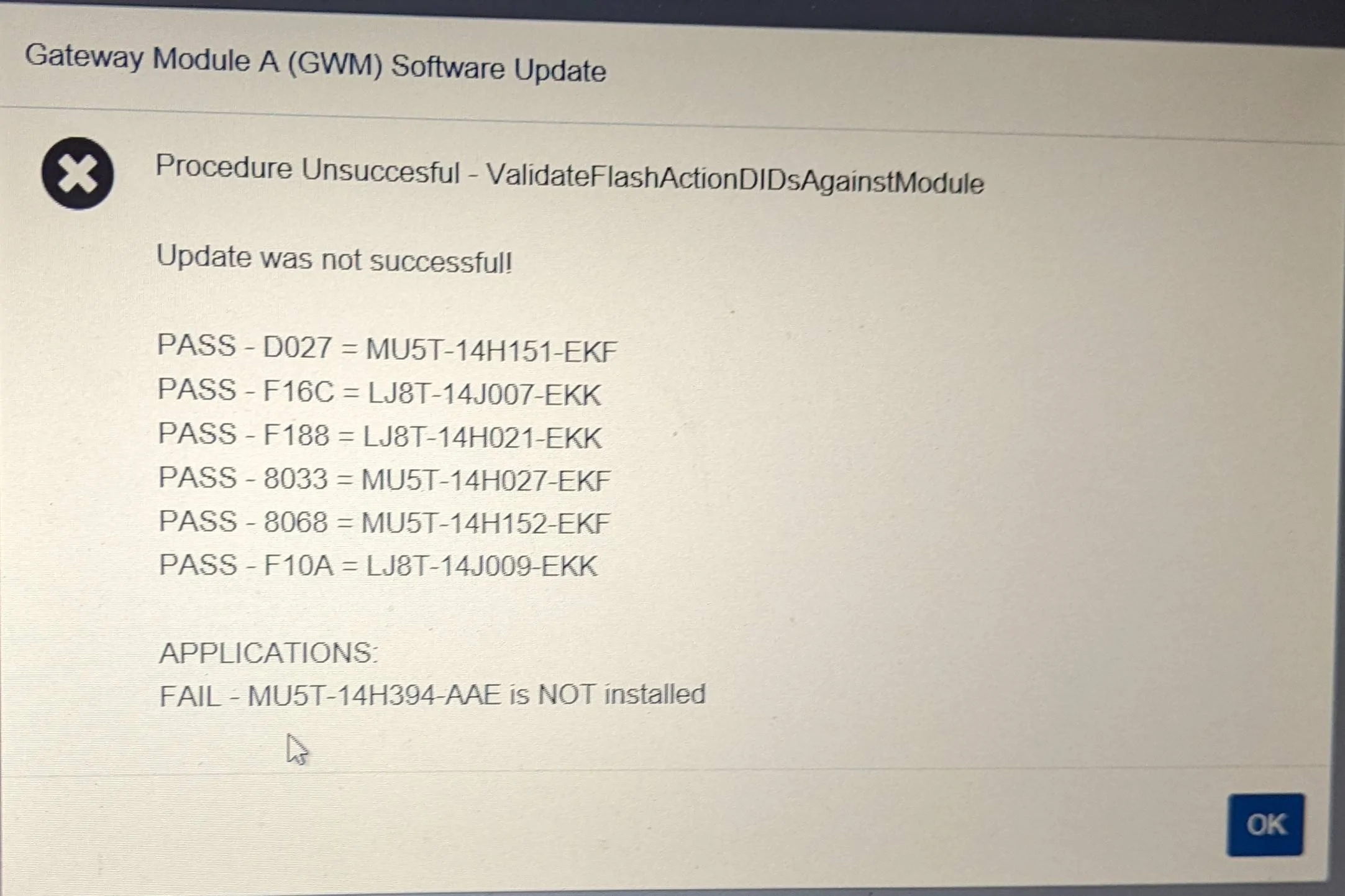
Well, I couldn't resist so I got a Mongoose, power supply, and FDRS license. I started following the 21G01 procedure, and finished the GWM program step all the way through (including exiting the car/power cycle, then turning back on with USB drive in place.) When I went to verify that it updated correctly, I got this error message:

Ford Mustang Mach-E The Complete DIY Guide to Updating Your Mach-E with FDRS PXL_20220408_000026746


I didn't have time to retry, so I closed out FDRS and drove around a bit (car seemed fine). I went back today to try and repeat the update and continue with the next steps, but now the GWM is in the list of updated modules and the update option is no longer on the master list??

I googled the (I think) firmware code -- those might be Bluecruise maps?
 

louibluey

Well-Known Member
First Name
Joe
Joined
Dec 21, 2020
Threads
60
Messages
888
Reaction score
1,127
Location
NY
Vehicles
FE "Louibluey" GB
Occupation
retired
Country flag
Sent, thanks!
Sometimes a single line in SW Updates turns into multiple modules being re-programmed. FDRS does that automatically, after telling you what events will follow.
Ford Mustang Mach-E The Complete DIY Guide to Updating Your Mach-E with FDRS Screen Shot 2022-04-08 at 7.21.44 PM
 

machefan

Well-Known Member
Joined
Jan 14, 2020
Threads
26
Messages
1,719
Reaction score
2,450
Location
NJ
Vehicles
RR FE 21', Leaf 18' and Bronco BadLands 2022
Occupation
IT
Country flag
Well, I couldn't resist so I got a Mongoose, power supply, and FDRS license. I started following the 21G01 procedure, and finished the GWM program step all the way through (including exiting the car/power cycle, then turning back on with USB drive in place.) When I went to verify that it updated correctly, I got this error message:

PXL_20220408_000026746.jpg


I didn't have time to retry, so I closed out FDRS and drove around a bit (car seemed fine). I went back today to try and repeat the update and continue with the next steps, but now the GWM is in the list of updated modules and the update option is no longer on the master list??

I googled the (I think) firmware code -- those might be Bluecruise maps?
I’m at the beginning of this step, will let you know my outcome.


walla2

Well-Known Member
First Name
David
Joined
May 1, 2021
Threads
7
Messages
149
Reaction score
273
Location
Walla Walla, WA
Vehicles
21 MME Prem ER AWD, 2017 Toyota Highlander
Occupation
Clergy
Country flag
Sometimes a single line in SW Updates turns into multiple modules being re-programmed. FDRS does that automatically, after telling you what events will follow.
Screen Shot 2022-04-08 at 7.21.44 PM.png
And for those watching/wondering, this is a Job 2 Premium ER AWD, built around 12/20/21, and delivered 2/5/22.
 

machefan

Well-Known Member
Joined
Jan 14, 2020
Threads
26
Messages
1,719
Reaction score
2,450
Location
NJ
Vehicles
RR FE 21', Leaf 18' and Bronco BadLands 2022
Occupation
IT
Country flag
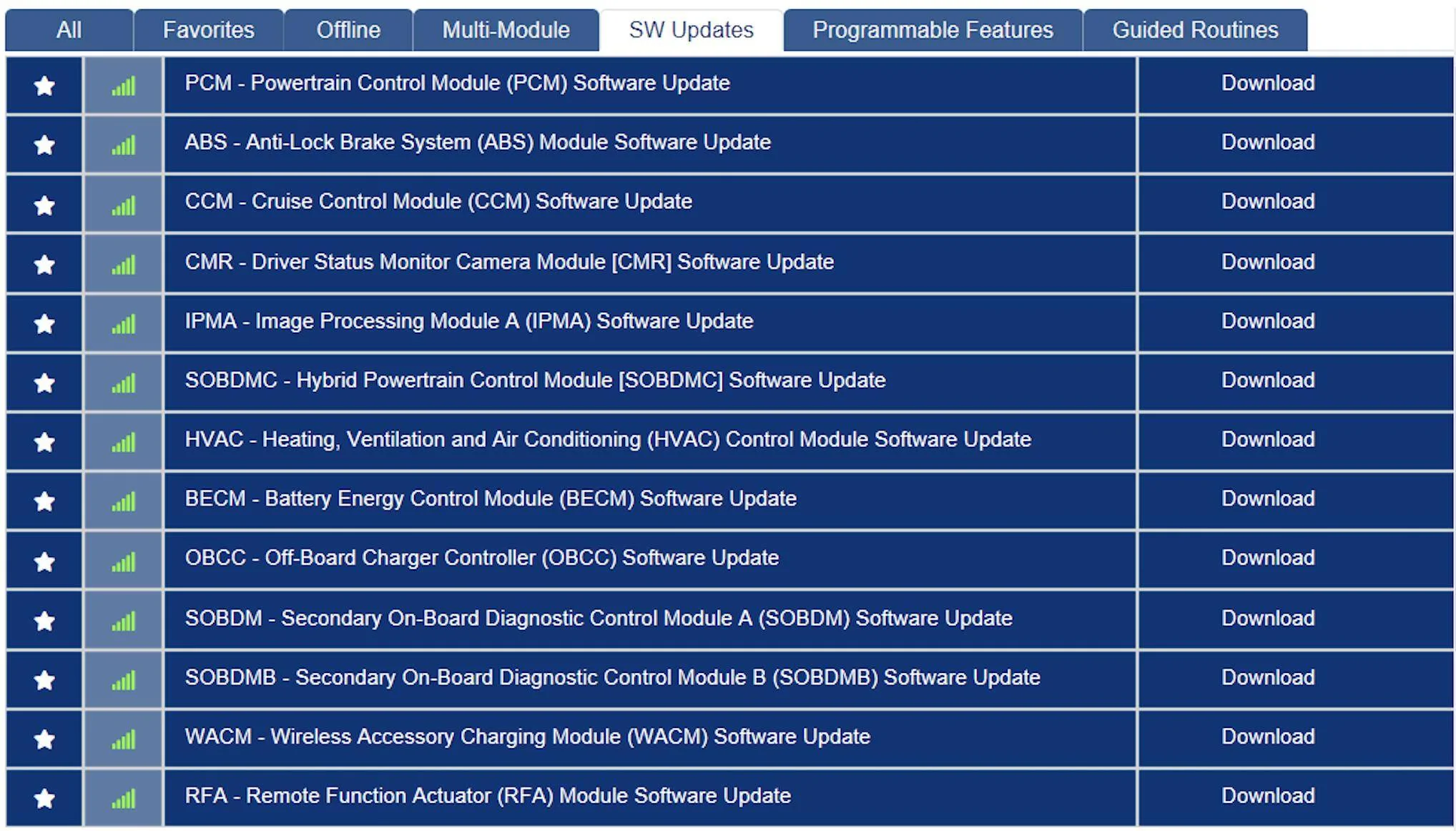
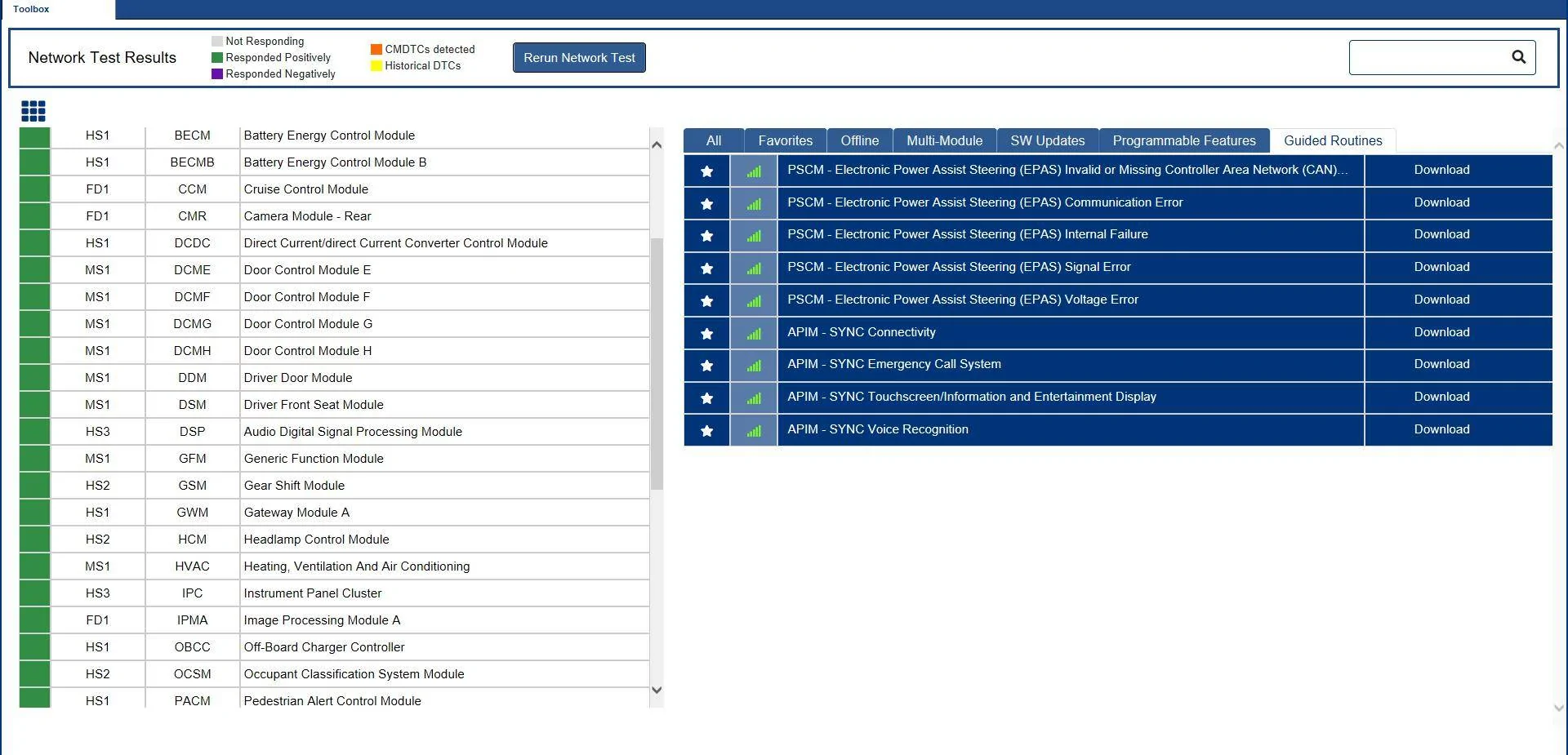
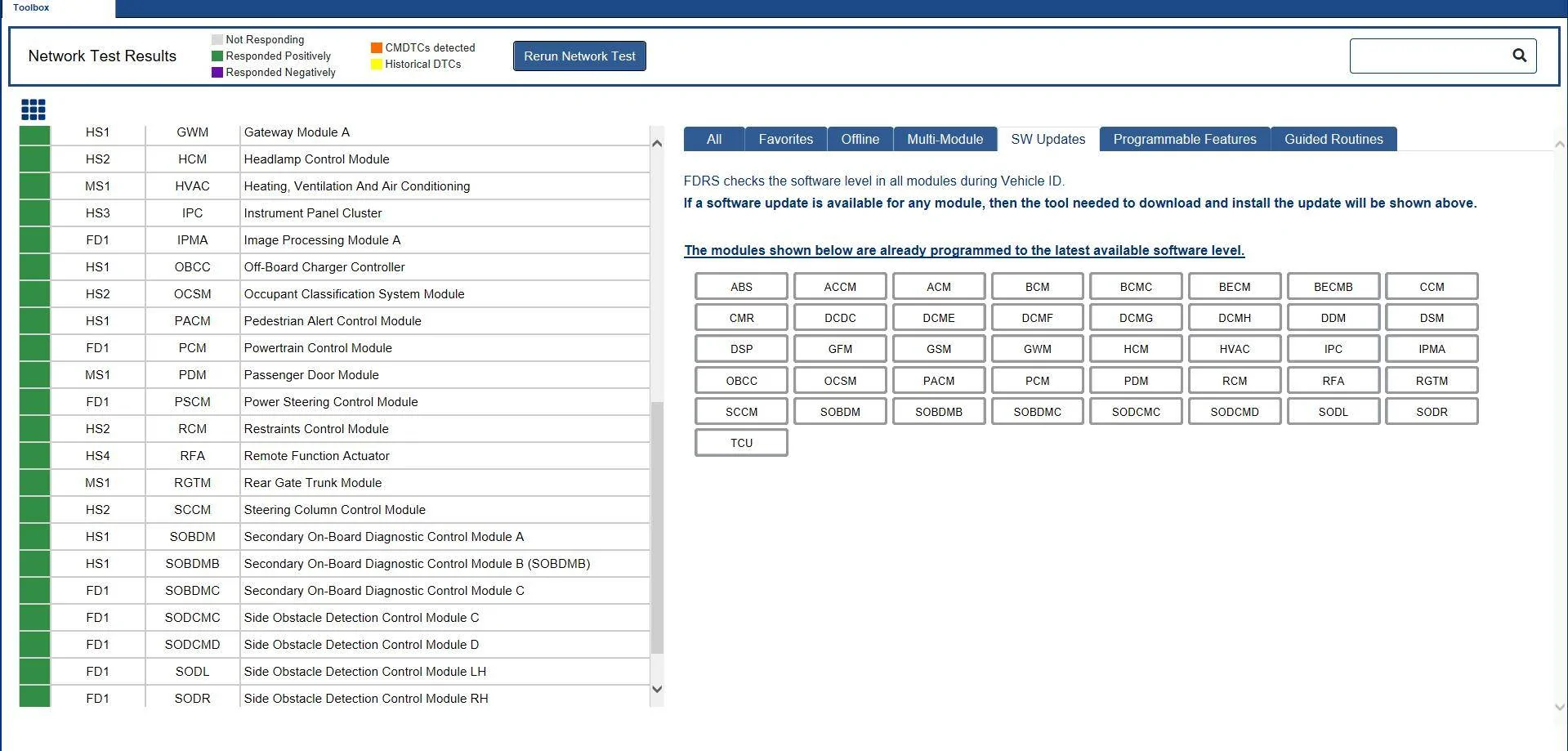
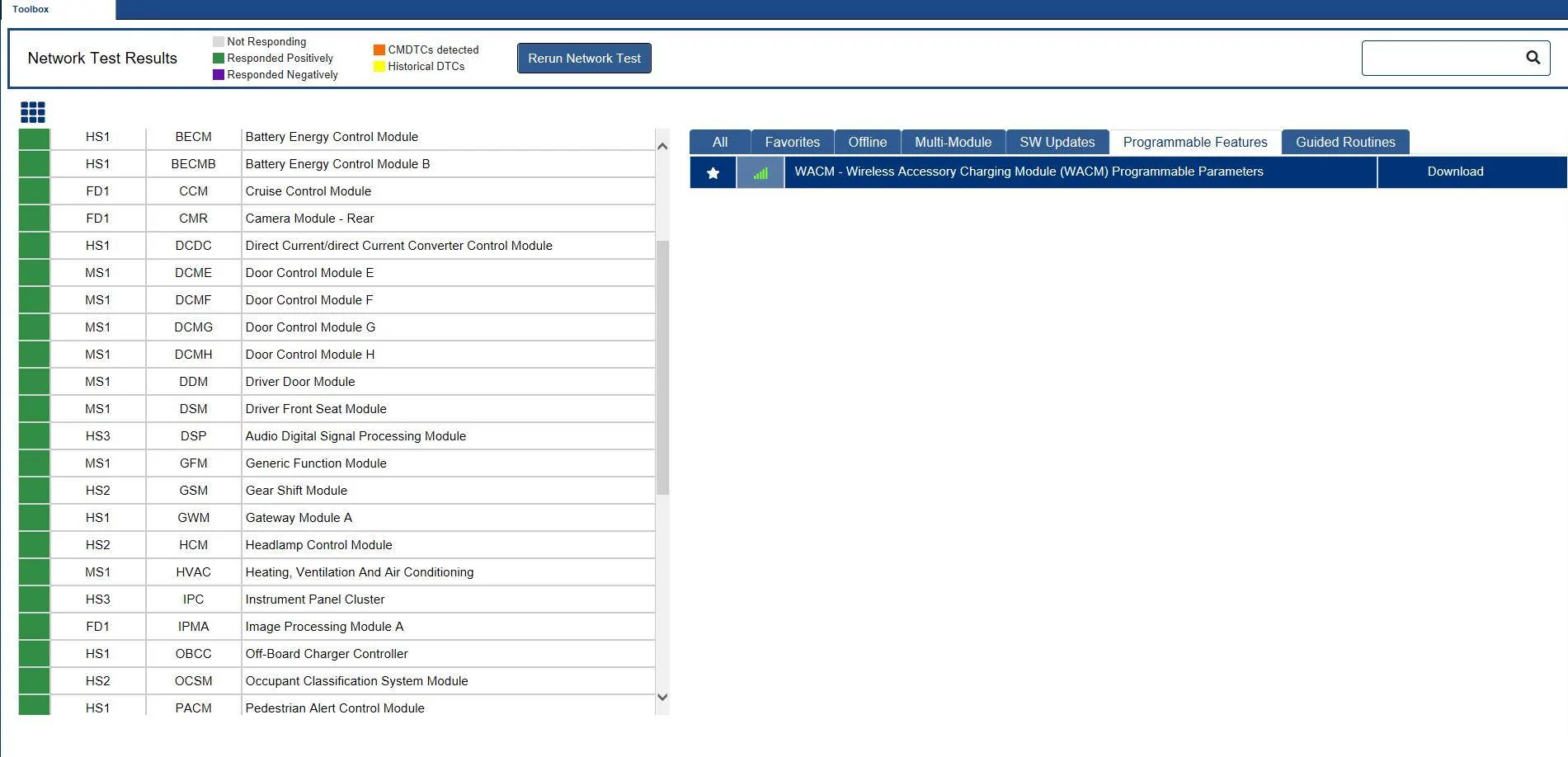
I finished all the SW updates (TAB), but I have a question. In the last tab labeled guided routines, should I be running those or are they for some other use?

How about the wireless one?

Thanks again to all who have contributed!

Thanks!

Ford Mustang Mach-E The Complete DIY Guide to Updating Your Mach-E with FDRS Screenshot 2022-04-09 082602


Ford Mustang Mach-E The Complete DIY Guide to Updating Your Mach-E with FDRS Screenshot 2022-04-09 082727


Ford Mustang Mach-E The Complete DIY Guide to Updating Your Mach-E with FDRS Screenshot 2022-04-09 082513
 
OP
OP
mpshizzle

mpshizzle

Well-Known Member
Joined
Mar 22, 2021
Threads
65
Messages
1,274
Reaction score
1,605
Location
Utah
Vehicles
Mustang Mach E 4X
Country flag
I finished all the SW updates (TAB), but I have a question. In the last tab labeled guided routines, should I be running those or are they for some other use?

How about the wireless one?

Thanks again to all who have contributed!

Thanks!

Screenshot 2022-04-09 082602.png


Screenshot 2022-04-09 082727.png


Screenshot 2022-04-09 082513.png
No, those are diagnostic/repair tools that are always present. Only the SW tab shows the stuff that's pertinent to your car specifically. The rest is general and always present
 

machefan

Well-Known Member
Joined
Jan 14, 2020
Threads
26
Messages
1,719
Reaction score
2,450
Location
NJ
Vehicles
RR FE 21', Leaf 18' and Bronco BadLands 2022
Occupation
IT
Country flag
That might be what @machefan is seeing. I've only ever used power supply mode, not charge mode.
When in power supply mode and it does appear to still be supplying power, however the LED screen which is displaying 13.4 goes off after a while. Was wondering if this is normal or does the LED stay on until you stop or turn the PS off?
 

machefan

Well-Known Member
Joined
Jan 14, 2020
Threads
26
Messages
1,719
Reaction score
2,450
Location
NJ
Vehicles
RR FE 21', Leaf 18' and Bronco BadLands 2022
Occupation
IT
Country flag
No, those are diagnostic/repair tools that are always present. Only the SW tab shows the stuff that's pertinent to your car specifically. The rest is general and always present
Prefect and thanks!

I had a feeling, so I figured it would be best to validate by asking.

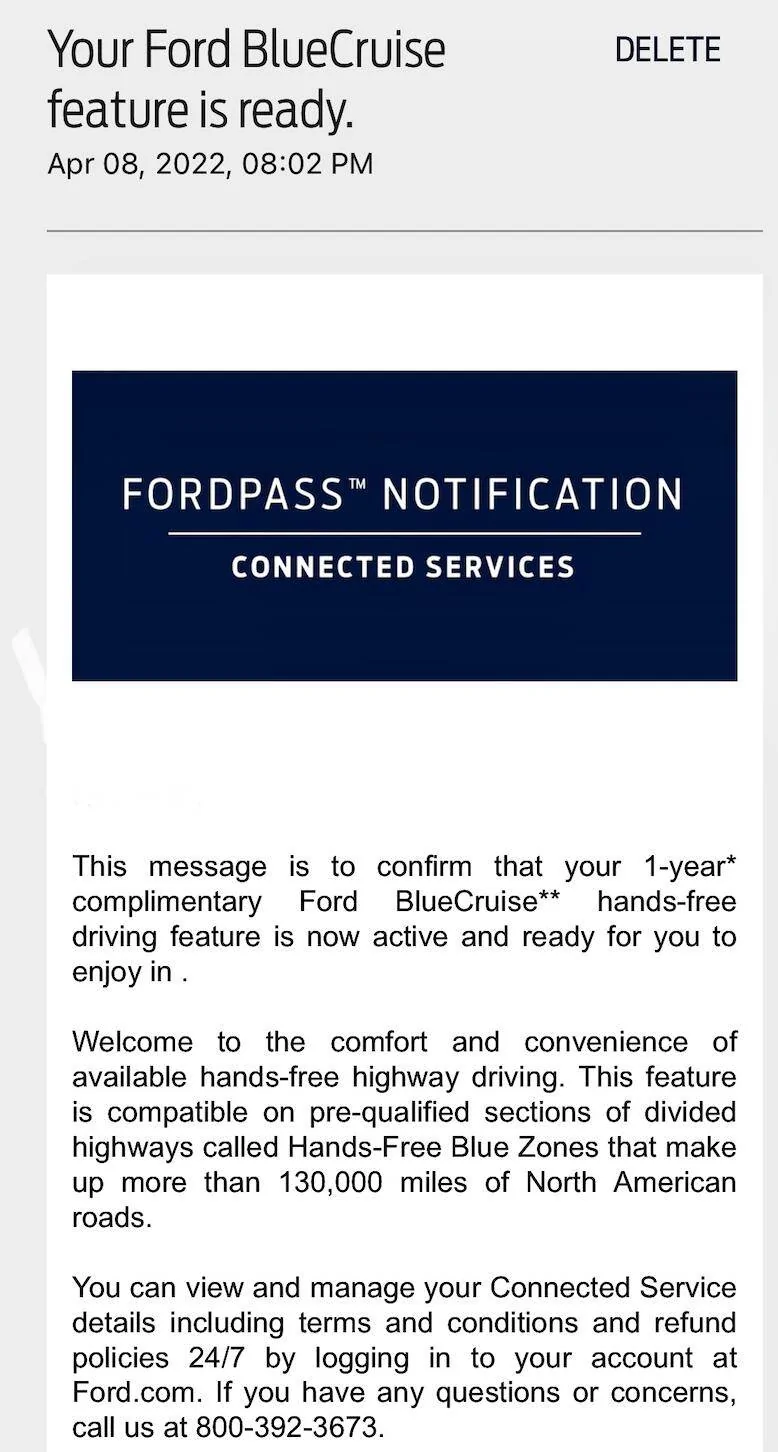
After all of the updates completed and a few hours passed I got the BC notice in Ford Pass. I consider this a positive step forward and goal achieved. Again thanks for creating this thread and providing valuable Information as well additional input.

It took me about 4-5 hours to get all of the updates done. The USB update process has two parts with the second half of it being the patience part. There are a few minutes of not really knowing that it's completing the second half of the update. When it first says to turn off and you start the MME back up it never tells you it's starting the second part. After a while it then says all done remove USB etc. Someone else pointed this out so I knew I had to just wait it out.

Ford Mustang Mach-E The Complete DIY Guide to Updating Your Mach-E with FDRS Screen Shot 2022-04-09 at 10.46.58 AM
 
Last edited:

generaltso

Well-Known Member
Joined
Jun 24, 2020
Threads
76
Messages
15,389
Reaction score
28,694
Location
Vermont
Vehicles
2024 Kia EV9 GT-Line
Country flag
When in power supply mode and it does appear to still be supplying power, however the LED screen which is displaying 13.4 goes off after a while. Was wondering if this is normal or does the LED stay on until you stop or turn the PS off?
Mine stays on the entire time it's in power supply mode. I've left it for 3 days.
 

benk016

Well-Known Member
First Name
Ben
Joined
Nov 12, 2020
Threads
38
Messages
3,265
Reaction score
5,093
Location
Tulsa, Oklahoma
Vehicles
2021 Mustang Mach-E GT
Country flag
Well, I couldn't resist so I got a Mongoose, power supply, and FDRS license. I started following the 21G01 procedure, and finished the GWM program step all the way through (including exiting the car/power cycle, then turning back on with USB drive in place.) When I went to verify that it updated correctly, I got this error message:

PXL_20220408_000026746.jpg


I didn't have time to retry, so I closed out FDRS and drove around a bit (car seemed fine). I went back today to try and repeat the update and continue with the next steps, but now the GWM is in the list of updated modules and the update option is no longer on the master list??

I googled the (I think) firmware code -- those might be Bluecruise maps?
I've had a few of the USB updates fail like this, and then clear off the list.


Did you actually get the update successful popup in the car before clicking next on FDRS? It seems to just be a timing thing, as when I've gotten the failure like this, doing another "network scan" then causes it to drop off the list because it detects that all the files did update correctly. Its just when it checks after the operation sometimes all the software levels aren't reporting back yet if the update isn't fully completed, but it will continue to finish up in the background and then the next check from FDRS clears it.
 

machefan

Well-Known Member
Joined
Jan 14, 2020
Threads
26
Messages
1,719
Reaction score
2,450
Location
NJ
Vehicles
RR FE 21', Leaf 18' and Bronco BadLands 2022
Occupation
IT
Country flag
I've had a few of the USB updates fail like this, and then clear off the list.


Did you actually get the update successful popup in the car before clicking next on FDRS? It seems to just be a timing thing, as when I've gotten the failure like this, doing another "network scan" then causes it to drop off the list because it detects that all the files did update correctly. Its just when it checks after the operation sometimes all the software levels aren't reporting back yet if the update isn't fully completed, but it will continue to finish up in the background and then the next check from FDRS clears it.
When I updated it passed.

Ford Mustang Mach-E The Complete DIY Guide to Updating Your Mach-E with FDRS Screen Shot 2022-04-09 at 12.30.31 PM
 

noway

Well-Known Member
Joined
Jun 3, 2021
Threads
7
Messages
300
Reaction score
288
Location
Norway
Vehicles
2021 Mach-E First Edition
Occupation
Software developer
Country flag
Well, I couldn't resist so I got a Mongoose, power supply, and FDRS license. I started following the 21G01 procedure, and finished the GWM program step all the way through (including exiting the car/power cycle, then turning back on with USB drive in place.) When I went to verify that it updated correctly, I got this error message:

PXL_20220408_000026746.jpg


I didn't have time to retry, so I closed out FDRS and drove around a bit (car seemed fine). I went back today to try and repeat the update and continue with the next steps, but now the GWM is in the list of updated modules and the update option is no longer on the master list??

I googled the (I think) firmware code -- those might be Bluecruise maps?
This applies to all the USB updates: There is a missing step in FDRS which is often written in the TSBs, but still is seen on the sync screen. For these updates to finish the module needs a reboot to actually run the code, and it will only do so when the car is locked. Also for the GWM module it seems to need some time to reboot some times before any connection can be made via the diagnostics connector.

This is so that these modules can be updated while the car is being used, they will apply after the car is completely shut off, which happens when doors are closed and car is locked and unlocked agan. So in each of those updates just leave the car, close the doors, lock it, leave it for a few minutes, then return and click the "YES" button, or restart the process.

For most of them the YES button only checks that the module is running the correct code, but the exception is one of the IPC updates where it has to write another software image via CAN after.

In most cases for the USB updates to apply this is the process:
1. Sync module will read the update files from the USB drive, somehow they end up via or on the GWM module.
2. GWM module will write to updates to a separate area on the module itself (those have A and B firmware, one is active, other is inactive)
3. After firmware is written the module will be set to boot on the other firmware area (A if B is running, B if A is running (I assume in this case , this is how other types of hardware (not cars) usually do A/B firmware))
4. After full lock and restart cycle the module starts with the new firmware, and will then verify itself if the update was successful.
5. Successful update will write a JSON file on the root of the USB drive which is basically a log of the applied update. This file is not used when updating through FDRS.
6. When clicking YES on the FDRS dialog, FDRS connects to the car and reads which versions are running on the module and updates the database as with the other updates. (Exception is IPC update where it will proceed now on another firmware write via CAN)

This process seems to be basically using the process SYNC3 was updated as a user/vehicle owner. User could go to ford.com and "sync updates", write the VIN and it would allow downloading new software/maps for the specific VIN, user would write it to a USB drive, plug it in and just let it run while using the car as normal. When it was finished it would write the JSON file, and user would go to ford.com again and upload that JSON file which would update the Ford database with what version was applied, which would complete the cycle without using diagnostics port or having ford connected to the vehicle in any way.
Sponsored


Top