generaltso

Well-Known Member
Joined
Jun 24, 2020
Threads
76
Messages
15,389
Reaction score
28,694
Location
Vermont
Vehicles
2024 Kia EV9 GT-Line
Country flag
For these updates to finish the module needs a reboot to actually run the code, and it will only do so when the car is locked.
That has not been my experience. The car does have to be turned off, door opened, door closed, car started. But I've never needed to lock it.
Sponsored


GrumblesTheDog

Well-Known Member
Joined
Aug 21, 2020
Threads
9
Messages
421
Reaction score
644
Location
Ohio
Vehicles
2021 Mustang Mach-E GB FE
Country flag
I've had a few of the USB updates fail like this, and then clear off the list.


Did you actually get the update successful popup in the car before clicking next on FDRS? It seems to just be a timing thing, as when I've gotten the failure like this, doing another "network scan" then causes it to drop off the list because it detects that all the files did update correctly. Its just when it checks after the operation sometimes all the software levels aren't reporting back yet if the update isn't fully completed, but it will continue to finish up in the background and then the next check from FDRS clears it.
Yes; I definitely waited after powering up the car again (with the USB drive still plugged in) and acknowledged the 'Update Successful' message on the main sync screen. Not gonna lie, that's a bit of a relief that you've had it happen to you too. I'll keep marching on, I guess.

I had a few more modules fail to drop off the list, for whatever reason, even though they successfully completed according to FDRS. If they don't go away the next time I scan the car, should I rerun them? This includes the IPMA (which took forever) but also the PSCM, even though the other two (camera monitoring and cruise control modules) which followed the IPMA dropped off the list.

ETA: rereading this thread, seems like the IPMA and PSCM have failed to drop off for a few people. My blue bubble during non-Bluecruise also disappeared...hopefully Bluecruise kicks in once I finish everything up
 
Last edited:

machefan

Well-Known Member
Joined
Jan 14, 2020
Threads
26
Messages
1,719
Reaction score
2,450
Location
NJ
Vehicles
RR FE 21', Leaf 18' and Bronco BadLands 2022
Occupation
IT
Country flag
Again thanks for the push folks, BC is alive and I owe it all to the people of the forum (this thread really).

Thank you!

Ford Mustang Mach-E The Complete DIY Guide to Updating Your Mach-E with FDRS Screen Shot 2022-04-11 at 7.49.30 AM
 

Mike G

Well-Known Member
First Name
Mike
Joined
Mar 27, 2022
Threads
25
Messages
6,449
Reaction score
5,289
Location
N. AL, USA
Vehicles
'23(J1) Mach-E GT-PE, '22 F-150 Lightning, '24 Bronco HLE 2Dr
Country flag
This applies to all the USB updates: There is a missing step in FDRS which is often written in the TSBs, but still is seen on the sync screen. For these updates to finish the module needs a reboot to actually run the code, and it will only do so when the car is locked. Also for the GWM module it seems to need some time to reboot some times before any connection can be made via the diagnostics connector.

This is so that these modules can be updated while the car is being used, they will apply after the car is completely shut off, which happens when doors are closed and car is locked and unlocked agan. So in each of those updates just leave the car, close the doors, lock it, leave it for a few minutes, then return and click the "YES" button, or restart the process.

For most of them the YES button only checks that the module is running the correct code, but the exception is one of the IPC updates where it has to write another software image via CAN after.

In most cases for the USB updates to apply this is the process:
1. Sync module will read the update files from the USB drive, somehow they end up via or on the GWM module.
2. GWM module will write to updates to a separate area on the module itself (those have A and B firmware, one is active, other is inactive)
3. After firmware is written the module will be set to boot on the other firmware area (A if B is running, B if A is running (I assume in this case , this is how other types of hardware (not cars) usually do A/B firmware))
4. After full lock and restart cycle the module starts with the new firmware, and will then verify itself if the update was successful.
5. Successful update will write a JSON file on the root of the USB drive which is basically a log of the applied update. This file is not used when updating through FDRS.
6. When clicking YES on the FDRS dialog, FDRS connects to the car and reads which versions are running on the module and updates the database as with the other updates. (Exception is IPC update where it will proceed now on another firmware write via CAN)
Great post and agree with all but would like to add that you need to take your key with you so it's not sensed by the vehicle and just wait about 15 minutes until the vehicle goes 'dormant' (on the F-150 forum they say to peek into the back to see if the blue halo lighting around the USB ports has gone off as a clue it's asleep). But you get the idea. I never did lock my vehicles when doing the updates, just closed the door and took the key out of range for about 15 minutes.

Mike
 

nmundo

Member
Joined
Jun 17, 2021
Threads
0
Messages
18
Reaction score
5
Location
Charlotte, NC
Vehicles
2021 Infinite Blue Premium ER RWD MME
Country flag
Clear some cache maybe if it fails before connecting? The files are downloaded to C:\ProgramData\Ford Motor Company\FDRS\fdrs\data\vehicle_software\ .. try to move those files away at least and let it re-download. (they can be valuable later in case you need to try with Forscan, so don't delete them, just move them away). There is a redownload button inside FDRS, but I don't think it removes the actual firmware files, just the "application" which downloads them.

It could also be that it is not necessary to run the repair utility, it might already have finished whatever is required to proceed with normal updates?
Quick update: After failing to run the module update repair I tried giving the APIM update I had available a go and it went through this time. As did the IPC after which a GWM update popped up and it just kept going through a process where I'd install one and another update would show up. Installed all the way through up until nothing was available on Thursday night that still didn't get me all the way up to date. I'm on SYNC Version: 21281_PRODUCT Revision: 244 now and have the newer IPC changes but still don't have lane centering, though it does let me 'turn it on' in settings again, just doesn't do anything. I'm assuming it takes the FDRS servers some time to realize what version is running on the car and what should be pushed out for it. I left on Friday for a 6hr drive to the mountains so didn't get a chance to get back on here. Trip was brutal after growing used to lane centering for the past year lol.

Haven't gotten any OTA deployments yet so not certain the bug fix actually worked yet but at least USB updates are working so that's progress. Anyone with current FDRS access mind checking my VIN to see if anything new has popped up since I had a chance to check Thursday? VIN: 3FMTK3R7XMMA09585


GrumblesTheDog

Well-Known Member
Joined
Aug 21, 2020
Threads
9
Messages
421
Reaction score
644
Location
Ohio
Vehicles
2021 Mustang Mach-E GB FE
Country flag
Son of a bitch

My laptop crashed doing the IPC update. Goddammit. I got through the USB update completely (thank God) but it shat the bed during configuration. I reconnected, and used the 'IPC configuration' option on the main menu since I assumed that's where it failed? That completed, then I key-cycled on and off a few times. Initially it wouldn't let me switch to 'Whisper' but that seems to have resolved, and after clearing DTCs and retesting, I'm all green.

Did I dodge a major bullet??? Or should I revert to as built, then update again?
 

connoisseurr

Well-Known Member
First Name
Connor
Joined
Sep 29, 2021
Threads
35
Messages
1,394
Reaction score
1,624
Location
Northern VA
Vehicles
22 Rivian R1T, 23 Tesla MYP
Occupation
IT Engineering
Country flag
Son of a bitch

My laptop crashed doing the IPC update. Goddammit. I got through the USB update completely (thank God) but it shat the bed during configuration. I reconnected, and used the 'IPC configuration' option on the main menu since I assumed that's where it failed? That completed, then I key-cycled on and off a few times. Initially it wouldn't let me switch to 'Whisper' but that seems to have resolved, and after clearing DTCs and retesting, I'm all green.

Did I dodge a major bullet??? Or should I revert to as built, then update again?
I'd revert to as-built, power cycle the car, open FDRS and run a network test and ensure everything is nominal. From there, try the update again.

I highly recommend using a laptop dedicated for auto work. I have a spare 13" HP laptop that's running Windows 11 Pro N, and only has updates, Forscan, FDRS and all required software to run. No other BS on there to allow Windows to take a dump.
 

GrumblesTheDog

Well-Known Member
Joined
Aug 21, 2020
Threads
9
Messages
421
Reaction score
644
Location
Ohio
Vehicles
2021 Mustang Mach-E GB FE
Country flag
I'd revert to as-built, power cycle the car, open FDRS and run a network test and ensure everything is nominal. From there, try the update again.

I highly recommend using a laptop dedicated for auto work. I have a spare 13" HP laptop that's running Windows 11 Pro N, and only has updates, Forscan, FDRS and all required software to run. No other BS on there to allow Windows to take a dump.
Just since this shook me a little:
I downloaded the 'as built' config from motorcraftservice for my VIN. Now do I run 'IPC PMI' or just 'IPC config'? I am finally all green on network test and the IPC looks correct...I feel like I should be careful to not fuck anything up again.
 

smartino

Well-Known Member
First Name
Steve
Joined
Feb 11, 2021
Threads
3
Messages
229
Reaction score
283
Location
Indiana
Vehicles
2021 RR Mach E First Edition, 2017 Honda Ridgeline
Occupation
Retired
Country flag
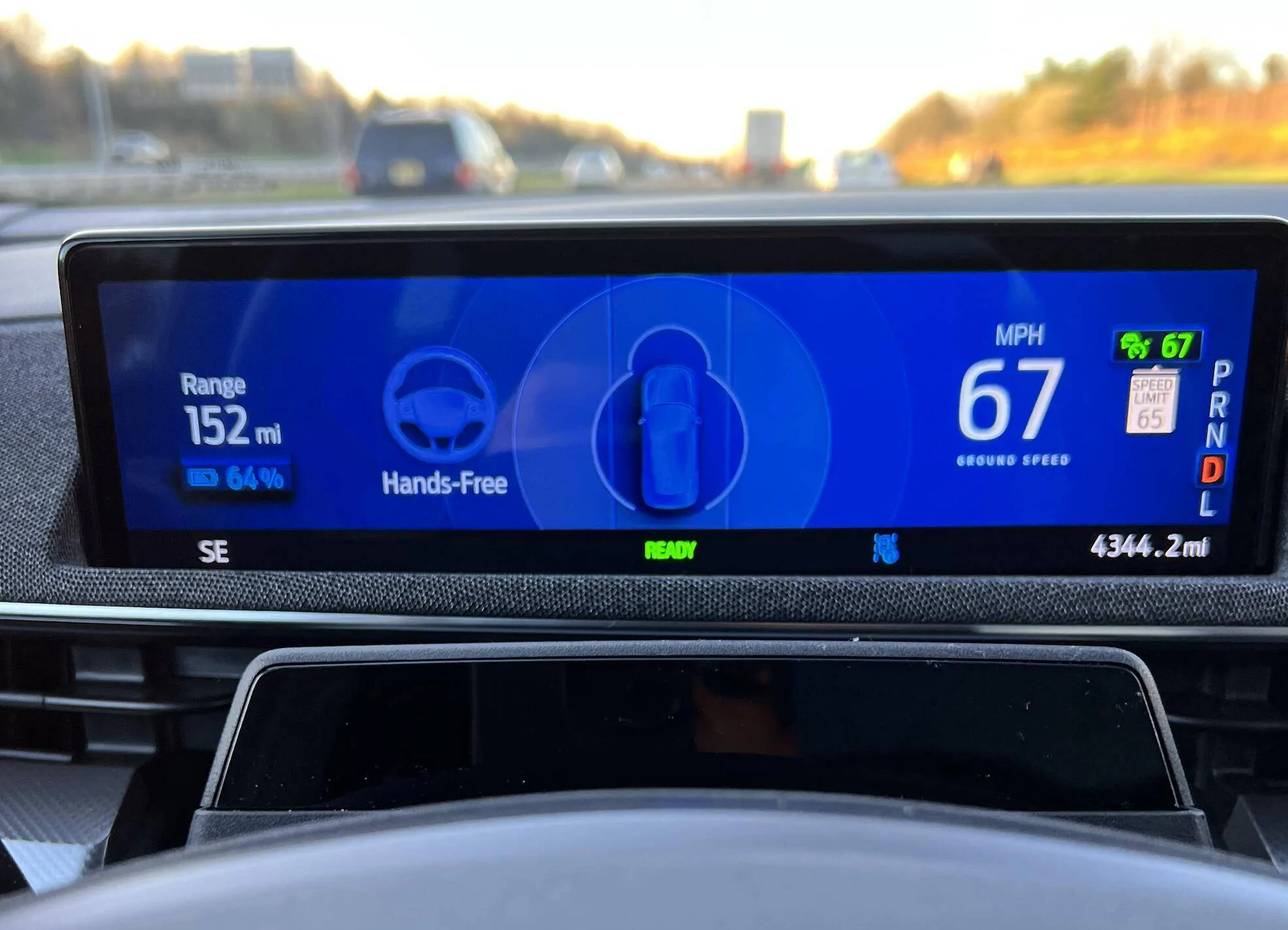
I received OTA 2.5.3 yesterday and I now have full Blue Cruise capability. Went on a 75 mile round trip today, the vast majority on interstate and Blue Cruise worked really well. I was very impressed. I owned a Tesla prior to the MME and I think it definitely works as well as Tesla’s FSD on interstates. It will be nice when lance change capability is added to BC.

I would like to ask if someone who has a current FDRS license could run my VIN as I’m curious what module updates are now showing for my car. VIN is 3FMTK3SU2MMA02680. TIA.
 

louibluey

Well-Known Member
First Name
Joe
Joined
Dec 21, 2020
Threads
60
Messages
888
Reaction score
1,127
Location
NY
Vehicles
FE "Louibluey" GB
Occupation
retired
Country flag
I received OTA 2.5.3 yesterday and I now have full Blue Cruise capability. Went on a 75 mile round trip today, the vast majority on interstate and Blue Cruise worked really well. I was very impressed. I owned a Tesla prior to the MME and I think it definitely works as well as Tesla’s FSD on interstates. It will be nice when lance change capability is added to BC.

I would like to ask if someone who has a current FDRS license could run my VIN as I’m curious what module updates are now showing for my car. VIN is 3FMTK3SU2MMA02680. TIA.
I sent several pages by DM converstation, double check the VIN in the lower left to be sure I typed it in correctly
Here are your FDRS available updates:
Ford Mustang Mach-E The Complete DIY Guide to Updating Your Mach-E with FDRS Screen Shot 2022-04-12 at 6.47.09 PM
 

SashaLondon

Well-Known Member
First Name
Sasha
Joined
Sep 11, 2020
Threads
32
Messages
1,393
Reaction score
1,500
Location
London
Vehicles
MME AWD SR
Country flag
Will the updates/FDRS work on a mac running parallels (my Macbook pro is an M1 and cannot bootload)?
 

bshaw

Well-Known Member
Joined
May 18, 2020
Threads
14
Messages
1,562
Reaction score
2,181
Location
Boston, MA
Vehicles
2021 Mustang Mach E 4X (Job 1)
Country flag
Will the updates/FDRS work on a mac running parallels (my Macbook pro is an M1 and cannot bootload)?
I ran boot camp on an intel mac, no problems with FDRS. I saw that others posted that a VM would not work for FDRS, probably because this would be an easy way to defeat the licensing model, or possibly the USB device drivers didn’t detect the cable .
I don’t know what emulation games parallels has to do to make an M1 mac look like an intel chipset to windows, but you may run into the same outcome as why a virtual machine doesn’t work. Given all the other costs involved in getting FDRS up and running, you should just get a native windows install going.
 

KevinS

Well-Known Member
Joined
Oct 11, 2021
Threads
34
Messages
1,515
Reaction score
2,831
Location
Maryland
Vehicles
2021 Mach-E (sold), 2023 Ioniq 6 SEL
Country flag
I don’t know what emulation games parallels has to do to make an M1 mac look like an intel chipset to windows, but you may run into the same outcome as why a virtual machine doesn’t work. Given all the other costs involved in getting FDRS up and running, you should just get a native windows install going.
I agree. I purchased a refurb Windows laptop specifically for doing FDRS work and it has worked out well.


Top