OP
OP

MachDoc

Well-Known Member
Joined
Apr 4, 2021
Threads
3
Messages
61
Reaction score
103
Location
New Jersey
Vehicles
2021 Premium Grey, 2023 GT Vapor Blue
Country flag
@MachDoc & @.Eduardo
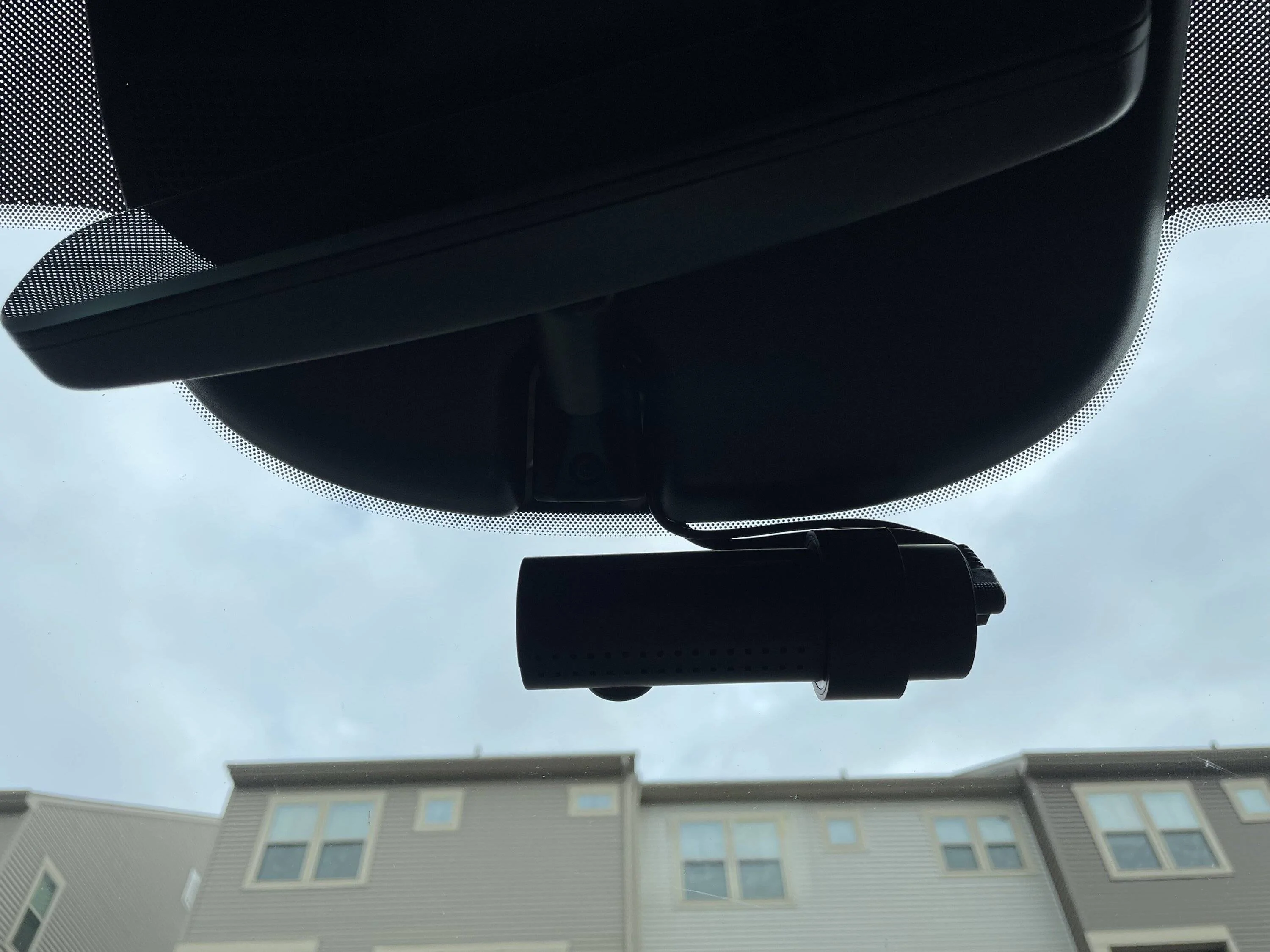
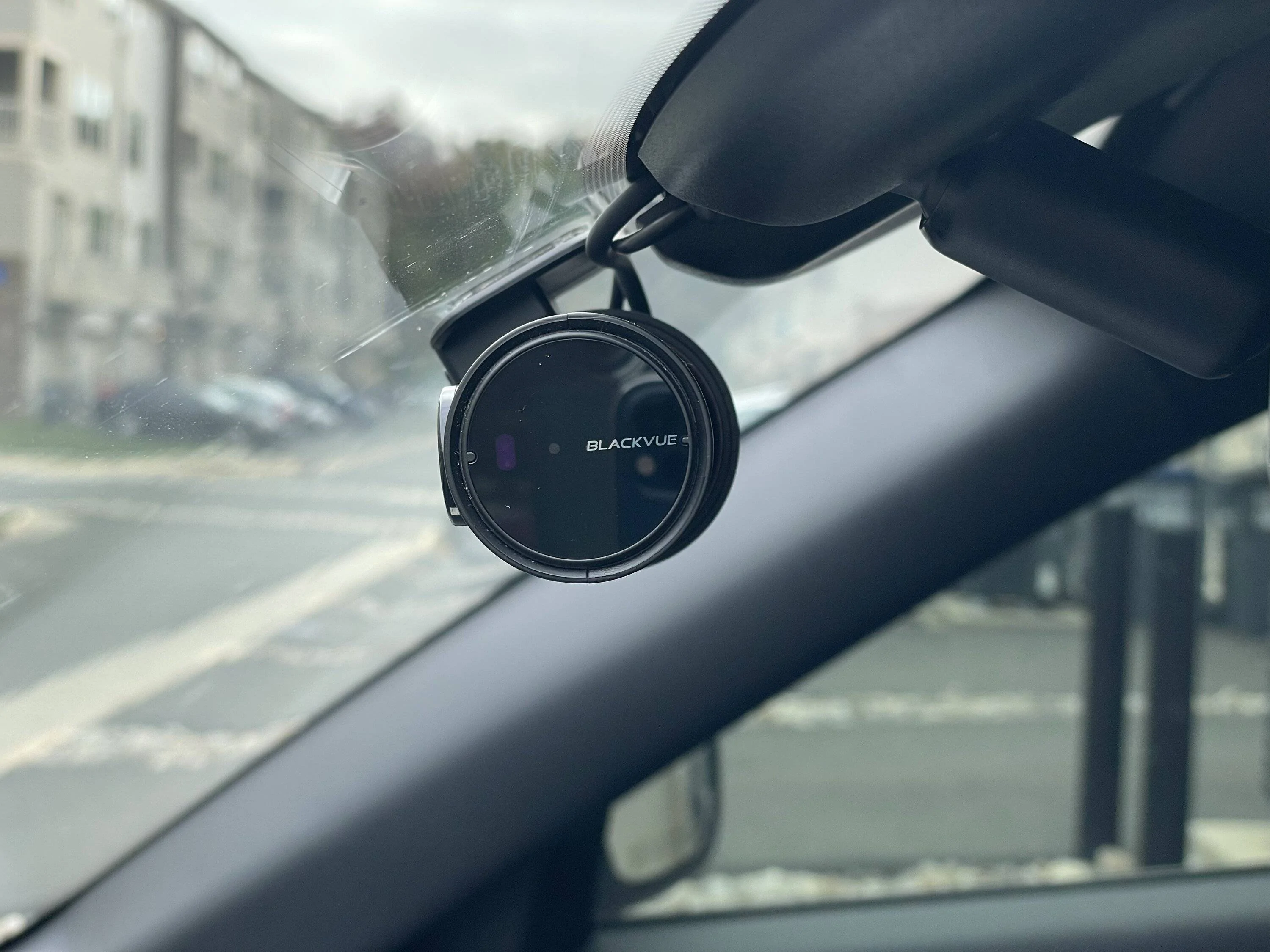
I got same Dashcam DR900X-2CH Plus, and placed it I guess at same position like you but I face the issue that I have no GPS signal there. Must be some interference. As soon as I take the cam of the holder and let it bounce on the cables (under the reverse mirror) the GPS signal is there (blue light on dashcam).

Did you have similar behavior?
I also have intermittent GPS signal. I have had the same problem with my last 2 cars (Tesla and BMW) and have just come to accept it.
Sponsored


P65

Well-Known Member
Joined
Mar 15, 2022
Threads
1
Messages
51
Reaction score
77
Location
Switzerland
Vehicles
2022 Mach E Ice White Ed AWD ER premium
Country flag
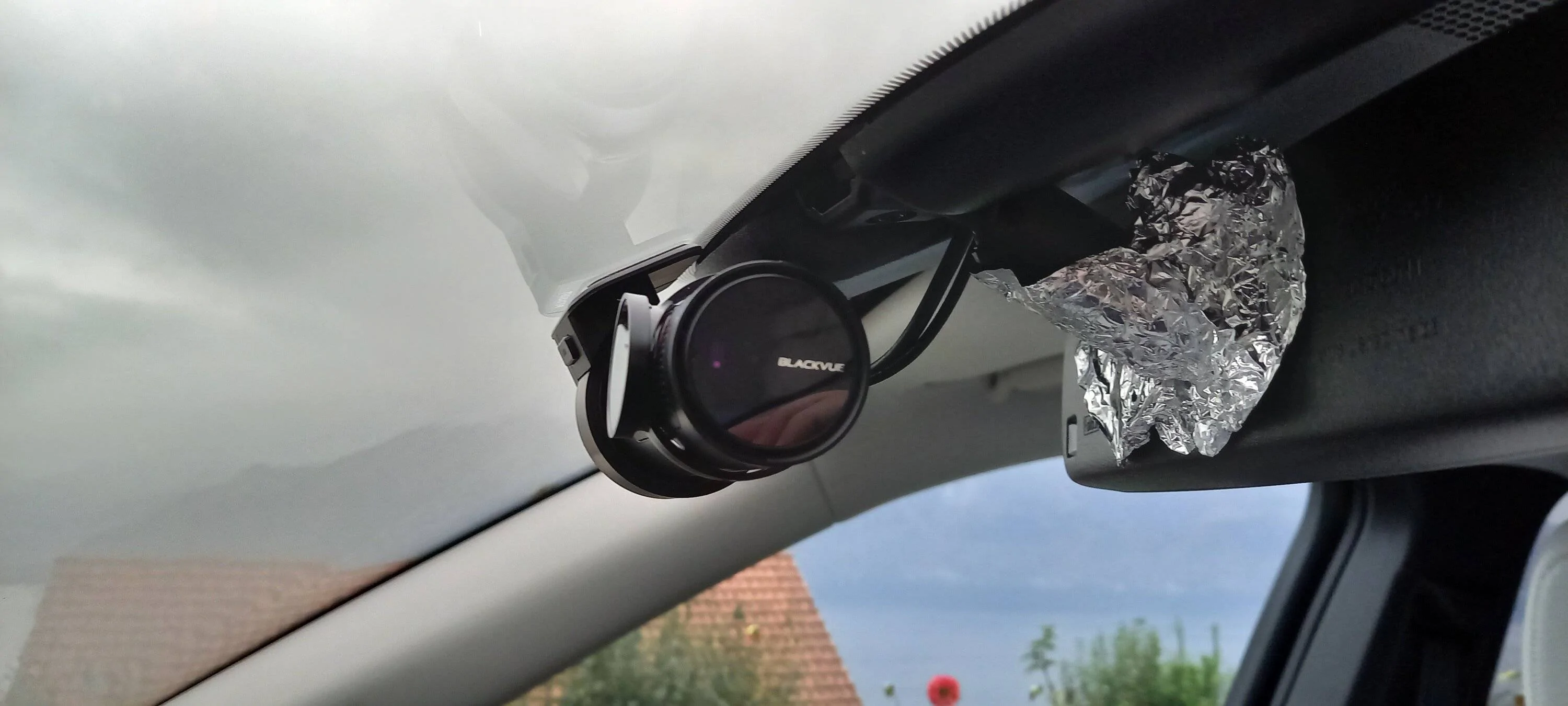
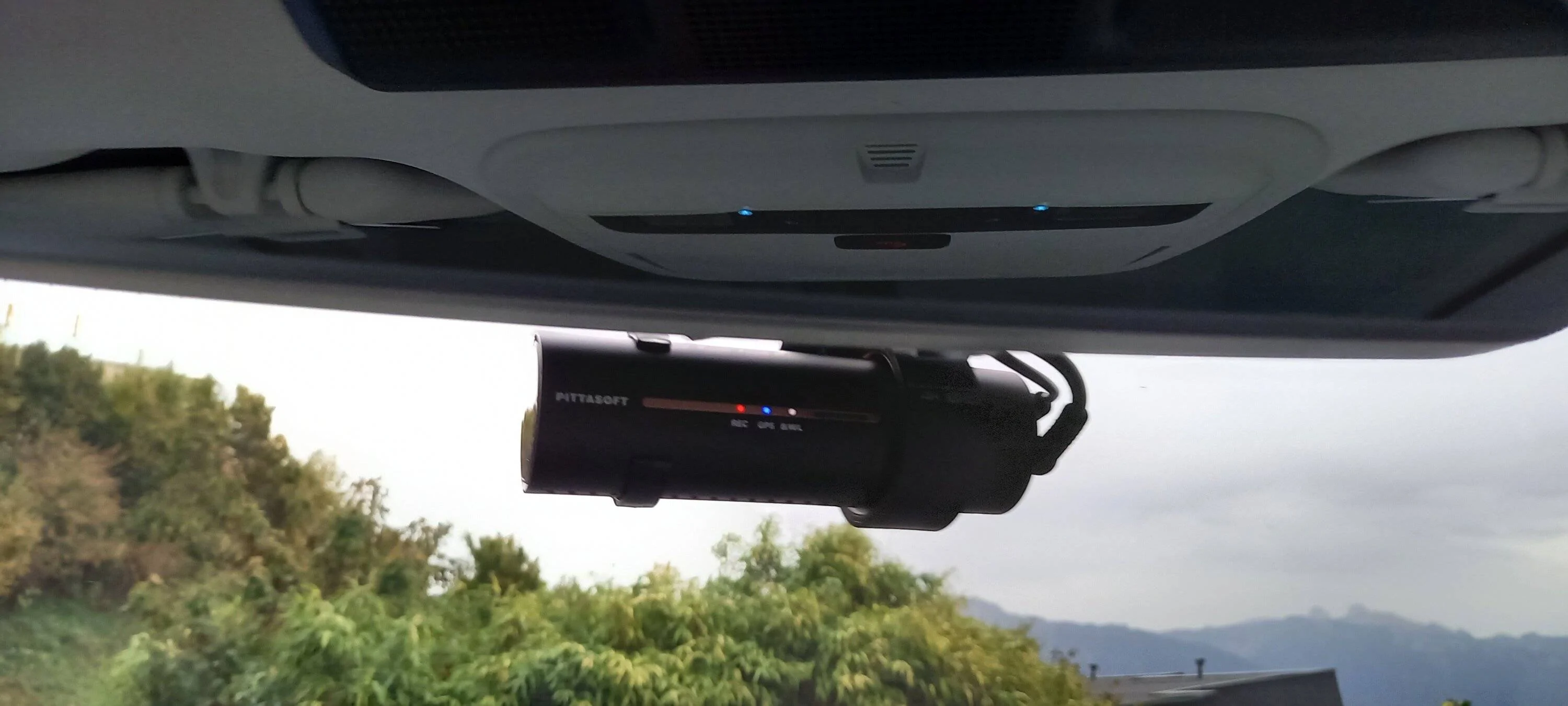
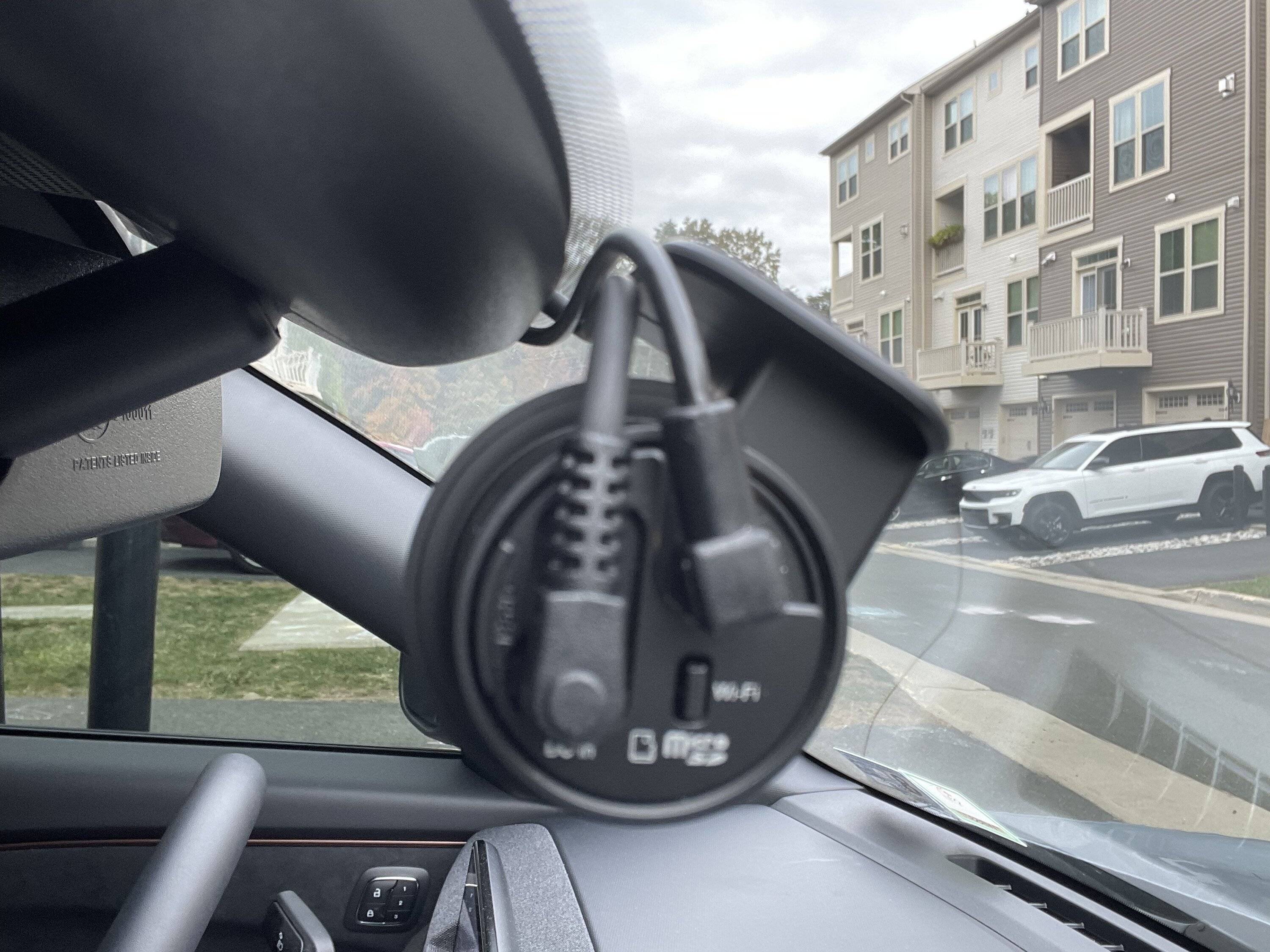
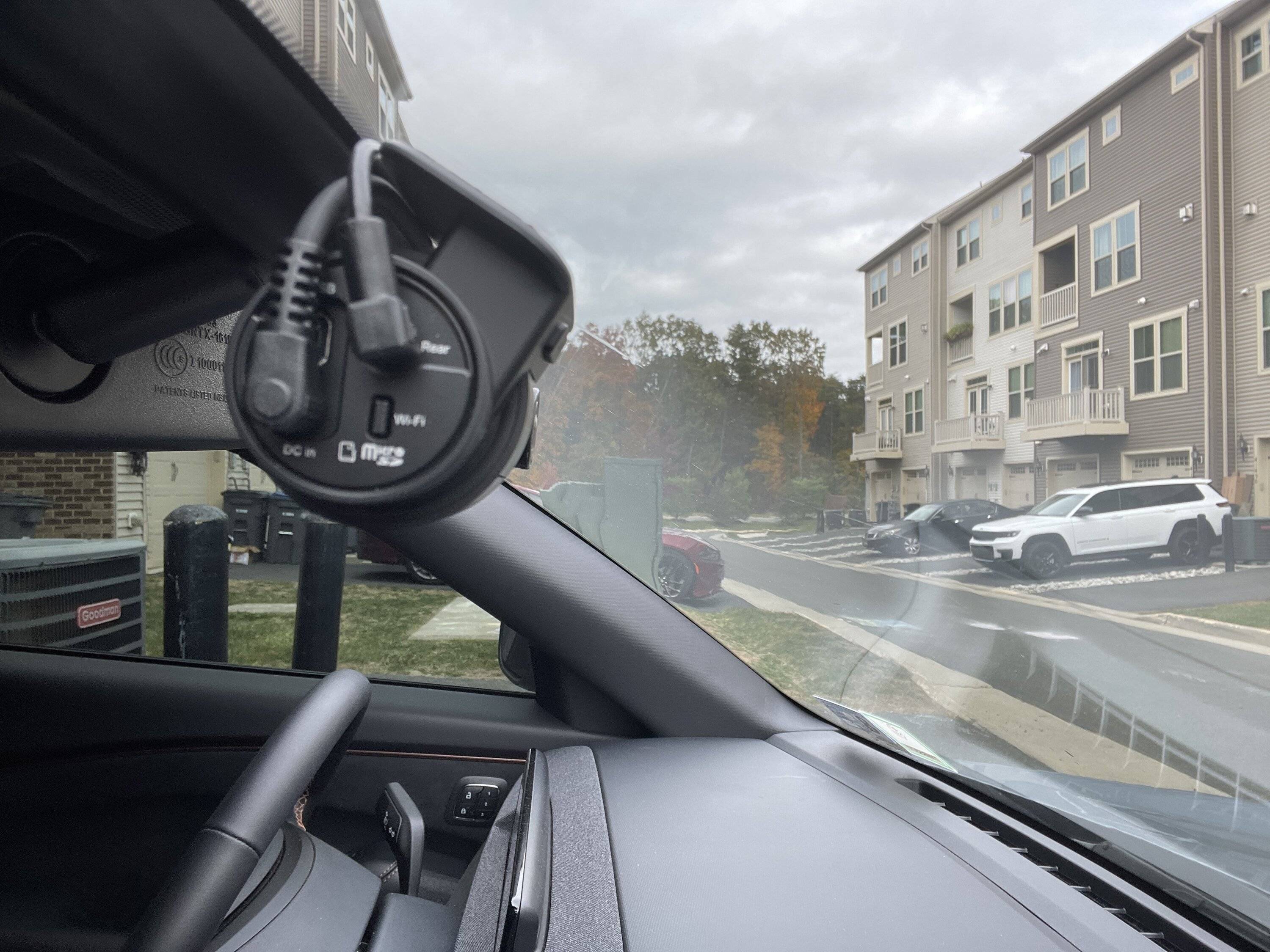
Did some trials with alu foil on the interior mirror holder. Not so nice, but it works for the GPS signal.

Did not move the dashcam.

Ford Mustang Mach-E DIY Tutorial for Hardwiring a Dashcam and Radar Detector 20221023_174402
Ford Mustang Mach-E DIY Tutorial for Hardwiring a Dashcam and Radar Detector 20221023_174419
 

Nygman

Well-Known Member
Joined
Sep 15, 2022
Threads
18
Messages
247
Reaction score
208
Location
New York
Vehicles
2025 Ford Mustang MachE GT Performance Upgrade
Occupation
Tax
Country flag
Just a thought, I would like a good quality rear camera, and everyone I've seen seems to have less resolution in the back than it is in the front. Has anyone tried to install a front mounted dash cam in the rear? Along with one in the front?
 

.Eduardo

Active Member
First Name
Eduardo
Joined
Mar 19, 2022
Threads
4
Messages
41
Reaction score
18
Location
Virginia US
Vehicles
2022 Mustang Mach-e GT, Mustang GT Petty Edition
Occupation
IT
Country flag
Just a thought, I would like a good quality rear camera, and everyone I've seen seems to have less resolution in the back than it is in the front. Has anyone tried to install a front mounted dash cam in the rear? Along with one in the front?
You can certainly do that but you will need video editing skills when it comes to syncing both camera videos front and rear in case you want to present both. Not hard to do. I have done it in my other car with a set of 3 dual cameras.
 

.Eduardo

Active Member
First Name
Eduardo
Joined
Mar 19, 2022
Threads
4
Messages
41
Reaction score
18
Location
Virginia US
Vehicles
2022 Mustang Mach-e GT, Mustang GT Petty Edition
Occupation
IT
Country flag
Did some trials with alu foil on the interior mirror holder. Not so nice, but it works for the GPS signal.

Did not move the dashcam.

20221023_174402.jpg
20221023_174419.jpg
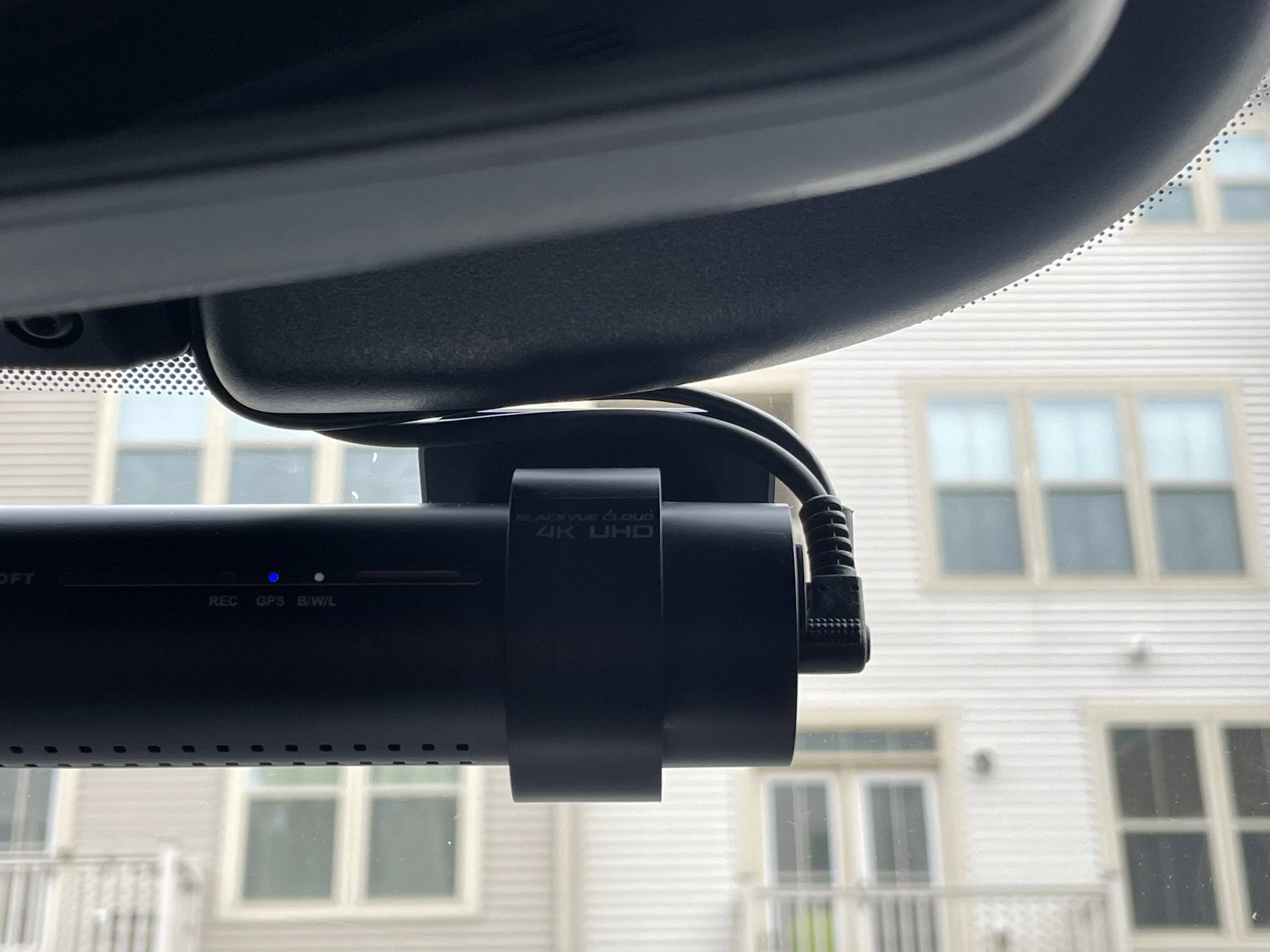
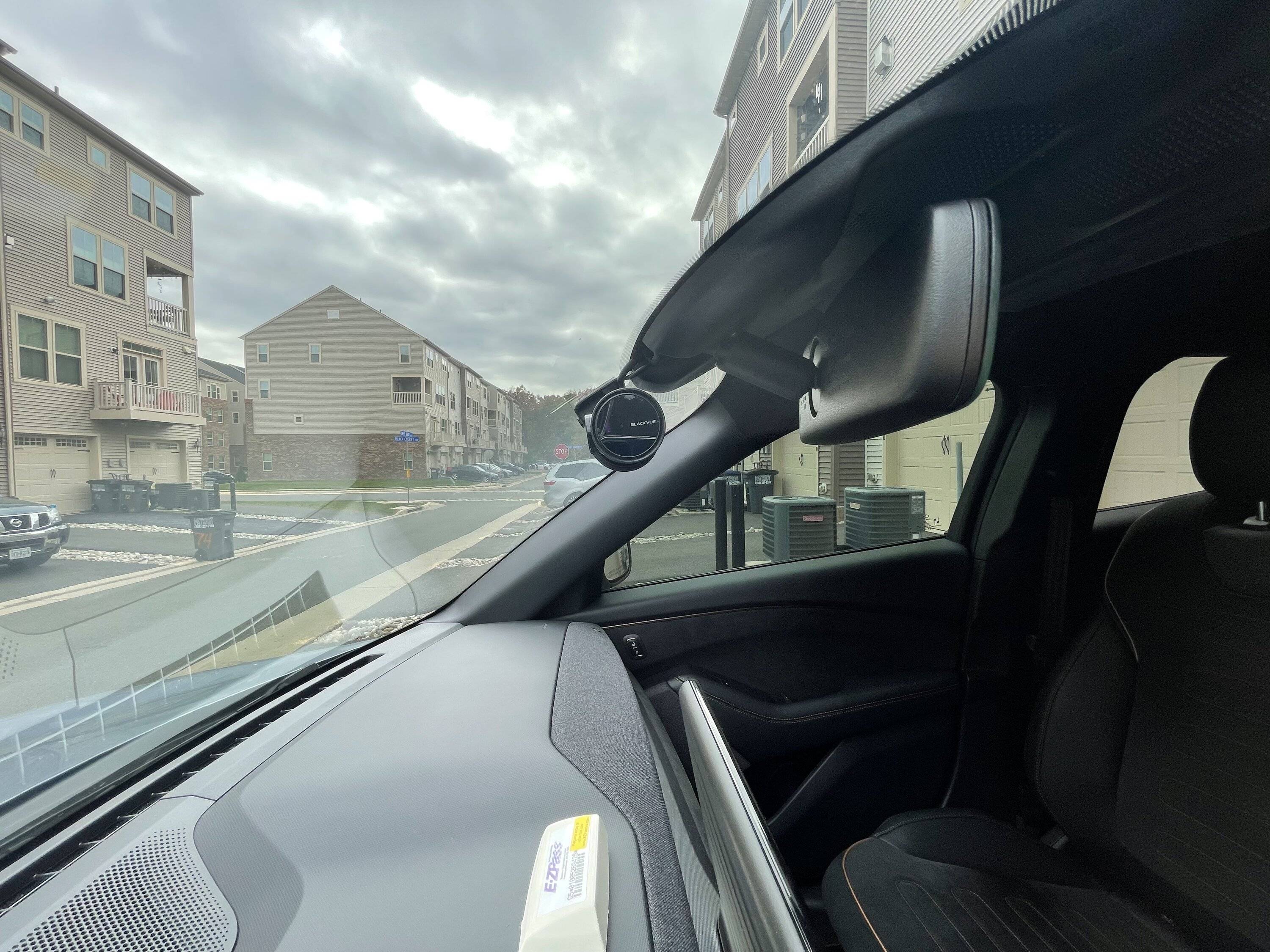
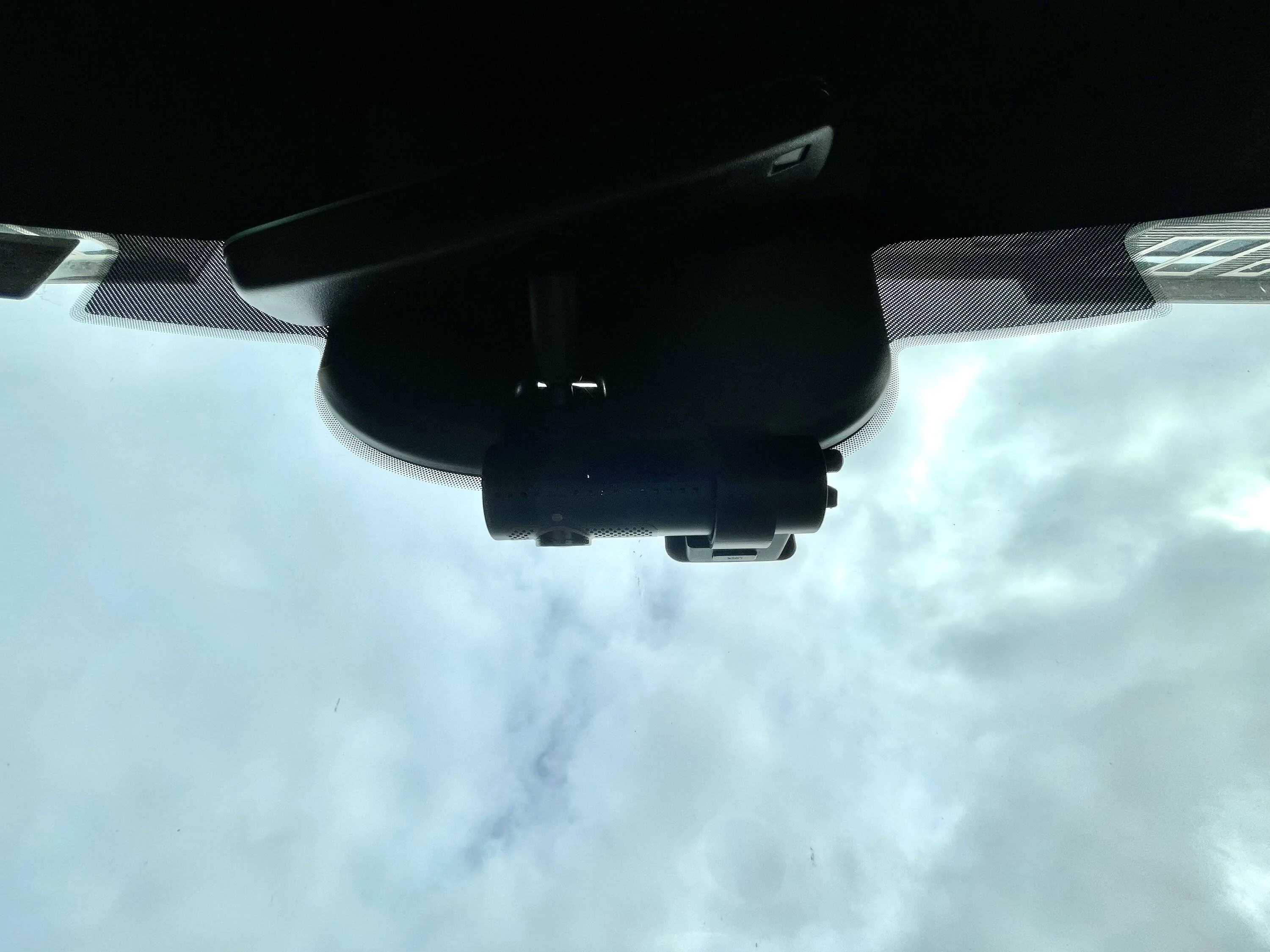
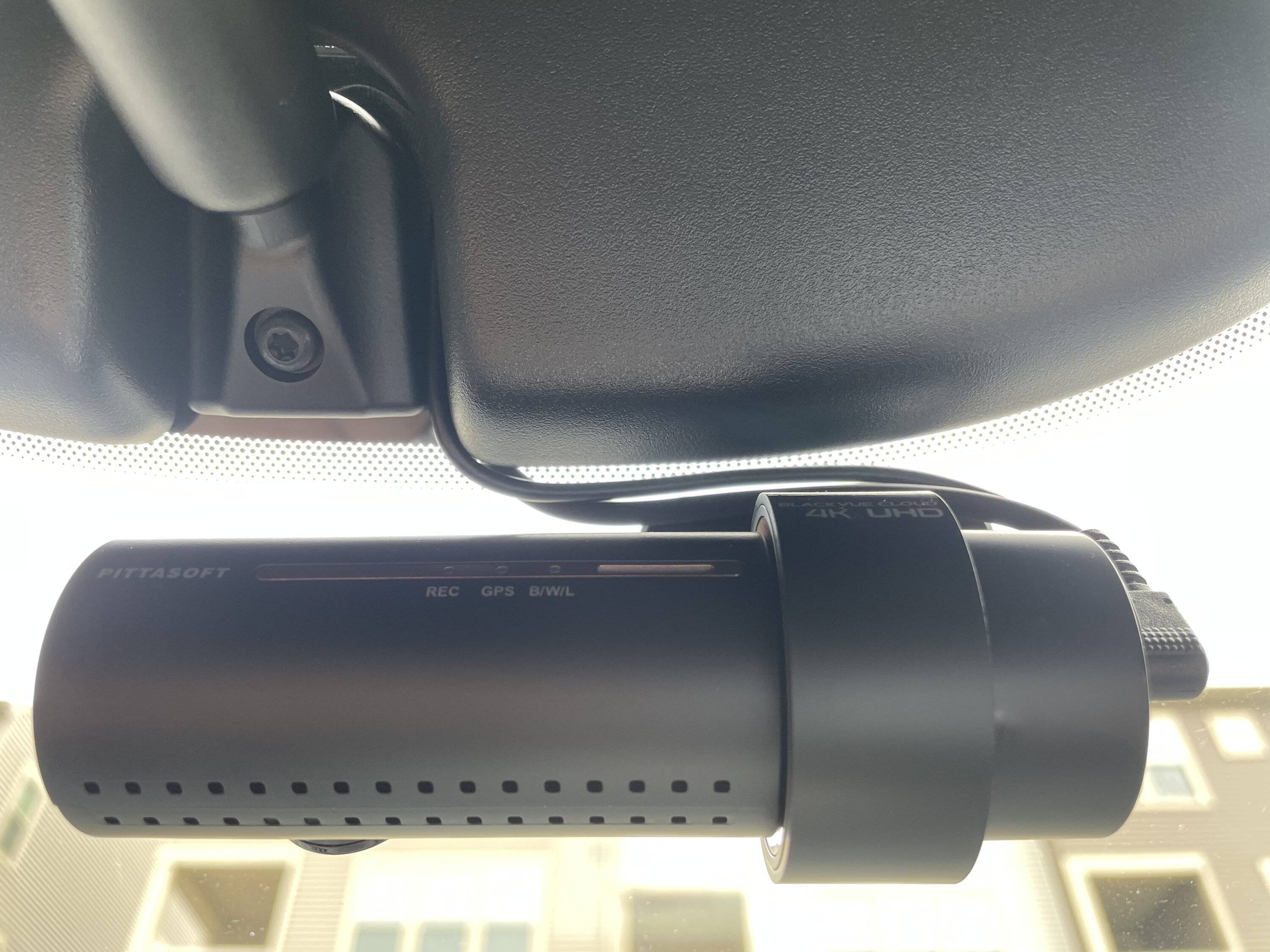
Here are photos of mine.

Ford Mustang Mach-E DIY Tutorial for Hardwiring a Dashcam and Radar Detector 955B211C-A02F-4CB4-AE31-3841D85272AE


Ford Mustang Mach-E DIY Tutorial for Hardwiring a Dashcam and Radar Detector 2CE21D31-713A-4E42-A581-CF3E26E2A778


Ford Mustang Mach-E DIY Tutorial for Hardwiring a Dashcam and Radar Detector 18ACD664-C529-4974-ADAB-4BD174AEA58A


Ford Mustang Mach-E DIY Tutorial for Hardwiring a Dashcam and Radar Detector 9EDC2FB5-0DC5-4587-91BC-A6A6C0991818


Ford Mustang Mach-E DIY Tutorial for Hardwiring a Dashcam and Radar Detector EB1B8C09-3A9D-4332-8585-F84DC905531C


Ford Mustang Mach-E DIY Tutorial for Hardwiring a Dashcam and Radar Detector 7CBFECF1-93EF-4C63-9C74-9EDF0794D42B


Ford Mustang Mach-E DIY Tutorial for Hardwiring a Dashcam and Radar Detector 751B614C-7A26-47EF-A53C-124B1D8F444B


Ford Mustang Mach-E DIY Tutorial for Hardwiring a Dashcam and Radar Detector BB43EDB6-2A7A-4171-AE66-0D7CB4B67FB1


Ford Mustang Mach-E DIY Tutorial for Hardwiring a Dashcam and Radar Detector 04148E7F-62CF-495C-975F-6E73A4053F3A


.Eduardo

Active Member
First Name
Eduardo
Joined
Mar 19, 2022
Threads
4
Messages
41
Reaction score
18
Location
Virginia US
Vehicles
2022 Mustang Mach-e GT, Mustang GT Petty Edition
Occupation
IT
Country flag
Pleasure! You're quite welcome.

Note: If you're into computers, I have a Linux script which downloads all camera files once your camera is near home and connected to your home WiFi, provided that your camera is ON while your Mach-E is parked.

Requirements are:
Camera must be ON (on a backup battery for example)
Camera must have a static IP address (setup on your router)
Must have a computer running Linux
Must have enough disk space to save video files (about 900 GB is a good start)
 

P65

Well-Known Member
Joined
Mar 15, 2022
Threads
1
Messages
51
Reaction score
77
Location
Switzerland
Vehicles
2022 Mach E Ice White Ed AWD ER premium
Country flag
Pleasure! You're quite welcome.

Note: If you're into computers, I have a Linux script which downloads all camera files once your camera is near home and connected to your home WiFi, provided that your camera is ON while your Mach-E is parked.

Requirements are:
Camera must be ON (on a backup battery for example)
Camera must have a static IP address (setup on your router)
Must have a computer running Linux
Must have enough disk space to save video files (about 900 GB is a good start)
linux script sounds good, would like to give it a try, as I'm searching for an easier way to transfer the videos.
 

.Eduardo

Active Member
First Name
Eduardo
Joined
Mar 19, 2022
Threads
4
Messages
41
Reaction score
18
Location
Virginia US
Vehicles
2022 Mustang Mach-e GT, Mustang GT Petty Edition
Occupation
IT
Country flag
linux script sounds good, would like to give it a try, as I'm searching for an easier way to transfer the videos.
Sure, let get settled with things here and get that script sorted out. I will post it here with details.
 

.Eduardo

Active Member
First Name
Eduardo
Joined
Mar 19, 2022
Threads
4
Messages
41
Reaction score
18
Location
Virginia US
Vehicles
2022 Mustang Mach-e GT, Mustang GT Petty Edition
Occupation
IT
Country flag
@P65 here you go. I don't how proficient you are in Linux so I will give you somewhat basic guidance below. Let me know if you need additional help.

Basics:
Move to /home/YOURNAME and create a directory there and name it whatever you like.
Move into that directory and inside, create a file called whatever you want with extension ".sh" - for example:
cd ~
mkdir blackvue
cd blackvue

nano DR900.sh

Here is the script DR900.sh content:
Bash:
#!/bin/bash
PATH=/usr/local/bin:/usr/local/sbin:~/bin:/usr/bin:/bin:/usr/sbin:/sbin
cd /media/backup/backups/900 #this is the full path where you want all files downloaded to
export BVDATE=`date +%Y%m%d` #this is defining todays date
echo $BVDATE
echo Blackvue DR900X-2CH plus download script ver1.0
# Below we assume your dashcam static IP address is 10.0.2.3 but you should change it
# to whatever IP address you assigned to your dashcam in your router
for file in `curl http://10.0.2.3/blackvue_vod.cgi | sed 's/^n://' | sed 's/F.mp4//' | sed 's/R.mp4//' | sed 's/,s:1000000//' | sed $'s/\r//' | grep $BVDATE`; do wget -c http://10.0.2.3$file\F.mp4; wget -c http://10.0.2.3$file\R.mp4; wget -nc http://10.0.2.3$file\F.thm; wget -nc http://10.0.2.3$file\R.thm; wget -nc http://10.0.2.3$file.gps; wget -nc http://10.0.2.3$file.3gf; done
Then press SHIFT+CTRL+O to save/overwrite the file
Press ENTER
Then press SHIFT+CTRL+X to exit the editor

Once done, make it executable:
chmod +x DR900.sh

Now you may manually execute the script:
./DR900.sh

Automation:
If you like some automation, you can add a cron job so the computer would automatically download your videos at a certain time, usually a few minutes after you get home daily.
Run this command:
crontab -e

Enter the following content somewhere. Note you must know your archives path and script name.

crontab:
Bash:
# This adds an automatic execution of DR900.sh daily at 6:00 pm

00 18 * * * /home/YOURNAME/blackvue/DR900.sh

# This deletes all camera files from your computer that are older than 3 days daily 12:00 am

@daily find /path-to-where-files-were-downloaded-to/20* -mtime +3 -exec rm {} \;
Then press SHIFT+CTRL+O to save/overwrite the file
Press ENTER
Then press SHIFT+CTRL+X to exit the editor

Note: I use MX Linux 21 (a Debian-based distribution of Linux) however, this should be the same or at the very least similar on other flavors of Linux -- also macOS.

Best,
Eduardo
 

steve.panse

Well-Known Member
First Name
Steve
Joined
Aug 23, 2022
Threads
1
Messages
130
Reaction score
155
Location
South FL
Vehicles
2022 Mach E GT PE
Country flag
Thanks to all the contributors and pathfinders on this thread! Yesterday I installed the Blackvue DR900X-2CH on my 2-day old GT-PE, delivered on Saturday. Happy with the install, except I didn’t go through the boot on the rear camera…figured I could tackle this when I had more patience.

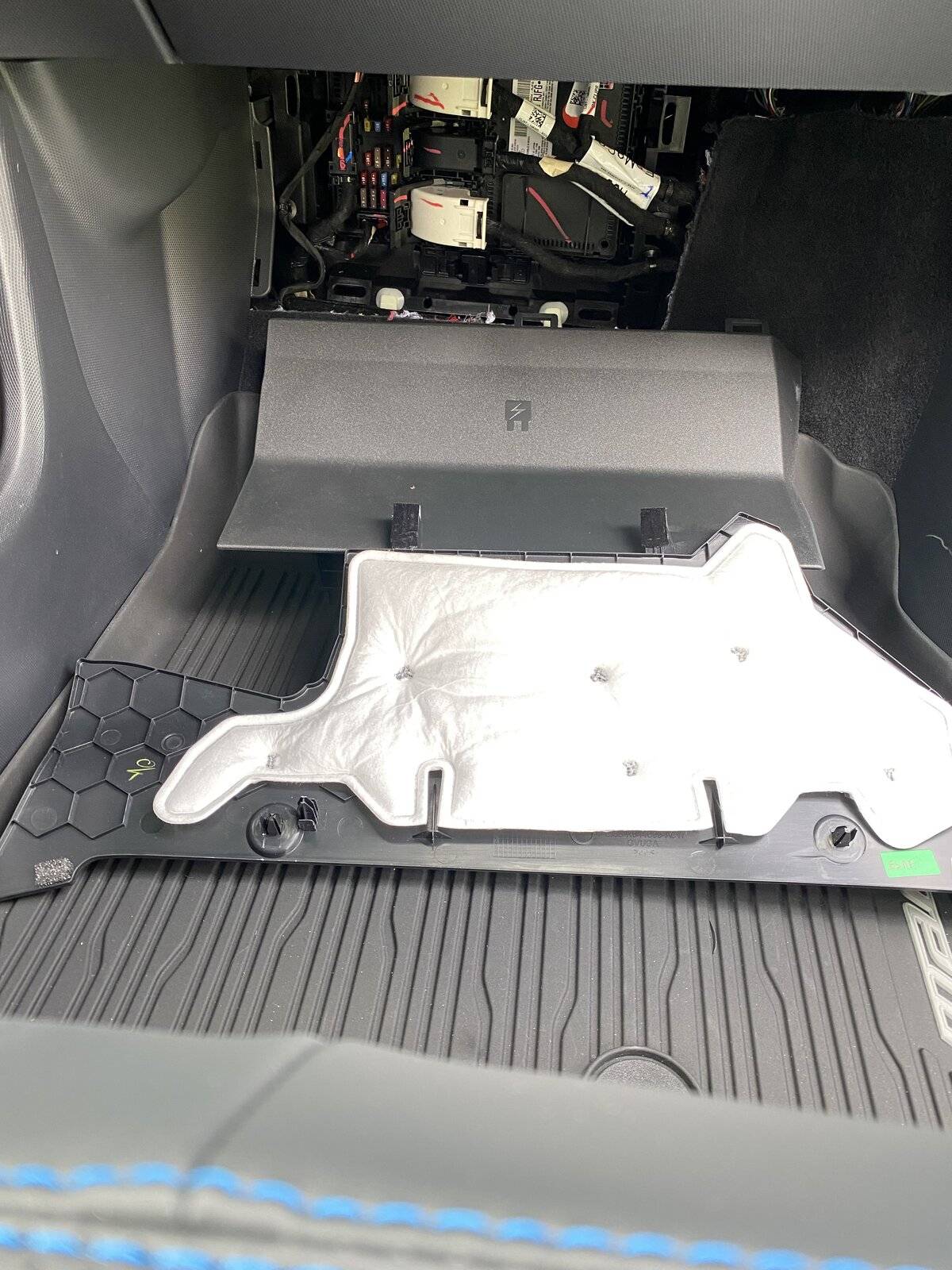
One thing I noticed that I hadn’t seen anyone else report: My BCM fuse area is missing the upper panel. It has the vertical panel near the passenger’s feet, but no horizontal interlocking panel on the top; it’s just open underneath the glove box. So the fuse panel cover was VERY easy to take off and reinstall, but I’m wondering if this was a factory delete or if my car is missing the part.

Anyone else see the same thing?
 

Subliminal64

Well-Known Member
First Name
Burnsey
Joined
Aug 22, 2022
Threads
21
Messages
58
Reaction score
57
Location
Ontario, Canada
Vehicles
2022 MME AWD ER (x2) "Darth Maul" & "R2-D2"
Occupation
Working
Country flag
Here is a How To video that may be of assistance. Good Luck! You got this!


swemme

Well-Known Member
Joined
Apr 25, 2021
Threads
8
Messages
65
Reaction score
37
Location
Sweden
Vehicles
Ford Mustang Mach-e
Country flag
Did you get good gps signal when you placed it as you did in the video? I’ve seen recommendations to put it within the ”net structure” beside the middle.
 

neel9433

Member
First Name
Neel
Joined
Nov 27, 2022
Threads
2
Messages
10
Reaction score
3
Location
Phoenix AZ
Vehicles
2022 Mustang Mach E
Occupation
Engineer
Country flag
Here are a couple of more pics showing the location of the small cabin fuse box (passenger seat front floor pan, up towards the firewall). I had to drop the little panel above (two push pins forward edge) to get the fuse cover off. Note the two relatively large tabs that go through the rectangular openings at the top of the fuse panel. Must have been a post inspection rattle, because there was some felt over the tabs that was a little folded.

Study the pictures, because it is important to realize that the back of the fuse cover does not unsnap from the panel above, rather those long tabs slide through the rectangular openings. Trying to force the fuse cover down would break the rectangular hooks.
IMG-1625.jpg
Any chance you know the part number for that white lined panel?
 

dtbaker61

Well-Known Member
First Name
Dan
Joined
May 11, 2020
Threads
126
Messages
4,822
Reaction score
4,525
Location
santa fe,nm
Website
www.envirokarma.org
Vehicles
MME (delivered 2/26/21), DIY eMiata BEV
Occupation
Solar Sales/install
Country flag
Radar on driver's side. Toll on passenger and behind the mirror you can barely see my dashcam.

PXL_20220507_014210074.jpg
I have a maybe stupid question.....
why do you have to add a camera? Can you not add a splitter to the connection right at the OEM camera, and send the video signal to a second display ?

I don't know much about video signals, so.... Jes' Askin'
Sponsored


Top